
- Age rating4+
- CategoryProductivity
- DeveloperJUSTIN B SMITH
- LanguagesEnglish
- Size12.6 MB
Links to the official App Store page
Download.org hosts no file of Peep Mail. The button opens its official App Store page, published by JUSTIN B SMITH. Listing last checked on Nov 24, 2026.
Screenshots



About
Peep Mail brings all your email together in one fast, private app for iPhone and iPad.
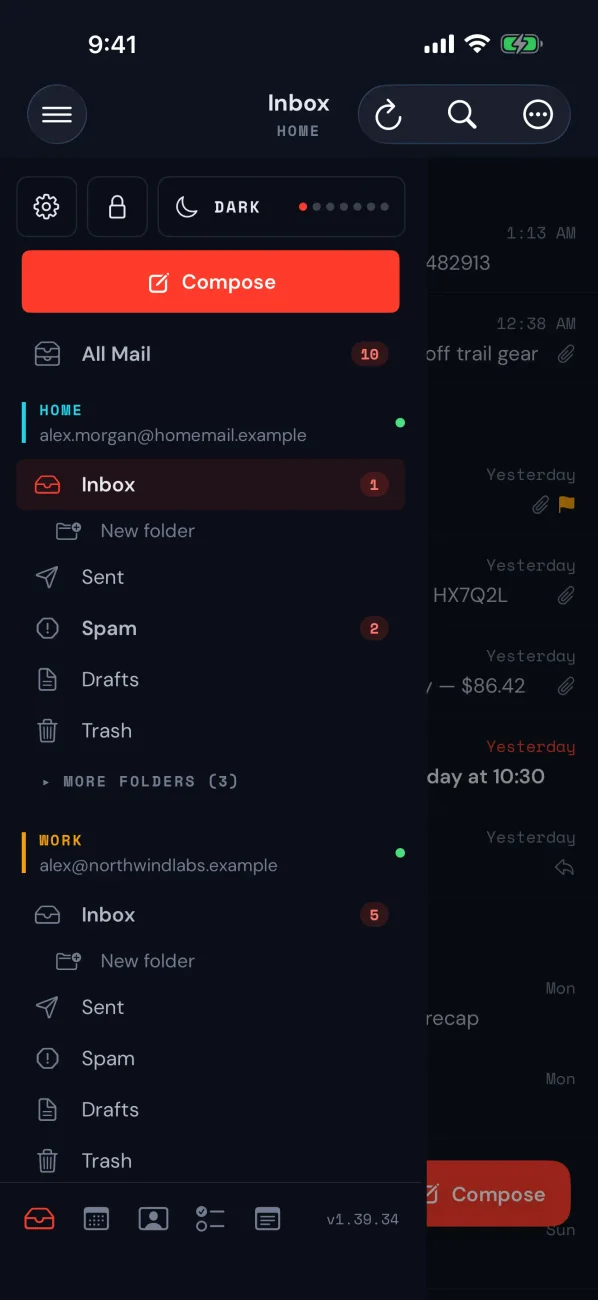
Add your Gmail, Outlook, AOL, iCloud or any other IMAP mailbox and read them side by side, or link Peep to your own Peep server and have everything ready on every device. Peep talks only to your own mail servers. There's no Peep account, no ads, and nothing about you is sent to us.
MAIL
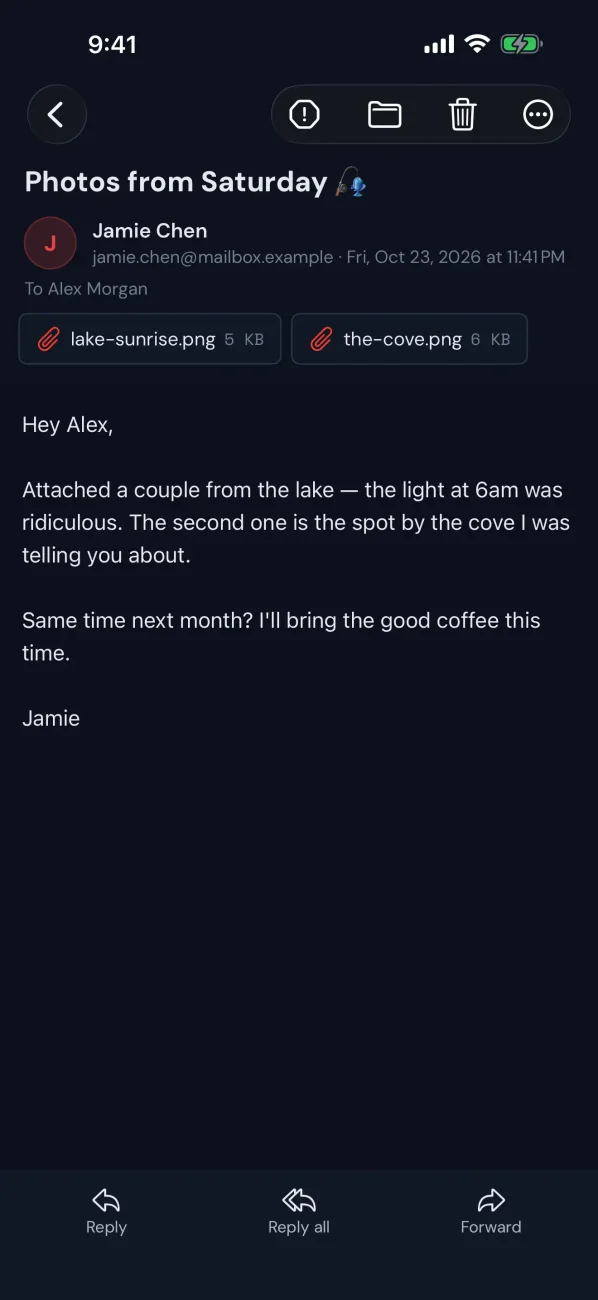
• Every mailbox in one place, or all your inboxes in one list
• Conversations grouped together, or one message at a time
• Write with formatting: bold, lists, links and pictures
• Send later, undo send, and a reminder when nobody replies
• Snooze messages, file them in Peep folders, and mark what matters with color categories
• Remote pictures off until you ask, so senders can't tell you opened their mail
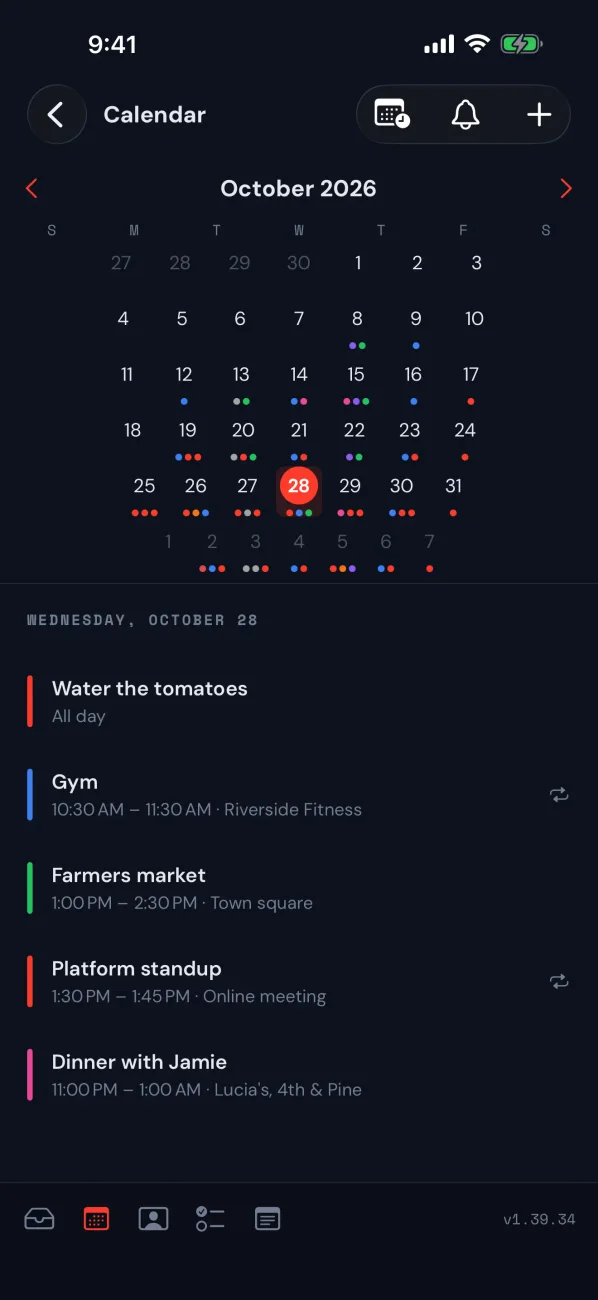
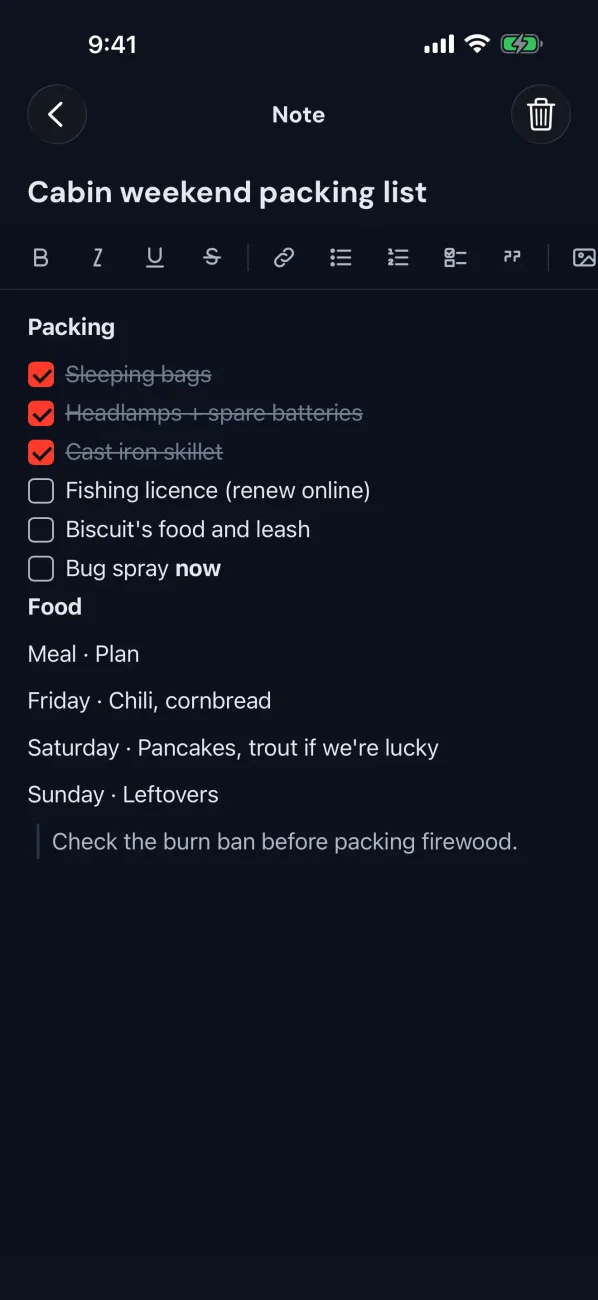
CALENDAR, CONTACTS, NOTES AND TASKS
• A calendar with invitations you can answer right from the message
• Contacts that fill in as you type an address
• Notes you just start typing in, with checklists and pictures
• Tasks and reminders next to your mail
PRIVATE BY DESIGN
• Peep opens with your PIN or Face ID
• Saved passwords stay on your device, encrypted
• Secure connections are checked strictly
ON IPAD
Mailboxes, the message list and the message side by side, in portrait or landscape.
FOR BUSINESSES
Linked to a PeepEn server, Peep Mail shows your company's shared mailboxes, lets your team see who's already replying, and adds team chat, company templates and categories.
THEMES
Six themes, from bright to dark.
What’s new
Version 1.39.128 · Nov 23, 2026
• Fixed: new installs could get stuck on the welcome screen. The number pad for choosing a PIN could come up over the screen and cover Get started, so there was no way on. The welcome now closes the keyboard, and the PIN box waits until you tap Get started.
• Adding a mailbox or linking to a Peep server: a Done button above the keyboard, so Test & save and Link are never stuck behind it.
• Choosing or entering your PIN: the number pad no longer covers the PIN boxes or the Set PIN button, on any iPhone (including the iOS 27 beta).
• Replies from your plus addresses: mail sent to you+shop@yourdomain gets its reply from that same address, with nothing to set up.
• Outlook.com, Hotmail and Microsoft 365: signing in a new mailbox works again.
App privacy
What JUSTIN B SMITH declares on the App Store about how this app handles data.
-
Data not collected
The developer does not collect any data from this app.
Privacy practices may vary, for example with the features you use or your age.
Information
- Seller
- JUSTIN B SMITH
- Category
- Productivity
- Version
- 1.39.128
- Updated
- Nov 23, 2026
- Released
- Oct 27, 2026
- Size
- 12.6 MB
- Requires
- iOS 16.0 or later
- Age rating
- 4+
- Price
- Free
- Languages
- English
- Copyright
- © 2026 Justin B Smith