
Pekoe: Tea Timer & Journal
Personal recipes, every steep
Designed for iPhone, iPad
Free
- Age rating4+
- CategoryFood & Drink
- DeveloperIzuba
- LanguagesEnglish+ 3 more
- Size42.9 MB
Links to the official App Store page
Download.org hosts no file of Pekoe: Tea Timer & Journal. The button opens its official App Store page, published by Izuba. Listing last checked on Nov 18, 2026.
Screenshots
About
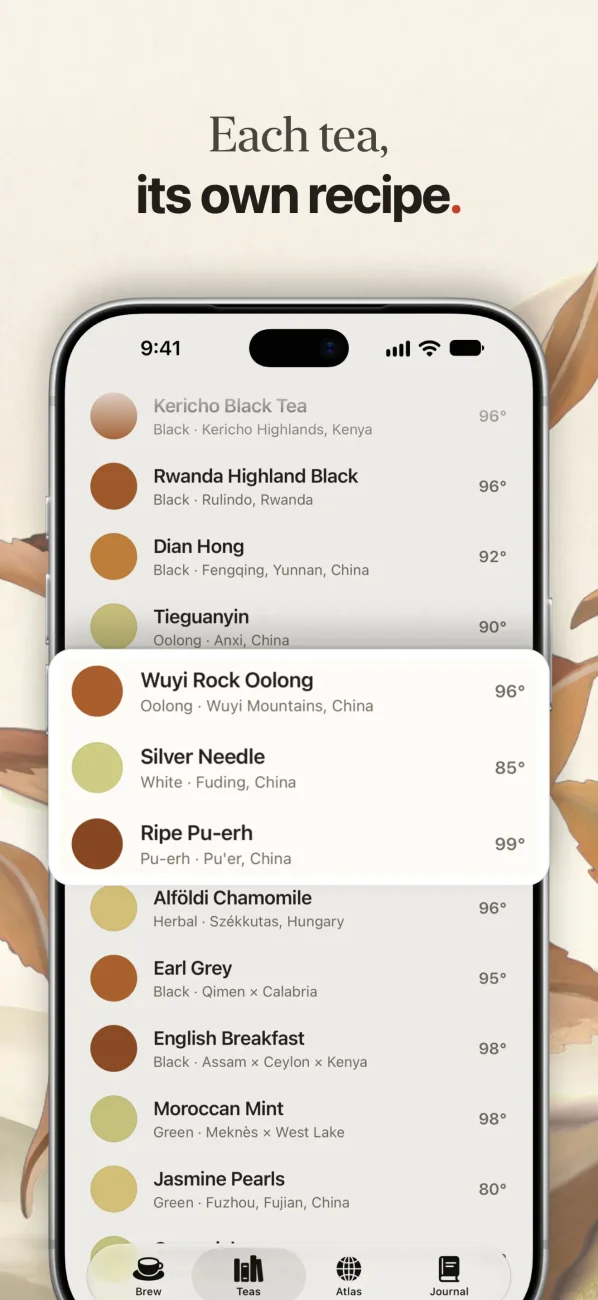
Pekoe is a private tea timer, personal recipe book, and tasting journal, for iPhone, iPad, and Apple Watch. Every tea opens on its exact recipe already set: 35 teas from 25 regions, each with its temperature, leaf, water, steeps. No account, no ads.
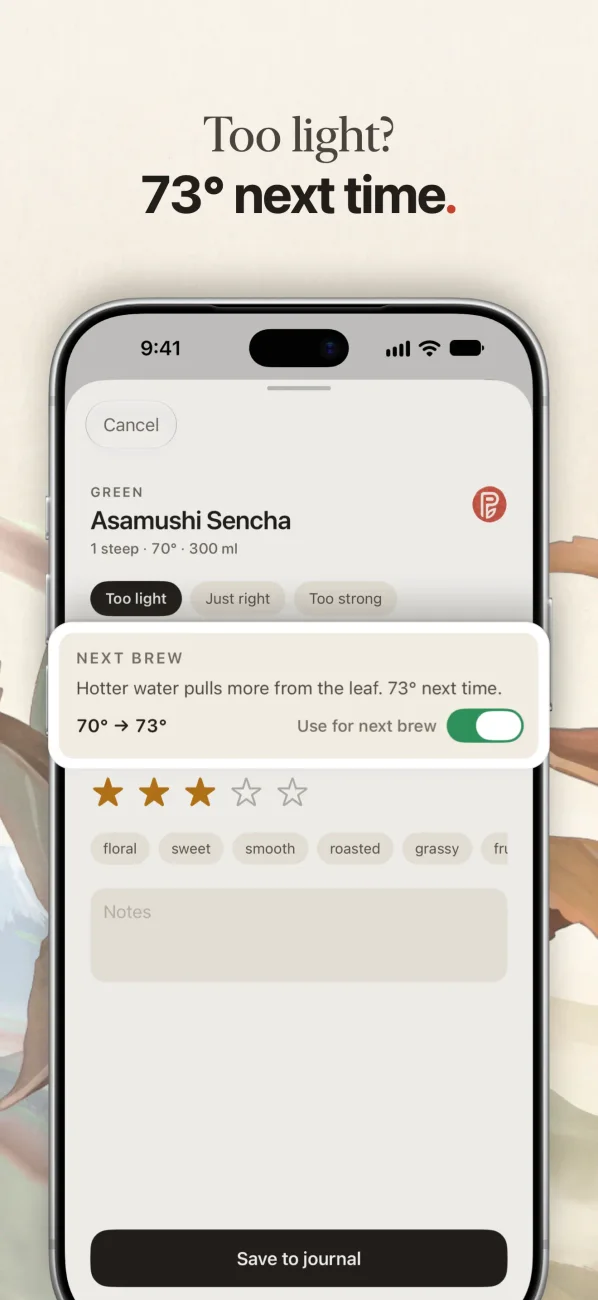
Multiple infusions, gongfu style: each steep keeps its own time, and the next begins right where the last one ended. Brew, taste, judge in one tap, too light, just right, too strong, and Pekoe proposes one clear change for next time, in plain words. Accept it, and your recipe quietly becomes yours.
THE LOOP
• Every tea opens on its exact recipe, temperature, leaf, water, steeps
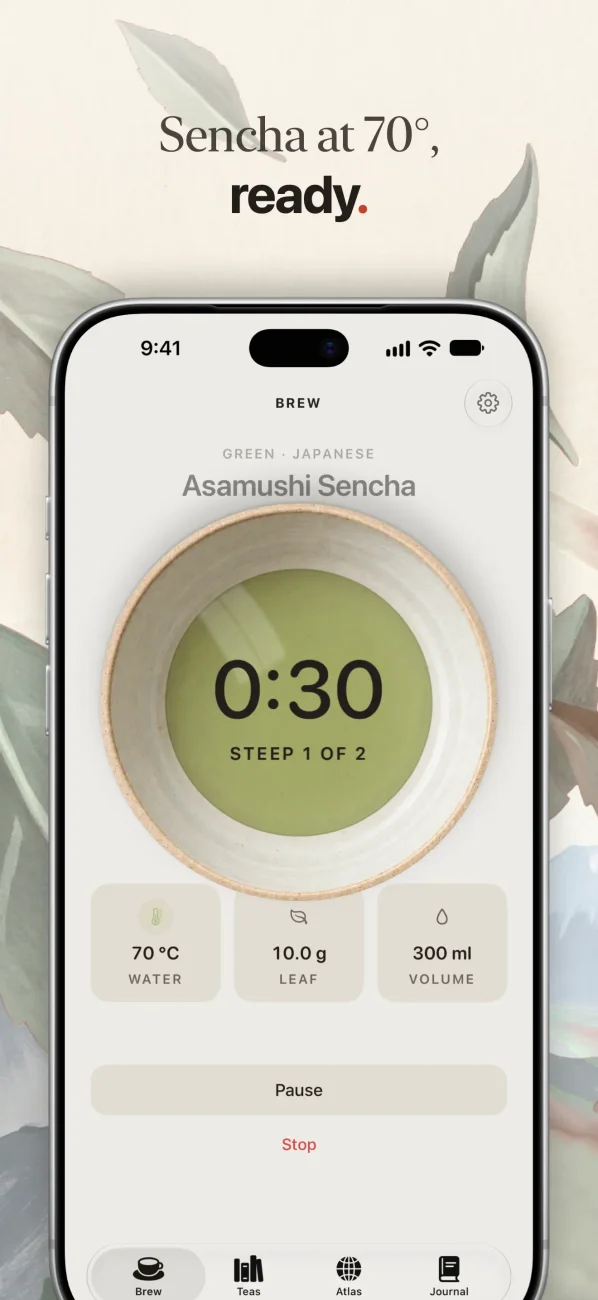
• A timer built for tea: multiple infusions, a Live Activity, and a Dynamic Island that fills the tea's vessel
• The dial is a stoneware bowl seen from above: time is a pool of tea spreading to the wall, and at 0:00 a last drop falls
• The bell rings at zero even when Pekoe is closed (iOS 26 and later). Pekoe asks once, before your first steep
• Each tea names its method, Western, Gongfu, or Japanese, on the tea page and the Brew screen
• After the cup, one tap: Too light / Just right / Too strong
• Too strong, but how? Bitter or heavy: the nuance picks the lever, water or leaf, and the advice says why. Never a black box
• Next time, that tea remembers. "Your recipe", it says. It means it.
• The recipe thread: every adjustment you kept, drawn on the tea's page, with your last verdict in words
ONE PEKOE, EVERY SCREEN
• On iPad, the brew screen opens into a full brewing bench, the dial beside steeps, ideal window, and origin
• On Apple Watch, turn the crown to one of your last five teas, follow the steep, judge it at the wrist. The cup reaches your phone's journal, and a complication joins the watch face
• The widget starts the brew in place. Control Center and the Action button start your last tea
• A pekoetimer.com/tea link opens that tea, or a shared recipe ready to brew. Without Pekoe, an App Clip brews it
• °C or °F: one setting, and every recipe, slider, and cooling curve follows
THE ATLAS
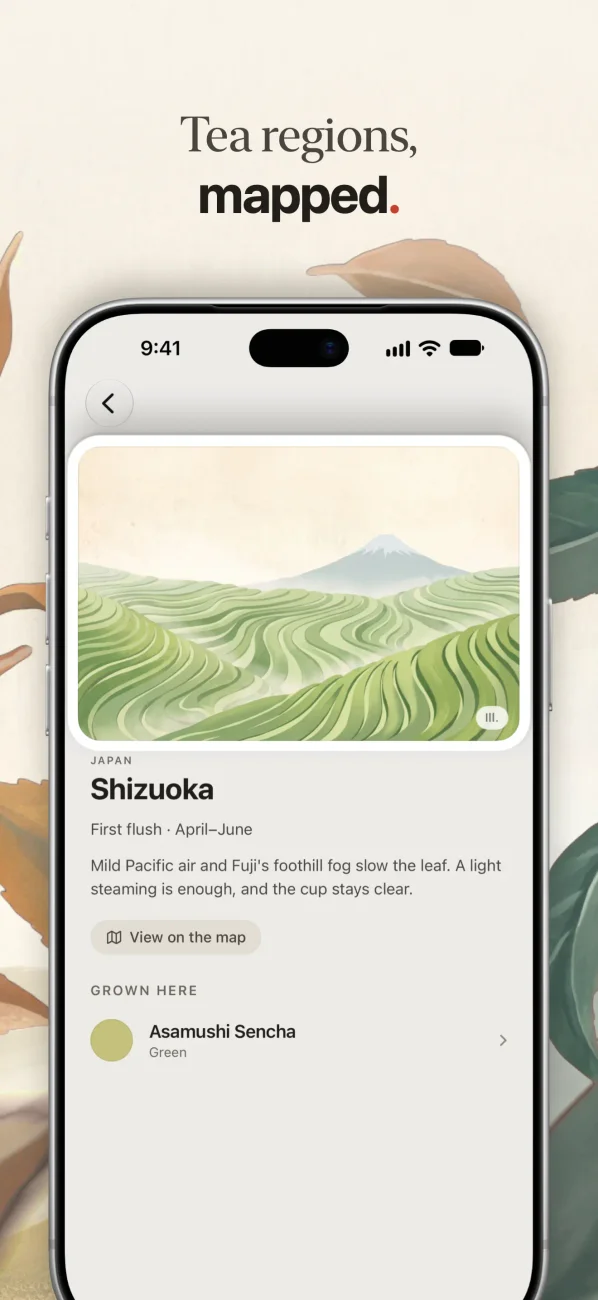
• The world of tea has a tab of its own: 25 regions drawn from real geography, each with its story. Each wears a painted card
• Harvest shelves show which teas are being plucked, all year round
• Gardens on the map: real tea gardens to visit, region by region
• Paintings from the world's great museums, all public domain
YOUR TEAS
• 35 teas from 25 real regions: origin, process, harvest calendar, and the story of each leaf
• Five herbal infusions join the leaf: lavender, linden, peppermint, hibiscus, and ginger, each with its recipe and a map of its origin
• How each tea is made, drawn: twenty-one gestures in a single ink line, from withering to firing
• Asamushi Sencha, Yame Gyokuro, and Uji Matcha brew as Shizuoka, Yame, and the Uji houses write them
• Every tea wears the color of its cup, celadon to copper. Theine in words, never milligrams
• Add your own teas in seconds: a name and a family, or Read a label
• Search teas in the picker, Custom tea first. Find any tea from Spotlight too
YOUR JOURNAL
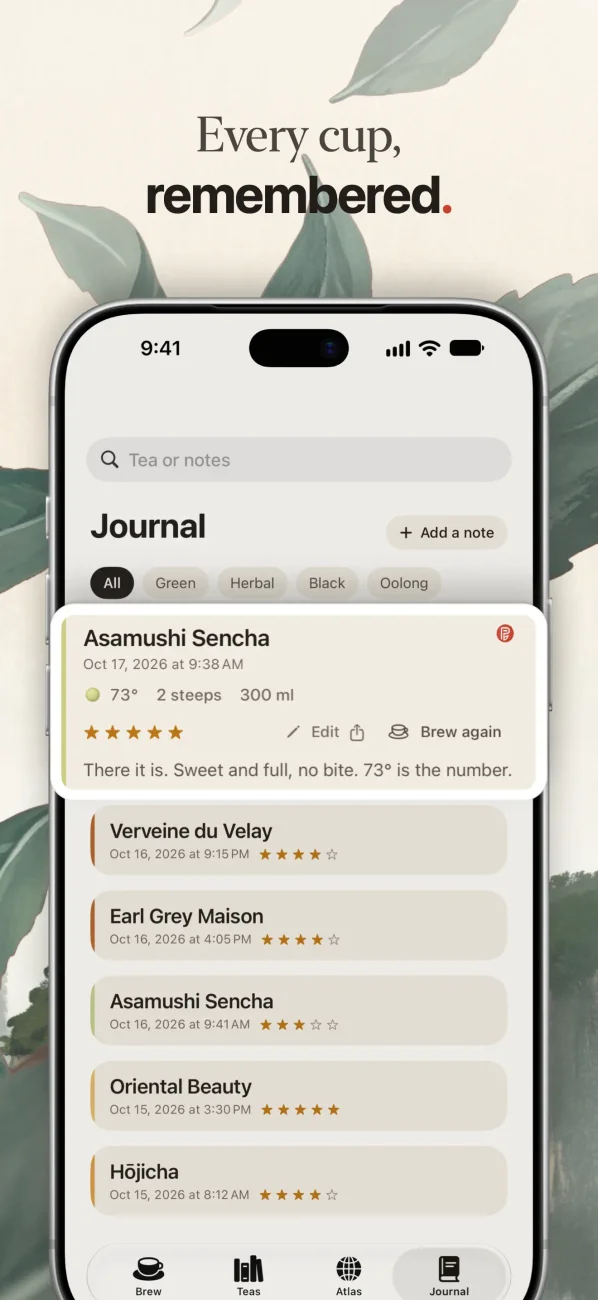
• Every session stamped and searchable, parameters, verdict, stars, notes
• Edit anything, even the date. Last night's forgotten pot has a place
• Share card: from a journal entry, your cup as a sticker on a notebook page, for Feed or Stories, cut out on the device
• Deleted by mistake? Undo. Six seconds of forgiveness
YOURS, FULL STOP
• No account. No ads. No tracking. No Pekoe server
• Your data lives on your devices and in your private iCloud, where Pekoe cannot see it
• Export your whole journal as JSON or CSV, and restore it just as easily
• Something to tell us? One line in Settings opens a mail you send yourself
Siri speaks tea, in English and French: "Start a brew in Pekoe", "Brew again in Pekoe", "Just boiled in Pekoe". And Pekoe itself speaks English, French, Japanese, and Arabic, fully right to left.
Pekoe remembers how you brew, so every cup gets better.
What’s new
Version 2.3 · Nov 10, 2026
Pekoe 2.3 adds the Apple Watch, the share card, and tea links.
Share a cup: open a journal entry, tap Share card, take a photo or choose one. Pekoe cuts the cup out on the device and sets it as a sticker on a notebook page, for Feed or Stories. With no photo, you get a cup in the tea's own ware.
Open a tea link: a pekoetimer.com/tea link opens that tea's page in Pekoe. A shared recipe link opens ready to brew. Without Pekoe, an App Clip brews it right away.
Read a label: in Custom tea, tap Read a label and point the camera at a tea's label. Pekoe fills the name and suggests a family.
Brew Asamushi Sencha, Yame Gyokuro or Uji Matcha: they now brew as Shizuoka, Yame and the Uji houses write them. The sencha: 70 °C, 10 g, 300 ml, two steeps, the second shorter.
Leave Pekoe during a steep: on iOS 26 and later, a system alarm rings at zero. Pekoe asks once, before your first steep, on a one-sentence sheet.
Open Settings, Sound: Ring as an alarm switches the system alarm on or off. It is on by default.
Look at the Dynamic Island: it shows the tea's own vessel filling with its liquor.
Open the Brew screen: the dial is a stoneware bowl seen from above. The time reads as a pool of tea spreading to the wall, and at 0:00 a last drop falls into the full bowl.
Tap Leaf or Volume on the Brew screen: a row of leaves or drops sits over the slider and fills up to your value.
Start your last tea from the Control Center control or the Action button. The widget starts the brew in place.
Read each tea's method, Western, Gongfu or Japanese, on the tea page and on the Brew screen.
On the Apple Watch, turn the crown to one of your last five teas, start it, follow the steep, and judge it at the wrist with the proposed change. The cup reaches the journal on your phone. A complication sits on the watch face.
On iPhone Duo, open it: Teas, Atlas, the journal and the tea page read as a book across the fold. The tea's leaves cross the spread as it opens.
Set the Duo down half-folded: the tea and the dial stand on the raised half. Stand it as a tent: the cover shows the tea, a large dial and one button. In both, the tea's color rises behind the dial as the steep runs.
Open Settings, Also by Izuba: FERA, Patina and Coil Club open their App Store page inside Pekoe.
Search teas in the picker, Custom tea first. Tap Finish without saving when a cup is not worth keeping. Brew opens on your last tea.
App privacy
What Izuba declares on the App Store about how this app handles data.
-
Data not collected
The developer does not collect any data from this app.
Privacy practices may vary, for example with the features you use or your age.
Information
- Seller
- Izuba LLC
- Category
- Food & Drink
- Version
- 2.3
- Updated
- Nov 10, 2026
- Released
- Jul 22, 2026
- Size
- 42.9 MB
- Requires
- iOS 18.5 or later
- Age rating
- 4+
- Price
- Free
- Languages
- English, Arabic, French, Japanese
- Copyright
- © IZUBA LLC
You might also like
-
 ChaJiGong Fu Tea Journal
-
 Nine Steeps: Gongfu Tea TimerMulti-infusion brew & notes
-
 SteepPilot: Gongfu Tea TimerBrew Guide & Tasting Journal
-
 Resteeped: Discover TeaTea Timer, Journal & Explorer
-
 ChaTime Tea TimerTea timer and brew journal
-
 Tea ChimeraFood & Drink
-
 Steep Tea TimerBrew Guide & Steep Tracker
-
 Tea Brewing MasterSteep Timer, Gong Fu & Journal
-
 Kiri - Tea TimerGongfu brewing guide
-
 TeaLoveLogYour personal tea journal