Pencil Notes: Handwriting
Handwriting, PDFs & Whiteboard
Designed for iPhone, iPad
$1.99
- Age rating4+
- CategoryProductivity
- DeveloperKliv Spahiu
- LanguagesEnglish
- Size50.3 MB
Links to the official App Store page
Download.org hosts no file of Pencil Notes: Handwriting. The button opens its official App Store page, published by Kliv Spahiu. Listing last checked on Nov 15, 2026.
Screenshots

About
# Pencil Notes — Your Simple Apple Pencil Notebook
Turn your iPad into a simple, distraction-free notebook designed for Apple Pencil.
Write naturally, organize your ideas, annotate documents, and export your work — all without subscriptions or complicated setup.
## WRITE NATURALLY
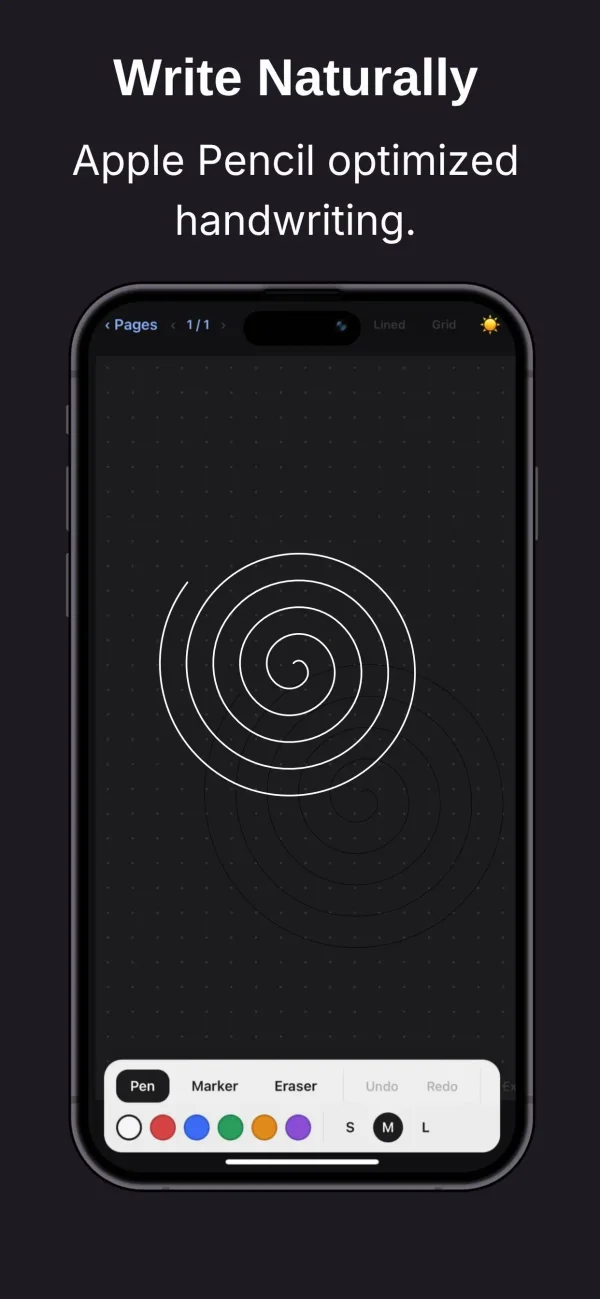
Pencil Notes is built around the feeling of writing on real paper.
• Write with Apple Pencil
• Create unlimited notebooks and pages
• Choose blank, lined, dotted, or grid paper
• Use a pressure-sensitive pen
• Highlight important ideas
• Undo and redo with ease
• Zoom and pan while writing
Whether you're taking notes, planning your day, journaling, brainstorming, or simply sketching, Pencil Notes keeps things simple.
## WRITE ON PDFs
Import a PDF and write directly on it with Apple Pencil.
Highlight text, add handwritten notes, draw, underline, circle important information, and mark up documents naturally.
Perfect for:
• Study materials
• Lecture notes
• Work documents
• Forms and worksheets
• Research papers
• Presentations
• Personal documents
## ANNOTATE IMAGES
Import an image and use your Apple Pencil to write, draw, mark up, or add notes directly on it.
## EXPORT YOUR WORK
When you're finished, export your handwritten pages, PDF annotations, or marked-up images and share them wherever you need.
## PRIVATE BY DESIGN
Your notes stay on your iPad.
No account required.
Your notes stay on your iPad.
No cloud storage. No ads.
Just open the app and start writing.
## MADE FOR EVERYDAY USE
Use Pencil Notes for:
• Class and lecture notes
• Meetings
• To-do lists
• Journaling
• Planning
• Brainstorming
• Sketching
• PDF annotation
• Document markup
• Personal notes
## SIMPLE BY CHOICE
Pencil Notes isn't trying to replace every app on your iPad.
It's a simple place to write.
Open it. Pick a page. Grab your Apple Pencil. Start writing.
What’s new
Version 1.0.3 · Oct 15, 2026
**NEW: Whiteboards**
A new space for free-form thinking. Sketch on an endless canvas, add shapes, text, and sticky notes, and connect your ideas with arrows. Export any whiteboard as a PDF or image to share your ideas anywhere.
**IMPROVEMENTS & FIXES**
• Fixed an issue that made images and stickers less responsive when dragging with Apple Pencil. Moving them is now smoother and more precise.
• Reduced memory usage for smoother performance, especially in notebooks containing many images.
• Improved overall performance and stability.
Thanks for using Pencil Notes! We'd love to hear your feedback.
App privacy
What Kliv Spahiu declares on the App Store about how this app handles data.
-
Data not collected
The developer does not collect any data from this app.
Privacy practices may vary, for example with the features you use or your age.
Information
- Seller
- Kliv Spahiu
- Category
- Productivity
- Version
- 1.0.3
- Updated
- Oct 15, 2026
- Released
- Jul 9, 2026
- Size
- 50.3 MB
- Requires
- iOS 16.4 or later
- Age rating
- 4+
- Price
- $1.99
- Languages
- English
- Copyright
- © 2026 Kliv Spahiu
You might also like
-
 Recall OfflineYour Docs, AI Answers, No Ads
-
 Teika: Voice to Text NotesPrivate offline dictation
-
 ReWriteMe: AI WriterPolish emails, notes, replies
-
 LifeCue – Smart RemindersRemember Who, When & Why
-
 Vimy: Vim Notes EditorCompose with modal motions
-
 Chatwise: Chat & LearnBoost your learning
-
 DebtShield: Debt CollectionCall Log & Evidence Journal
-
 Smart Highlighter AI ReaderScan Books, AI Highlights
-
 SinceyTrack when you last did things
-
 TodoboAI-powered voice to-do app