- Age rating4+
- CategoryUtilities
- Developermim Armand
- LanguagesEnglish
- Size3.0 MB
Links to the official App Store page
Download.org hosts no file of Pencile Test. The button opens its official App Store page, published by mim Armand. Listing last checked on Nov 15, 2026.
Screenshots
About
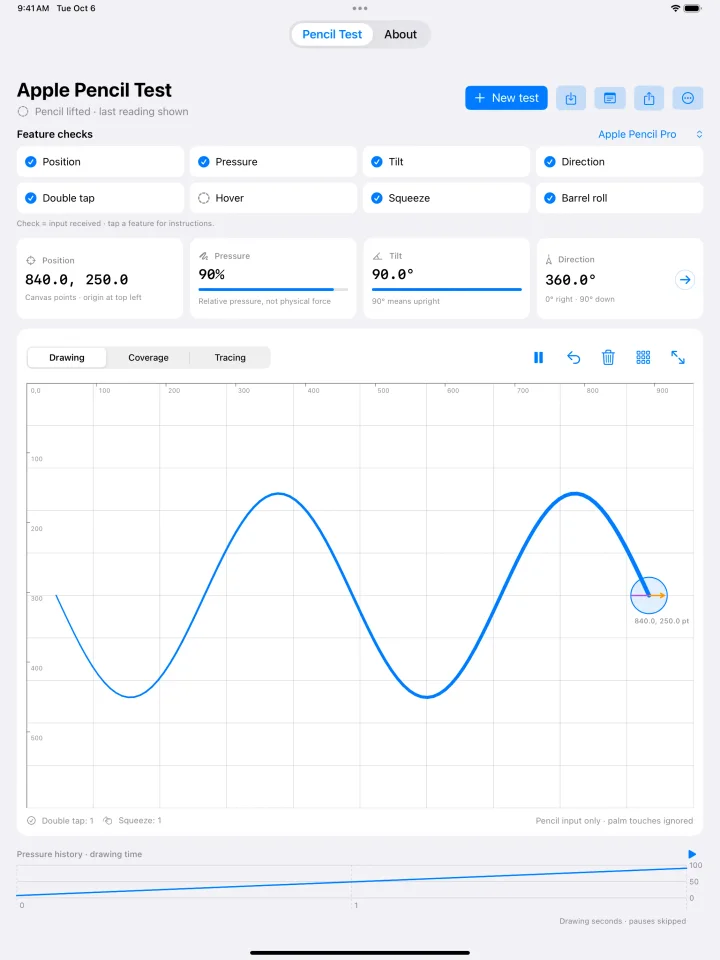
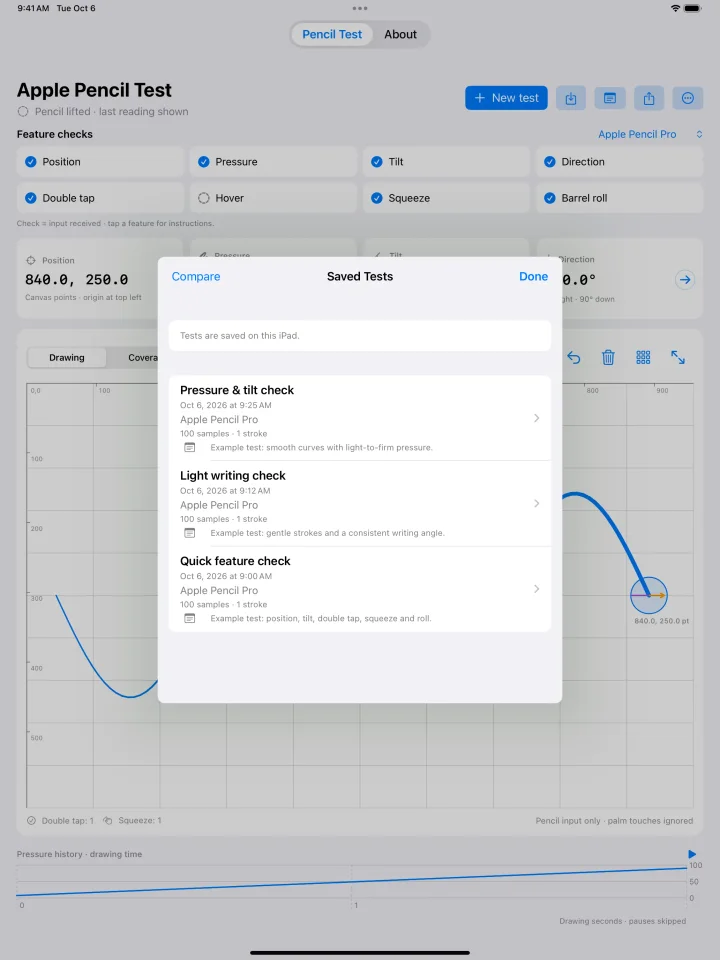
Explore your Apple Pencil's input with a clear, responsive test canvas on iPad. Draw, vary your pressure, and change your Pencil's angle while watching the readings respond.
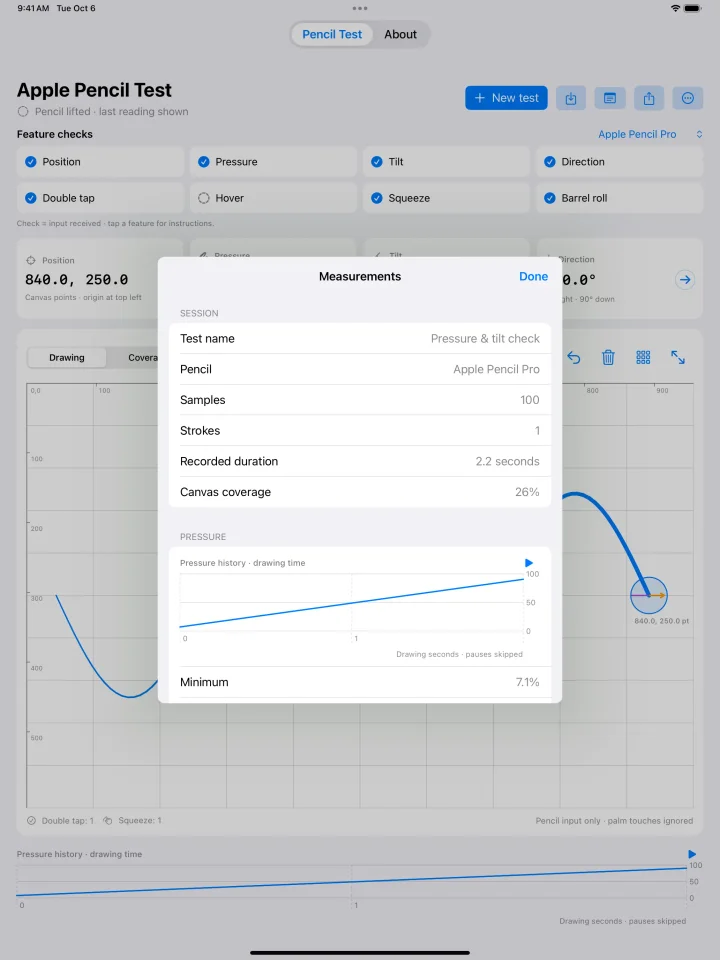
See position, pressure on supported Pencil models, tilt and direction. Pressure history and detailed measurements help you review the input recorded during your test. Pause markers distinguish gaps of five seconds or more while idle time stays compressed. Optional grids, coordinate axes and tracing guides give your drawing a useful reference.
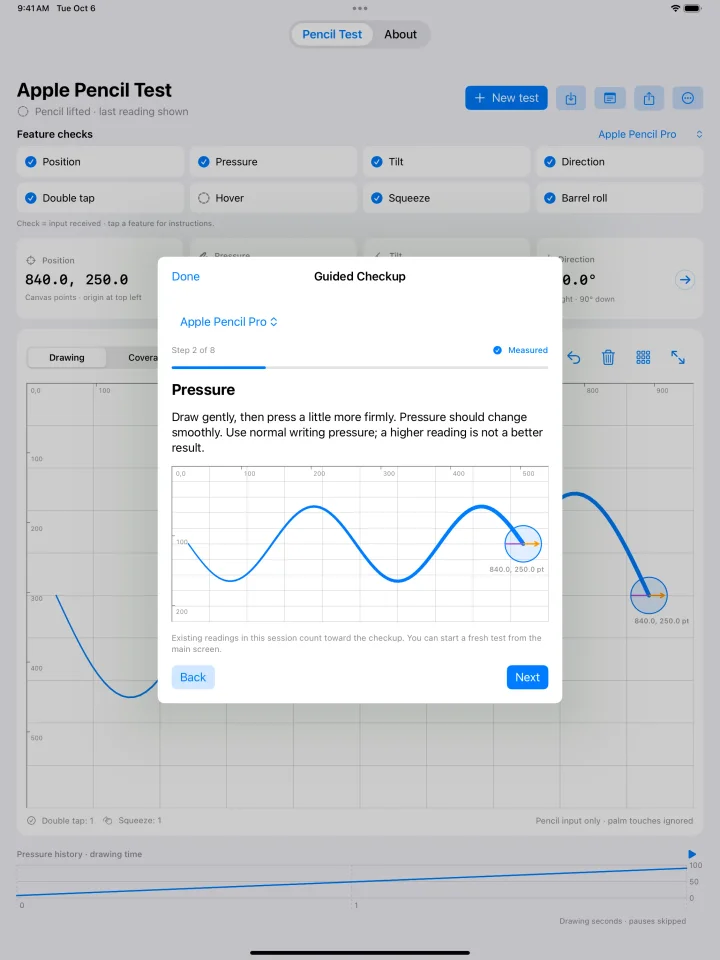
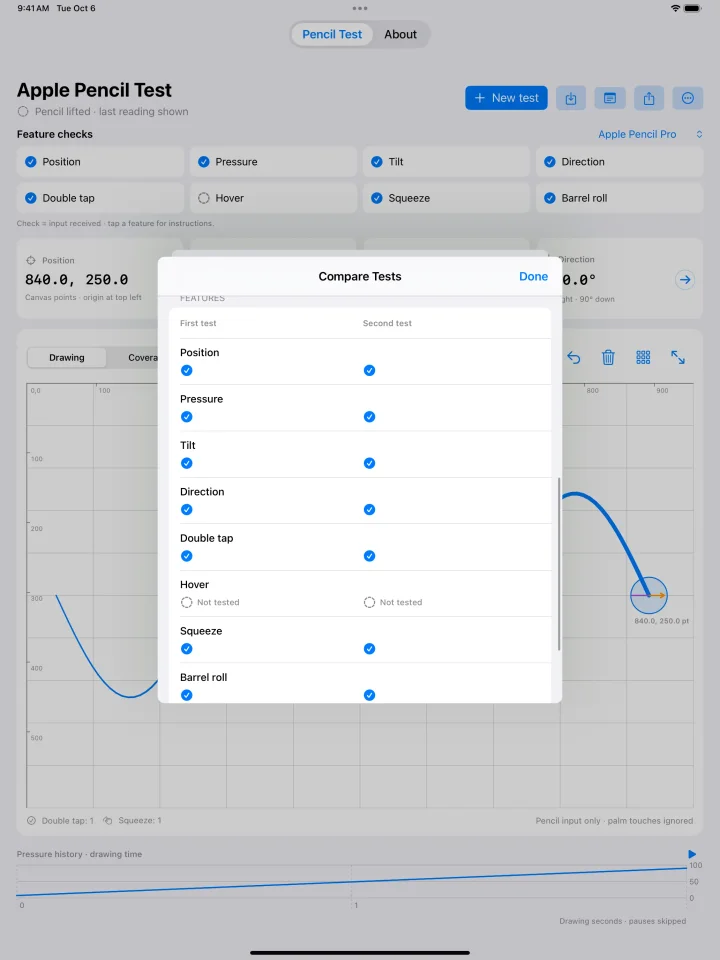
Test features in any order using live checkmarks, or follow the optional guided checkup. Checkmarks show that the app received input during the session. Try hover, double tap, squeeze and barrel roll on compatible Pencil and iPad hardware.
Keep tests on your iPad with optional names and editable notes. Reopen recordings and compare two saved tests, including their measurements and observed features.
Replay your drawing with pauses between strokes skipped. Undo removes the last visible stroke and its associated pressure readings from graphs while preserving the raw measurements. Clear removes visible ink and keeps pressure history; New test starts a fresh session.
Create PDF reports, print with the system print controls, and share recorded drawings or CSV/JSON measurements. Send feedback directly from the app, with an optional reply email and a diagnostic summary you choose to include.
Requires iPadOS 18 or later and an iPad compatible with your Apple Pencil. Feature availability depends on your Pencil model, iPad and system settings. Readings describe input received by the app and do not certify hardware health.
What’s new
Version 1.5 · Oct 7, 2026
- Live feature checkmarks and an optional guided checkup.
- Position, tilt and direction readings, plus pressure history with long-pause markers on supported Pencil models.
- Hover, double tap, squeeze and barrel roll checks on compatible hardware.
- Saved tests with optional names, editable notes and comparison.
- PDF reports, system printing, and drawing, CSV and JSON sharing.
- Replay with a moving pressure-chart cursor, matching recorded readings and a distinct indigo appearance. Feature checks stay checked and highlight as playback reaches their evidence; Reduce Motion is supported. Start or stop from the live chart; pauses between strokes are skipped.
- Undo updates pressure graphs while retaining raw measurements.
- Direct in-app feedback with optional diagnostics.
- A distinctive blueprint icon with graph-paper texture and a Pencil extending beyond the drawing panel.
App privacy
What mim Armand declares on the App Store about how this app handles data.
-
Data linked to you
May be collected and linked to your identity.
- Contact info
- User content
- Diagnostics
Privacy practices may vary, for example with the features you use or your age.
Information
- Seller
- mim Armand
- Category
- Utilities
- Version
- 1.5
- Updated
- Oct 7, 2026
- Released
- Feb 14, 2025
- Size
- 3.0 MB
- Requires
- iOS 18.0 or later
- Age rating
- 4+
- Price
- $0.99
- Languages
- English
- Copyright
- © mim Armand
You might also like
-
 W PencilW Pencil
-
 Find My Bluetooth PencilFind Lost Bluetooth Devices
-
 Geekbench 7CPU and GPU performance test
-
 MetapenUtilities
-
 HDMI Monitor - OrionExternal Display System
-
 Sound Meter (Decibel)Measure the noise level
-
 Thingiverse Printables | 3D GO3D Printing: STL Viewer Slicer
-
 Bambu HandyPrinter control and 3D models
-
 Vivaldi Powerful Web BrowserWeb Browser that adapts to you
-
 RustDesk Remote DesktopRemote access and control