
Pengesekken
Shifts, overtime and pay
Designed for iPhone, iPad
Free · In-app purchases
- Age rating4+
- CategoryFinance
- DeveloperTor Inge Bjørsvik
- LanguagesNorwegian Bokmål
- Size29.3 MB
Links to the official App Store page
Download.org hosts no file of Pengesekken. The button opens its official App Store page, published by Tor Inge Bjørsvik. Listing last checked on Nov 18, 2026.
Screenshots



About
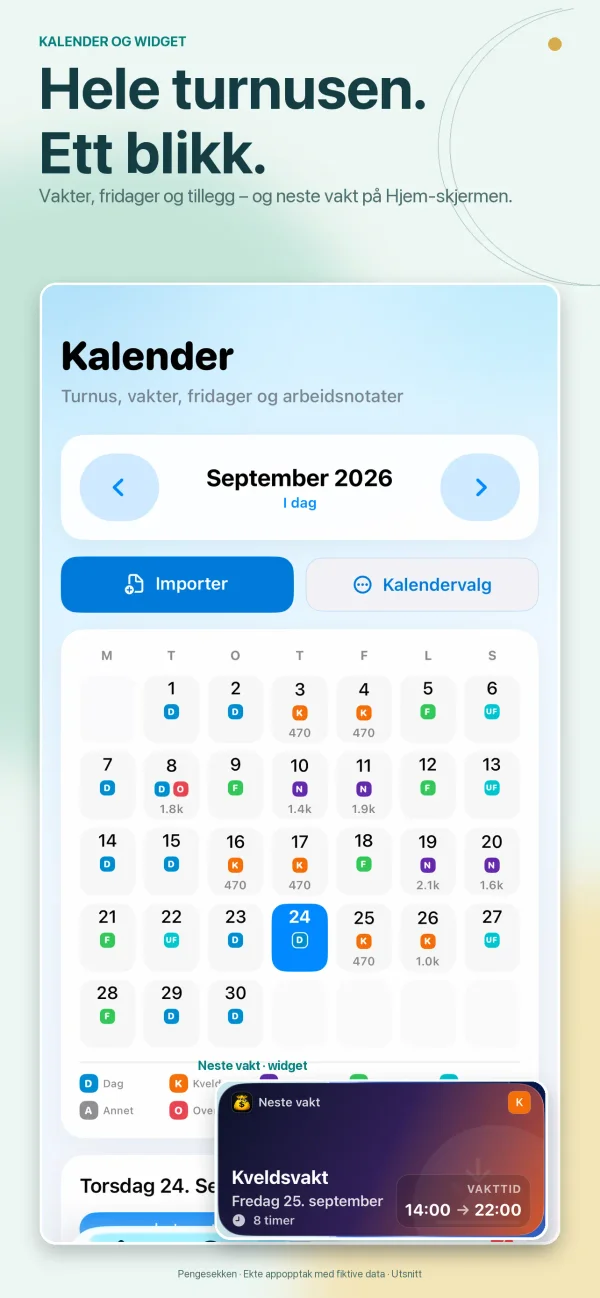
Pengesekken brings together shifts, working time and estimated pay for Norwegian police personnel. Keep track of your roster, overtime, allowances and information that needs checking.
The app interface is in Norwegian Bokmål. English App Store text does not indicate an English-language interface.
ROSTERS AND WORKING TIME
• Import a TTA roster PDF or ICS file and review it before saving. Report numbers 1103 and 1104 are recognised. Other TTA numbers are attempted with a warning and require checking and confirmation. Results depend on the file's layout and readability.
• Create a recurring roster with custom shift presets and times. Night shifts show their start and end dates.
• View hours by week, month or selected period, including average weekly hours and options for overtime and extra shifts.
• Share a readable hours report as a PDF.
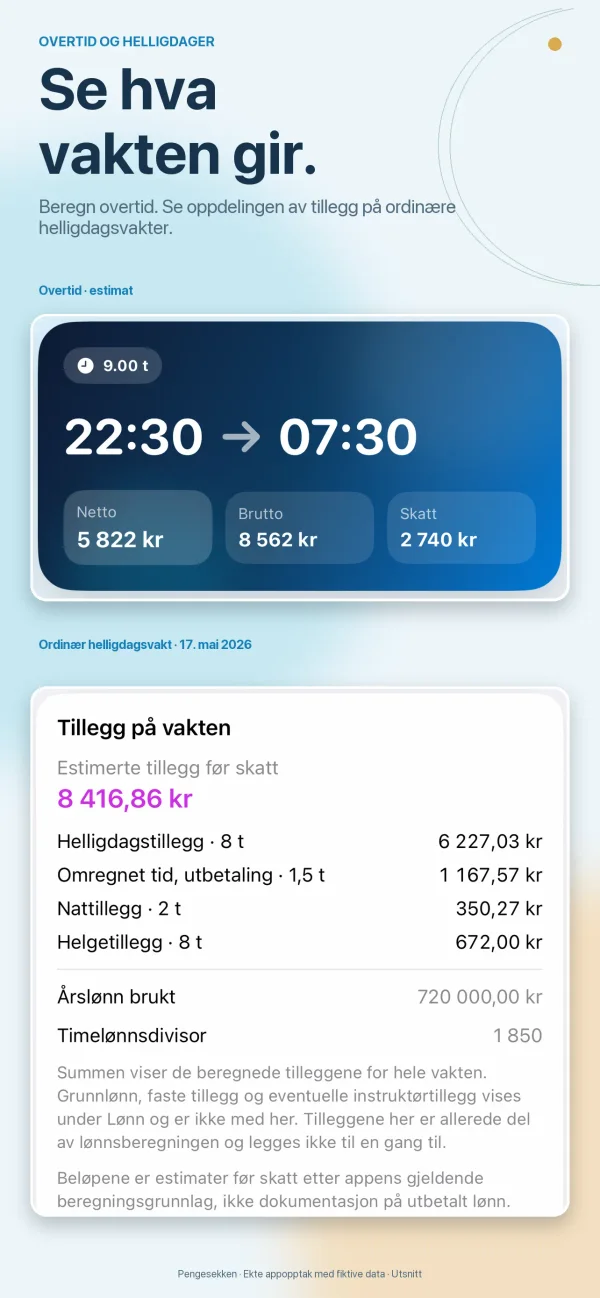
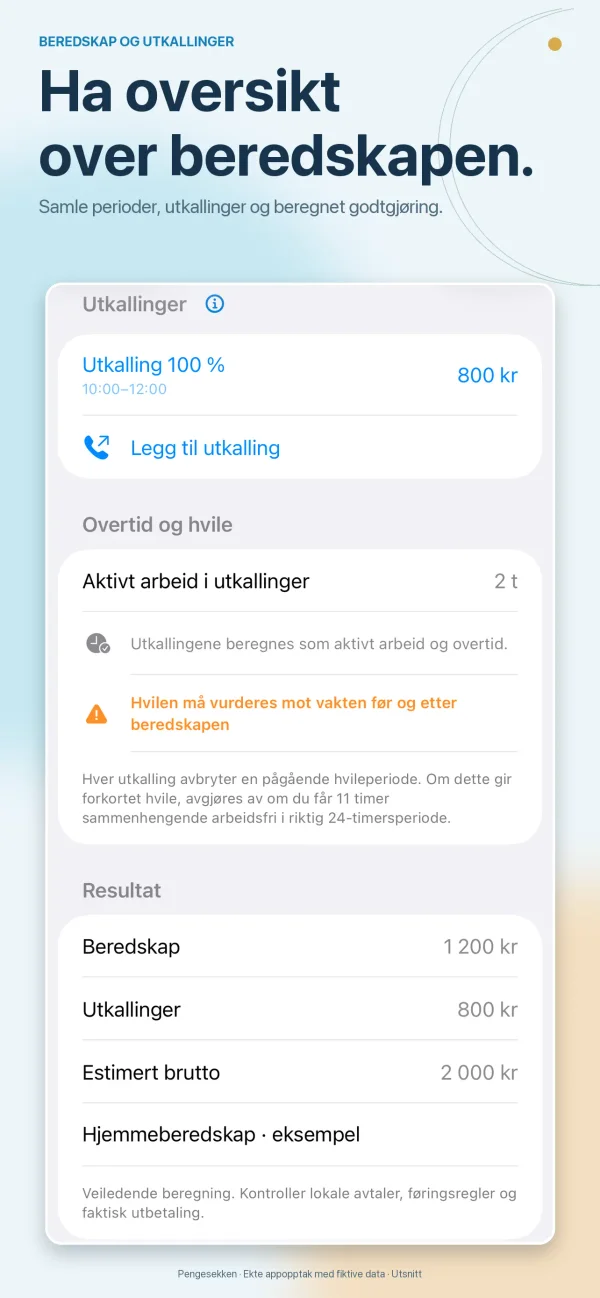
• Record overtime, standby duty and call-outs, and use the indicative rest-time calculator.
PERSONAL FLEXITIME
Record an opening balance, time earned and time used under More. Enter a duration or start and end times, such as 07:00–08:30. Link entries to shifts, view your balance and history, and edit or delete with an undo option. A yellow dot marks calendar days with a note or flexitime.
This is a personal time ledger, not an employer-approved balance. Flexitime does not change shift times, pay, allowances, overtime or roster-analysis hours.
PAY AND ALLOWANCES
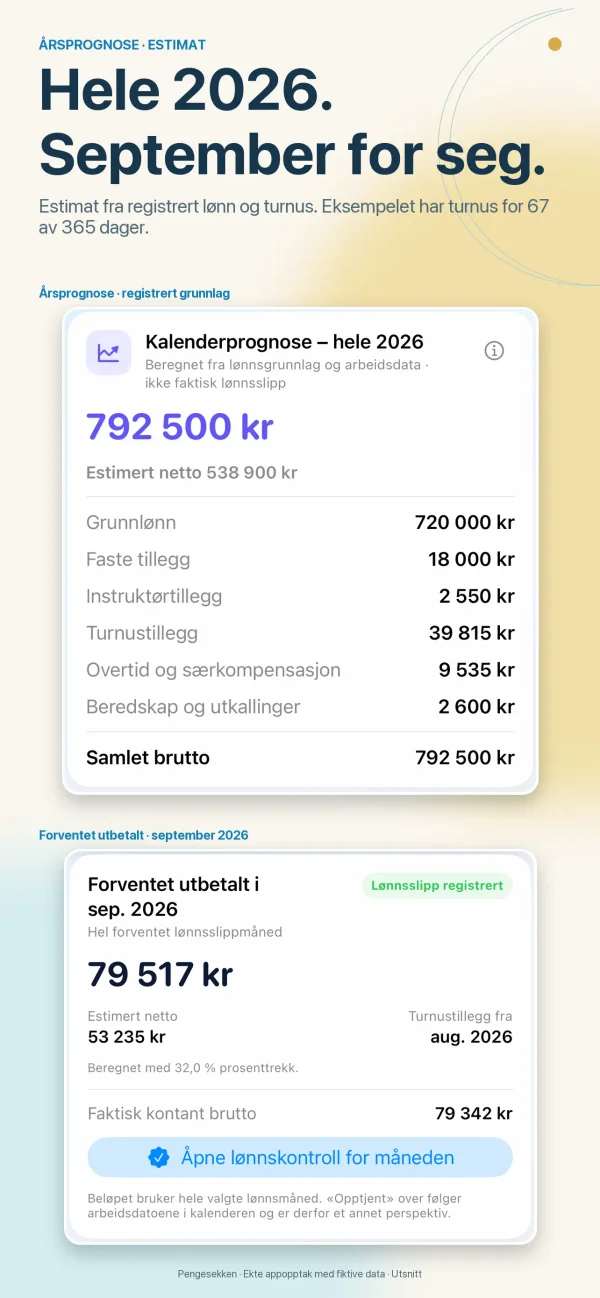
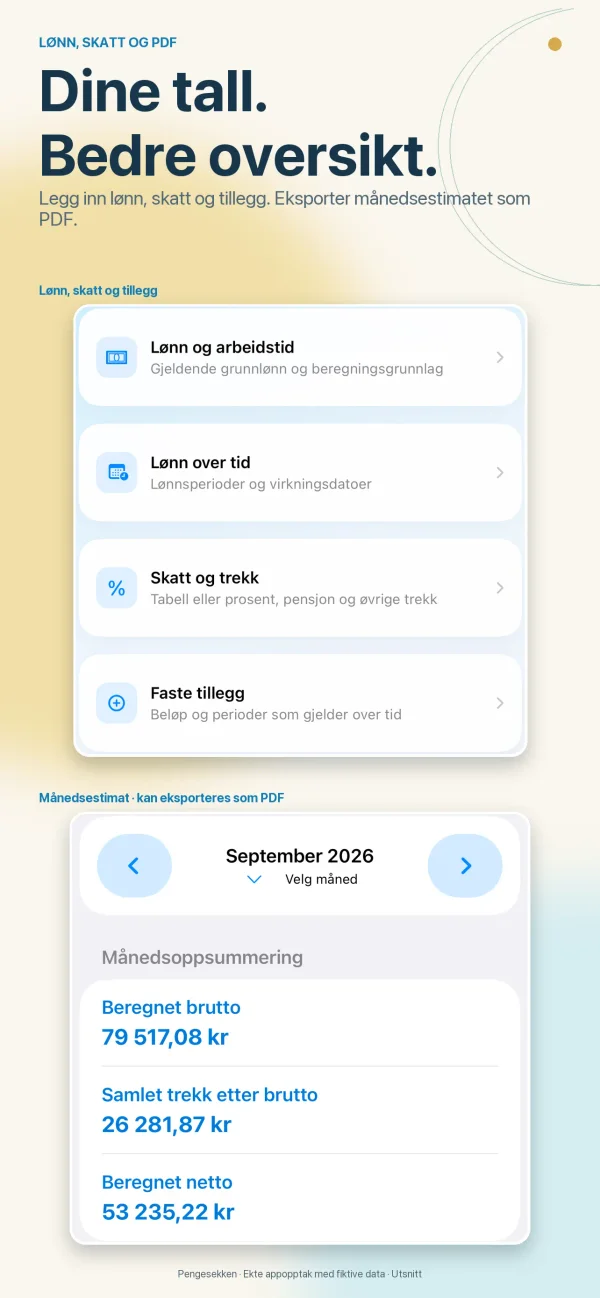
Enter annual salary, working-time arrangements, withholding, deductions and recurring allowances with their effective dates. View estimated monthly pay and cumulative pay through a selected payment month. Explore how an extra overtime shift affects estimated pay, overtime goals and weekly hours before saving.
Annual summaries show hours and estimated payments by allowance type, with comparisons between years. Save monthly summaries and export a calculated pay overview as a PDF. These documents are estimates, not employer-issued payslips.
PAYSLIP CHECKING – BETA
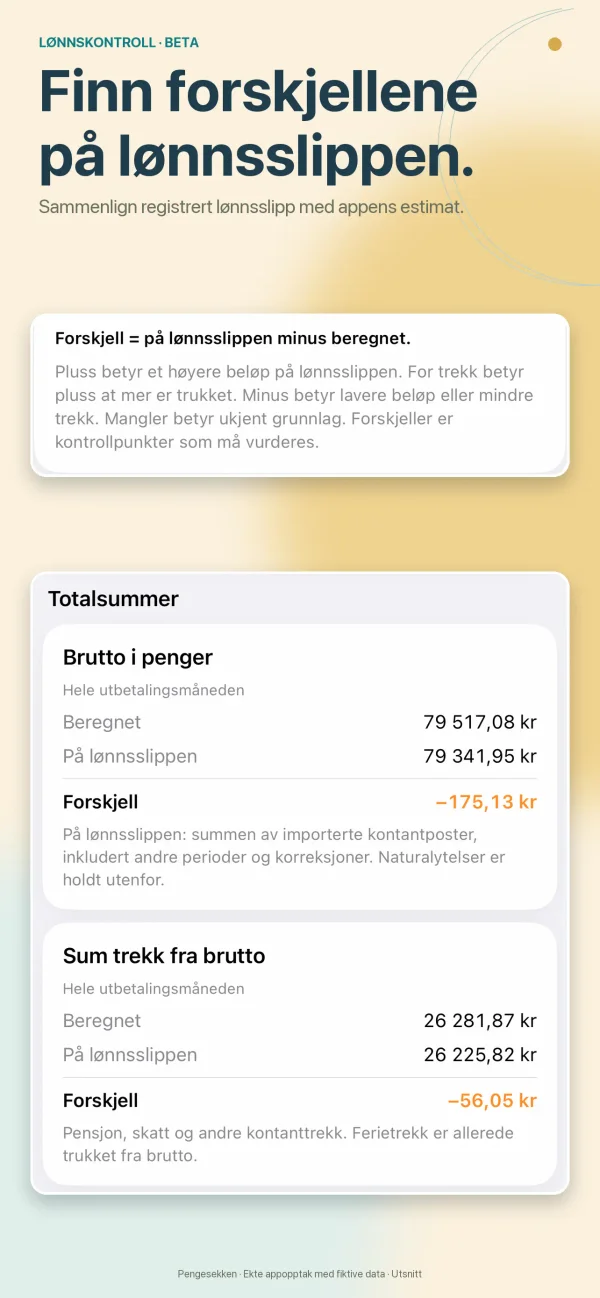
Read a supported payslip PDF locally or enter key amounts manually. Compare calculated amounts, payslip amounts and the difference. Missing information and unclear items are highlighted for review.
EVERYDAY TOOLS
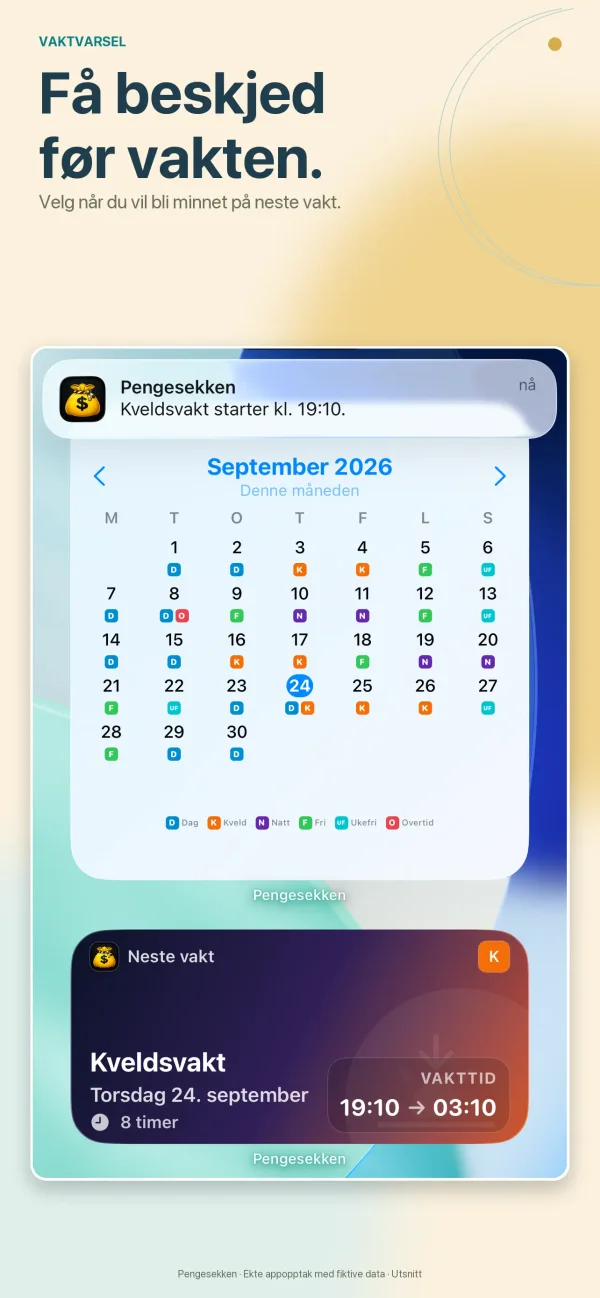
• Widgets for your next shift, monthly calendar and overtime goal.
• Shift notifications and system alarms. System alarms require iOS 26 or later and permission.
• Optional ICS sharing or transfer to Apple Calendar.
• Searchable help, rule references, light/dark appearance and optional app lock.
• Backup of your records, including flexitime.
TRIAL AND PREMIUM
A new local installation receives a 21-day trial from recorded first use. No payment starts automatically. Optional monthly or annual subscriptions are purchased through Apple. The price and billing period are shown before purchase. Subscriptions renew automatically until cancelled and are managed in your Apple Account.
After access expires, existing records and historical amounts remain readable. Help and backup remain available. Editing, new calculations and future pay forecasts require an active trial or Premium.
LOCAL DATA AND INDEPENDENT DEVELOPMENT
Salary, roster, flexitime and document data are processed locally and are not sent to the developer's servers. You choose whether to share, export or allow Apple device backups. Apple handles purchases.
Pengesekken is ad-free and independent. It is not an official service of the Norwegian police, government or DFØ.
Calculations are indicative and depend on your entries. Check results against your roster, payslip and applicable agreements.
Contact: Addoapps@proton.me
Privacy: https://somber-odometer-c6f.notion.site/Pengesekken-Privacy-Policy-349b5cefa9fe8099acbdcf70dbeb7adb
Terms: https://www.apple.com/legal/internet-services/itunes/dev/stdeula/
What’s new
Version 2.1.2 · Nov 1, 2026
Easier overtime sharing
• Save up to three recipients with names and email addresses, and choose a default.
• Share overtime from the archive, a saved overtime shift in the calendar or the shortcut shown after saving.
• Choose PDF or Word (RTF), preview your document and decide whether to include the shift note.
• Prepare an email with the recipient and attachment filled in. You review it and tap Send yourself. Standard sharing is also available.
• Documents show both dates for overnight shifts and clearly distinguish the recorded time span, ordinary working time and calculated overtime.
• Clearer recipient settings, simpler saving and updated in-app help.
App privacy
What Tor Inge Bjørsvik declares on the App Store about how this app handles data.
-
Data not collected
The developer does not collect any data from this app.
Privacy practices may vary, for example with the features you use or your age.
Information
- Seller
- Tor Inge Bjørsvik
- Category
- Finance
- Version
- 2.1.2
- Updated
- Nov 1, 2026
- Released
- Apr 26, 2026
- Size
- 29.3 MB
- Requires
- iOS 18.0 or later
- Age rating
- 4+
- Price
- Free
- In-app purchases
- Yes
- Languages
- Norwegian Bokmål
- Copyright
- © Tor Inge Bjørsvik 2026