- Age rating12+
- CategoryEducation
- DeveloperMurat Turkoz
- LanguagesEnglish+ 1 more
- Size60.6 MB
Links to the official App Store page
Download.org hosts no file of Penguide: Study & Pomodoro. The button opens its official App Store page, published by Murat Turkoz. Listing last checked on Nov 23, 2026.
Screenshots


About
How long did you study today? How many questions did you solve? Which topic is still shaky?
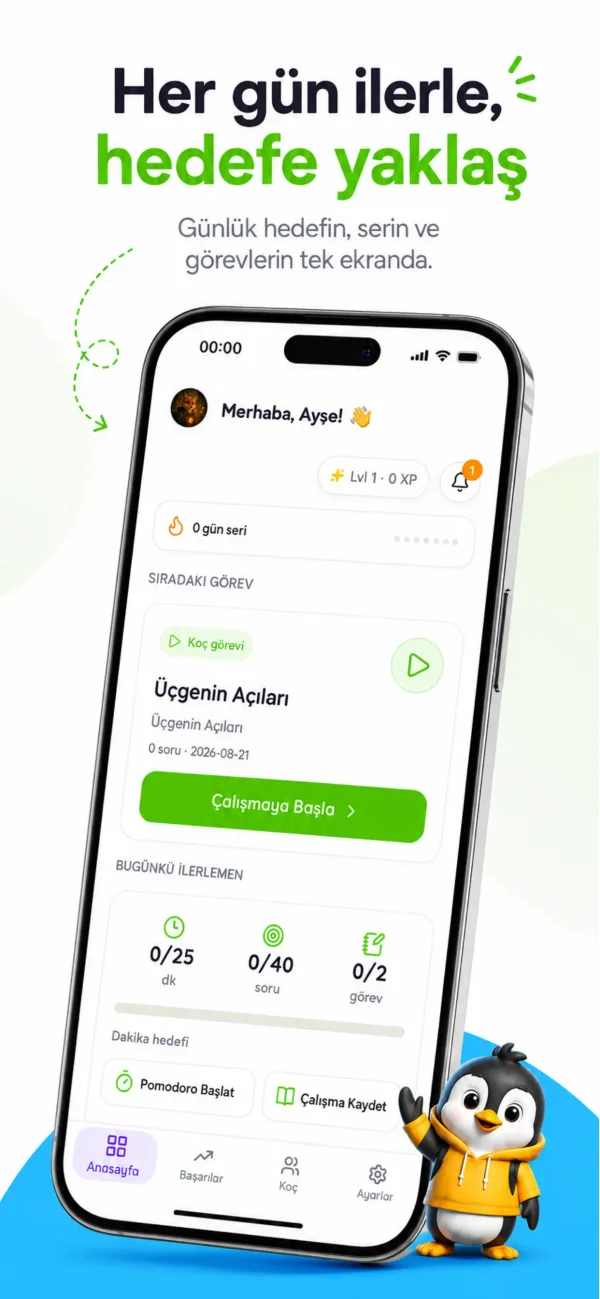
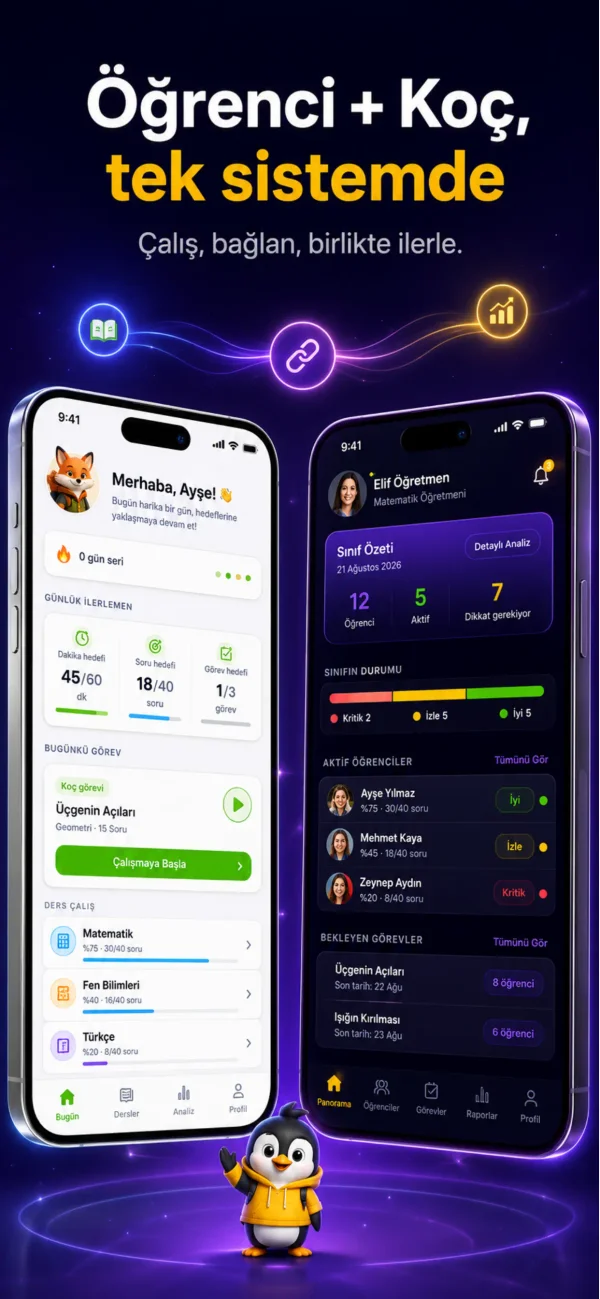
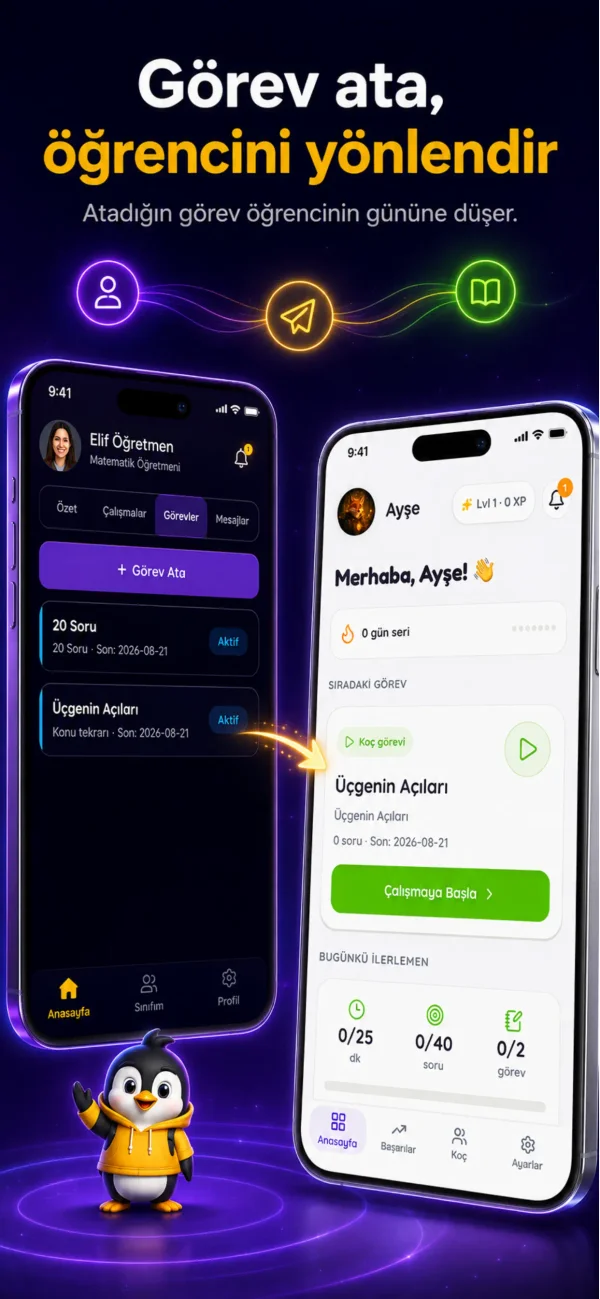
Penguide is a study tracker for students preparing for exams. It records your focus time, the questions you solve and your progress through the curriculum — you study, it counts. If you want, your study coach and your teachers see that progress too, and set you tasks.
WHO IT'S FOR
Students aged 13 and over preparing for Turkey's university entrance exam (YKS: TYT and AYT), the high-school entrance exam (LGS) or school exams — and anyone who simply wants a steady study habit. Study coaches and subject teachers work inside the same app, each with their own panel.
STUDY, LEAVE THE REST TO US
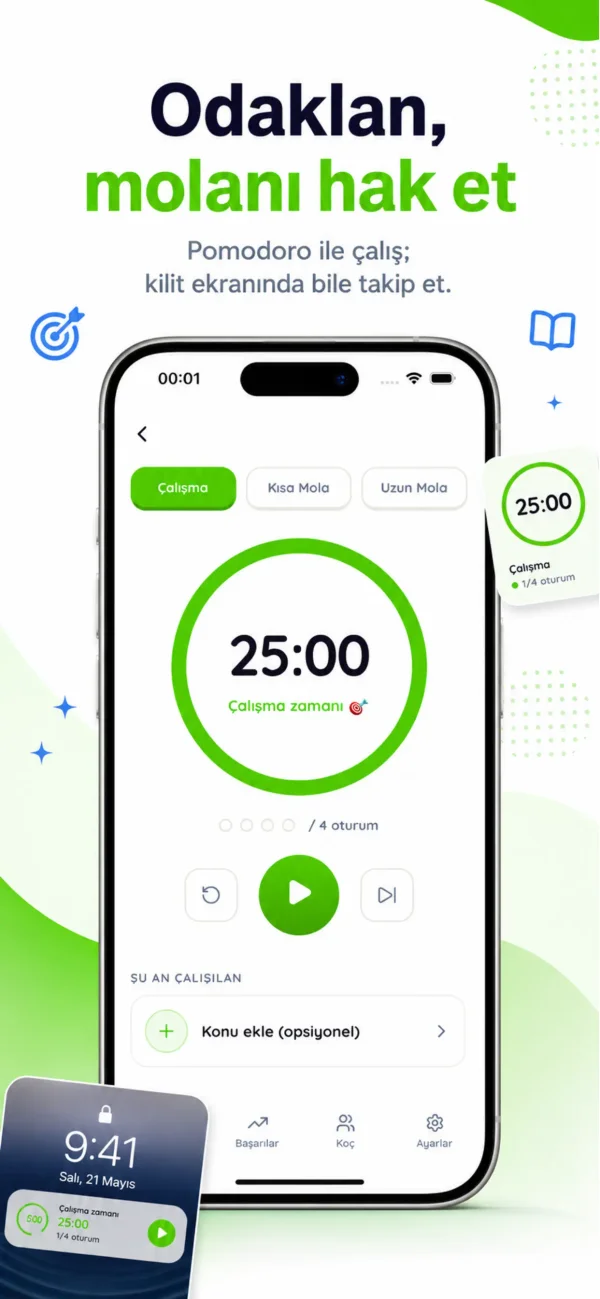
• Start the Pomodoro timer and focus. The clock keeps running even if you close the app.
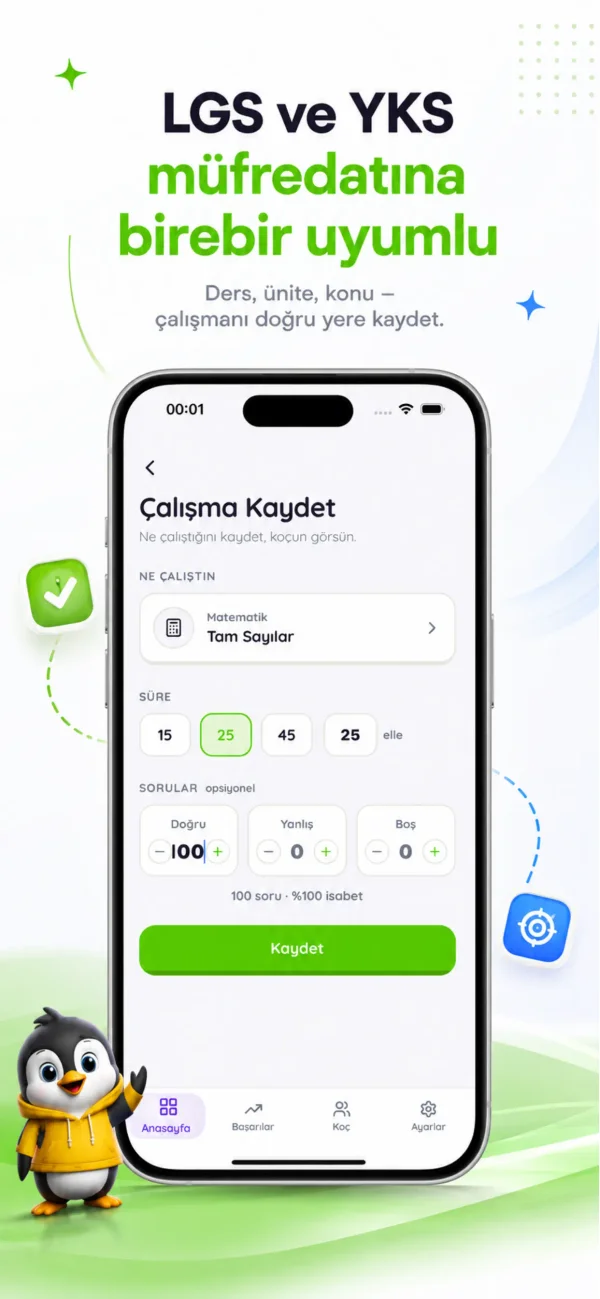
• Log correct, wrong and blank answers.
• Pick the subject, unit and topic — or just type what you worked on. Curriculum is optional.
• Logged something wrong? Edit or delete it; your goal, streak and topics update themselves.
• Set a daily goal in minutes or in questions. Hit either one and the day counts as done.
• Your streak, weekly summary and momentum are always one tap away.
YOUR STUDY DESK
• Question Notebook: save a photo of a question you got stuck on and solve it again in short reviews.
• Cards: write your own, or photograph a "term – definition" list to make them.
• Exams: add TYT, AYT, LGS and subject mocks, scan the result sheet, follow your net score.
• Photos, notebook and cards stay on your phone.
SEE WHERE YOUR TOPICS STAND
• YKS: TYT, or TYT+AYT filtered by your field. LGS: the full scope. School: grades 8-12.
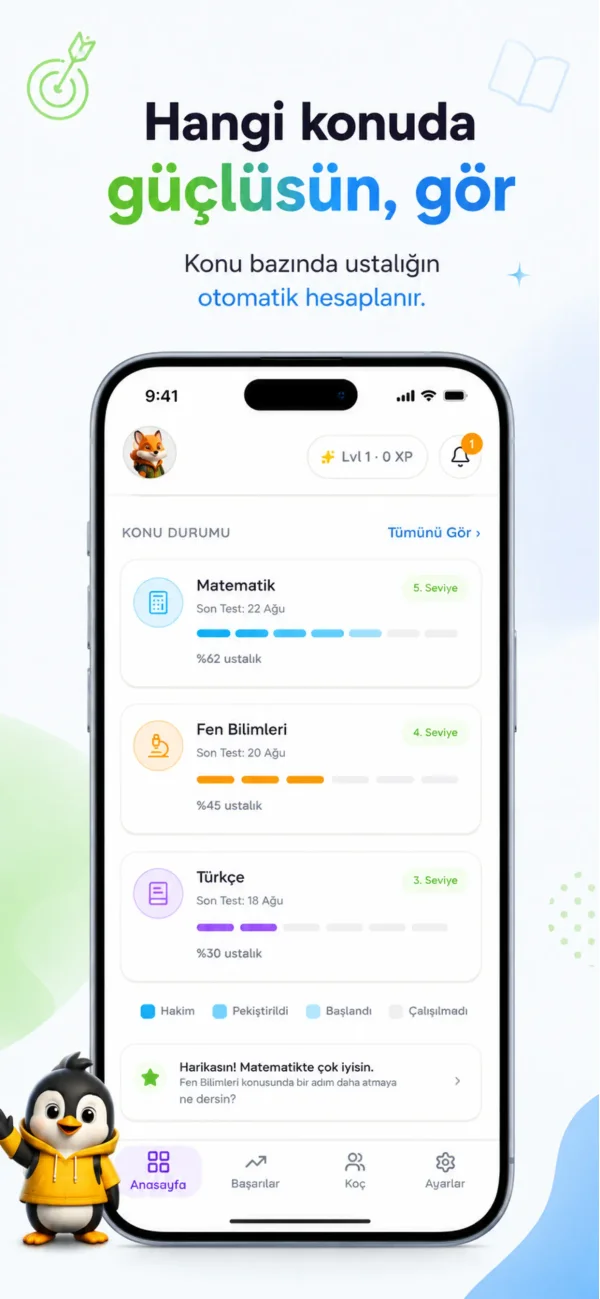
• Topic-level progress tracking: every topic is colour-coded — untouched, in progress, needs review, solid.
WITH YOUR COACH AND TEACHERS
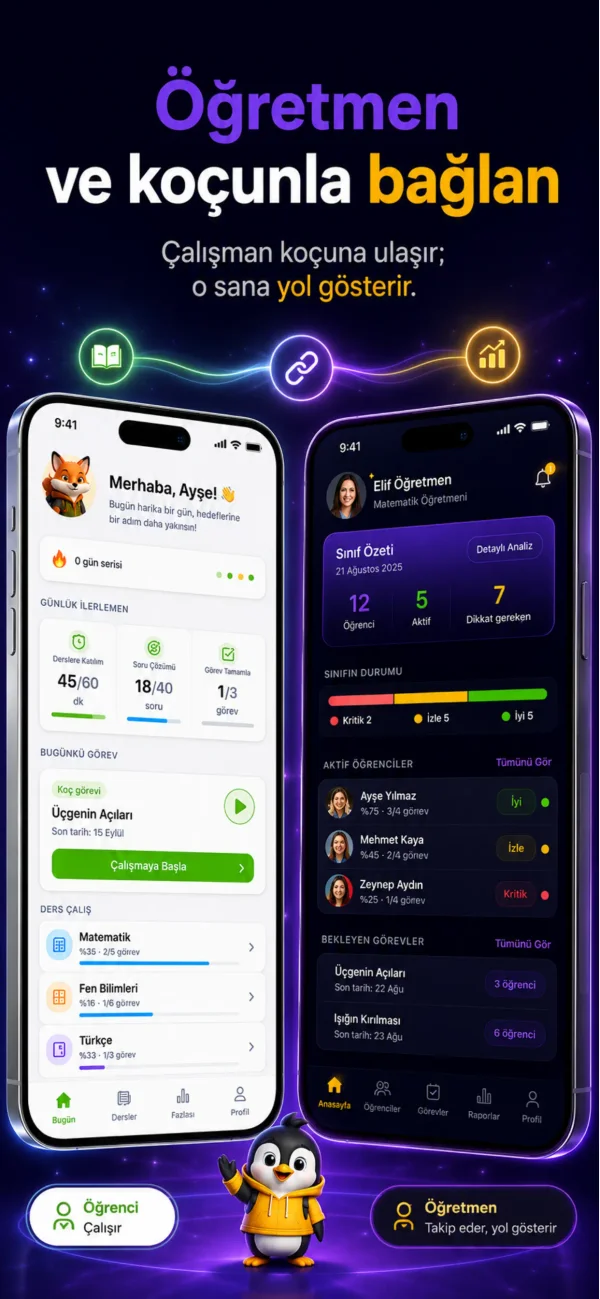
• Your coach sees what you studied and sets you tasks, with a short note when needed.
• Add teachers with an invite code. Each sets tasks in their own subject.
• Your tasks wait for you on the Today screen; finish them as you study.
YOU DECIDE WHAT THEY SEE
• When you add a teacher, you approve each subject they may see, one by one. Decline the rest.
• An approved teacher sees only that subject. Your daily totals need a separate permission.
• Changed your mind? Revoke it and access closes right then.
IF YOU ARE A COACH
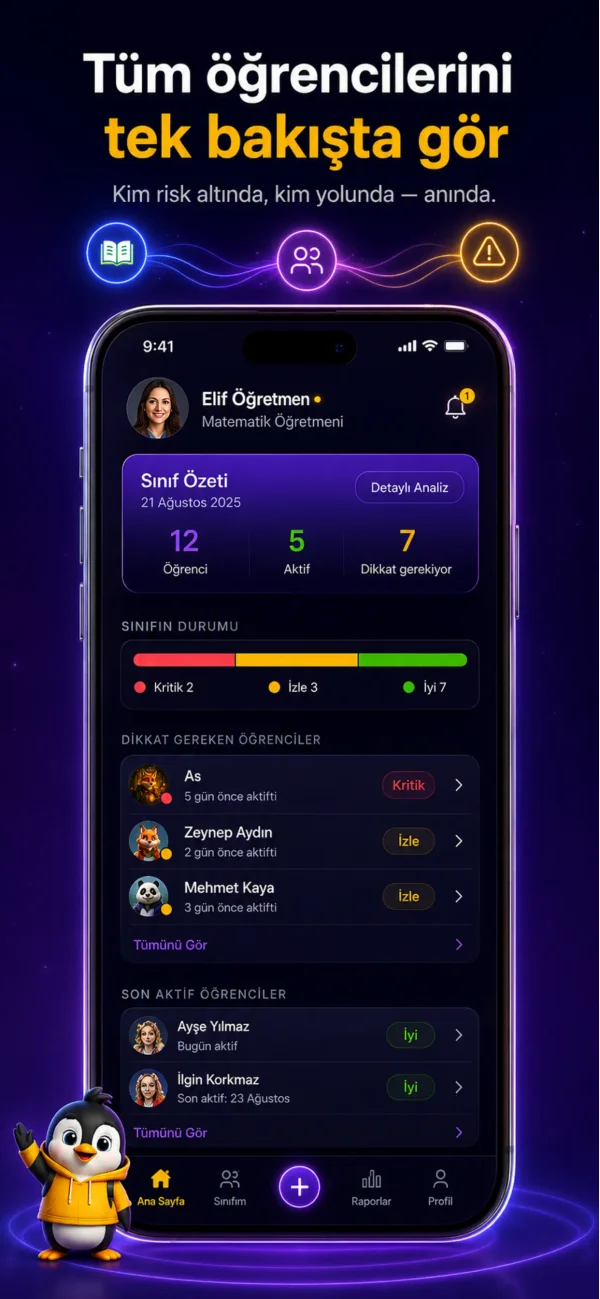
Signing in as a study coach opens a student tracking panel instead of the study screens.
• Add students with an invite code; every student approves the connection themselves.
• See who needs attention today, and why: how many days without a log, which task is overdue.
• A student's overview, study history, subject breakdown, topics and tasks on one screen.
• Set tasks in minutes, questions or topic review, with a due date.
• Keep a private note only you can see.
• Notifications for connection requests, overdue tasks and weekly summaries.
IF YOU ARE A TEACHER
The teacher panel is deliberately narrow: you manage your subject, not the student's whole life.
• Share an invite code; the student approves which subject you see.
• Only in that subject: the student's work, their daily breakdown and their topic status.
• Set tasks bound to curriculum units and topics.
• Keep a private note.
• The moment a student revokes permission, your access closes.
SEE IT WITHOUT OPENING THE APP
• Home Screen widgets show your daily progress.
• While a Pomodoro runs, the timer stays visible even when the app is closed.
WORKS WITHOUT INTERNET
Anything you log with no signal waits on your phone and sends itself once you are back online.
YOUR PRIVACY
• No ads, no third-party tracking, no sale of data.
• See how your data is used on a clear screen before you start.
• Delete your account and its data at any time, right in the app.
ALSO
• Turkish and English.
• Two themes: dark for night owls, light for daytime.
Penguide will not shame you or nag that you have not studied for days. It records the work you actually did, and makes sure the right person is there at the right time.
What’s new
Version 1.16.0 · Nov 17, 2026
Meet Nest, your new home screen, and the DNA tab.
• Nest: every study session adds a brick to your wall; start studying with one tap.
• DNA: see your study habits in charts and read "Your summary". It's all worked out on your phone; no one else sees it.
• My week: add when you can study, your school/course hours and exam days.
• Reset Data now also deletes your exams and the data on this device.
• Refreshed animated avatars.
• Privacy policy updated (v3.2).
• Bug fixes and improvements.
App privacy
What Murat Turkoz declares on the App Store about how this app handles data.
-
Data linked to you
May be collected and linked to your identity.
- Contact info
- Identifiers
Privacy practices may vary, for example with the features you use or your age.
Information
- Seller
- Murat Turkoz
- Category
- Education
- Version
- 1.16.0
- Updated
- Nov 17, 2026
- Released
- Feb 21, 2026
- Size
- 60.6 MB
- Requires
- iOS 16.4 or later
- Age rating
- 12+
- Languages
- English, Turkish
- Copyright
- © 2026 Penguide
You might also like
-
 LevelUpStudy: Study & FocusStudy timer, stats & 3D desk
-
 Tudory - Focus Timer & PlannerStudy Together & Pomodoro
-
 Çalışma DefteriÖğrenci çalışma günlüğü
-
 RodiNote: Study & FlashcardsDecks, notes, quizzes & games
-
 myAKİS: YKS ve LGS Sınav KoçuEducation
-
 Pinarify AI: AI Note TakerAI notes, flashcards, quizzes
-
 Sınav Takip - LGS YKS KPSSEducation
-
 6. Sınıf Test - Soru BankasıEducation
-
 5. 6. 7. 8.Sınıf Lgs MatematikEducation
-
 7. Sınıf Tüm Dersler Test ÇözEducation