Penguin: CBZ CBR Comic Reader
Translate manga·offline viewer
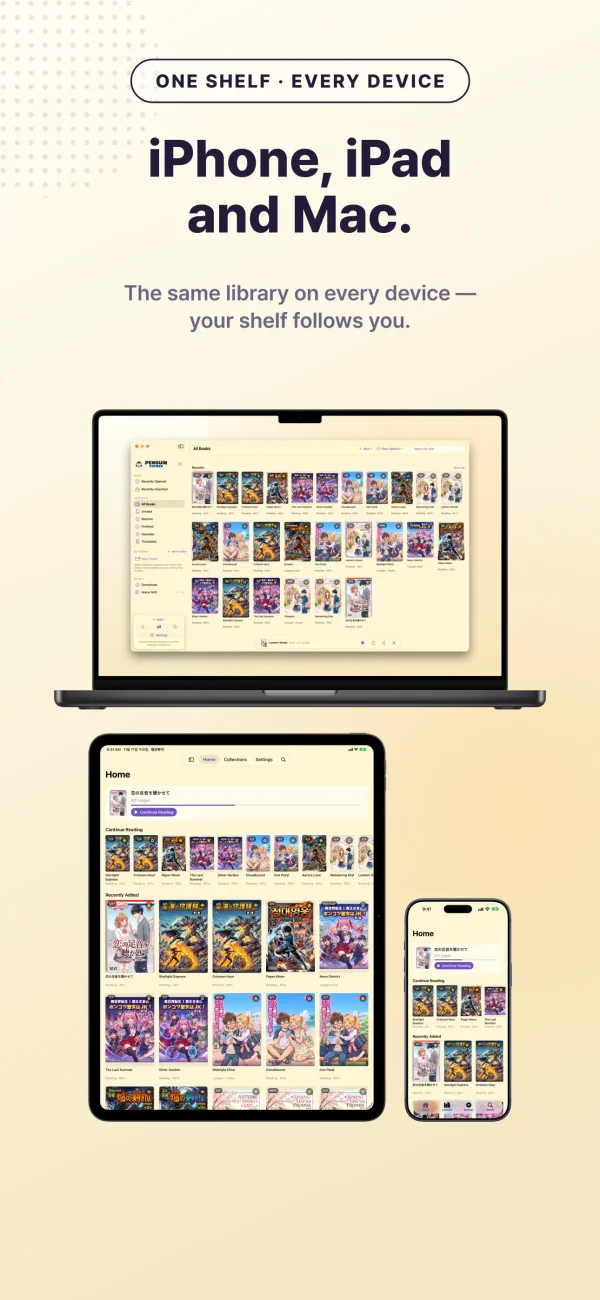
Designed for iPhone, iPad, Mac
Free · In-app purchases
- Age rating4+
- CategoryBooks
- DeveloperHAEDUN KIM
- LanguagesEnglish+ 16 more
- Size134.0 MB
Links to the official App Store page
Download.org hosts no file of Penguin: CBZ CBR Comic Reader. The button opens its official App Store page, published by HAEDUN KIM. Listing last checked on Nov 23, 2026.
Screenshots



About
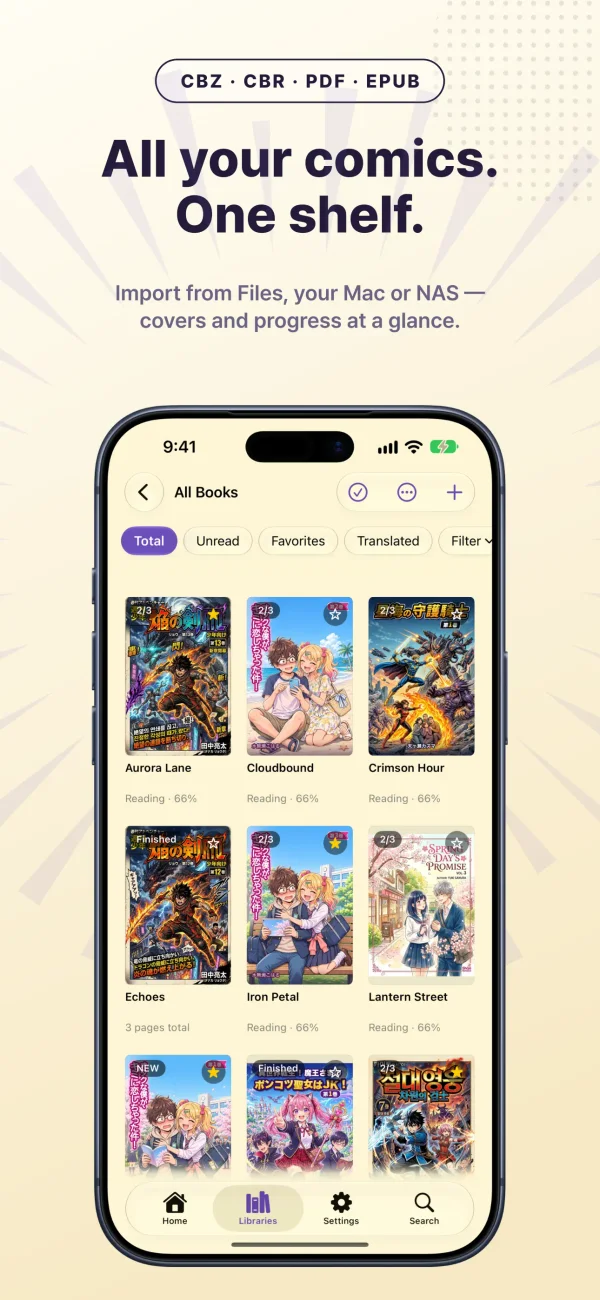
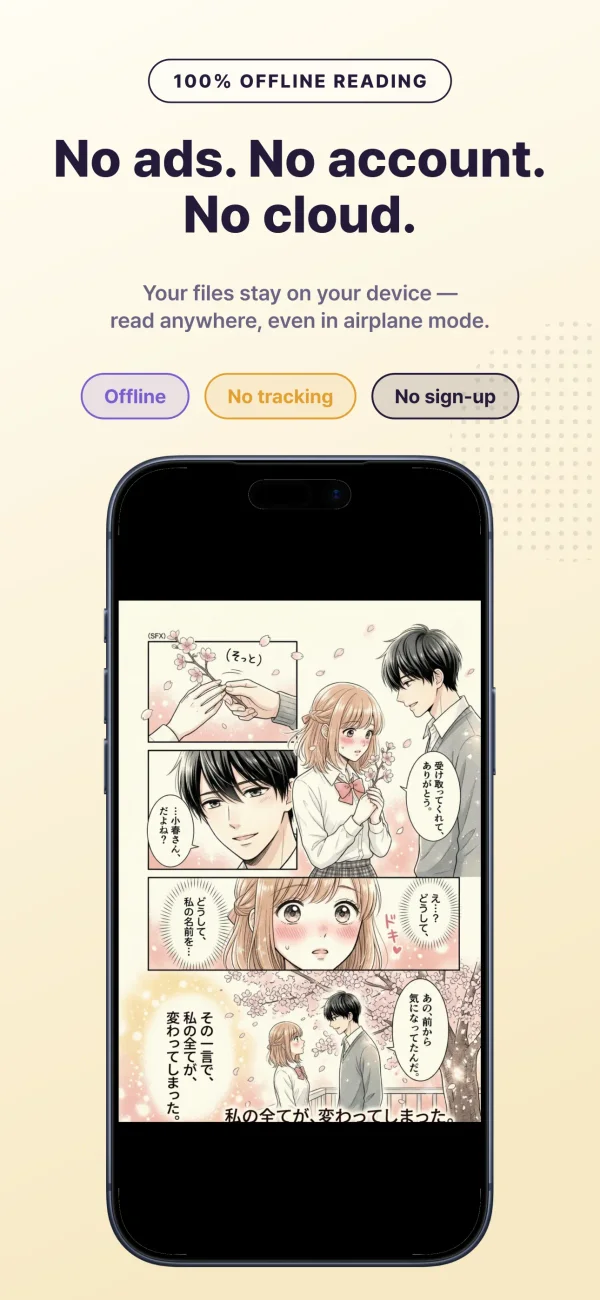
A comic reader for the books you already own. CBZ, CBR, PDF and EPUB open straight from Files, your Mac, or your NAS — no unpacking, no account, no ads, and no internet needed once a book is on the device.
Japanese pages you cannot read? Penguin Viewer translates the speech bubbles on your device and paints the English back into the balloon.
■ Untranslated novels in your language
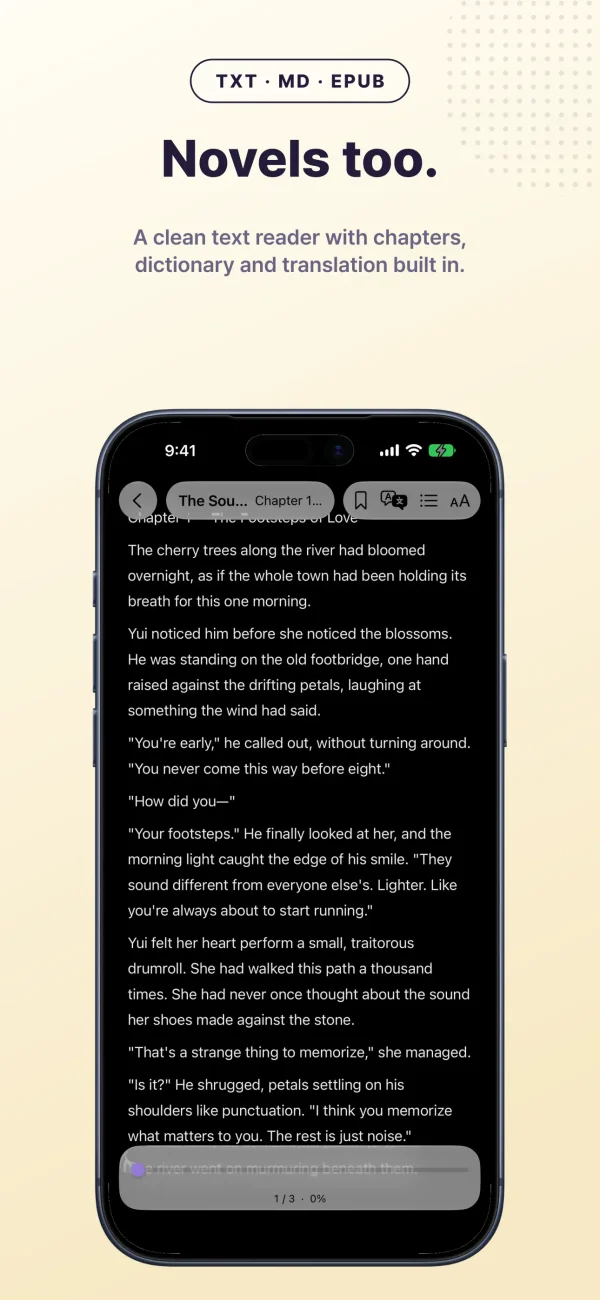
- Tap 文 at the top of a TXT or EPUB novel to read it translated. Tap again for the original.
- The book's language is detected, and it translates to your device language or one you pick.
- See the original under each paragraph, or long-press a paragraph for it.
- Translated on the device. Your book is never sent anywhere.
- Page curl turns pages like paper, with two-page spreads on wide iPad, iPhone Duo and Mac screens.
- Vertical Japanese EPUBs turn page by page.
■ Manga and novels in one library
- Drop in CBZ, CBR, CB7 (7z), ZIP, RAR, PDF or an image folder. TXT, MD and EPUB novels share the shelf.
- Auto margin cropping makes your own scans fill the screen.
■ A library in your own folders
- Nest Finder-style folders at any depth and drag books between them.
- Import dozens at once into the open folder. Move or delete in bulk, or drag books into any order.
- Folders and book order sync over iCloud without uploading files or using iCloud storage.
■ Translation that ends on the device
- Manga and webtoon bubbles are translated sentence by sentence and relettered in place, vertical Japanese included.
- In novels, tap 文 to read the book translated, or look up words.
- Translate a whole comic in advance and pages turn with no wait. Nothing is sent anywhere.
■ Read novels your way
- Font, size, line spacing, margins and background change in Text and Layout, live.
- Jump chapters from the contents. Position and bookmarks carry between devices.
■ Your NAS and server library
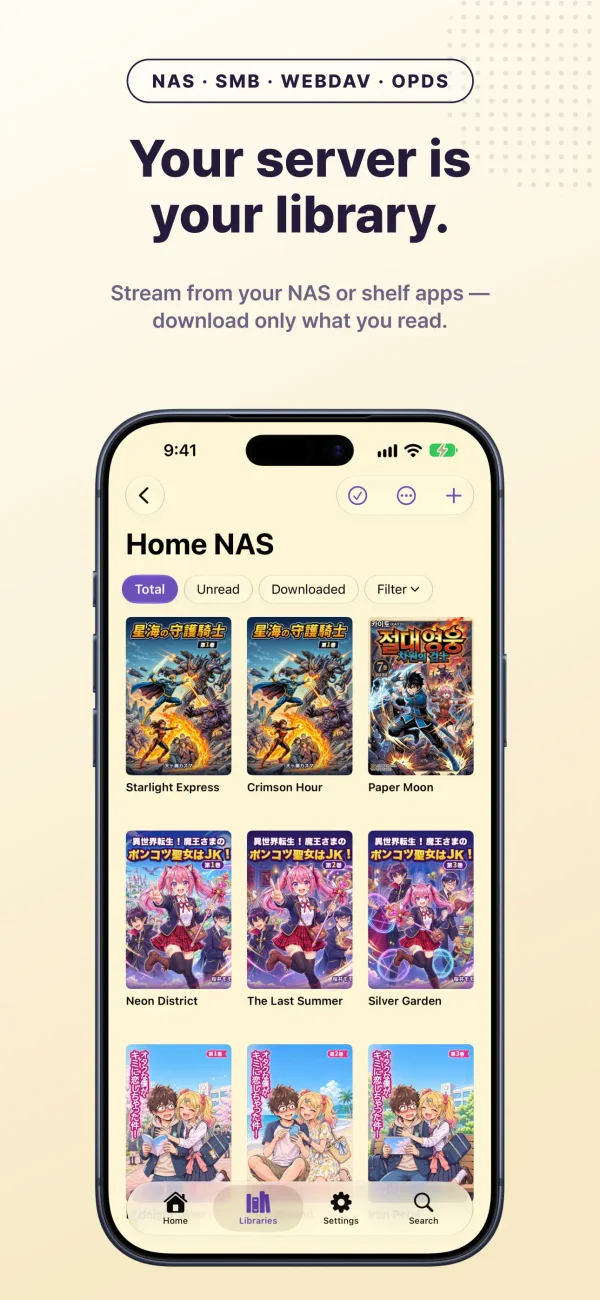
- Connect over SMB (NAS), WebDAV or OPDS, compatible with Komga and Kavita.
- OPDS-PSE streams from your page with no download, so huge libraries take no storage.
- Reading position syncs over iCloud. Server credentials stay in the keychain.
■ Read it the way you want
- Single Page, Two-Page, or Smart Two-Page by screen ratio, plus right-to-left binding.
- Webtoons scroll vertically or auto-scroll at 120Hz. Pan sideways while zoomed in.
- Multi-gigabyte volumes turn smoothly. Pinch zoom works in spreads too.
- A scheduled night theme blacks out the reader. Mac turns pages from the keyboard.
■ A library that sorts itself
- Smart shelves file books as unread, reading or finished, and ComicInfo groups a scattered series.
- Set grid columns and cover size, sort by recently opened, search by title, author or series.
■ A record that grows as you read
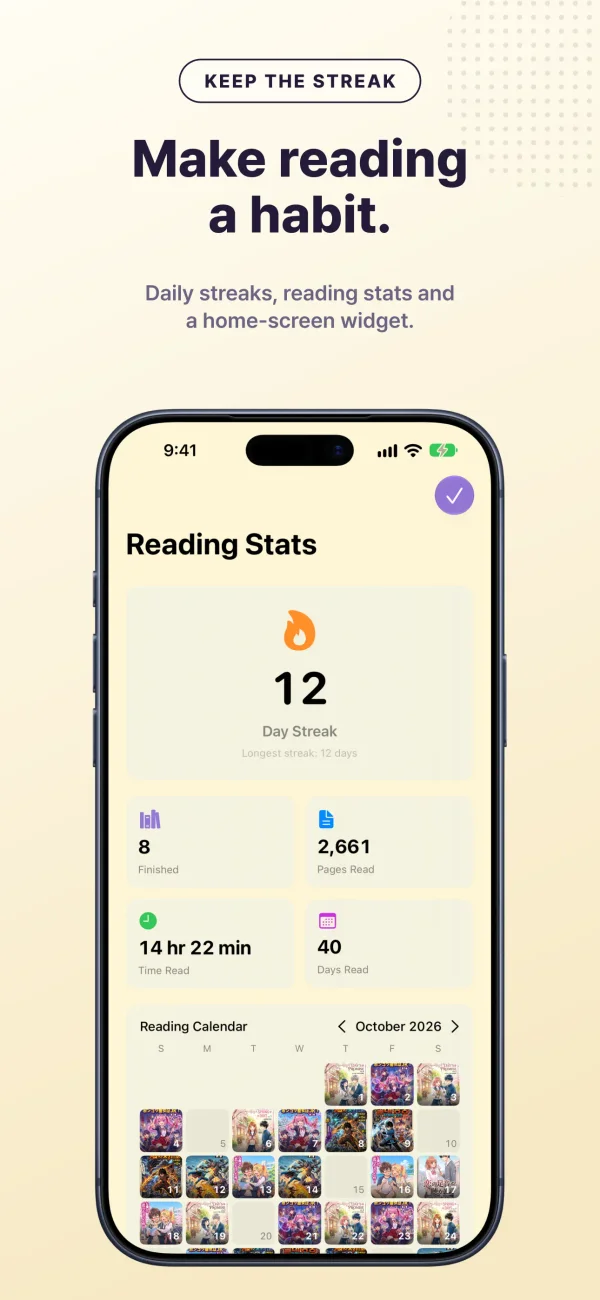
- Reading statistics, streaks and milestones build the habit.
- The reading calendar shows how much you read, iOS widgets show today's, and Face ID locks the app, hiding books from widgets and search.
■ Local AI Translation Benchmark
- Measure how fast your device translates a manga page and get a PVScore.
- Save and share the score card, and join the global top 500 leaderboard.
■ Honest pricing
- Almost everything is free. The free library holds 30 books, plus 10 for sharing the app.
- The benchmark and leaderboard are free, with unlimited runs.
- Unlimited library: one lifetime Pro purchase, no subscription. No ads anywhere.
■ Privacy by default
- Local first: files, translation, statistics and benchmark results stay on the device.
- Leaderboard posts send nickname, score, run log and device info (model, chip, RAM, OS), all shown first.
- Linking MyAnimeList sends it your title searches and volumes read.
- No account, no sign-up, not a single tracking SDK.
- Export your library and reading history, and restore it on a new device.
■ Good to know
- Penguin Viewer supplies no manga or novels. It reads files you own.
- The interface comes in 17 languages.
Requests left in reviews get built quickly. Novel reading came out of one.
What’s new
Version 2.0.3 · Nov 19, 2026
Update 2.0.3 - an improvement update that refines opening books, translation, the library and servers across the board, based on the questions and reports you sent.
■ Opening Books
· Large comics and webtoons now show their first screen faster.
· If a book takes a while to open, the current step and the remaining time are now shown, and you can close it at any time.
· Reduced cases where the reading position was off when reopening an EPUB that contains pictures.
■ Comic Translation
· If translation takes a long time, you are now told so and can continue translating right away with “Try Again”.
· Improved text recognition on pages that mix vertically written speech balloons and sound effects. Because the recognition method has changed, some comics you pre-translated earlier will need to be translated again, and the app will let you know once.
· If a book’s source language was detected incorrectly, you can set it separately under “This Book's Source Language” in the translation settings.
■ Renaming Books
· Imported books and folders can now be renamed inside the app. The original file names stay the same, and the new book names are kept in sync on your other devices through iCloud.
■ Reading Controls
· With the “Left and Right Taps” setting, you can choose which way the page turns when you tap the left or right side of the screen.
· In “Fit Width” or “Actual Size”, you can now scroll with your finger all the way to the end of pages taller than the screen, and pulling down from the very top of a page closes the reader.
· Pages can now be turned while the Image Adjustments panel is open, and an issue where closing the menu during webtoon auto-scroll also stopped the scrolling has been fixed.
■ Library and Menus
· Reduced cases where the position of the book you were viewing changed when you switched the number of columns or the screen orientation on iPad.
· The cover menu is now grouped into “Book Info” and “In This List”, fixing an issue where the menu grew so long that some items were hidden.
· When the Trash setting is on, books you added through the Files app and then delete in the app are moved to “Recently Deleted”, so you can restore them.
■ NAS & Servers
· Downloaded books now open right away even when the server cannot be reached, and an issue where the book list shifted when the connection notice appeared or disappeared has been fixed.
· Fixed an issue where downloading a different book with the same name from an OPDS server overwrote the file downloaded earlier, and an issue where downloading a book added with “Add to Library” made it appear twice in your library.
■ Reading Statistics
· Reading time is now counted only up to 10 minutes after you last turned a page or scrolled. Records you already have stay as they are.
Many other issues have also been fixed, such as making the notice buttons easier to see on dark screens. As always, I look forward to your reports and feedback.
App privacy
What HAEDUN KIM declares on the App Store about how this app handles data.
-
Data linked to you
May be collected and linked to your identity.
- Identifiers
- Diagnostics
Privacy practices may vary, for example with the features you use or your age.
Information
- Seller
- HAEDUN KIM
- Category
- Books
- Version
- 2.0.3
- Updated
- Nov 19, 2026
- Released
- Jun 23, 2026
- Size
- 134.0 MB
- Requires
- iOS 18.0 or later
- Age rating
- 4+
- Price
- Free
- In-app purchases
- Yes
- Languages
- English, Arabic, Dutch, French, German, Indonesian, Italian, Japanese, Korean, Portuguese, Russian, Simplified Chinese + 5 more
- Copyright
- © 2026 HoneybeeMobility
You might also like
-
 ComiNAS - NAS Comics & VideoSMB/WebDAV/OPDS Shelf & Files
-
 AI Comic Translator: ComiglotManga Manhwa Webtoon Reader
-
 Yomu: Manga & Webtoon ReaderComic Reader, CBZ & Translator
-
 GIGA - Online Manga ReaderAI Reader: Web, Cloud & Local
-
 ComicShelf ReaderBooks
-
 Manga Translator - MangitManhwa Manhua Webtoon AI Scan
-
 Manga Reader: Web TranslatorBooks
-
 Andrea - Comics, Manga & BooksLibrary builder & reader
-
 MangaLek - مانجا ليكBooks
-
 ReadMe - Novel & Comic Readercbz, txt & epub viewer for NAS