
Pensum: Time Tracker
Work hours and overtime
Designed for iPhone, iPad, Mac
Free · In-app purchases
- Age rating4+
- CategoryProductivity
- DeveloperPeter Bognar
- LanguagesEnglish+ 31 more
- Size32.4 MB
Links to the official App Store page
Download.org hosts no file of Pensum: Time Tracker. The button opens its official App Store page, published by Peter Bognar. Listing last checked on Nov 23, 2026.
Screenshots

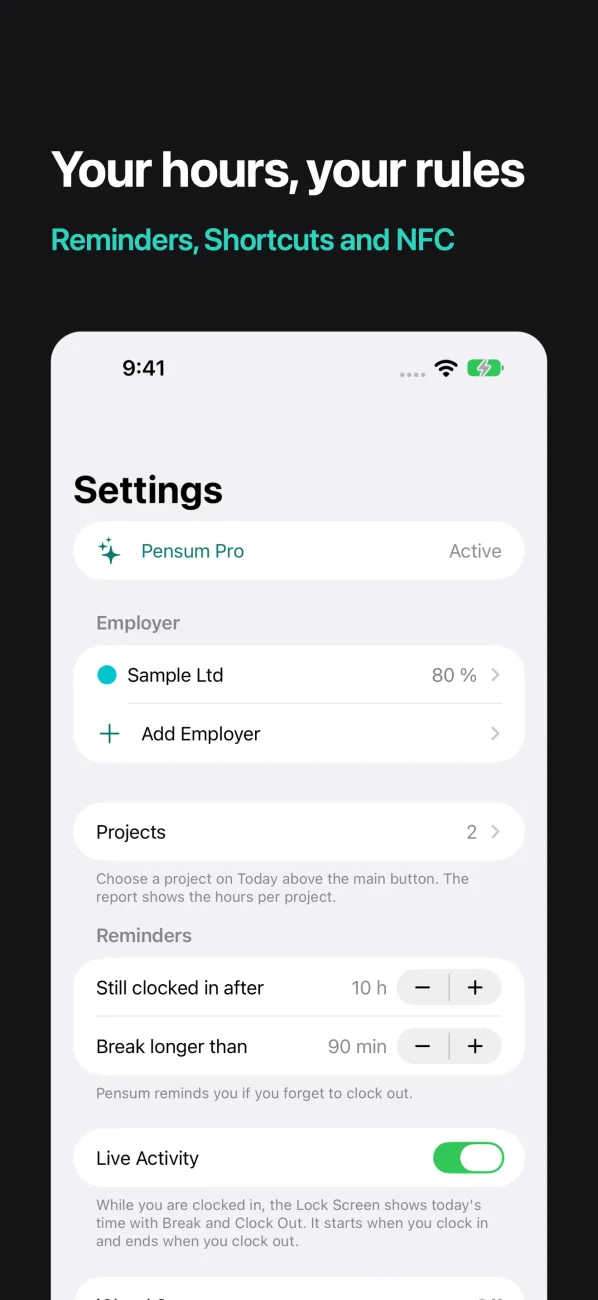
About
Pensum tracks your work hours with one tap and keeps your timesheet. Clock in, take a break, call it a day. Pensum shows how much of your week is done, when you can head home and how much overtime you have built up.
WHAT THE APP DOES
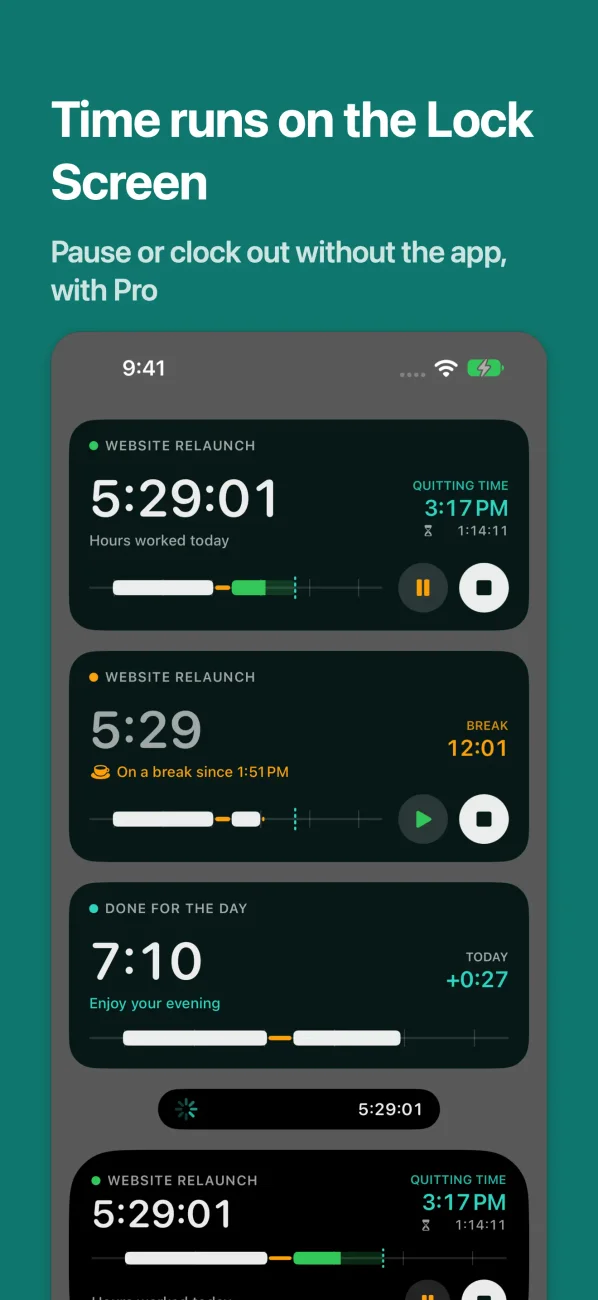
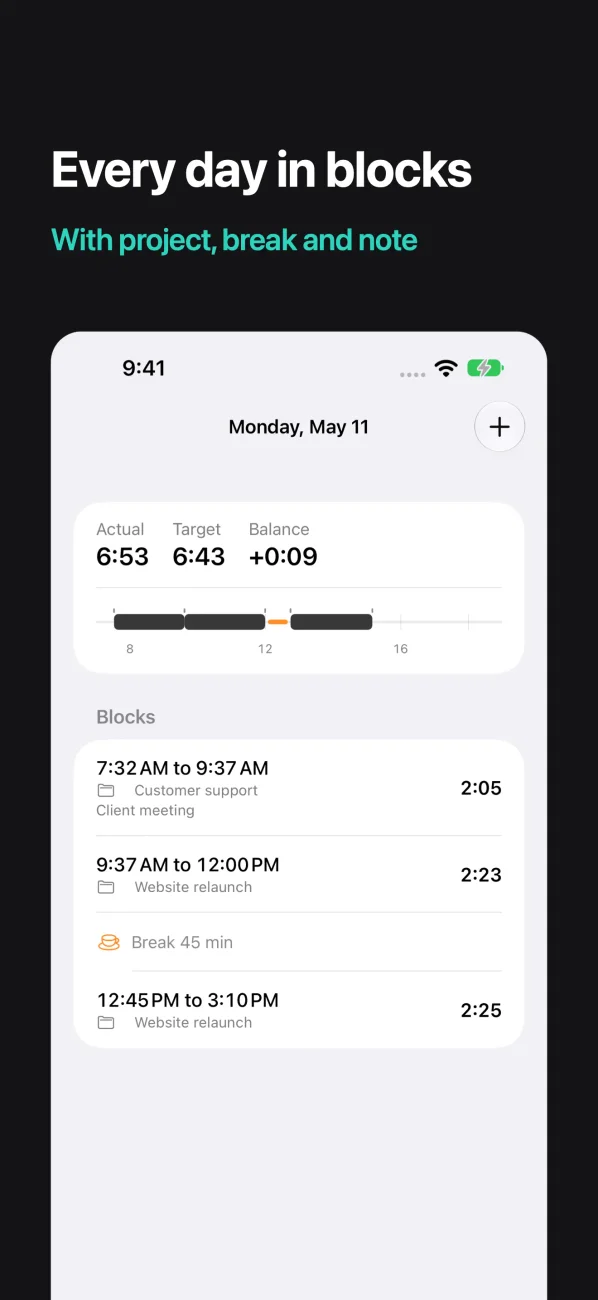
• One big button to punch in and out, a second one for breaks
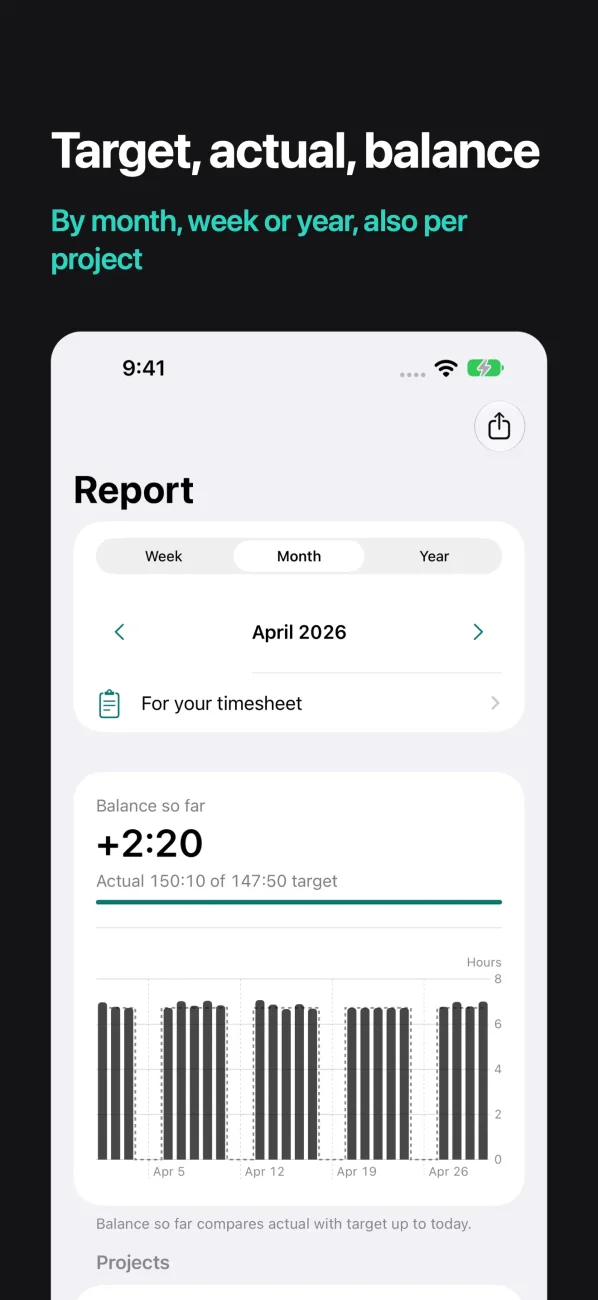
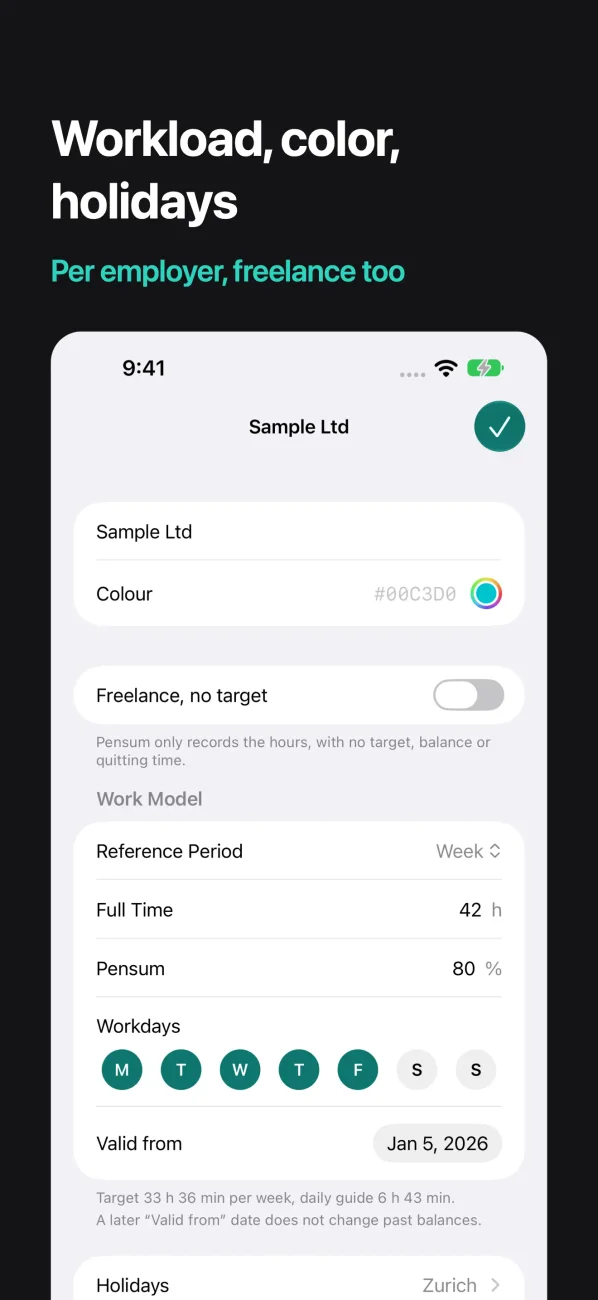
• Target hours per week, month or year from your full-time week and workload, for example 42 h × 80 %
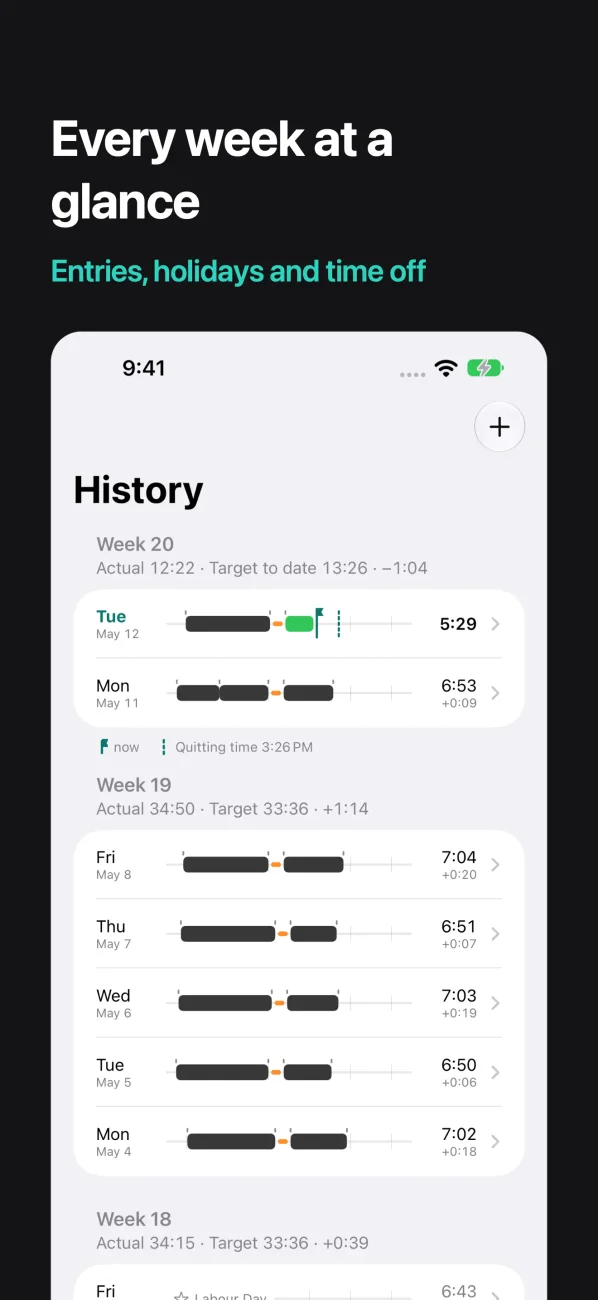
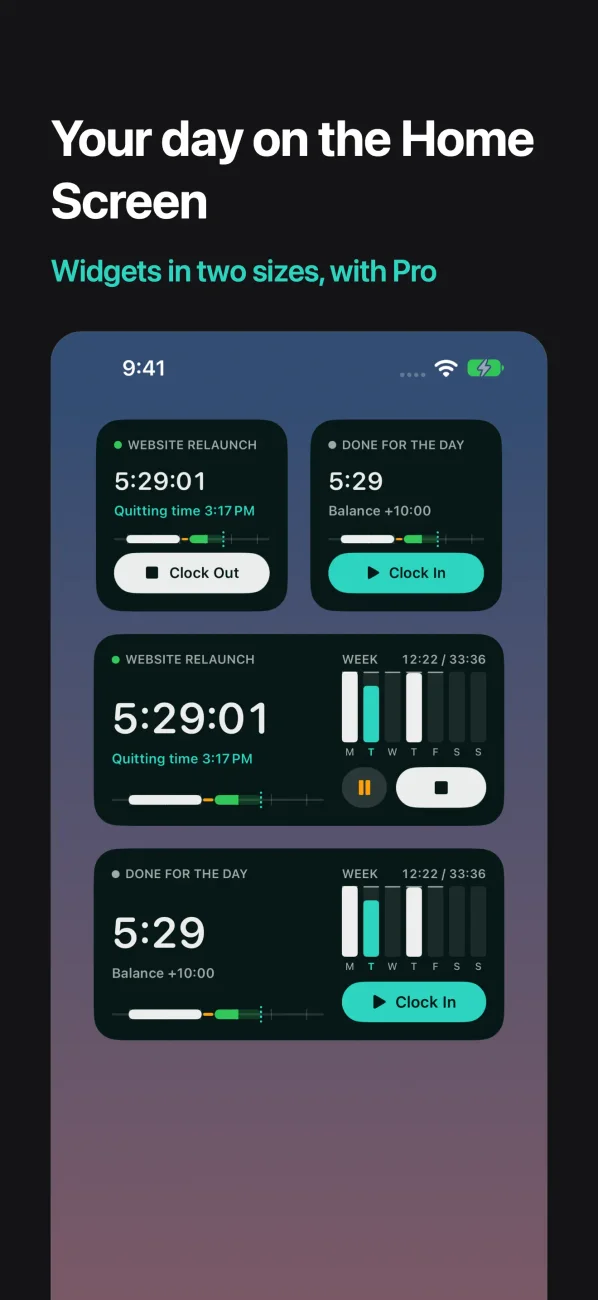
• Quitting time: the time of day when your daily target is reached
• Running balance with a starting value, payouts and corrections
• Vacation, sick days, accidents, military service, time off in lieu and unpaid days
• Public holidays for Switzerland, Germany, Austria and 16 more countries
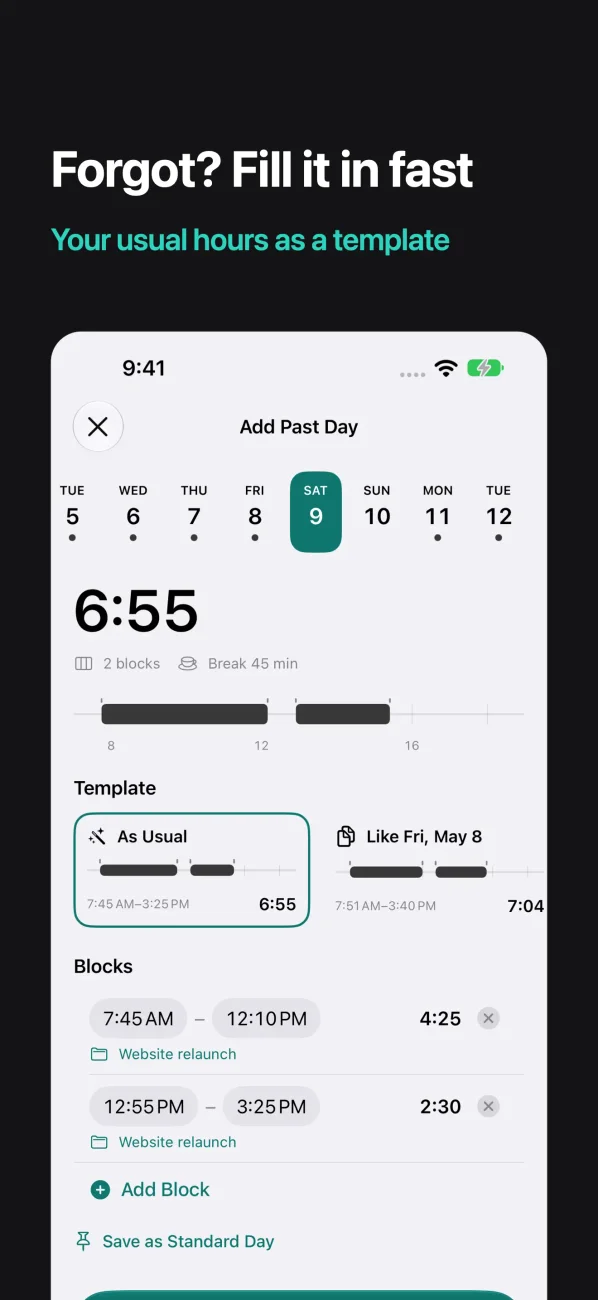
• Correct entries or add them later, with a note
• Projects: assign each block to a project, the report shows the hours per project
• Freelance work without a target: just log the hours
• Reports by week, month and year with a chart
• A reminder if you forget to clock out
PRO
Widgets, Live Activity, Apple Watch, accent color, vacation balance and the reminder after your usual end of work.
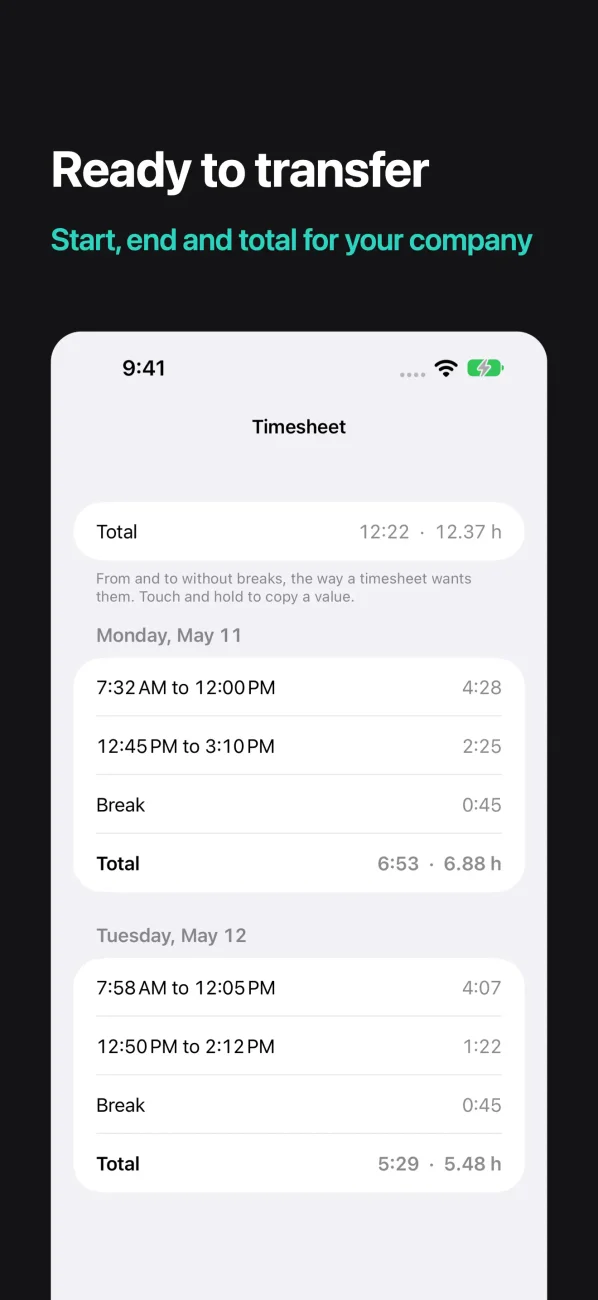
Multiple employers, each with its own target and balance, CSV export and PDF report for payroll and time systems, company logo, Home Assistant and automatic clocking with Shortcuts, Siri, the Action Button, an NFC tag or when you arrive at work. A one-time purchase, no subscription, with Family Sharing.
CREATE INVOICES
An add-on to Pro, for freelance work: hours per project times your rate as a PDF with the details required in Switzerland, Germany and Austria, with a Swiss QR-bill or GiroCode, reverse charge and small-business exemption. You pick the language and the currency for each invoice. Also a one-time purchase with Family Sharing.
PRIVACY
There is no account and no analytics. Your data stays on your devices and in your iCloud.
Pensum is a personal time tracker, not your employer’s certified time recording system.
Privacy: https://pensum.bognar.net/en/privacy/
What’s new
Version 1.4 · Nov 18, 2026
• Automatic clock out: tell Pensum when you'll stop working and it clocks you out then, even when the app is closed.
• Add a day in one sentence: "yesterday 8 to 5, 30 min break" becomes a whole day (Pro).
• Labor law, surcharges and shifts: rest periods and maximum hours at a glance, night and Sunday surcharges calculated (Pro).
• Overtime with a forecast to the end of the year, plan time off in lieu right away (Pro).
• Change log for every day, faster launch, your watch shows your tap instantly.
• XRechnung for German public authorities, Siri in every language, Control Center per employer.
App privacy
What Peter Bognar declares on the App Store about how this app handles data.
-
Data not collected
The developer does not collect any data from this app.
Privacy practices may vary, for example with the features you use or your age.
Information
- Seller
- Peter Bognar
- Category
- Productivity
- Version
- 1.4
- Updated
- Nov 18, 2026
- Released
- Oct 16, 2026
- Size
- 32.4 MB
- Requires
- iOS 27.0 or later
- Age rating
- 4+
- Price
- Free
- In-app purchases
- Yes
- Languages
- English, Arabic, Catalan, Croatian, Czech, Danish, Dutch, Finnish, French, German, Greek, Hindi + 20 more
- Copyright
- © 2026 pensum.bognar.net
You might also like
-
 Zeitbuch ZeiterfassungProductivity
-
 CirrhyPersonal time tracking
-
 AutoTimeTrack: Work HoursAutomatic overtime tracker
-
 StundenKonto · ArbeitszeitProductivity
-
 Liste — Simple Shopping ListFast grocery & to-do lists
-
 LS-ZeiterfassungProductivity
-
 WorkHours: Work TimerTrack your work sessions
-
 Zeit2GoProductivity
-
 Work Hours Timesheet: TyempoClock In, Overtime & Payroll
-
 WorkTrack - ZeiterfassungProductivity