
- Age rating12+
- CategoryProductivity
- DeveloperVycari Incorporated
- LanguagesEnglish
- Size53.4 MB
Links to the official App Store page
Download.org hosts no file of Pepper Agent. The button opens its official App Store page, published by Vycari Incorporated. Listing last checked on Nov 22, 2026.
Screenshots



About
Pepper is a personal assistant that starts with your calendar. It puts every calendar you have into one, finds the appointments stuck in your inbox, catches clashes before you do, and when something needs to change, it helps.
There's nothing to learn. Ask Pepper the way you'd ask a person: "Am I free Thursday?", "I'm running ten minutes late", "Put the dentist on my calendar." It answers from all of your calendars at once. Before it moves an event or sends an email, it tells you exactly what it's about to do and waits for you to say go.
EVERY CALENDAR, IN ONE PLACE
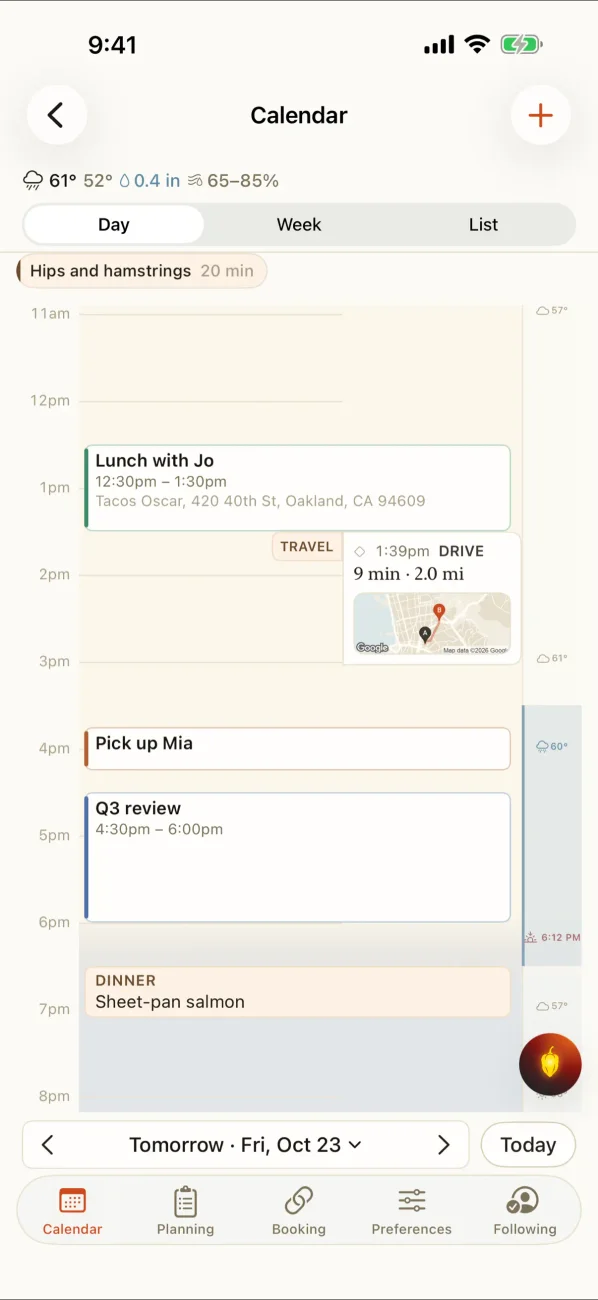
• Work, personal and the shared family calendar together, each in its own color, with the drive between events worked out and the weather beside your day.
• Clashes flagged before they happen, not when you're stuck in traffic.
• With your permission, Pepper finds appointments, reservations, tickets and school events in your email and lines them up beside your calendar. One tap adds them.
FOLLOW WHAT YOU CARE ABOUT
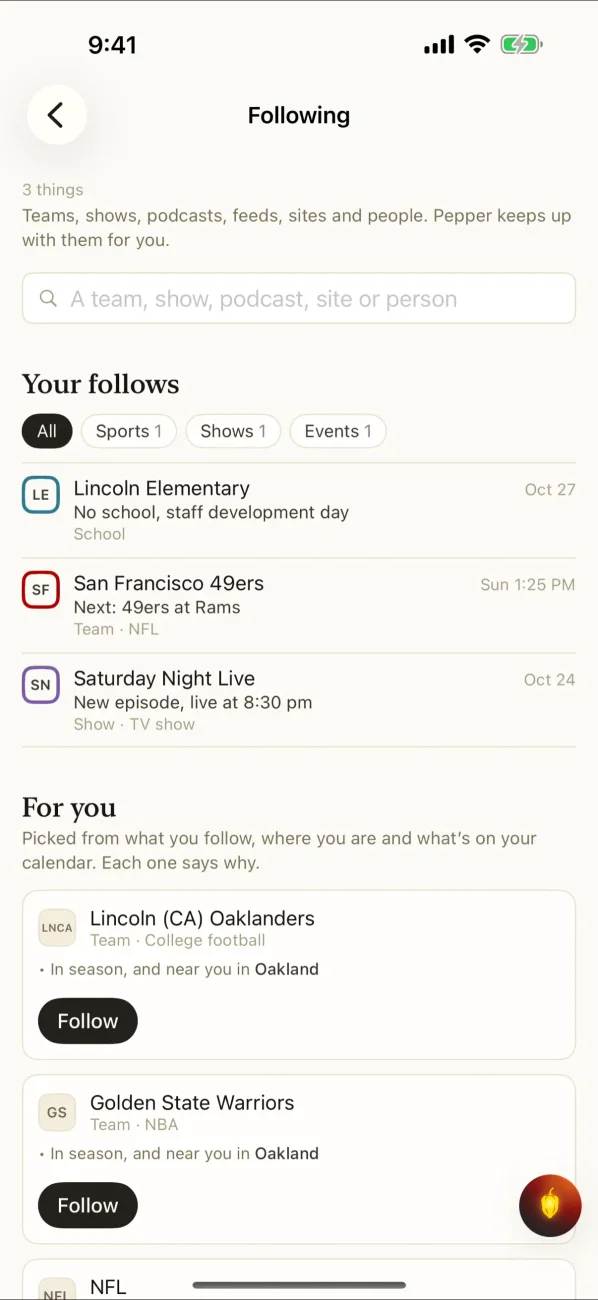
• Follow a school, a team, a TV show or any website, and its dates appear in your calendar, even when there's nothing to subscribe to.
• Pepper checks everything you follow twice a day, so a rescheduled game shows up without you looking.
• When plans change, it tells you right away: what changed, and when you now need to leave. Say yes and your calendar is updated.
KNOW WHAT TODAY HOLDS
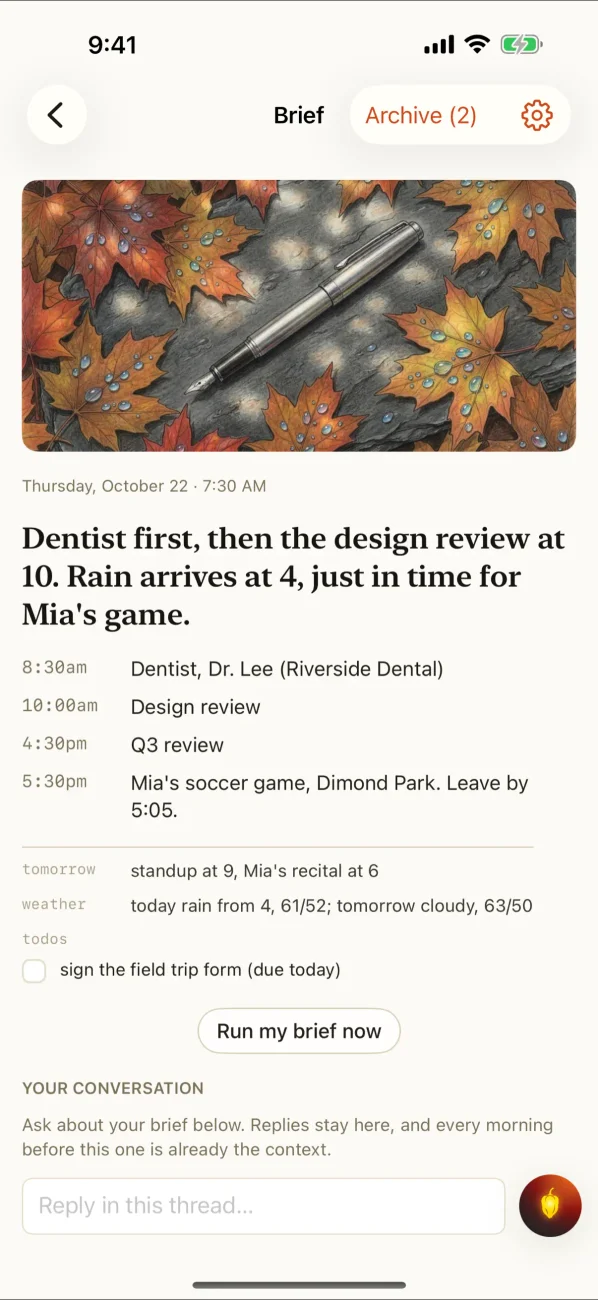
• A morning brief at a time you pick: today, tomorrow, the weather and anything you said you'd do. Read it in the app, get it by text or email, or take it as a wake-up call you can talk back to.
• Reminders and routines: "remind me to move the car at 7," or a check every weekday morning.
• To-dos you add the moment they cross your mind, with Pepper helping move them along.
PLAN WITH THE PEOPLE YOU PLAN WITH
• A booking link that books you. Describe when you take meetings in plain words, and anyone can pick a time. They don't need an account and never see what's on your calendar.
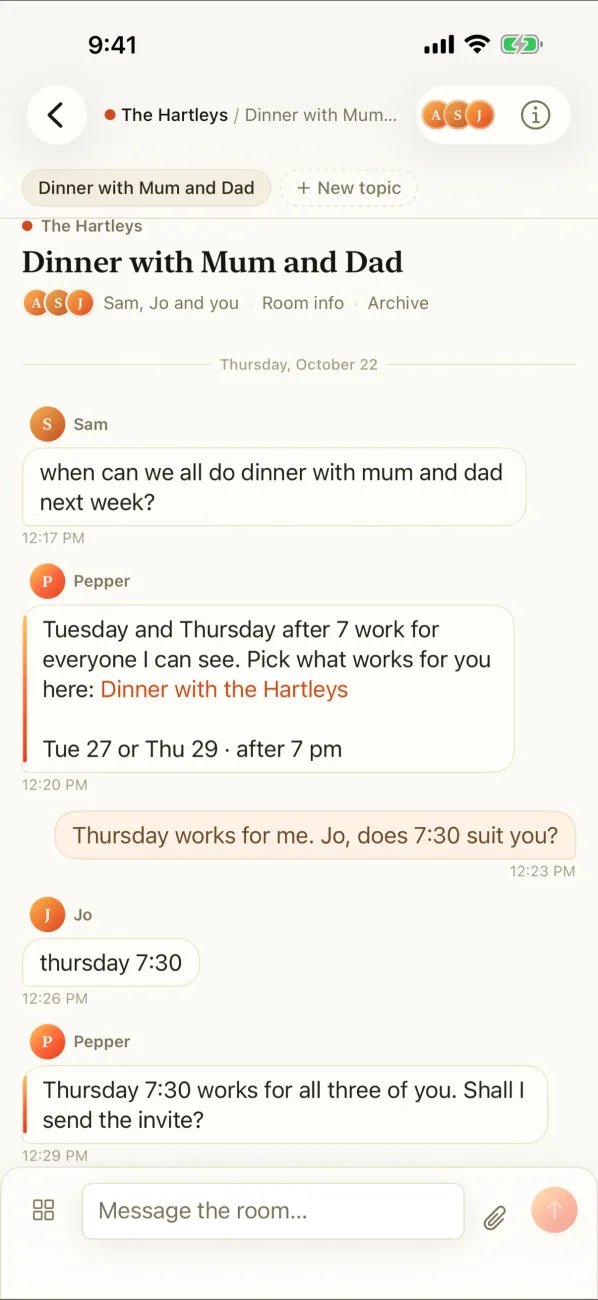
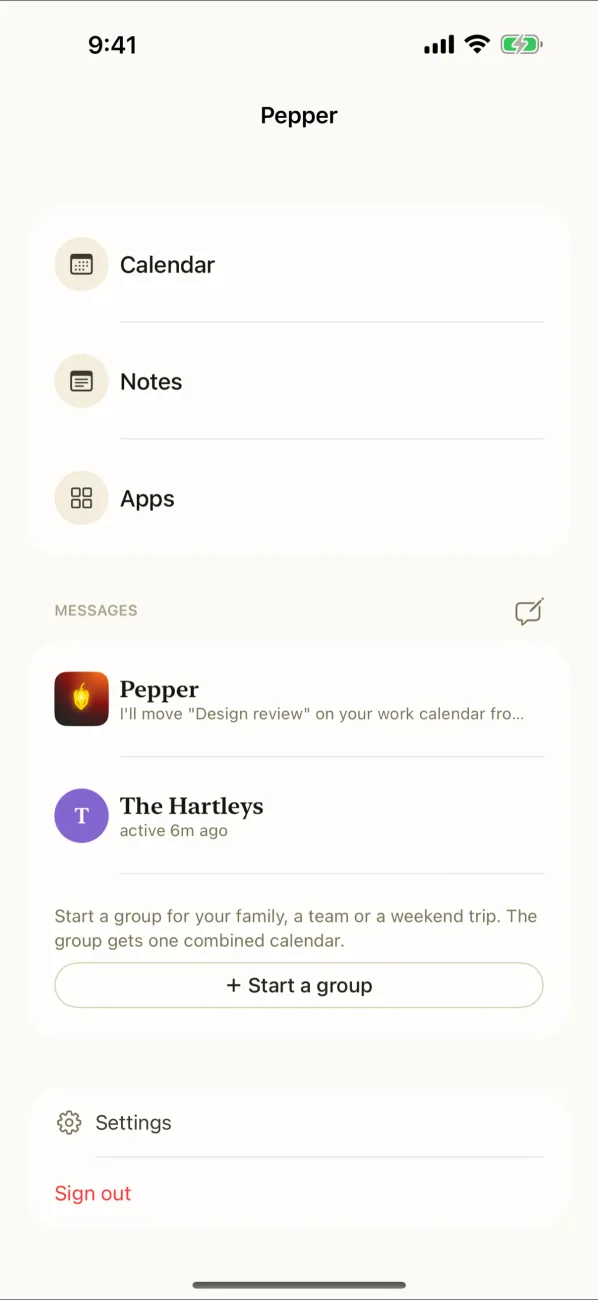
• Groups for your family, a team or a weekend trip, with Pepper in the room. Everyone chooses which calendars to share and how much. Ask "when can we all do dinner?" and Pepper finds the times that work.
BEYOND THE CALENDAR
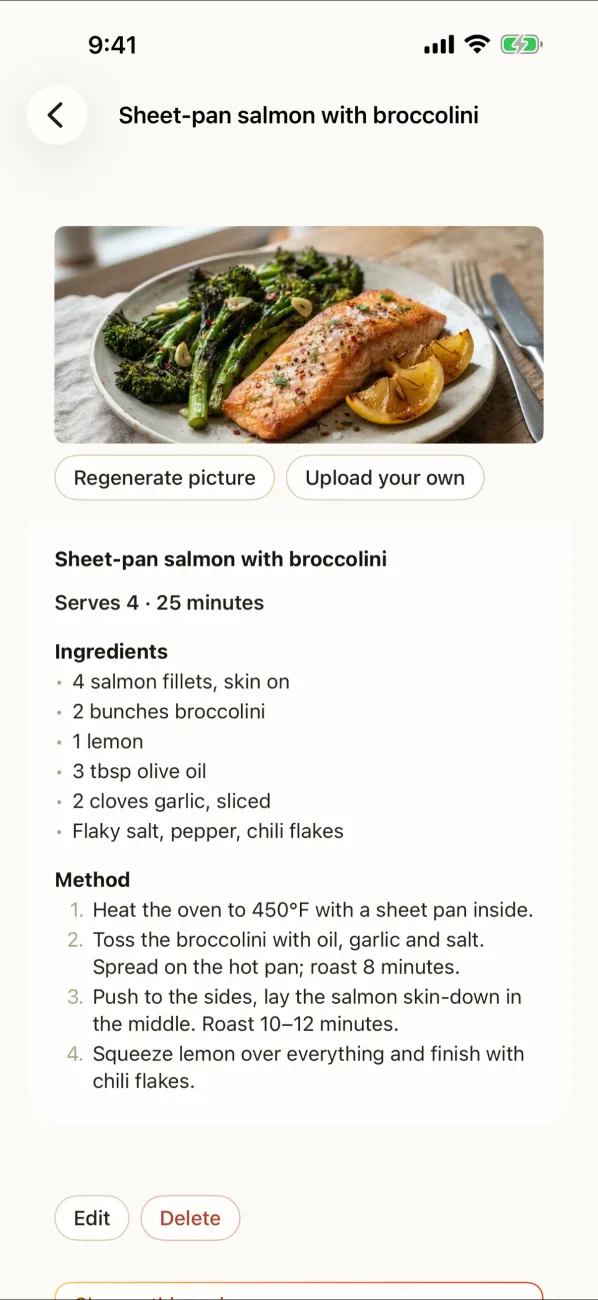
• Meals: a week of dinners that fits your calendar, recipes with step-by-step walkthroughs and timers, and a shopping list built from the plan.
• Workouts: a plan for the week, today's session walked through set by set, and a streak to keep you going.
• Email: ask what's waiting and get an answer. Say what you want to say and Pepper drafts the reply for you to send.
• Feeds and news: one clear summary a day from the sites, newsletters and podcasts you follow.
• Sports: follow your teams for schedules, scores and what happened.
• Notes, images and meetings: jot or record a note, snap the whiteboard or the receipt, keep a page for every meeting, and find any of it later by describing it.
• Answering: when you can't pick up, Pepper answers the calls you forward to it, using the notes you left it.
ON YOUR WRIST AND YOUR HOME SCREEN
• Live voice conversations from the app, the Action Button, Siri or Apple Watch.
• Hands-free cooking and workouts on Apple Watch, step by step, with timers that keep running.
• A Home Screen and Lock Screen widget with your brief and a mic.
• The same assistant by text, WhatsApp, email and phone call, with one memory whichever you use.
YOU STAY IN CHARGE
Pepper starts able to see nothing. Every connection is optional, off until you turn it on, and revocable in Settings at any time. Your Google data is handled under Google's Limited Use requirements. Pepper doesn't sell your personal information, and there is no advertising. Sign in with Apple or with Google.
What’s new
Version 1.1.2 · Nov 16, 2026
Calendar
- Create and edit events with the full event form, including repeating events.
- In Week view, drag an event to move it, drag its edge to change its length, or press and hold an empty slot to create one.
- Search your calendar.
- Undo a move, edit or delete.
- Reschedule suggests times that work, and each guest shows as Free, Busy or Can't tell.
iPhone Duo
- Open your Duo to see two panes at once, such as a conversation beside an app.
Fixes
- A room no longer opens blank until you scroll.
- The event briefing stays on screen.
- If you scroll up while Pepper is replying, the conversation stays where you left it.
App privacy
What Vycari Incorporated declares on the App Store about how this app handles data.
-
Data linked to you
May be collected and linked to your identity.
- Health and fitness
- Location
- Contact info
- Contacts
- User content
- Search history
- Identifiers
- Usage data
- Other data
Privacy practices may vary, for example with the features you use or your age.
Information
- Seller
- Vycari Incorporated
- Category
- Productivity
- Version
- 1.1.2
- Updated
- Nov 16, 2026
- Released
- Oct 29, 2026
- Size
- 53.4 MB
- Requires
- iOS 17.0 or later
- Age rating
- 12+
- Price
- Free
- Languages
- English
- Copyright
- © 2026 Vycari Incorporated
You might also like
-
 Gem XDProductivity
-
 Calo: ultimate family calendarProductivity
-
 Moji: Your Life, OrganizedAI that works around the clock
-
 IIAHProductivity
-
 Early DayYour morning ritual tracker
-
 Habit HeatmapYet another habit tracker
-
 FSWizard PROThe best machinist calculator.
-
 Today - RSS ReaderSmart RSS Reader with AI
-
 April - AI Executive AssistantProductivity
-
 WidgecraftCustom Home Screen Widgets