Peptide Tracker Log & Reminder
GLP-1, TRT, & Peptide Dose Log
Designed for iPhone, iPad
Free · In-app purchases
- Age rating17+
- CategoryHealth & Fitness
- DeveloperFlat Six Labs LLC
- LanguagesEnglish
- Size86.6 MB
Links to the official App Store page
Download.org hosts no file of Peptide Tracker Log & Reminder. The button opens its official App Store page, published by Flat Six Labs LLC. Listing last checked on Nov 23, 2026.
Screenshots

About
Peptide Tracker is used by over 100,000 people.
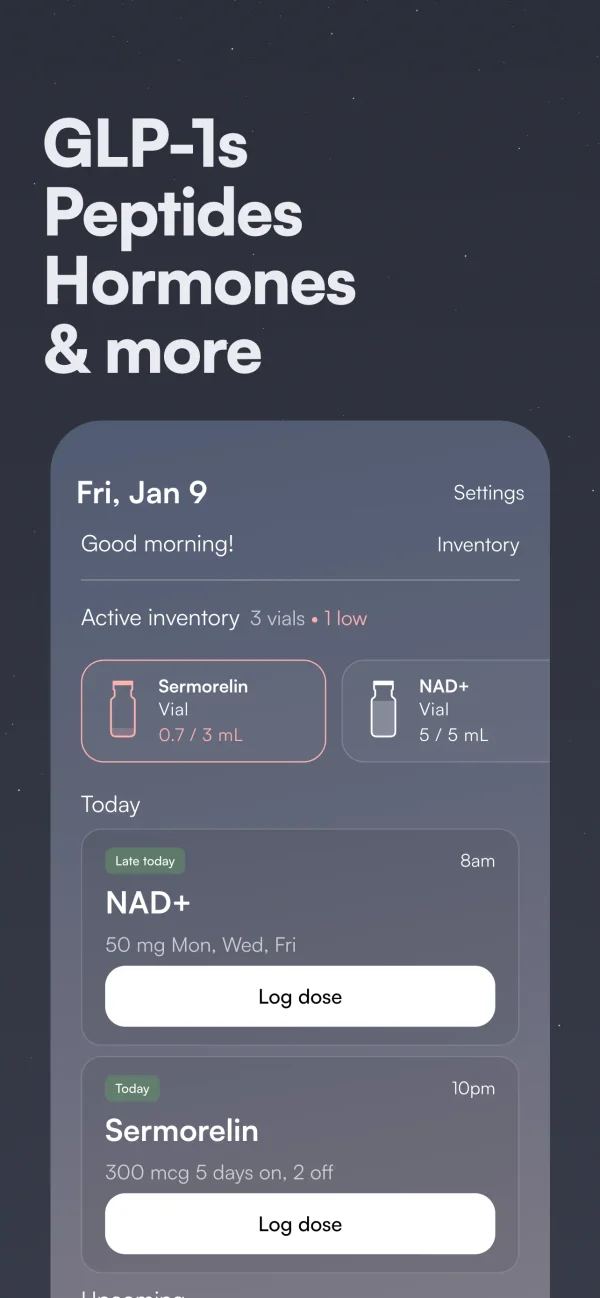
Track peptides, GLP-1s, and hormones in one app. Build your stack, log every dose, manage vials and supplies, monitor injection sites, visualize estimated plasma levels, sync Apple Health, follow your progress, and connect with people using the same compounds.
Whether you’re managing one compound or a complex stack, keep your schedules, dose history, and inventory organized in one place.
TRACK YOUR PROTOCOL
Build Your Stack
Create protocols with custom doses, schedules, frequencies, and durations. Add common peptides in seconds or create your own custom compounds.
Log Every Dose
Record scheduled or past doses, add notes, track injection sites, and edit entries anytime. When you correct a dose or change the vial it came from, your inventory updates automatically.
Manage Vials and Supplies
Keep track of mixed and unmixed vials, remaining volume, blend components, bacteriostatic water, and other supplies so you always know what you have on hand.
See Your Estimated Levels
Visualize how each compound builds and fades over time with an estimated plasma level curve based on your logged doses and the compound's half-life.
Stay on Schedule
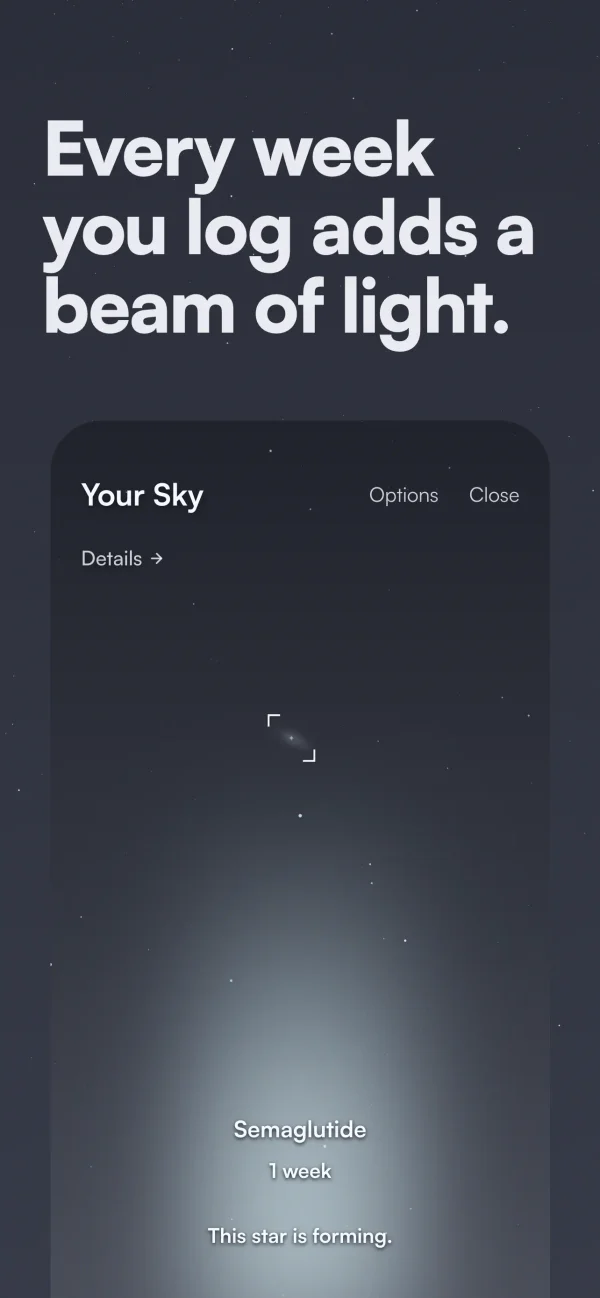
Optional reminders help you stay consistent. See taken, skipped, and missed doses at a glance, follow your week with a simple checklist, and watch your consistency build a night sky you can share.
FOLLOW YOUR PROGRESS
Sync Apple Health
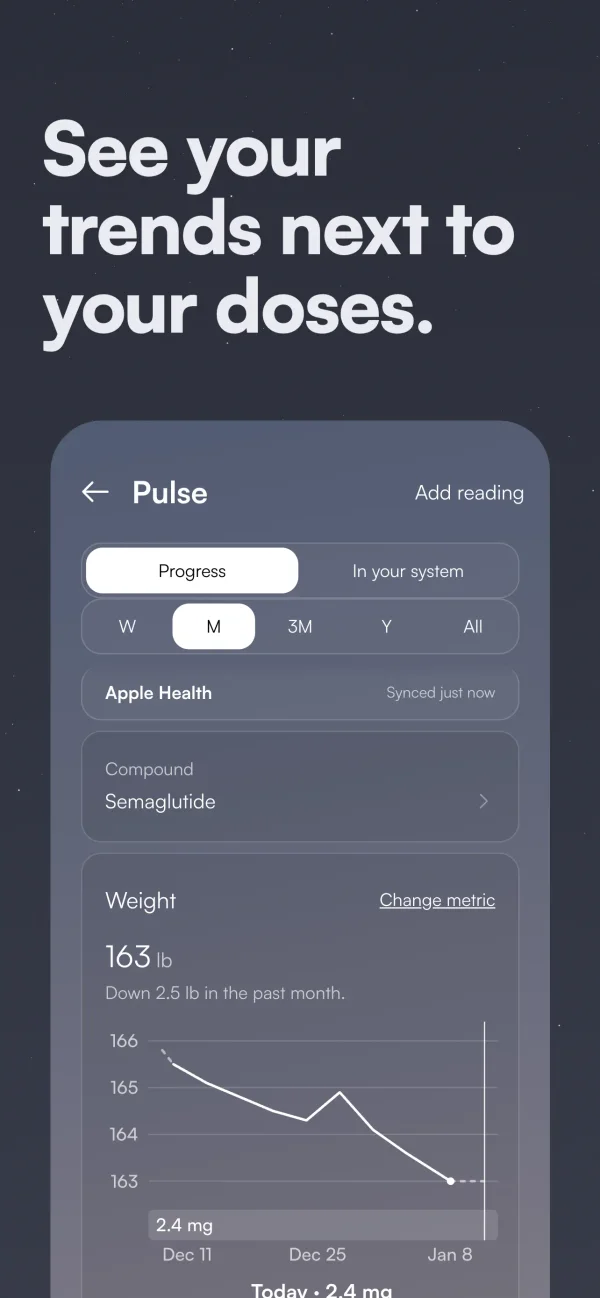
Connect Apple Health to see your weight and body measurements, blood pressure, resting heart rate, HRV, sleep, steps, active energy, and nutrition in Pulse, on the same timeline as your doses. Peptide Tracker only reads from Apple Health and asks your permission first. Connect it from Settings or from Pulse.
Track Your Weight
Log your weight over time, follow the trend, and see your progress alongside the protocols you're running.
Compare Progress Photos
Take consistent progress photos with alignment tools that help you match your framing each time. Browse your photos by month, compare any two side by side, and share the result.
Review Your History
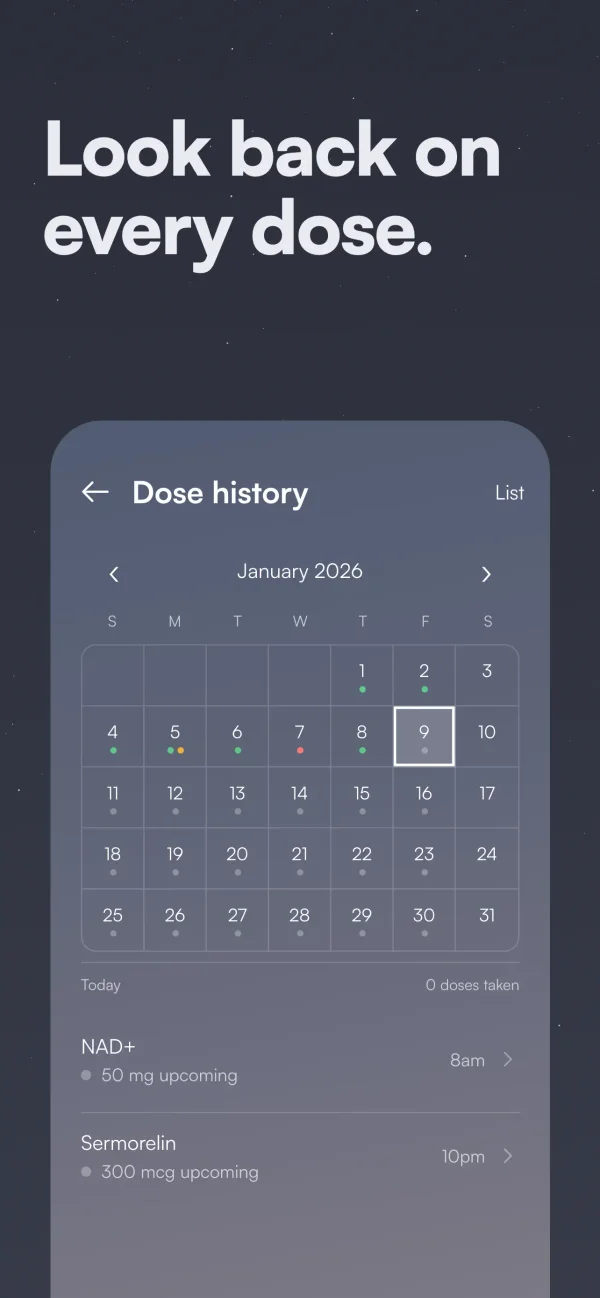
Browse your complete dose history in a calendar and quickly see what you took, when you took it, and which protocol it belonged to.
CONNECT WITH PEOPLE ON THE SAME COMPOUNDS
Ask questions and hear from people who have actually used the compounds you're researching or tracking.
Share your own experience through structured answers, reply directly to others, and continue the conversation in open threads with quotes and mentions. Everyone participates under a username rather than a real name, with reporting, blocking, and community notes built in.
LEARN AND EXPLORE
Browse educational content covering peptide basics and use the Peptide Assistant for general peptide information.
YOUR DATA STAYS YOURS
Your protocol and progress are yours. Export your data by contacting us at any time or delete your account directly from the app.
BUILT FOR PEPTIDE USERS
Peptide Tracker was built around the real workflows, terminology, and challenges that come with managing peptide protocols.
Track semaglutide, tirzepatide, retatrutide, BPC-157, TB-500, GHK-Cu, CJC-1295, ipamorelin, NAD+, TRT, HRT, custom compounds, blends, and more.
Built by peptide users, for peptide users.
Peptide Tracker is for tracking and education only. Estimated plasma levels are provided for informational purposes and are not medical guidance. Peptide Tracker does not provide medical advice or replace guidance from a qualified medical professional.
Download Peptide Tracker and build your first protocol in minutes.
Review our Terms of Use at https://peptidetracker.ai/terms and our Privacy Policy at https://peptidetracker.ai/privacy.
Questions? Email us at hello@peptidetracker.ai
What’s new
Version 3.4.0 · Nov 21, 2026
Version 3.4.0 adds Connect intros and profiles and a tab bar you can customize.
You can now introduce yourself in Connect. Your intro shares why you're here, the compounds you've taken and for how long, and a few lines about yourself, like "I'm taking it for healthy aging." Tap any handle in a thread to see that member's intro along with their replies, questions, and wins. Your own profile opens from the circle next to the Connect title.
You can now customize the three tabs in the middle of the tab bar. Tap Edit in "More" to configure.
Other small changes include:
• Protocols have eight new colors, including red, gold, and silver.
• You can switch to a 24 hour clock in Settings.
• Notifications have their own screen in Settings, with new switches for upcoming cycle dates and product updates.
• Weight shows two decimal places again.
• The Weight screen lets you pick which compound's doses show under the graph.
App privacy
What Flat Six Labs LLC declares on the App Store about how this app handles data.
-
Data linked to you
May be collected and linked to your identity.
- Health and fitness
- Contact info
- Identifiers
- Usage data
- Diagnostics
Privacy practices may vary, for example with the features you use or your age.
Information
- Seller
- Flat Six Labs LLC
- Category
- Health & Fitness
- Version
- 3.4.0
- Updated
- Nov 21, 2026
- Released
- May 1, 2026
- Size
- 86.6 MB
- Requires
- iOS 16.4 or later
- Age rating
- 17+
- Price
- Free
- In-app purchases
- Yes
- Languages
- English
- Copyright
- © 2026 Flat Six Labs
You might also like
-
 PeptidePal – Peptide TrackerGLP-1 Shot, Dose & Log Tracker
-
 Pep AI: GLP-1 Tracker AppGLP1 Shot Zepbound Wegovy Pill
-
 Peptide Tracker & CalculatorYour Private Peptide Log
-
 Stackr - Peptide TrackerUnit Converter & Reminders
-
 PeptIQ: Peptide TrackerPeptide Log & Reminders
-
 Dosely Peptide & GLP-1 TrackerGLP1 Shot, Dose & Vial Log
-
 PepPediaPeptide Wiki & Tracker
-
 PepTracker: Peptide TrackerGLP-1 Dose Log & Reminders
-
 Peptide Tracker & DosageDose Log, Vials & Reminders
-
 Peptide Tracker - PeptideKitPeptide Tracker & Dose Log