Performance Sampler: Samposium
Create Music and Live Jamming
Designed for iPhone, iPad
$14.99
- Age rating4+
- CategoryMusic
- DeveloperJoshua Totemwongse
- LanguagesEnglish
- Size189.5 MB
Links to the official App Store page
Download.org hosts no file of Performance Sampler: Samposium. The button opens its official App Store page, published by Joshua Totemwongse. Listing last checked on Nov 25, 2026.
Screenshots






About
Samposium is a performance sampler built for real-time audio manipulation. Through fluid, multi-touch gestures inspired by modular synthesizers and the spirit of improvisation, you bend, shape, twist, and sculpt samples into rich, textured arrangements — sample putty you mold live, not just trigger. Whether you're playing live, jamming on the go, or exploring new sounds, Samposium turns your iPad or iPhone into an interactive musical instrument for beginners and seasoned musicians alike.
NEW IN 1.1
• A new file browser shared by the app and the AUv3 plugin - folders, search, sorting, adjustable text size, audio detail columns like sample rate and bit depth, and optional audio previews
• Load a whole folder of samples at once
• Full Sequencer Mode - every pad's steps in one grid, with copy, paste, and pad reordering
• 11 new effects, 22 in all
• Effect presets - start from factory presets on every effect, then save, rename, and update your own, ready in every project
• A new EQ with Bell, Low Shelf, and High Shelf bands and a live spectrum analyzer
• AUv3 host automation of pad volume, pan, rate, pitch, effects, and pad triggers
Professional beat-making and sound design at your fingertips
• Create fully customizable sample pads - adjust colors, sizes, positions, and behaviors to match your style
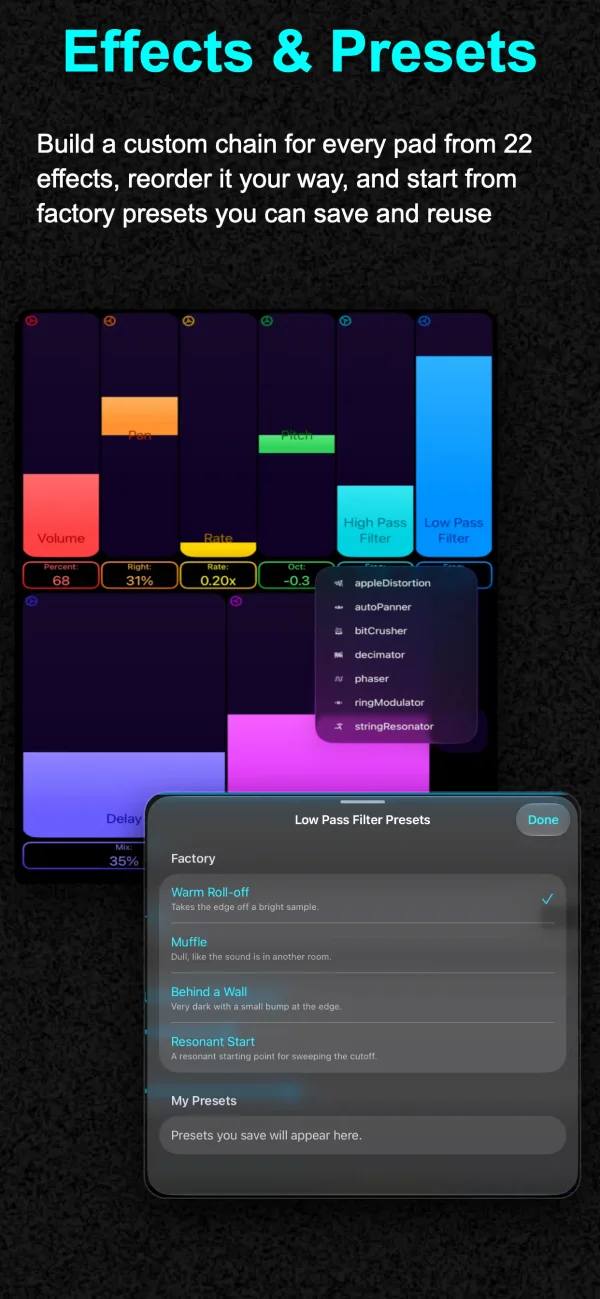
• Design unique sounds with independent effects chains on every pad - choose from 22 effects, including Chorus, Flanger, Stereo Delay, and Pitch Shifter, with full effect order control
• Shape every pad with a 3-band EQ
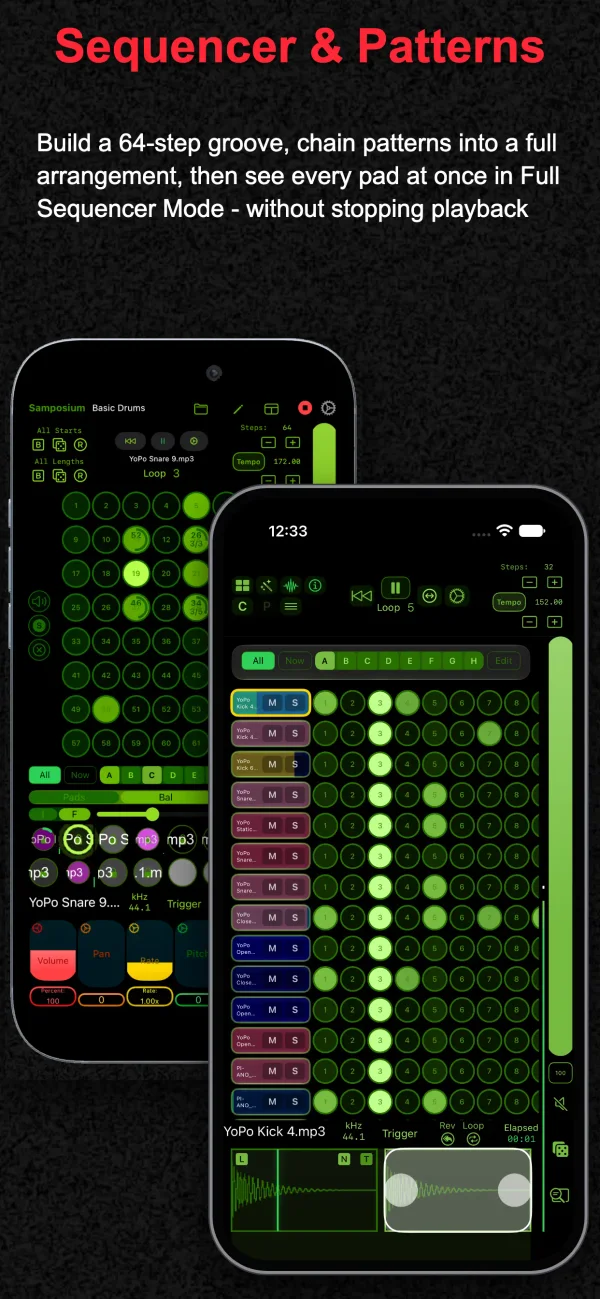
• Layer drums realistically with choke groups, mute or solo any pad at a glance, and craft intricate beats with a powerful 64-step sequencer, up to 512 unique steps
• Build and edit up to 8 patterns (A–H) live, without stopping playback
• Tap anywhere on a waveform to hear that exact moment instantly, even while the sequencer keeps running
Record and capture your sound
• Connect a USB audio interface and choose exactly which input channel feeds which pad, with mono/stereo recording and channel metering
• Record your own samples or layer in royalty-free sounds with live Mic/Line In recording and resampling
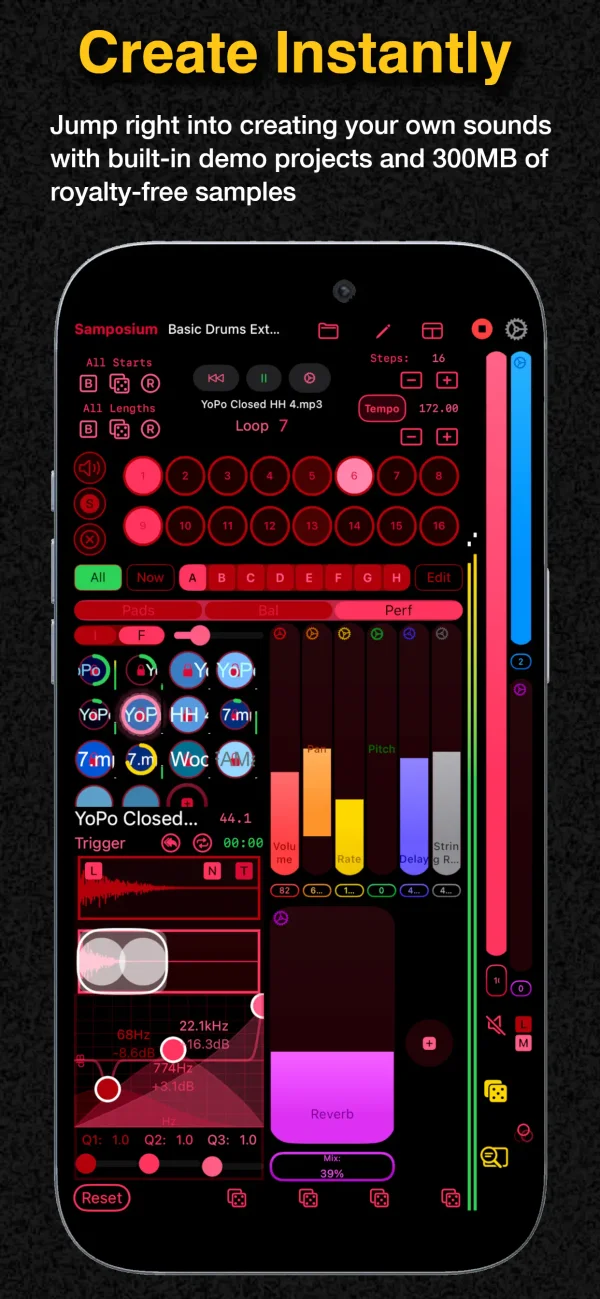
• Bundled project demos and 300+ MB of royalty-free samples to spark creativity immediately
Make music your way, anywhere
• Adaptive interface that flows seamlessly between portrait and landscape orientations
• Choose from multiple layouts designed for different workflows - prioritize what matters to you
• Fully customizable colors and colorblind-friendly options with light and dark modes
Collaborate and create without limits
• Sync seamlessly with other music apps and hardware using Ableton Link
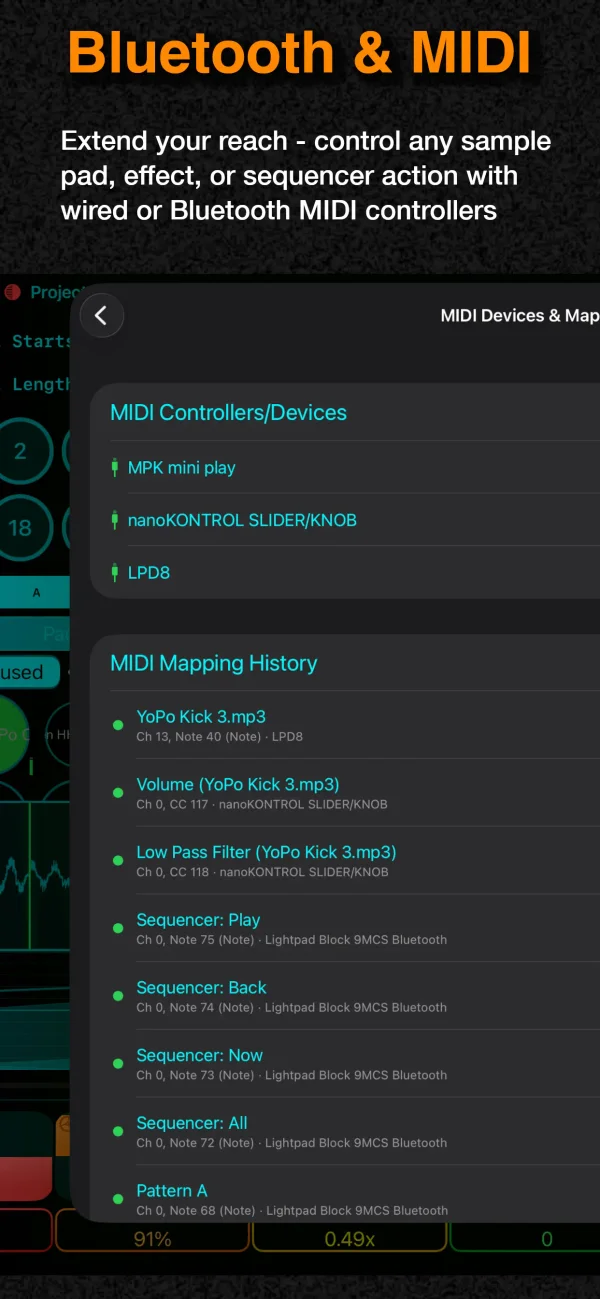
• Full MIDI control with visual feedback - map every pad, effect, and sequencer action with "push to learn," using wired or Bluetooth MIDI controllers
• Get quick inspiration with intelligent randomization that respects your settings
Stay in the creative flow
• Quick-save and auto-save so your ideas are never lost, plus quick access to your 5 most recent projects
• Intuitive multi-touch gestures and controls designed for fast, expressive playing
Everything you need, nothing you don't
• One purchase, no subscriptions - create forever
• Comprehensive user guide, built right into the app
• Works as a standalone app or as an AUv3 plugin, with full audio recording support
• Run multiple instances of Samposium side-by-side inside your DAW
What people are saying:
"I'm always excited about any new, powerful multi-layer sampler for iOS. In this, I really like how fluid the interface and workflow are here." - Synth Anatomy
"It's for live jamming and it does all kinds of cool stuff. It's very elegant with the way it's been designed." - The Sound Test Room
"It's fun, it is a performance sampler. There are no in-app purchases with this, you pay for it once! It works on your iPhone, it works on your iPad" - JadeStarr
Questions? help@synthfamdsp.com
Join our community on Discord
https://www.synthfamdsp.com/#community
What’s new
Version 1.1 · Nov 23, 2026
Samposium 1.1 is our biggest update yet. Here is what's new, and what you can do with it.
A NEW FILE BROWSER, IN THE APP AND IN YOUR DAW
One library, one browser, everywhere. Samposium now has a single file browser used by the standalone app and the AUv3 plugin, so a sample or project you save in one is waiting for you in the other.
• Organize your way: make folders, rename, move, and delete right in the browser
• Search finds a name in the current folder and every folder inside it
• Preview samples as you browse. Select one and it plays, and you can turn that on or off
• Custom columns show what you need to know before you load a sample: length, channels, sample rate, bit depth, format, and size
• Sort by any column, and set the text size that works for your eyes
Picture it: a session folder with every take, tidy and searchable, on your iPad and inside your DAW.
LOAD A WHOLE FOLDER AT ONCE
Pick a folder of samples and Samposium fills your pads for you, in name order, adding new pads as needed. Number your files "01 Kick", "02 Snare" and they land exactly where you want them. Choose to load all of them, or just the first 5, 10, or 25.
EFFECT PRESETS
Every effect now has factory presets, four to six each, so you can hear what an effect can do before you touch a slider.
• Step through presets with the arrows, or open the browser and pick one
• Move a slider and a dot shows you have changed it, so you always know where you started
• Save your tweaks as your own preset, then update it, rename it, or delete it later
• Your presets are saved with each effect type and are ready in every project
Dial in a tremolo that pumps just right, save it once, and drop it onto any pad in any project.
11 NEW EFFECTS, 22 IN ALL
Auto Wah, Band Pass, Band Reject, Chorus, Flanger, Korg Low Pass, Pitch Shifter, Stereo Delay, Tanh Distortion, TB303 Filter, and Tremolo join the lineup. Every pad has its own effects chain, so you can stack up to eight of them on a single sample and put them in whatever order you like. Run a drum loop through Tanh Distortion into a TB303 filter. Thicken a pad with Chorus, then widen it with Stereo Delay.
A NEW EQ YOU CAN SEE
Every band can now be a Bell, a Low Shelf, or a High Shelf. Tilt the low end of a loop with one shelf, then carve a hole for a vocal with a Bell. Behind the graph, a live spectrum shows the sound after the EQ with a dashed line for the sound before it, so you can watch your boosts and cuts at work while the pad plays. It works in the app and in the AUv3.
FULL SEQUENCER MODE
See every pad's steps at once. Each pad gets a row, each step a column, and one playhead runs across all of them. Compare rhythms and line up hits without switching pads.
• Switch between patterns A to H and edit them live
• Copy and paste a pattern, and drag pads to reorder them
• Open the effects, waveform, and sample info panels without leaving the grid
• Follow Playhead keeps the page with the beat
Build a whole drum pattern in one view, then jump patterns while it keeps playing.
AUV3 HOST AUTOMATION
Your host can now see and control Samposium. Map a knob, an LFO, or a MIDI controller to the plugin.
• Main Output: volume, low pass cutoff and resonance, and reverb mix, cutoff, and feedback
• Every pad gets its own group: Volume, Pan, Rate, and Pitch, plus the main settings of each effect on it
• A Play parameter per pad lets your host sequencer or a controller trigger it. Trigger, Latch, and Momentary pads each behave as they do on screen
Sweep a pad's filter with an LFO for the whole track. Fade the main reverb on a knob. Let your DAW play your pads.
ALSO IN 1.1
• Improved compatibility with iOS 27, including Bluetooth MIDI and audio session fixes
• Pad touch, EQ, and waveform fixes
• Improved performance across the app and the AUv3 plugin
• Preferences can now open the built-in user guide and export support files
Thank you for playing with Samposium. We can't wait to hear what you make.
App privacy
What Joshua Totemwongse declares on the App Store about how this app handles data.
-
Data not linked to you
May be collected but is not linked to your identity.
- Location
- Usage data
Privacy practices may vary, for example with the features you use or your age.
Information
- Seller
- SynthFam DSP LLC
- Category
- Music
- Version
- 1.1
- Updated
- Nov 23, 2026
- Released
- Nov 29, 2025
- Size
- 189.5 MB
- Requires
- iOS 18.6 or later
- Age rating
- 4+
- Price
- $14.99
- Languages
- English
- Copyright
- © 2026 SynthFamDSP LLC
You might also like
-
 Gatelab 2The Creative Gate Sequencer
-
 VAPolyMk4Polyphonic Synthesizer
-
 ChaosArp 2Chaotic MIDI Arpeggiator
-
 Space StripModular Channel Strip
-
 SampleScapeEvolving Soundscapes
-
 VAPolyLoopPolyphonic Synthesizer
-
 WoodPeckrMidi V2 Sequencer
-
 Polaris - Pocket Music MakerEffortless music creation
-
 Raven SynthDual-oscillator drawable synth
-
 FettkraftAcoustic Prism for the Low End