Find Lost Earbuds: Headphones
Bluetooth Finder & BLE Scanner
Designed for iPhone, iPad
Free · In-app purchases
- Age rating4+
- CategoryUtilities
- DeveloperGrima Hdez
- LanguagesEnglish+ 32 more
- Size6.4 MB
Links to the official App Store page
Download.org hosts no file of Find Lost Earbuds: Headphones. The button opens its official App Store page, published by Grima Hdez. Listing last checked on Nov 23, 2026.
Screenshots
About
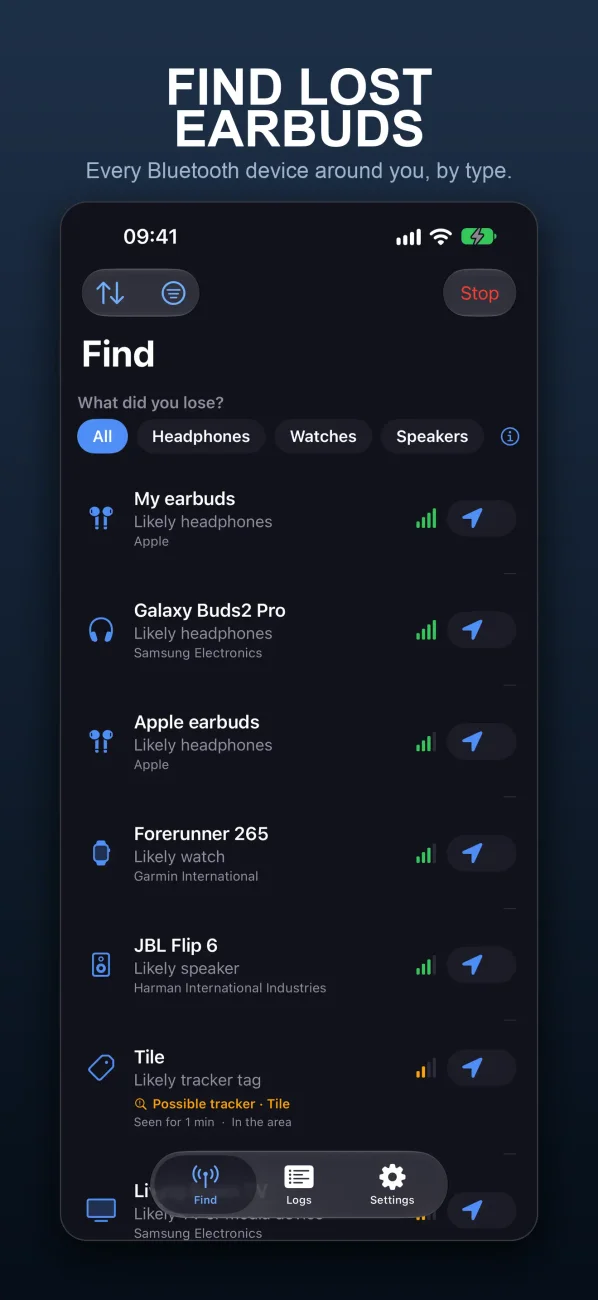
Lost an earbud? Periphery lists every Bluetooth device around you and turns its signal into hot and cold, so you can walk straight to it.
FIND WHAT YOU LOST
- Earbuds, headphones, watches, fitness bands, speakers and tags, each with its own icon
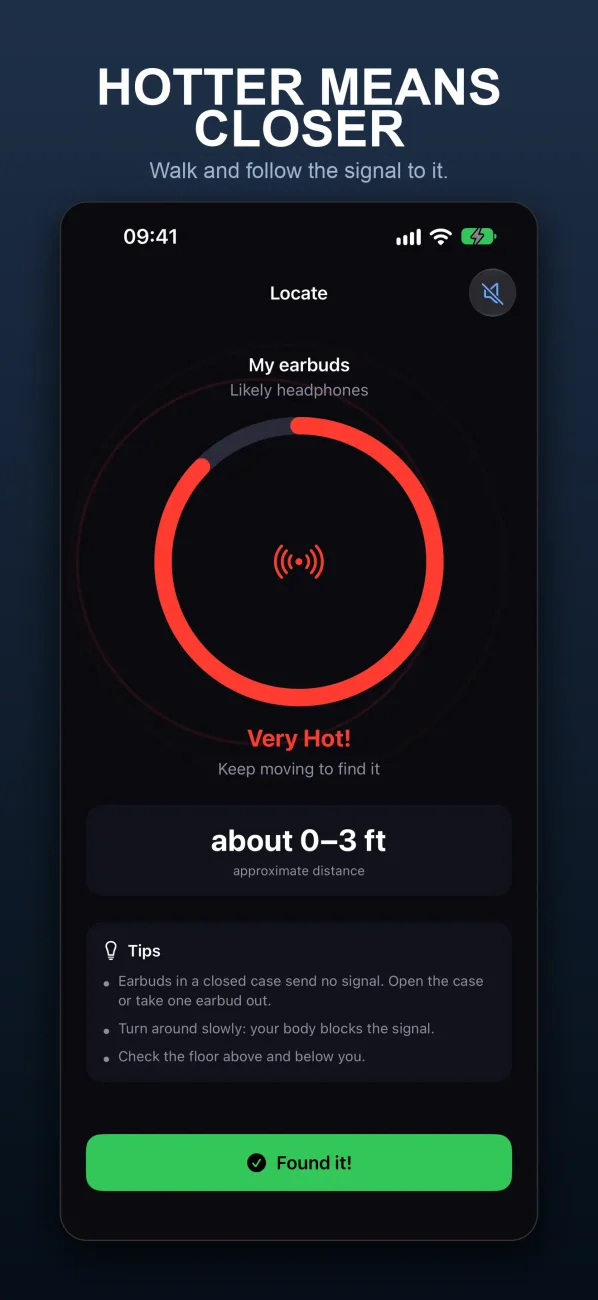
- Hot-and-cold radar: the closer you get, the hotter it reads and the faster your phone taps
- Distance shown as an honest range, with a live warmer / colder trend
- Tap "Found it!" when it's back in your hand
- Give your devices a name and they stay at the top of the list
- Searching and locating have no limits
HONEST ABOUT WHAT A PHONE CAN SEE
Periphery finds devices that are switched on and sending Bluetooth Low Energy. Earbuds inside a closed case, or with a flat battery, send nothing, and no app can see them: open the case or take one earbud out. Bluetooth gives signal strength, not direction, so walk and turn slowly and follow the trend.
FOR DEVELOPERS AND TINKERERS
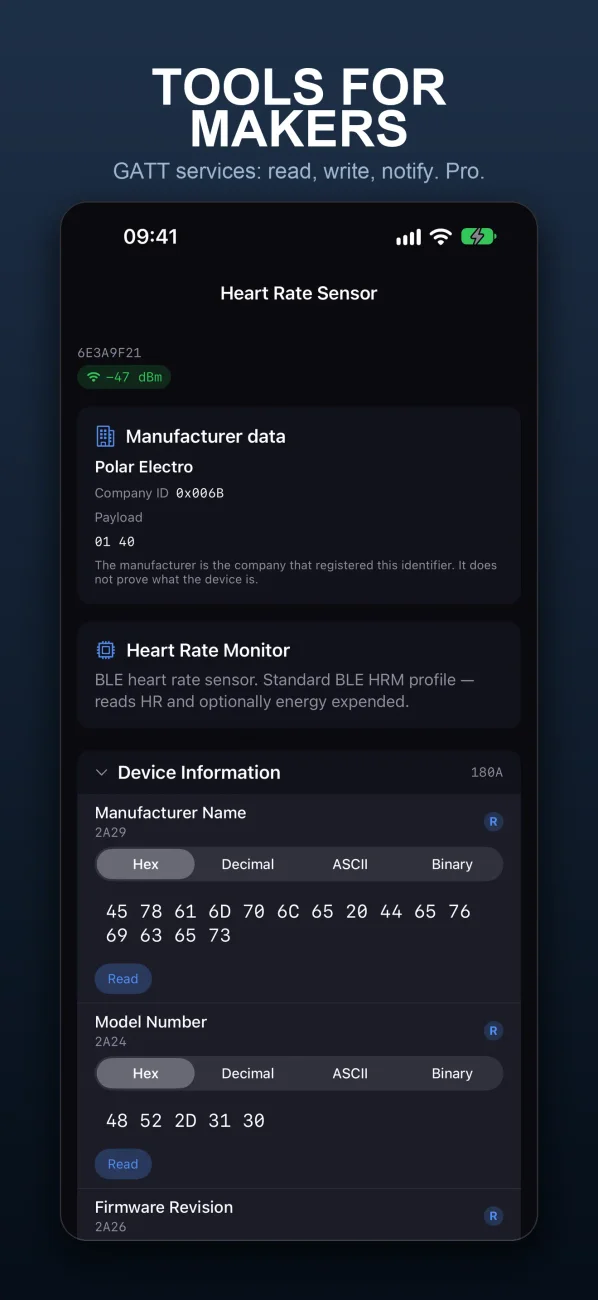
- Manufacturer of every device from the official Bluetooth SIG list
- Tracker hints for Tile, Chipolo, Apple Find My tags
- GATT inspector: browse services and characteristics, read, write and subscribe (Pro)
- Session logger with plain-text export (Pro)
PERIPHERY PRO
- No ads
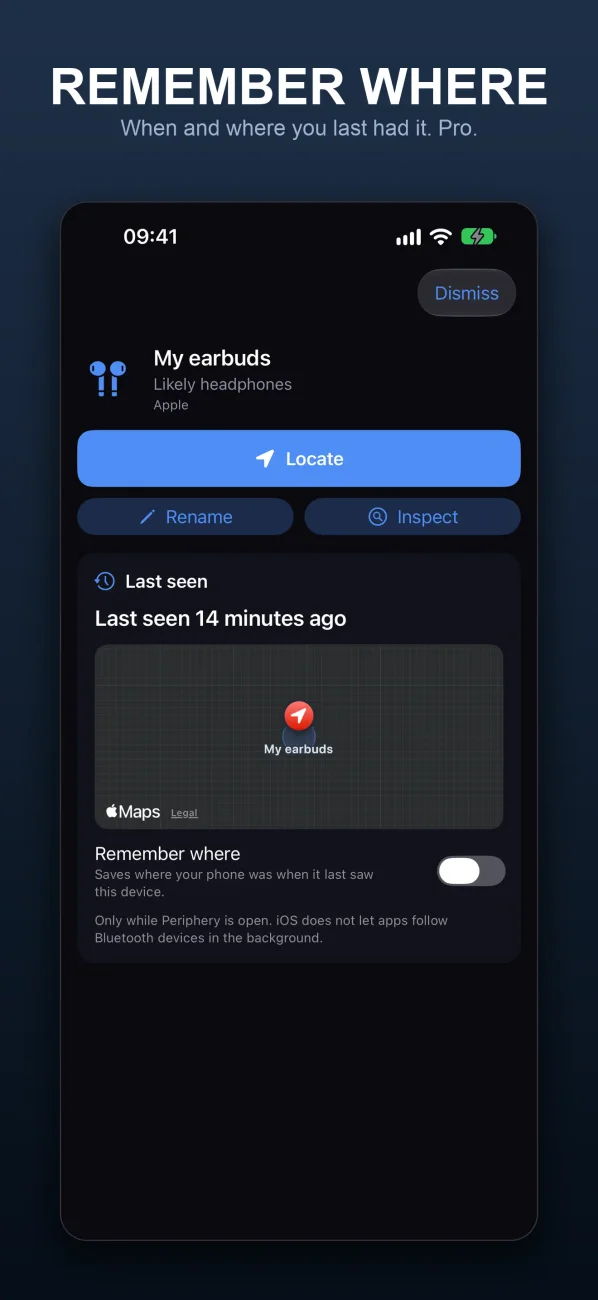
- Last seen: when, and where, you last had each of your devices (recorded while Periphery is open)
- Developer tools: GATT inspector and session logger
Choose weekly, monthly or yearly, or pay once for lifetime access.
COMMON QUESTIONS
Does it need an account or internet?
No. Scanning happens over Bluetooth on your phone.
Can it show my earbuds on a map?
Only the last place Periphery saw them, if you turn on Last seen (Pro). A live position needs the device's own network.
Does it work with classic Bluetooth devices?
No. iOS only lets apps see Bluetooth Low Energy. Most modern earbuds, watches and tags use it; car kits and some older audio devices don't.
Why does the same device sometimes appear twice?
iOS rotates the identifier it shows apps for privacy, so a device can come back under a new one.
Does it work on iPad?
Yes.
Terms of Use: https://masaapps360.com/periphery/terms/
Privacy Policy: https://masaapps360.com/periphery/privacy/
What’s new
Version 1.6.0 · Nov 20, 2026
Periphery 1.6 is built for the moment you lose something.
- Search and locate as often as you need, with no limits
- Devices show what they are: earbuds, watch, speaker, tag and more
- New "What did you lose?" filter and a clearer hot-and-cold radar
- "Found it!" button, plus tips for earbuds in a case
- Pro: Last seen, when and where you last had each device
- The GATT inspector and logger are now part of Pro (or one inspection per ad)
App privacy
What Grima Hdez declares on the App Store about how this app handles data.
-
Data used to track you
May be used to track you across apps and websites owned by other companies.
- Usage data
-
Data not linked to you
May be collected but is not linked to your identity.
- Usage data
Privacy practices may vary, for example with the features you use or your age.
Information
- Seller
- Grima Hdez
- Category
- Utilities
- Version
- 1.6.0
- Updated
- Nov 20, 2026
- Released
- Jul 28, 2026
- Size
- 6.4 MB
- Requires
- iOS 17.0 or later
- Age rating
- 4+
- Price
- Free
- In-app purchases
- Yes
- Languages
- English, Arabic, Catalan, Croatian, Czech, Danish, Dutch, Finnish, French, German, Greek, Hebrew + 21 more
- Copyright
- © 2026 Grima Hdez All Rights Reserved.
You might also like
-
 BLE SnifferPassive Bluetooth LE scanner
-
 Bluetooth Scanner・Find DevicesRead GATT services & beacons
-
 BLE Radar UltraFind Bluetooth devices
-
 RF Signal Detector, Anti SpyHidden Camera & Tracker Finder
-
 BLE Scanner & Tracker: ProbeBTBluetooth Device Finder Around
-
 Simple BLE ScannerScans for nearby BLE devices
-
 Scanner Bluetooth#1 Bluetooth Scanner
-
 Bluetooth Scanner - SuperBTBT Device Finder & Inspector
-
 Ble Scanner Bluetooth FinderDetector, Tracker & Debugger
-
 nRF Connect for MobileThe #1 Bluetooth LE utility