
- Age rating4+
- CategoryProductivity
- DeveloperMaksim Timeshin
- LanguagesEnglish
- Size9.7 MB
Links to the official App Store page
Download.org hosts no file of Phantom Focus: Screen Time. The button opens its official App Store page, published by Maksim Timeshin. Listing last checked on Nov 15, 2026.
Screenshots
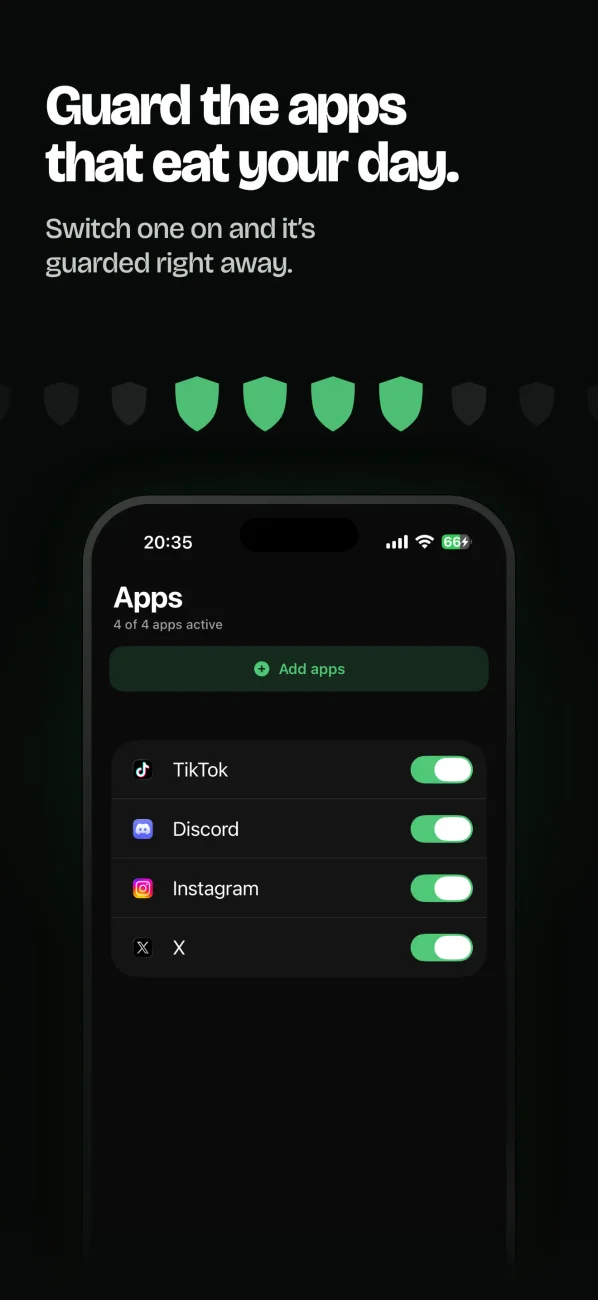
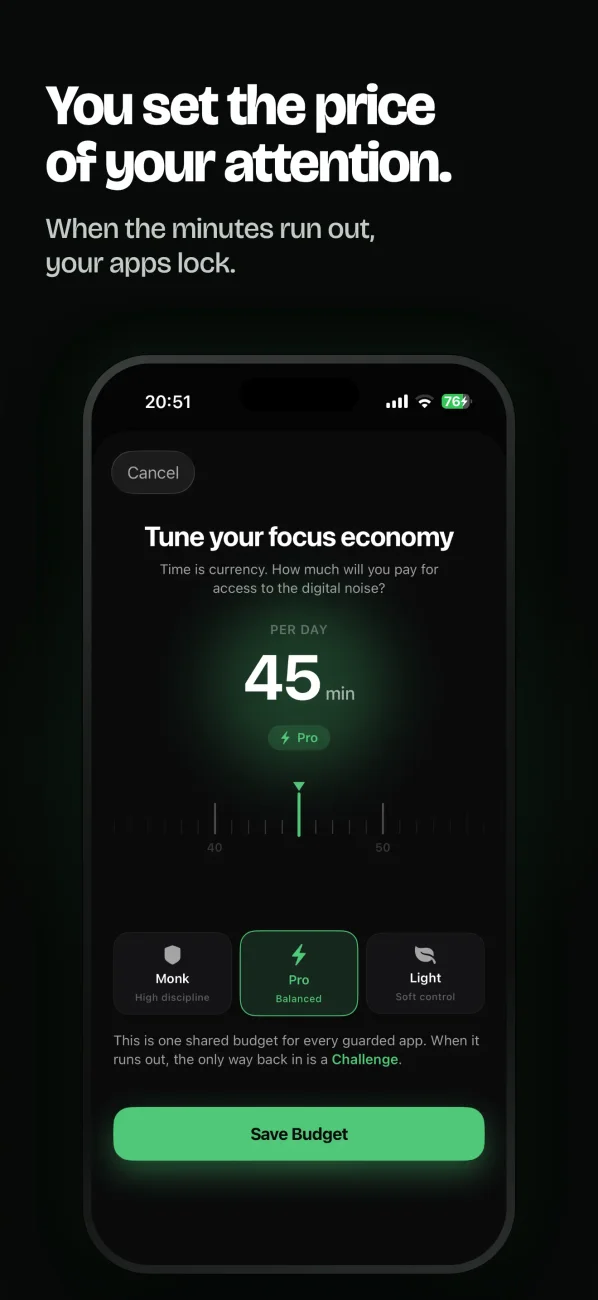
About
5 to 6 hours. That is the average time lost to phone screens every day — mostly on autopilot.
Phantom Focus is the strict, privacy-first screen time blocker designed to break the doomscrolling loop for good.
NO INSTANT OFF-SWITCH
Most app blockers fail because turning them off takes one second. Phantom Focus fixes this: disabling protection or removing a guarded app triggers a mandatory 5-minute cooling-off, and raising your budget only takes effect tomorrow. The dopamine urge passes before the timer ends. The shield stays.
ONE BUDGET, ZERO LOOPHOLES
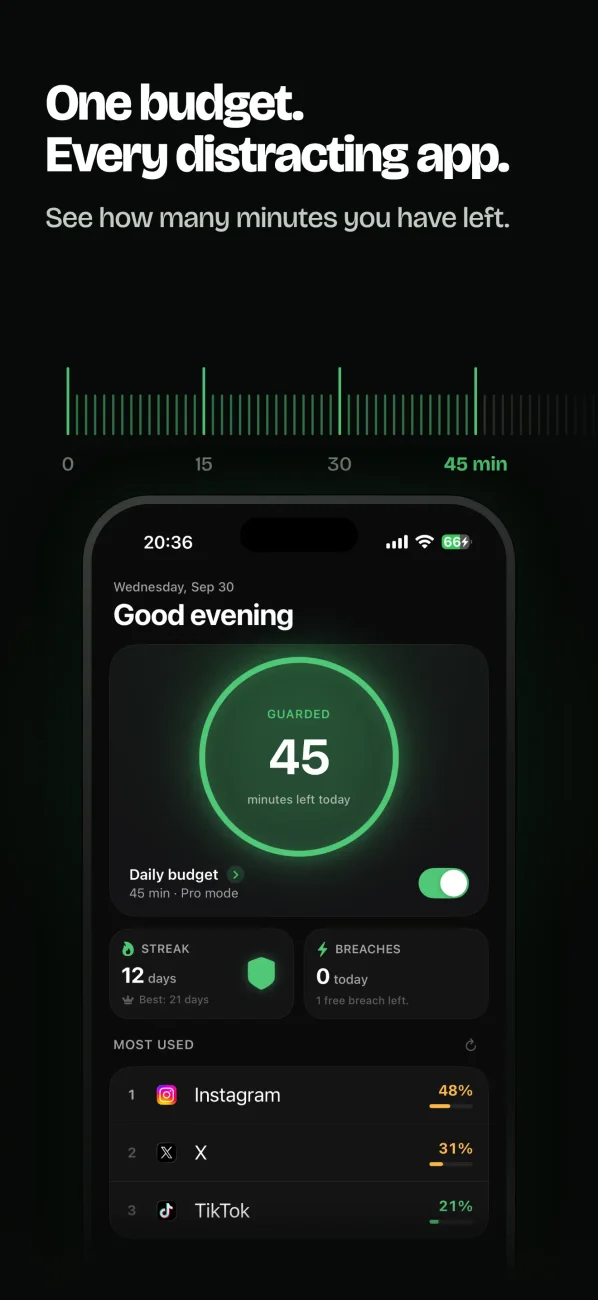
• Assign a single shared time budget across all distracting apps (Instagram, TikTok, X, YouTube)
• When your budget hits zero, the shield locks them all instantly
• No per-app allowances to game or cheat
FOCUS TIMER
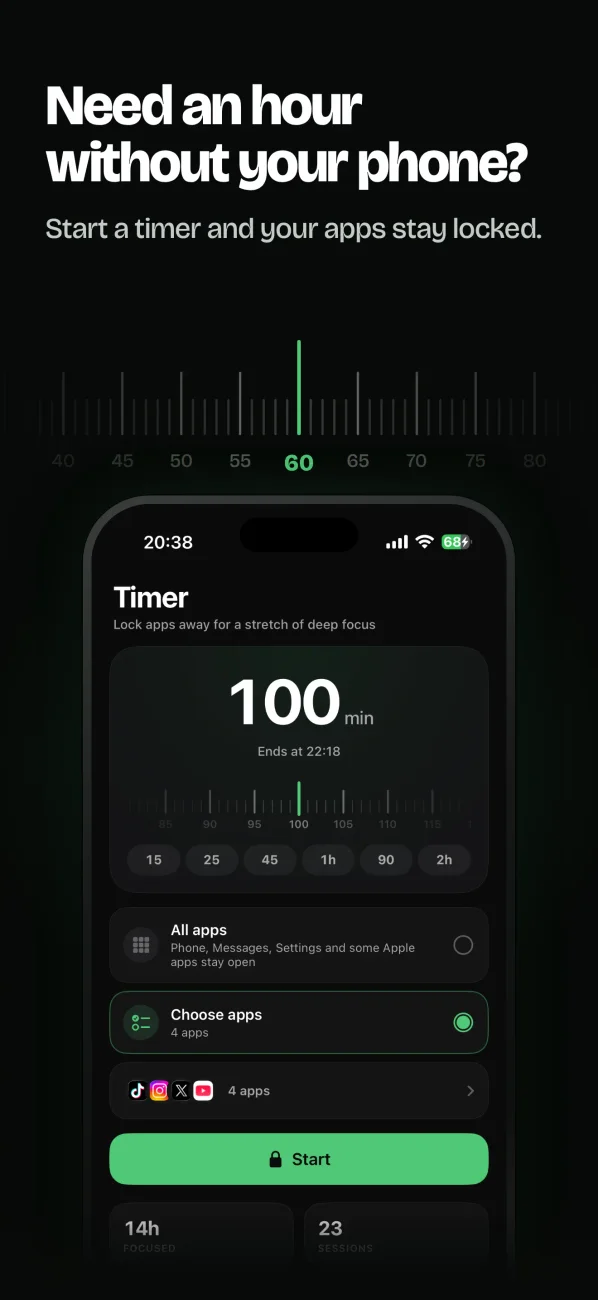
Lock the apps you choose — or all of them — for 15 minutes to 2 hours. Make it to the end and celebrate: every session adds to your lifetime focus hours and unlocks new milestones.
SCHEDULES
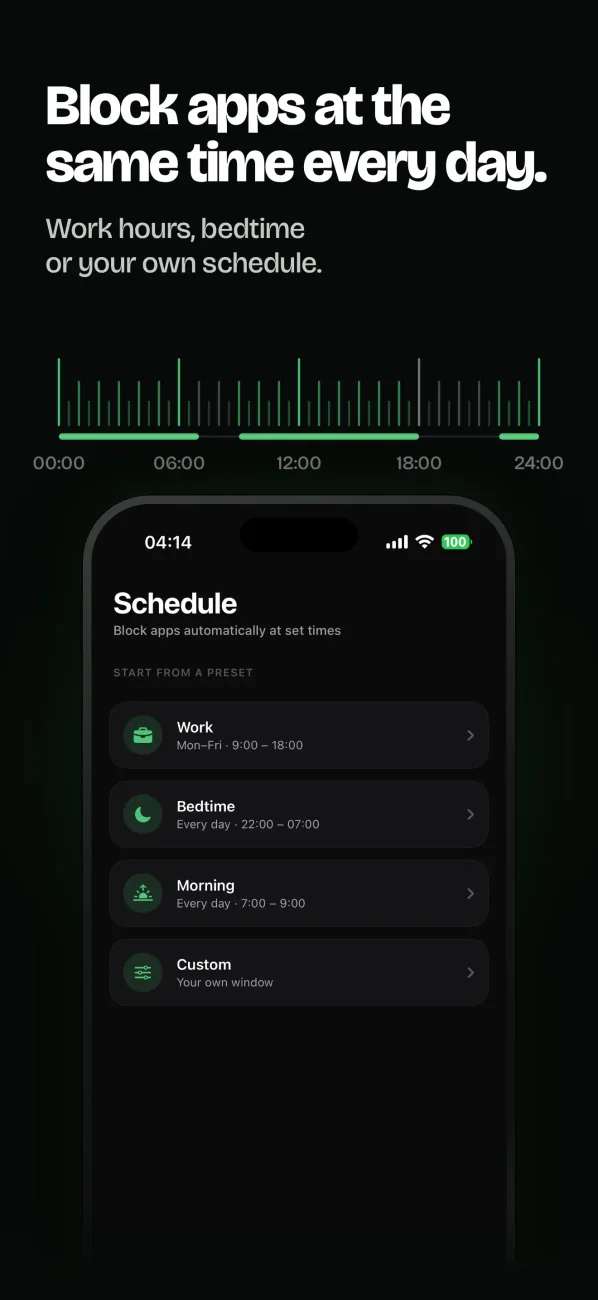
Block apps automatically at set times: Work hours, Bedtime, Morning, or your own window with its own app list. Once a window starts, it can't be switched off on a whim.
EARN YOUR EXTRA MINUTES
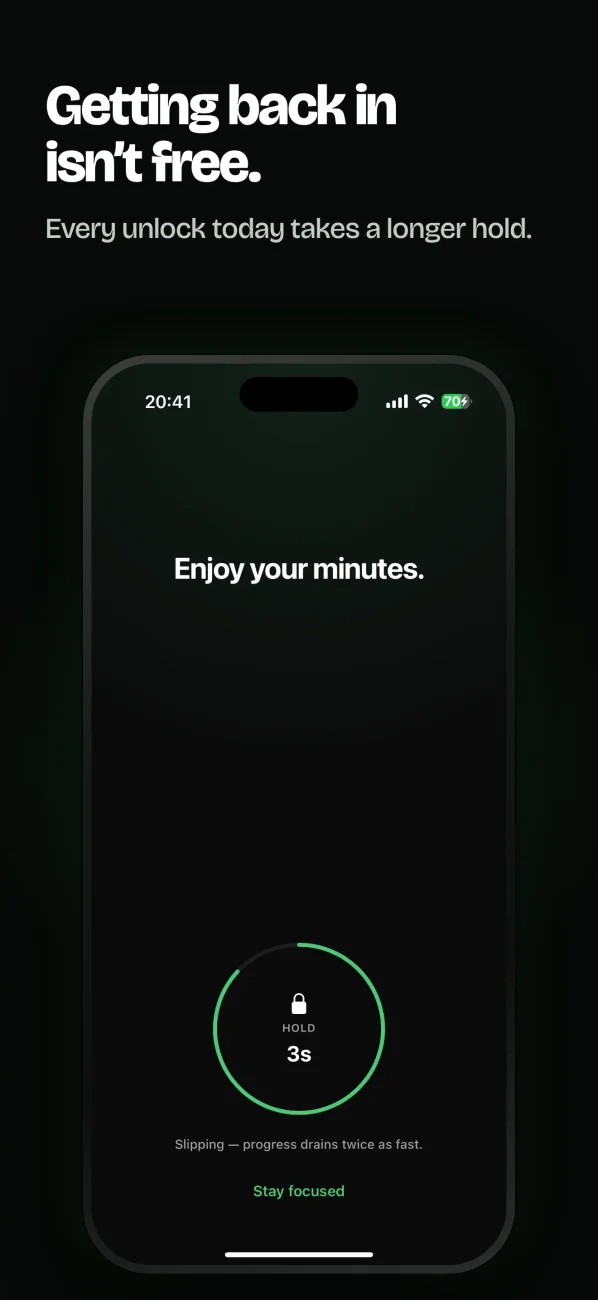
Need emergency access? Hold the challenge ring to break through — 10 seconds for the first unlock, 20 for the second, 30 after that. Breaking a focus session or a schedule always costs 30 seconds. Every minute spent becomes a conscious purchase, not a reflex.
TRUTH-BASED STREAK
Track your resilience with an honest streak counter. One slip a day is your emergency margin. A second breach — or quitting a focus session or schedule early — burns your streak back to day one.
BUILT FOR ADHD & DEEP WORK
Struggling with impulse control or phone addiction? Phantom Focus acts as an external prefrontal cortex, helping you stay in deep work, reduce anxiety, and regain focus.
100% PRIVATE & ON-DEVICE
Powered entirely by Apple's Screen Time framework (Family Controls). Zero accounts, zero analytics, zero ads, and no network connections. Your browsing habits and app selections never leave your device.
Stop losing hours to mindless scrolling. Download Phantom Focus and own your attention again.
What’s new
Version 1.4 · Oct 5, 2026
• App groups — build a set like Social or Games once and pick it in the Timer and in schedules. Edit the group and every schedule using it updates.
• All apps except — lock everything but the few apps you actually need.
• Smoother schedule editor and small fixes.
App privacy
What Maksim Timeshin declares on the App Store about how this app handles data.
-
Data not collected
The developer does not collect any data from this app.
Privacy practices may vary, for example with the features you use or your age.
Information
- Seller
- Maksim Timeshin
- Category
- Productivity
- Version
- 1.4
- Updated
- Oct 5, 2026
- Released
- Aug 8, 2026
- Size
- 9.7 MB
- Requires
- iOS 18.0 or later
- Age rating
- 4+
- Price
- Free
- Languages
- English
- Copyright
- © 2026 PhantomFocus.
You might also like
-
 Screenwage: Earn Screen TimeLock apps. Focus to unlock.
-
 Intentional: Screen Time CtrlProductivity
-
 ScrollMint: Earn Screen TimeApp Blocker for Dopamine Detox
-
 Habits FirstEarn your apps back
-
 67: Strict Screen Time BlockerNo More “Ignore Limit”
-
 Encrypted Email - MailfenceSecure & private mail suite
-
 ShareMe - All File SharingShareMate - ShareHub
-
 Email Client - Boomerang MailGmail, Outlook E-mail Triage
-
 Secure VPN: Fast net locationsProtect Privacy, Wifi Security
-
 Temp Mail by temp-mail.ioForget about spam