- Age rating4+
- CategoryUtilities
- DeveloperStuart Woolley
- LanguagesEnglish
- Size2.4 MB
Links to the official App Store page
Download.org hosts no file of PhantomGram. The button opens its official App Store page, published by Stuart Woolley. Listing last checked on Nov 17, 2026.
Screenshots


About
PhantomGram — Paint the Airwaves
Spectrum painting for amateur radio. Encode any image as audio and transmit it through your radio — the picture appears directly on the receiver's SDR waterfall display.
No special decoder needed at the other end. The image IS the spectrum.
HOW IT WORKS
Spectrum painting exploits the way SDR waterfall displays work. A waterfall shows radio frequency on one axis and time on the other, with colour representing signal strength. PhantomGram converts each row of your image into a carefully crafted audio signal where pixel brightness maps to tone amplitude and pixel position maps to frequency. When transmitted via SSB radio, the receiver's waterfall reassembles the picture automatically.
TRANSMIT
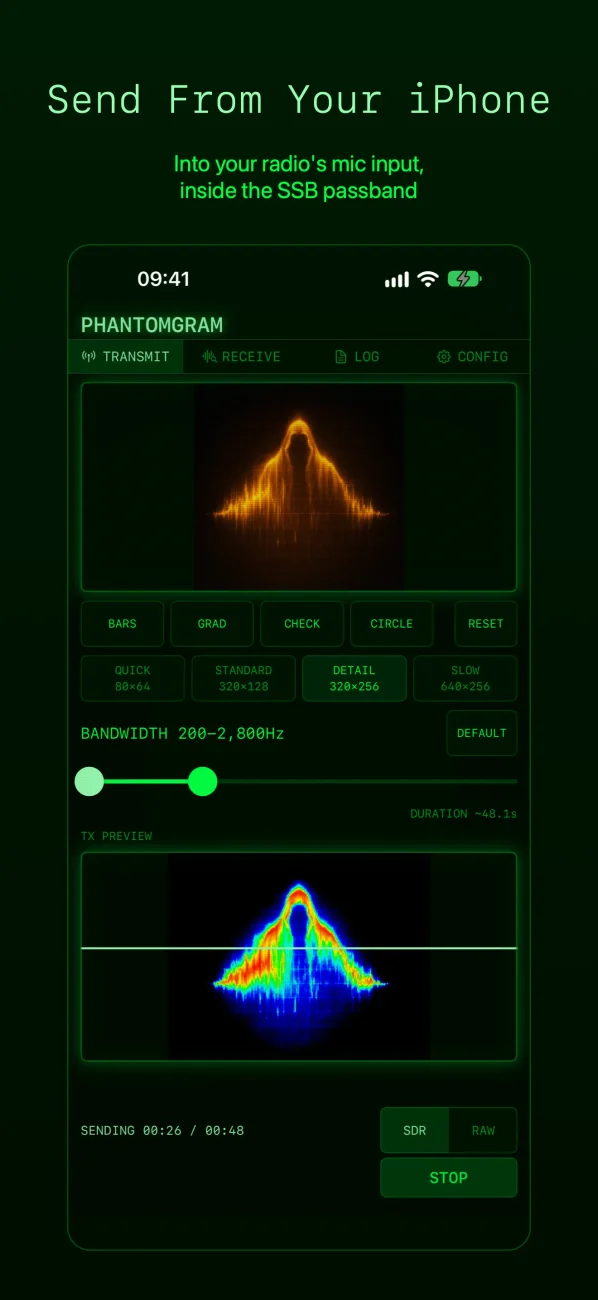
Select an image from your photo library or camera, or use the built-in test patterns (bars, gradient, checkerboard, concentric circles). Choose a resolution preset — from QUICK (80×64, under 4 seconds) to SLOW (640×256, maximum detail). Adjust the frequency range with the dual-knob slider. The image is encoded automatically, a TX preview shows the picture as the receiver's waterfall will draw it, and the status line shows the send time. Tap SEND to transmit, and watch the cursor and timer follow the image down.
RECEIVE
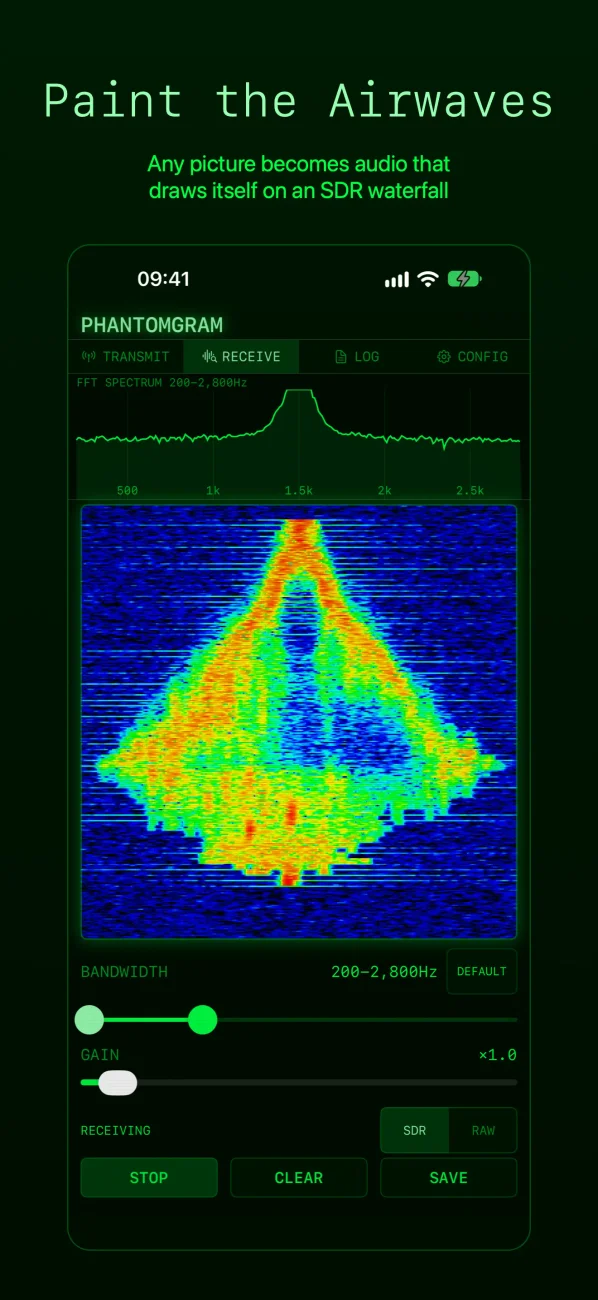
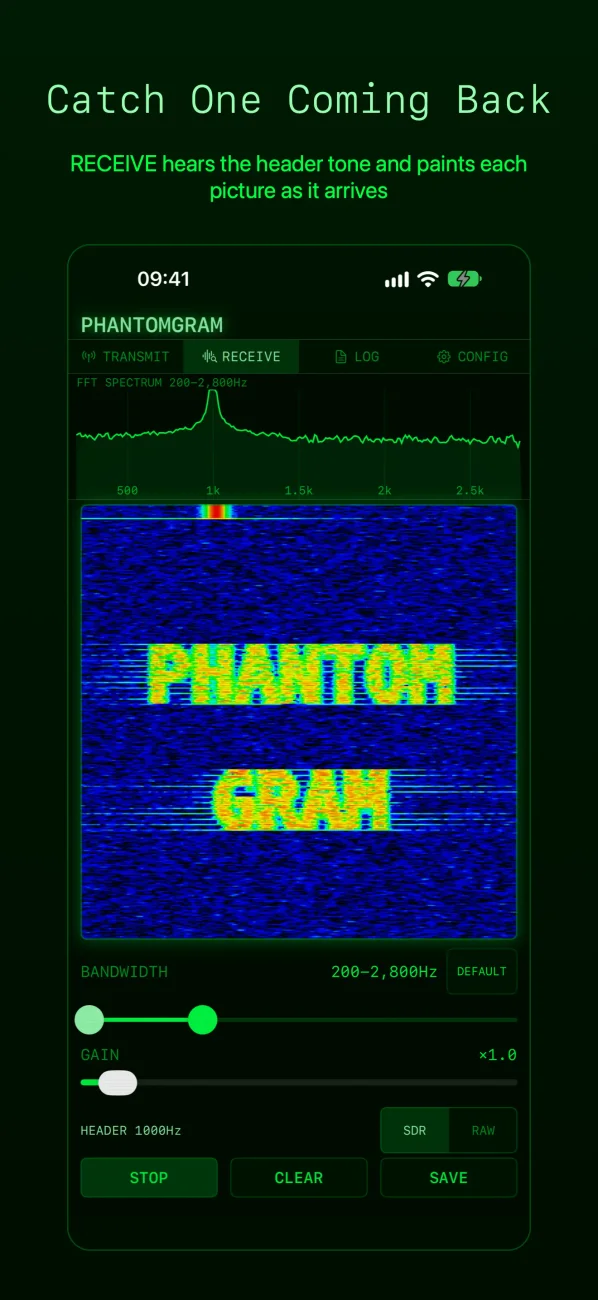
Tap START and point your iPhone's microphone at a radio speaker or connect via audio cable. The live FFT spectrum shows incoming signal energy across the frequency band. Below it, a continuous waterfall display reconstructs the image in real time as it arrives. When the sender's header tone is heard, the status line says so. Adjust gain to brighten weak signals. Save decoded images to the built-in log for later viewing and sharing.
FEATURES
• Encode images as spectrum painting audio via inverse FFT with random phase
• Adjustable frequency range (0–10,000 Hz) with sensible defaults for SSB radio (200–2,800 Hz)
• Four resolution presets: QUICK, STANDARD, DETAIL, SLOW
• Real-time receive decode with live FFT spectrum display
• SDR-style waterfall colourmap (black → blue → cyan → green → yellow → orange → red)
• Optional header tone, sent before the image and detected on receive
• Status lines for encoding, sending and receiving
• Received image log with save and share
• Phosphor CRT aesthetic — green or amber display themes
• Zero external dependencies — pure Swift and Accelerate framework DSP
• iPhone speaker and microphone — no additional hardware required
TYPICAL USE
Connect your iPhone's headphone output to your radio's microphone input (or simply hold the phone near the mic). Tune your radio to an appropriate frequency, key the transmitter, and tap SEND. Anyone monitoring that frequency with an SDR receiver will see your image appear on their waterfall display.
For receiving, tune your radio to the transmission frequency, connect the radio's speaker output to your iPhone (or use acoustic coupling), and tap START.
FREQUENCY GUIDANCE
• STANDARD (200–2,800 Hz) — fits within normal SSB audio passband
• NARROW (500–2,500 Hz) — safe for most radio mic inputs
• WIDE (200–3,500 Hz) — only if your radio passes full audio bandwidth
• SSTV-FIT (1,500–2,300 Hz) — coexists with SSTV activity
Part of the Phosphor suite, sister app to PhosphorRTTY and PhosphorCW, amongst others.
REMEMBER: TRANSMIT ON LICENSED FREQUENCIES ONLY.
What’s new
Version 1.2 · Oct 22, 2026
PhantomGram 1.2
RECEIVE listens for the header tone that opens a transmission and shows it on a new status line. TRANSMIT gains a status line too, with encoding progress and a send timer.
Incoming audio is converted to the decoder's sample rate with proper filtering, for cleaner pictures from any microphone.
Dragging the frequency range re-encodes when you pause rather than at every step, and SEND waits until the new encode is ready.
Deleting an image from the log asks first, and the smallest text is larger and easier to read.
App privacy
What Stuart Woolley declares on the App Store about how this app handles data.
-
Data not collected
The developer does not collect any data from this app.
Privacy practices may vary, for example with the features you use or your age.
Information
- Seller
- Stuart Woolley
- Category
- Utilities
- Version
- 1.2
- Updated
- Oct 22, 2026
- Released
- Mar 25, 2026
- Size
- 2.4 MB
- Requires
- iOS 26.2 or later
- Age rating
- 4+
- Price
- $0.99
- Languages
- English
- Copyright
- © 2026 Stuart Woolley
You might also like
-
 BinHexDecProgrammers Calculator
-
 Spectrum SDR (RTL-SDR)Software Defined Radio
-
 NSP32 nanoLambda Spectrometerportable BLE spectrometer
-
 UberSDRPowerful web based SDR
-
 MeshComUtilities
-
 Frequency Generator: Hz Tones528 & 432 Hertz Healing Sounds
-
 Meteor Speed Test - Ad FreeTest 5G 4G/LTE & WiFi Speed
-
 Wolow - Wake on LANWake your computer up
-
 Fake GPS & Location ChangerEXIF Viewer & Metadata Remover
-
 Countdown - Pretty ProgressWidget, day counter & tracker