PHASE Connect
PHASE Remote + pocket studio
Designed for iPhone, iPad, iPod touch
Free · In-app purchases
- Age rating4+
- CategoryMusic
- DeveloperTrevor Lawrence
- Size98.6 MB
Links to the official App Store page
Download.org hosts no file of PHASE Connect. The button opens its official App Store page, published by Trevor Lawrence. Listing last checked on Nov 17, 2026.
Screenshots
About
PHASE Connect is the phone companion to PHASE, the TrevBeats Multimedia DAW for Mac - and a full pocket studio on its own. Run your Mac session from across the room, or make a whole beat on the phone and send it to PHASE when you get home.
THE STUDIO - ONE SCREEN
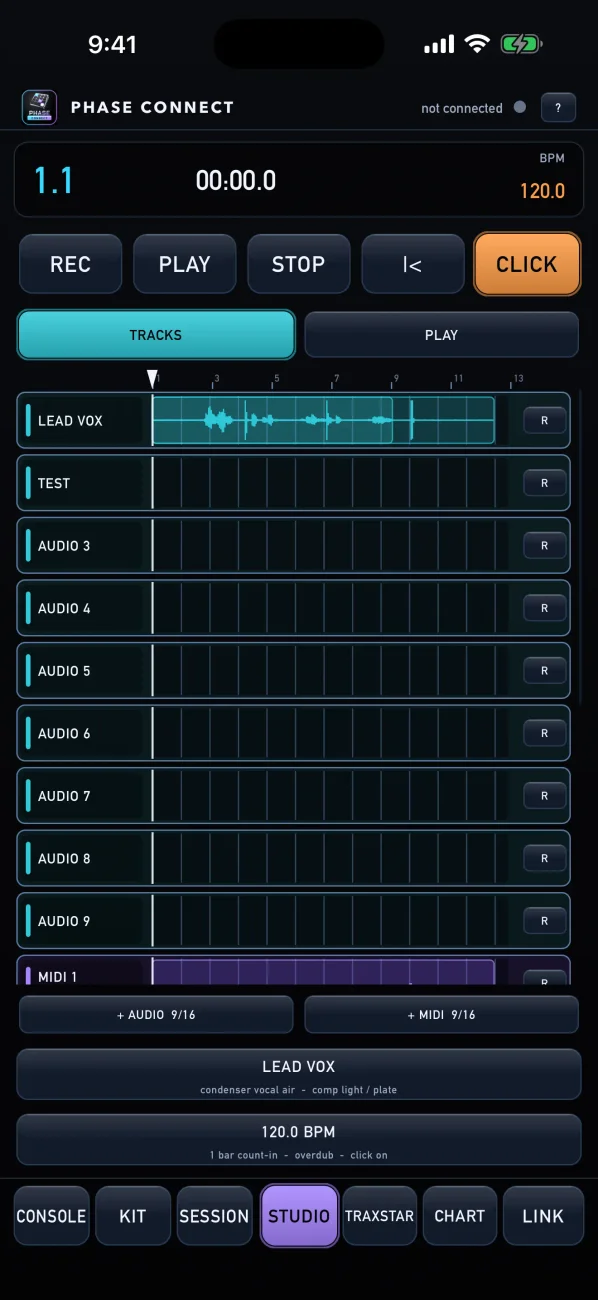
The recorder and the instruments are the same screen. One counter and one transport across the top - REC, PLAY, STOP, back to the top, and the click - then a single switch: TRACKS for the timeline, PLAY for the instrument. The lane you pick is the lane the keyboard plays, so you pick it once.
Everything that isn't "make a sound" or "capture it" sits in two bars along the bottom - TRACK for the instrument, input, FX, quantize and pocket; SESSION for tempo, count-in, record mode and the mix.
8 audio + 8 MIDI tracks, growing to 16 + 16, no Mac required. ARM and REC with a count-in, overdub or replace, quantize with TIGHT or SOFT feel, and the POCKET - push or drag a track off the grid so the beat breathes.
THE INSTRUMENTS
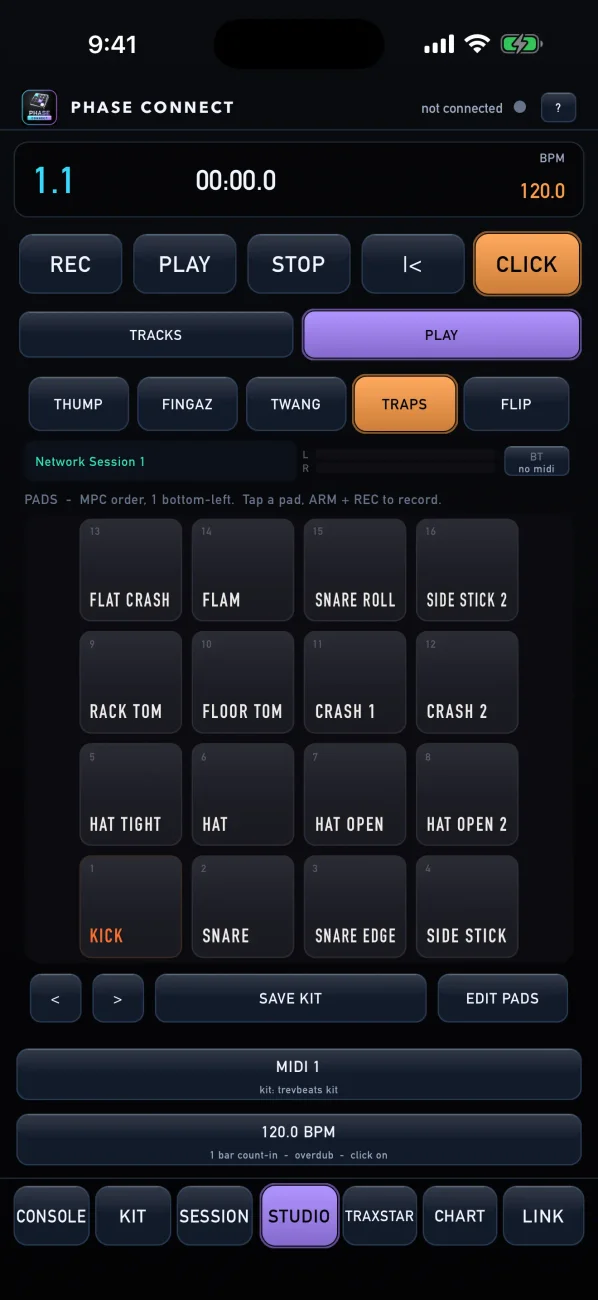
THUMP bass, FINGAZ keys, TWANG guitars, TRAPS drums and FLIP the sampler, across eight MIDI tracks. Ember-lit pads on a charcoal deck that compress and glow on the hit, with the closed hat choking the open hat like real hardware. Play the pads, the keys, or any Bluetooth / USB-C MIDI controller.
THE TREVBEATS KIT
The stock kit is the TREVBEATS KIT - 16 signature drum sounds on the pads - plus three more built in: PHASE 808, PHASE LOFI and PHASE ACOUSTIC. Step through kits from the kit bar, trim any pad, save your own.
SET TEMPO FROM THIS TAKE
Tell PHASE Connect how many bars your take is and it sets the session tempo to the take's own tempo, to the hundredth of a BPM - so the click lands on the groove instead of walking off it a little more every bar. Tempo nudges in hundredths too.
MIX - THE DESK IN YOUR POCKET
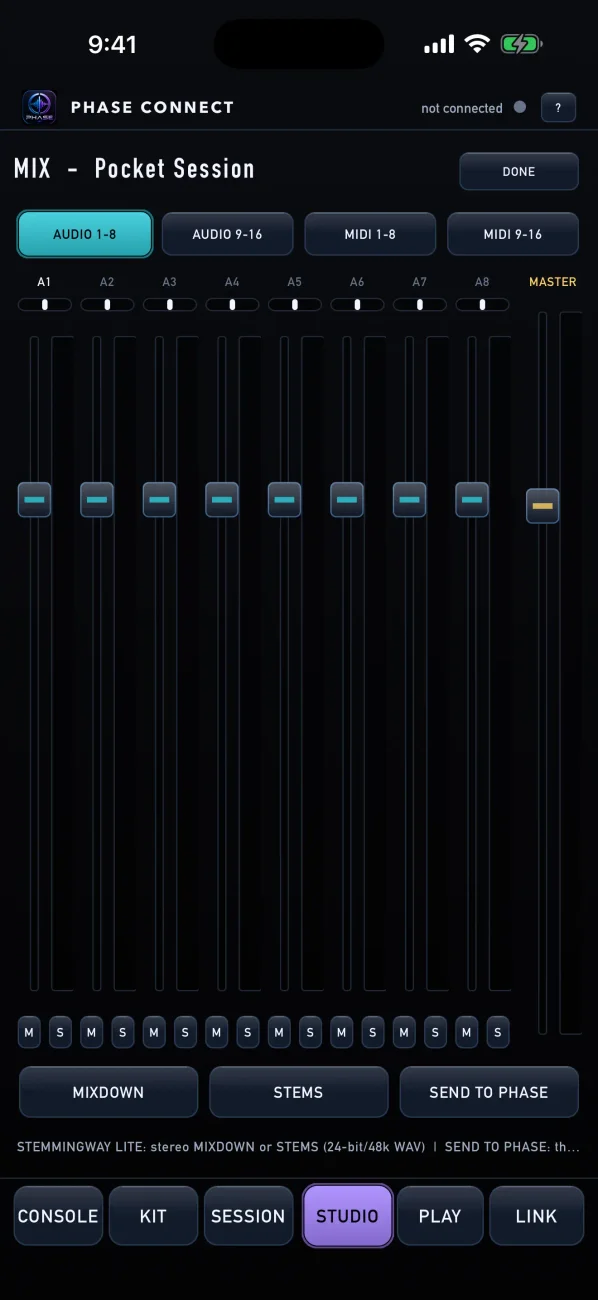
Tap the AUDIO and MIDI bank chips to pull up every strip - faders, pan, mute/solo, three FX slots (comp, reverb, tempo-synced delay), live meters, and a MASTER with a safety limiter. STEMMINGWAY LITE exports a MIXDOWN or full STEMS in 24-bit/48k WAV, and SEND TO PHASE packs the whole session for the Mac.
CONSOLE - RUN PHASE FROM YOUR PHONE
Pair once with a six-digit code (Wi-Fi, or USB-C hotspot when Wi-Fi is flaky). Tape-style transport, bars/timecode, loop, click, count-in, tap tempo, undo/redo, save - plus banks of mixer strips with faders, pan, mute, solo, arm, and live meters.
MIC THE KIT
Turn the phone into a drum mic rig - room, overhead, kick - and fly real drums into the session.
Everything travels to PHASE untouched. Made by TrevBeats Multimedia.
PHASE CHART MAKR
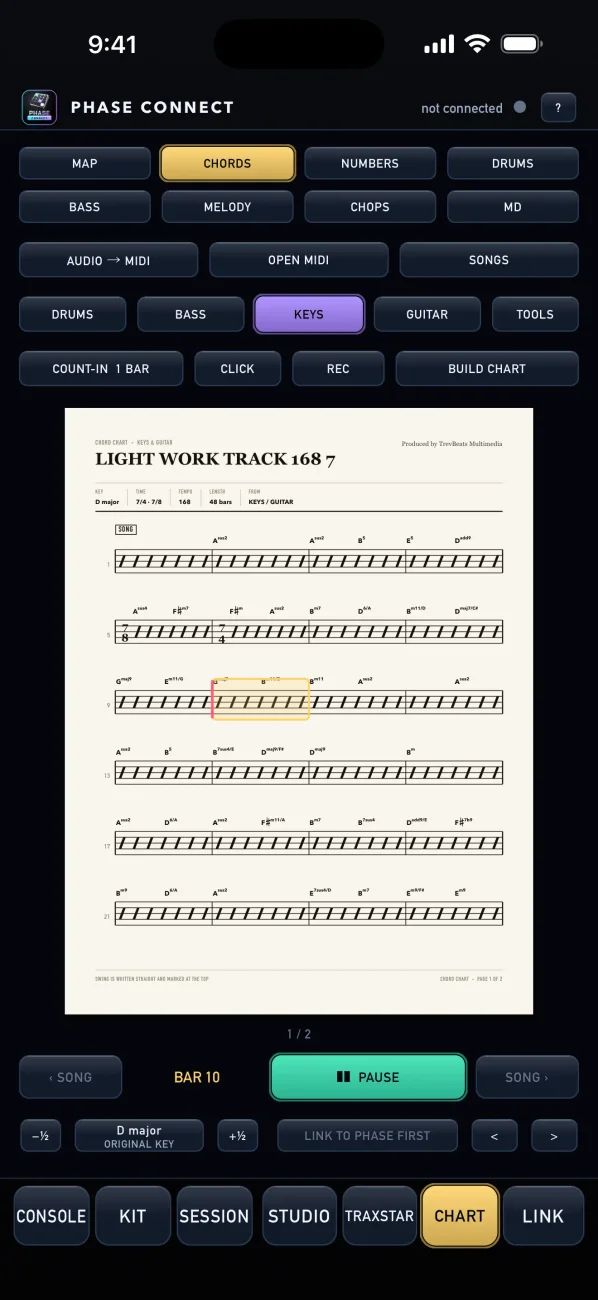
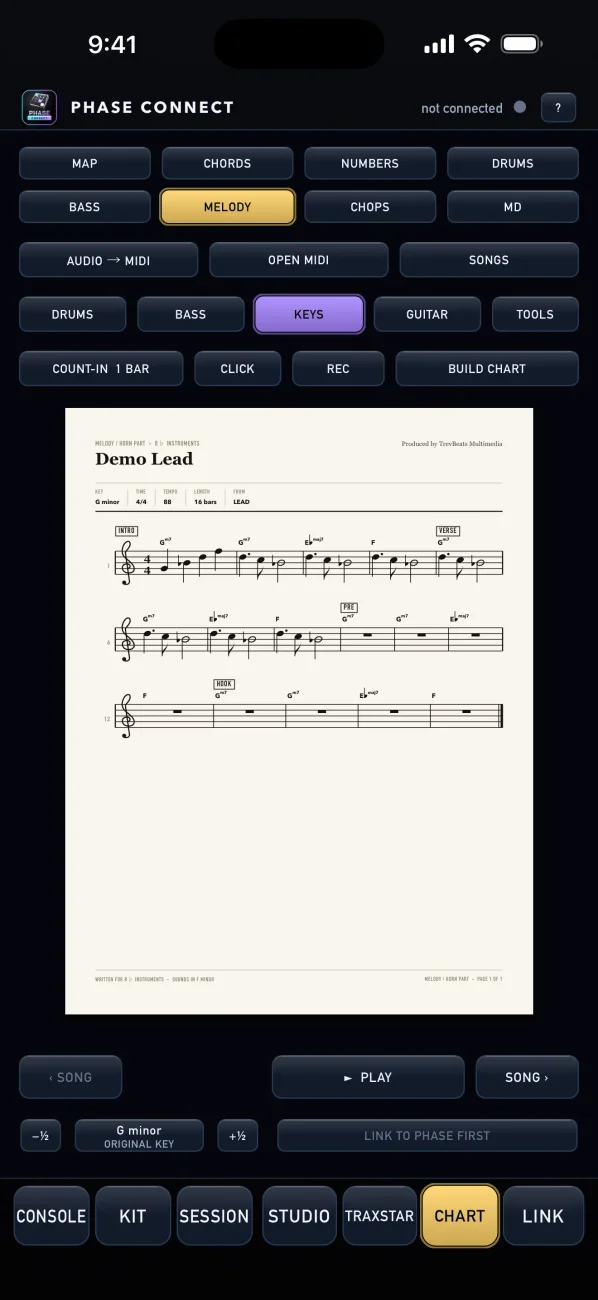
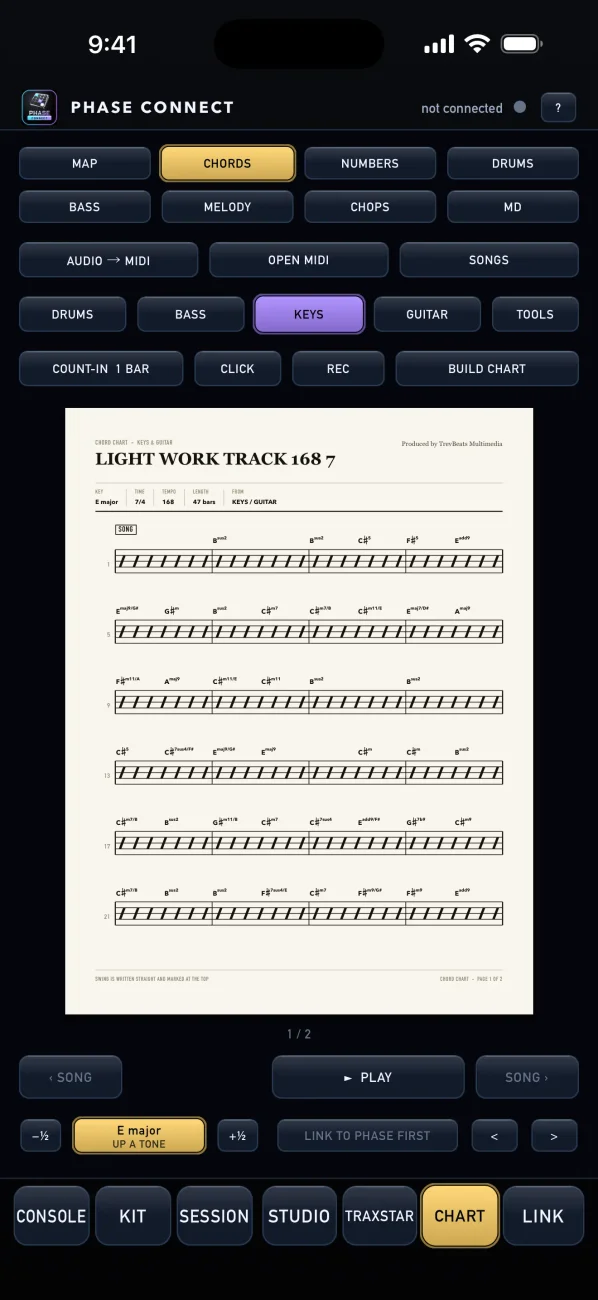
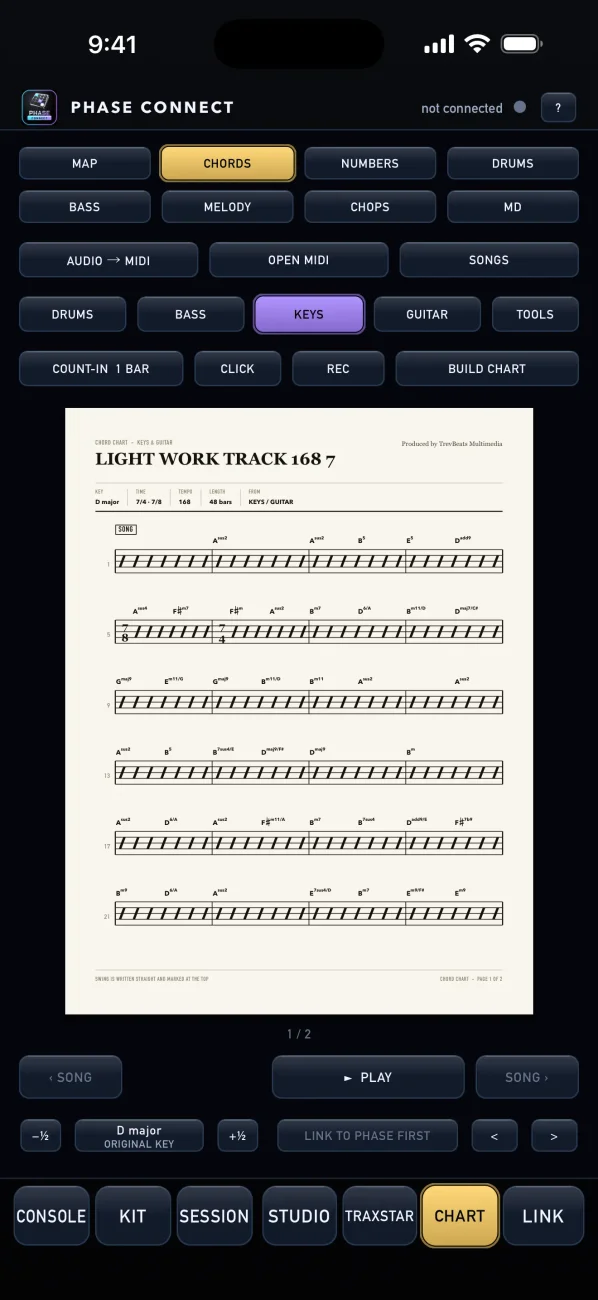
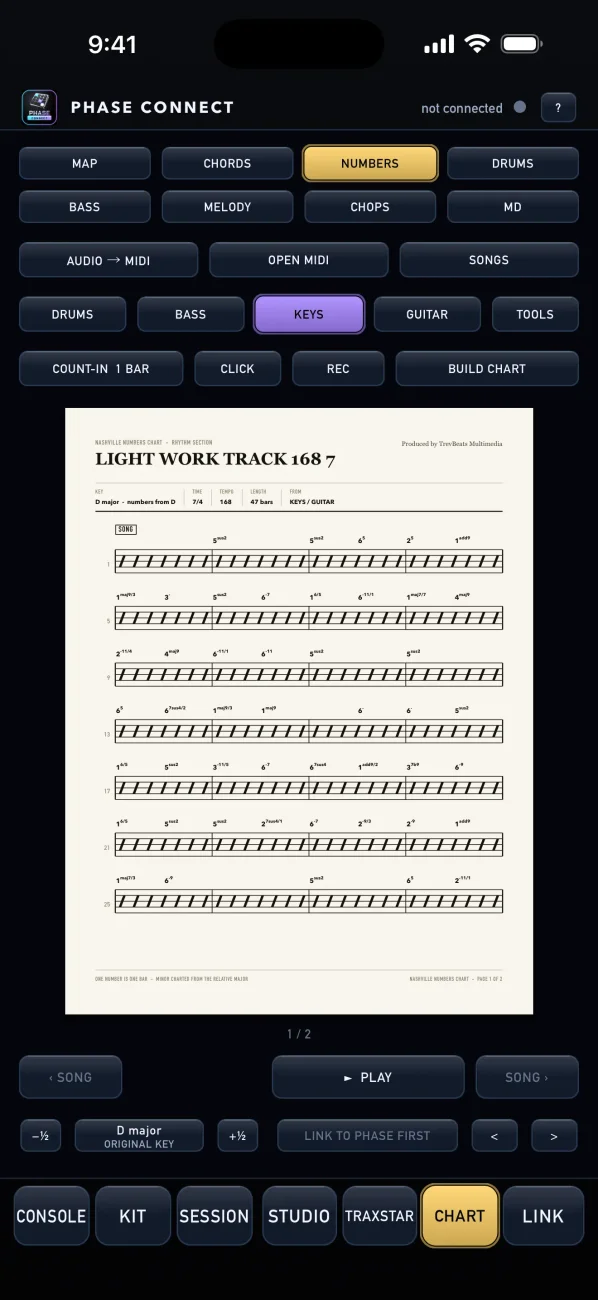
The band's charts, on your phone. Eight charts off one arrangement, drawn by the same engraver PHASE uses on the Mac:
- ROAD MAP: the form, bar counts and cues. Free.
- CHORD CHART: chord symbols over rhythm slashes.
- NASHVILLE NUMBERS: the same chart in numbers, so it transposes to any key.
- DRUM CHART: the groove written once, then only what changes.
- BASS PART: real notation, because an 808 line is composed.
- MELODY / HORN: the top line, written for concert, Bb, Eb or F.
- SAMPLE CHOP CHART: the sample name sits where a chord symbol would.
- MD CHART: every part braced on one page, barlines through the band.
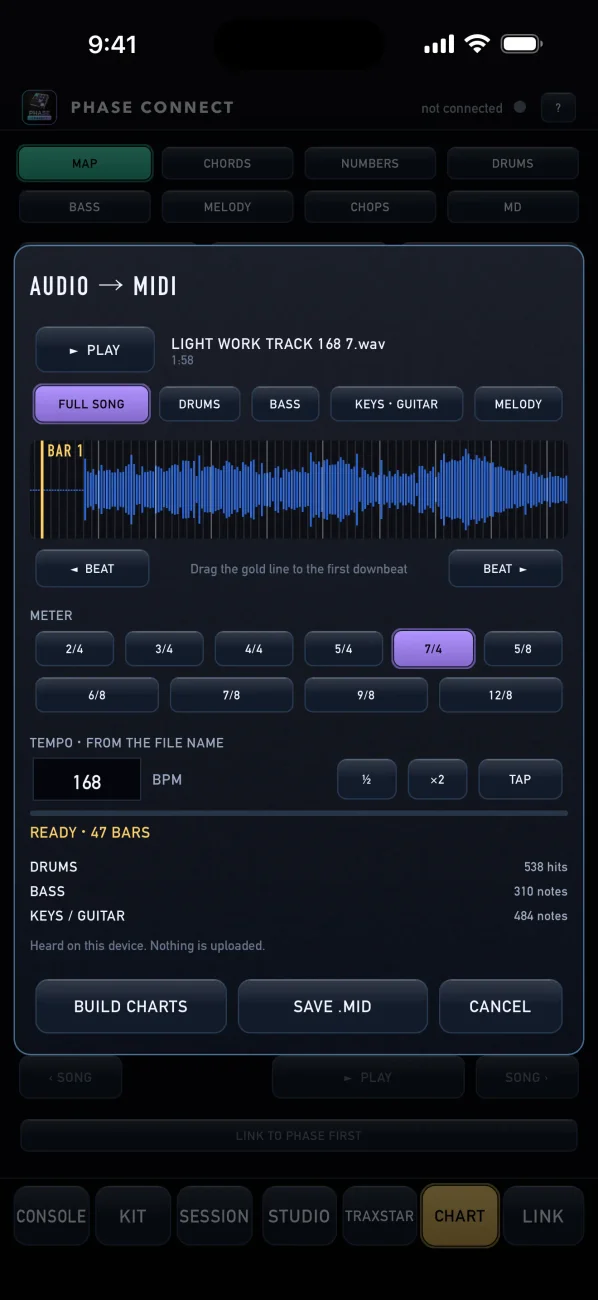
Three ways in. AUDIO → MIDI: pick a recording from Files, the song or the song plus its stems, and CHART MAKR hears it on the phone - tempo, bar 1, meter and parts - then writes the charts. Nothing is uploaded. Link to PHASE and GET FROM PHASE hands you the chart for the open session. Or PLAY IN a part against the click and BUILD CHART turns it into the chart. No Mac needed.
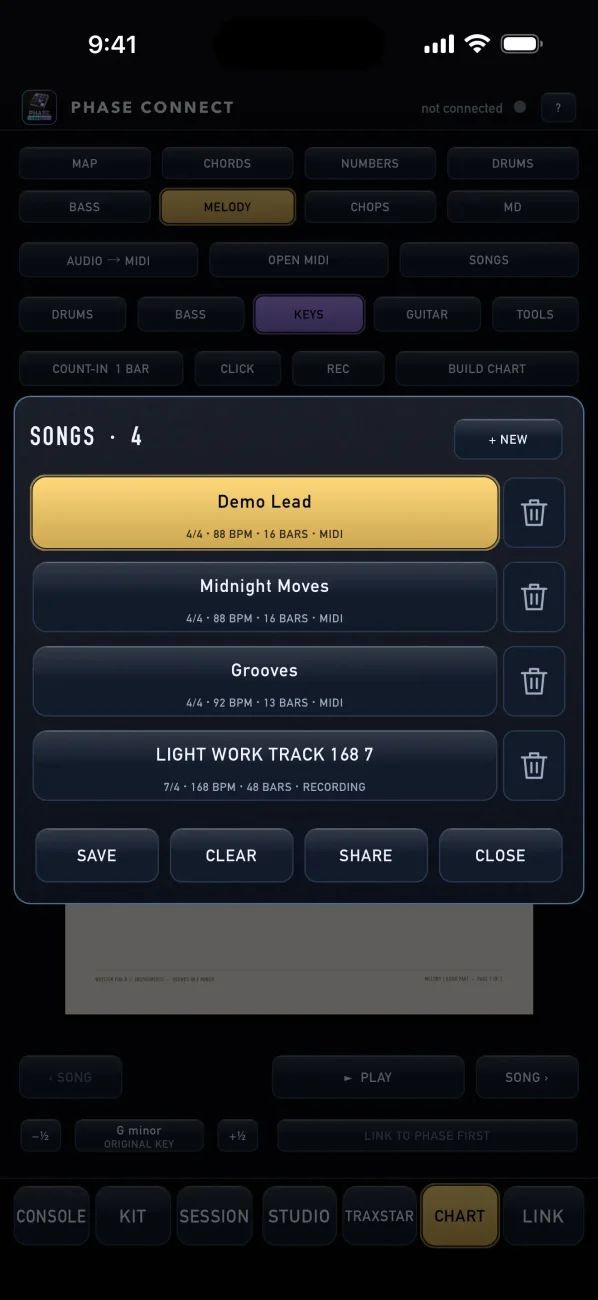
▶ PLAY runs the chart with the bar lit and the page turning itself; tap a bar to play from there. TRANSPOSE moves every chart up to 11 half steps. Every song you chart is kept in SONGS.
Charts stay on the phone, so they work at rehearsal with the Mac off. The ROAD MAP is free; the seven notated charts and PLAY IN are one in-app purchase, no subscription.
What’s new
Version 2.2.0 · Oct 30, 2026
CHART MAKR - the page at any size, and off the phone.
ZOOM: pinch any chart, or tap - and +, up to 400%. Drag to move around the page. A tap still picks a bar.
ENLARGE: the page alone on the whole screen. DONE brings everything back.
EXPORT: this chart as a PDF, the whole pack as one PDF, or the page as a picture. Print it, save it to Files, or AirDrop it to the player next to you.
FIXED: a long song no longer prints empty SAMPLE CHOP CHART pages.
App privacy
What Trevor Lawrence declares on the App Store about how this app handles data.
-
Data not collected
The developer does not collect any data from this app.
Privacy practices may vary, for example with the features you use or your age.
Information
- Seller
- TREVBEATS MULTIMEDIA LLC
- Category
- Music
- Version
- 2.2.0
- Updated
- Oct 30, 2026
- Released
- Aug 26, 2026
- Size
- 98.6 MB
- Requires
- iOS 15.0 or later
- Age rating
- 4+
- Price
- Free
- In-app purchases
- Yes
- Copyright
- © 2026 TrevBeats Multimedia LLC
You might also like
-
 FloppyDisQSampler, Pads & Music Studio
-
 SpinSynth: 3D SynthesizerSpin a shape to make music
-
 ChordCodexSongwriter studio. Any DAW
-
 Master ClickGroove Clicks, Setlists & MIDI
-
 oogieCamMusic
-
 Glyph CubeMusic
-
 Street Performer BasicPlay piano and instruments
-
 Recording ClubStudio & club, Santa Monica
-
 Sensaphonics 3DME BTMusic
-
 Pickr MusicWhere music begins