
Photo Browser: External Disk
Photos on USB, SSD, NAS & more
Designed for iPhone, iPad, iPod touch
Free
- Age rating4+
- CategoryUtilities
- Developer坤宁 毛
- LanguagesEnglish+ 10 more
- Size28.0 MB
Links to the official App Store page
Download.org hosts no file of Photo Browser: External Disk. The button opens its official App Store page, published by 坤宁 毛. Listing last checked on Nov 22, 2026.
Screenshots

About
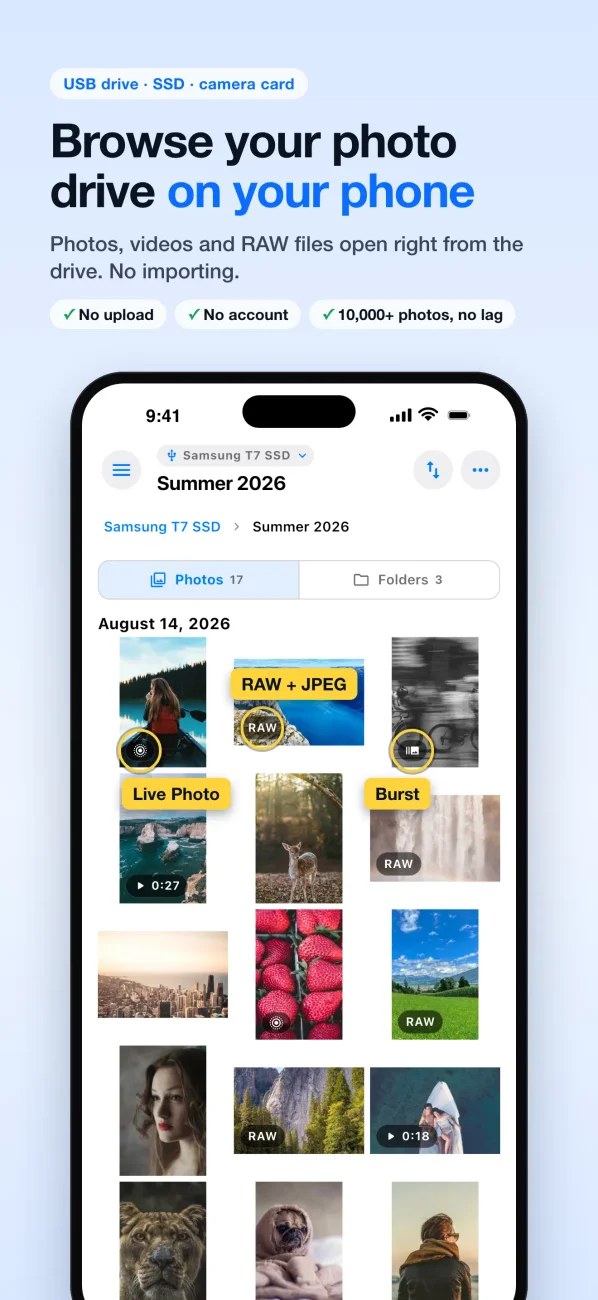
Photo Browser: External Disk opens the photos and videos on your USB drive, SSD, SD card, NAS or cloud storage right where they are. Nothing is imported first, and there is no account to create.
Your photos are never uploaded to us. The app only opens the drives, folders and services you choose. Passwords and keys, if you use any, stay in your device's Keychain.
Built for big libraries. Folders with thousands of photos, or many more, open in moments and scroll smoothly, whether they're on a drive plugged into your iPhone or on a NAS across the house.
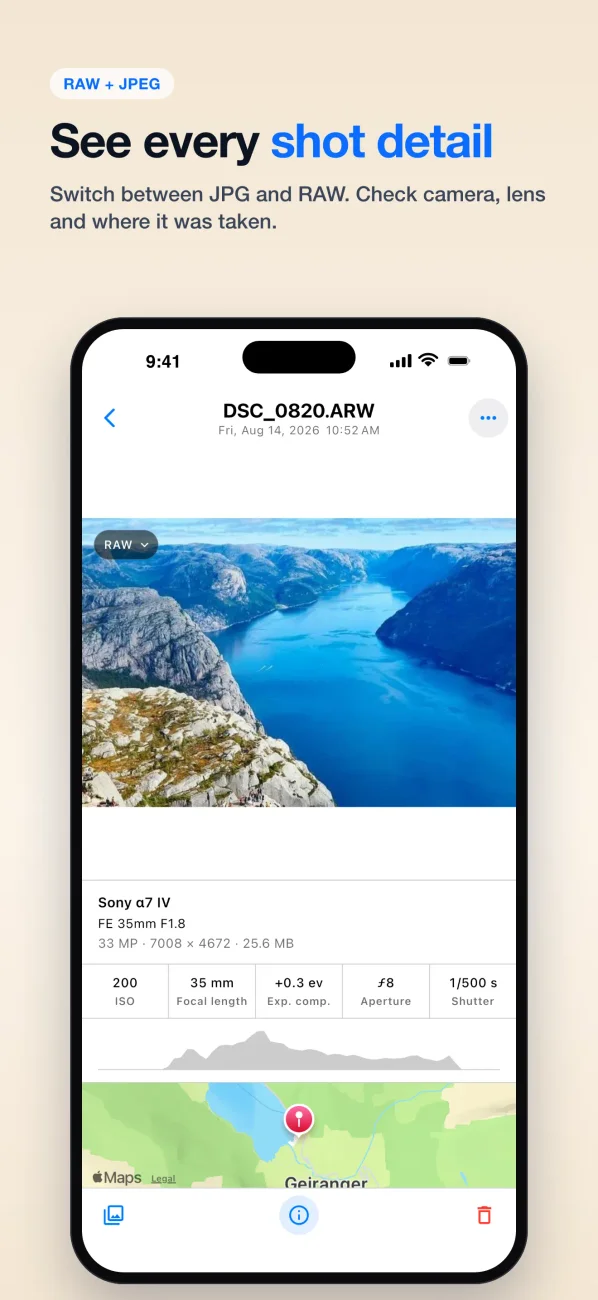
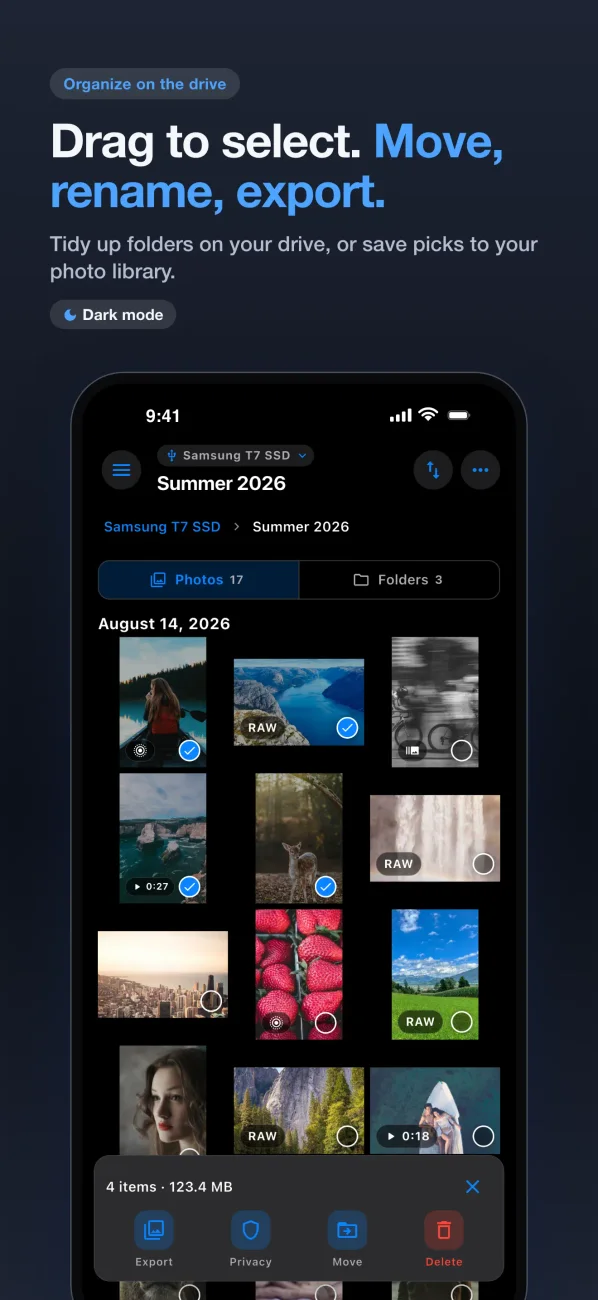
Everything stays in one flow: browse a dense grid, act on many photos at once and check RAW details, with nothing imported.
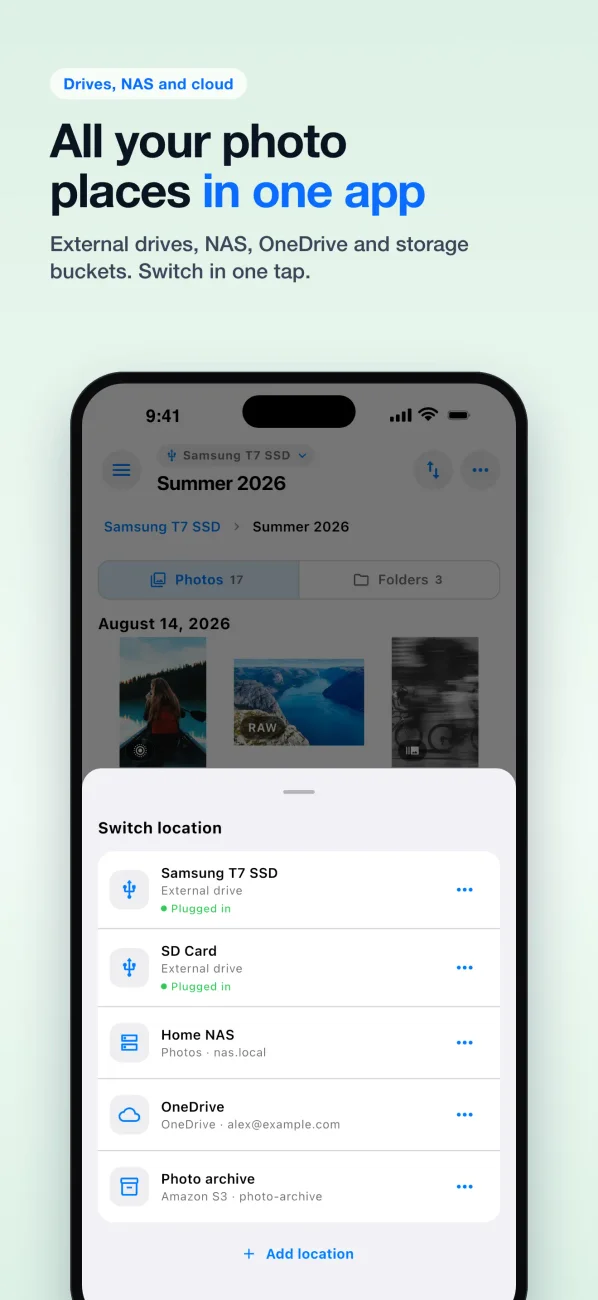
Every place you keep photos
- USB drives, SSDs, hard drives and camera cards (SD, CFexpress)
- NAS and shared computers (SMB and WebDAV)
- OneDrive
- Storage buckets: Amazon S3, S3-compatible services, Azure Blob Storage and Google Cloud Storage
- Drives you've used before open again with one tap
Browse and check
- Photos, videos, RAW files and Live Photos
- Camera, lens, exposure and a map of where each photo was taken
- Sort by date taken, camera, size or name
- Move, rename and delete on the drive, or save your picks to Photos
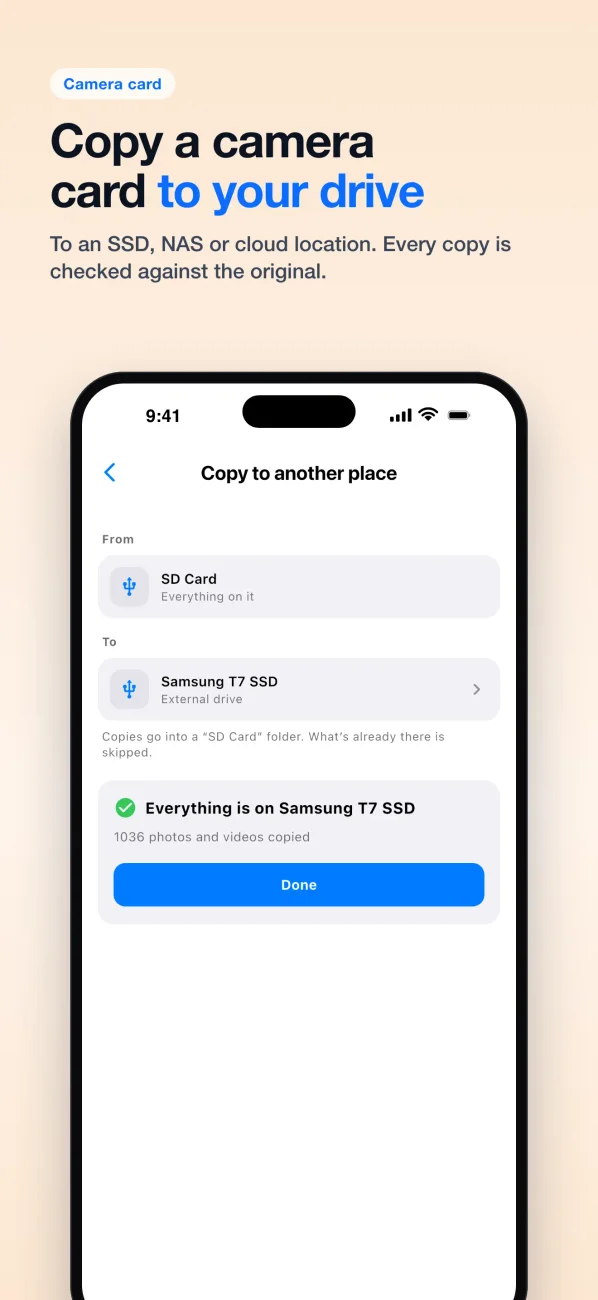
- Copy a camera card to another drive, NAS or cloud location, with every copy compared with its original
Pick the best photos
- Similar shots in a folder are grouped, the best of each group is marked, and blurred shots and closed eyes are flagged
- Choose how many to keep, then save the keepers to Photos, or move or delete the rest
- Photos are analyzed on your device
Video transcripts
- Turn what is said in a video into text, on your device (iOS 26 or later)
- Tap a line to play from there, or search everything said in a folder
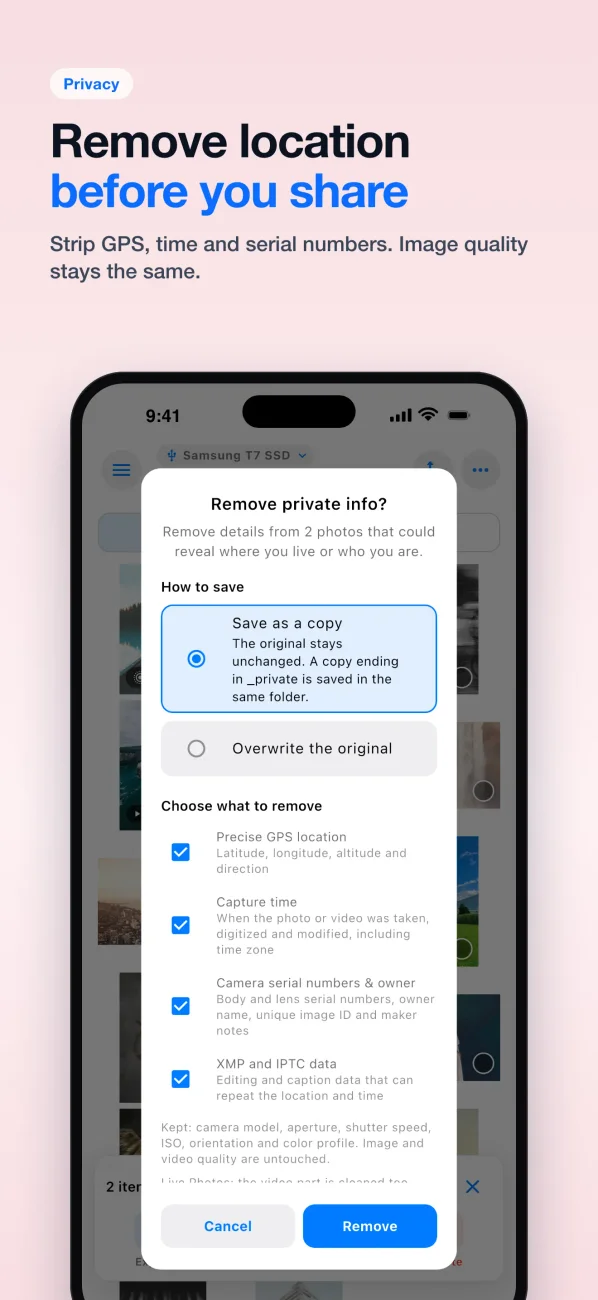
Remove private info before you share
- Strip GPS location, capture time and camera serial numbers from photos and videos
- Save a cleaned copy or overwrite the original. Quality doesn't change
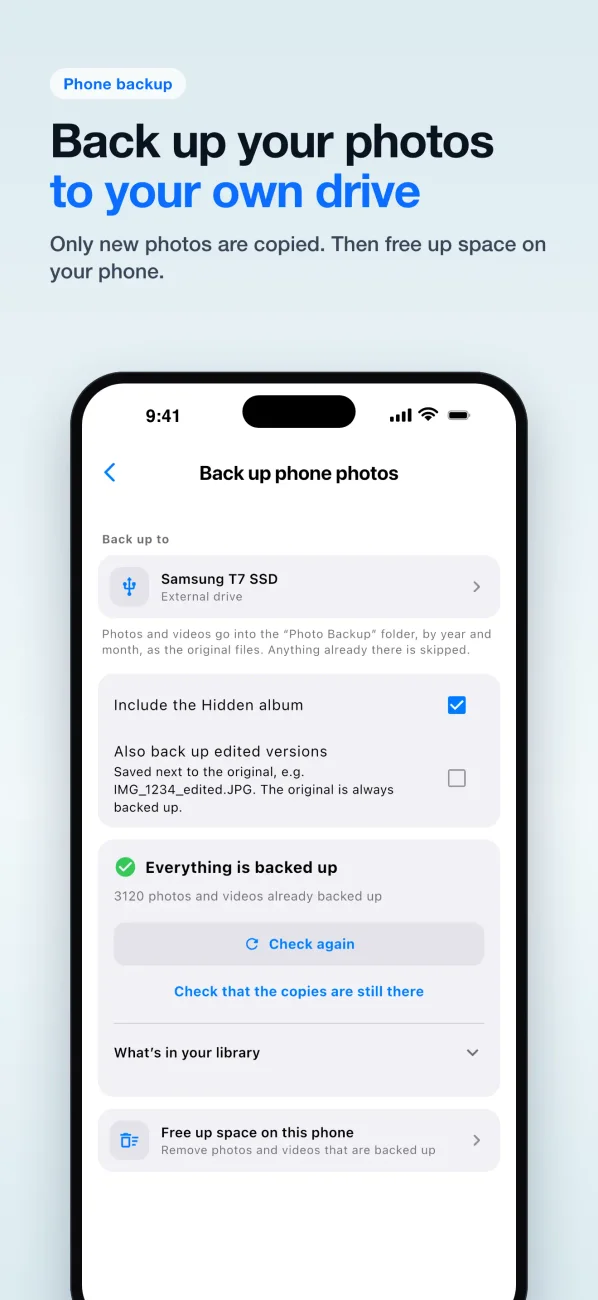
Back up your iPhone or iPad
- Copy your photo library to your own drive, NAS or cloud location
- Only new photos are copied, and originals, Live Photos and RAW files are kept
- Free up space: remove photos from your device once their copies are confirmed to be there
Also included: Light and Dark appearance, layouts for iPad, iPhone Duo and landscape, and a speed test for your drive.
Whether you're checking a camera card after a shoot, going through years of photos on a NAS, or freeing up space on your phone, Photo Browser: External Disk keeps your photos where you put them.
What’s new
Version 1.4.0 · Nov 18, 2026
- Made for iPhone Duo: opened, folders sit beside your photos, and the folder's photos beside the one you're viewing. Half folded like a laptop, videos play on the top half with the controls below.
- On iPad and iPhone Duo, drag photos and videos in from Photos or Files to copy them into the open folder.
- On a wide iPad, folders sit in a sidebar beside your photos.
- Drag the scroll bar to see which month you're in.
- New languages: Traditional Chinese, Brazilian Portuguese and Italian.
Also: many fixes.
App privacy
What 坤宁 毛 declares on the App Store about how this app handles data.
-
Data not collected
The developer does not collect any data from this app.
Privacy practices may vary, for example with the features you use or your age.
Information
- Seller
- 坤宁 毛
- Category
- Utilities
- Version
- 1.4.0
- Updated
- Nov 18, 2026
- Released
- Aug 27, 2026
- Size
- 28.0 MB
- Requires
- iOS 15.0 or later
- Age rating
- 4+
- Price
- Free
- Languages
- English, French, German, Italian, Japanese, Korean, Portuguese, Russian, Simplified Chinese, Spanish, Traditional Chinese
- Copyright
- © 2026 Rikinow
You might also like
-
 Soto: USB & SSD Photo BackupNo Cloud, No Wi-Fi Needed
-
 PhotosDriveExport and backup Photos
-
 WebDAV File BrowserWebDAV Browser & Cleanup
-
 PhotoBackup ExternalBackup photos to USB drive
-
 Darkslide: Camera ImportSD Card & Camera Photo Import
-
 iStorex PROUtilities
-
 nas相册视频备份Utilities
-
 RemoteFS - NAS & Cloud FilesWebDAV, SFTP & NAS File Player
-
 Smart Photos BackupUSB Backup, Browse & Restore
-
 Migiwa: Swipe File ManagerSort Photos & Files by Swiping