Photo Library Optimizer
Scan, resize, save storage
Designed for iPhone, iPad, iPod touch
Free
- Age rating4+
- CategoryUtilities
- DeveloperAleksandr Kichev
- LanguagesEnglish
- Size50.4 MB
Links to the official App Store page
Download.org hosts no file of Photo Library Optimizer. The button opens its official App Store page, published by Aleksandr Kichev. Listing last checked on Nov 20, 2026.
Screenshots

About
Running out of storage? Photo Library Optimizer helps you reclaim gigabytes — honestly.
Free up storage without losing your memories.
WHAT IT DOES
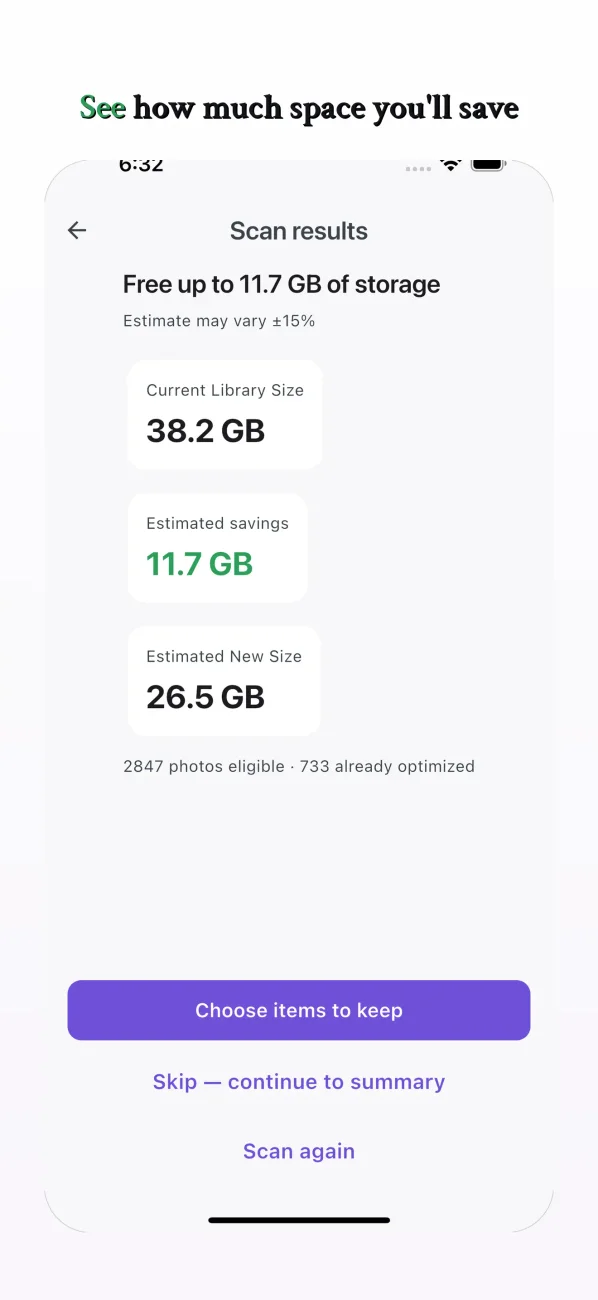
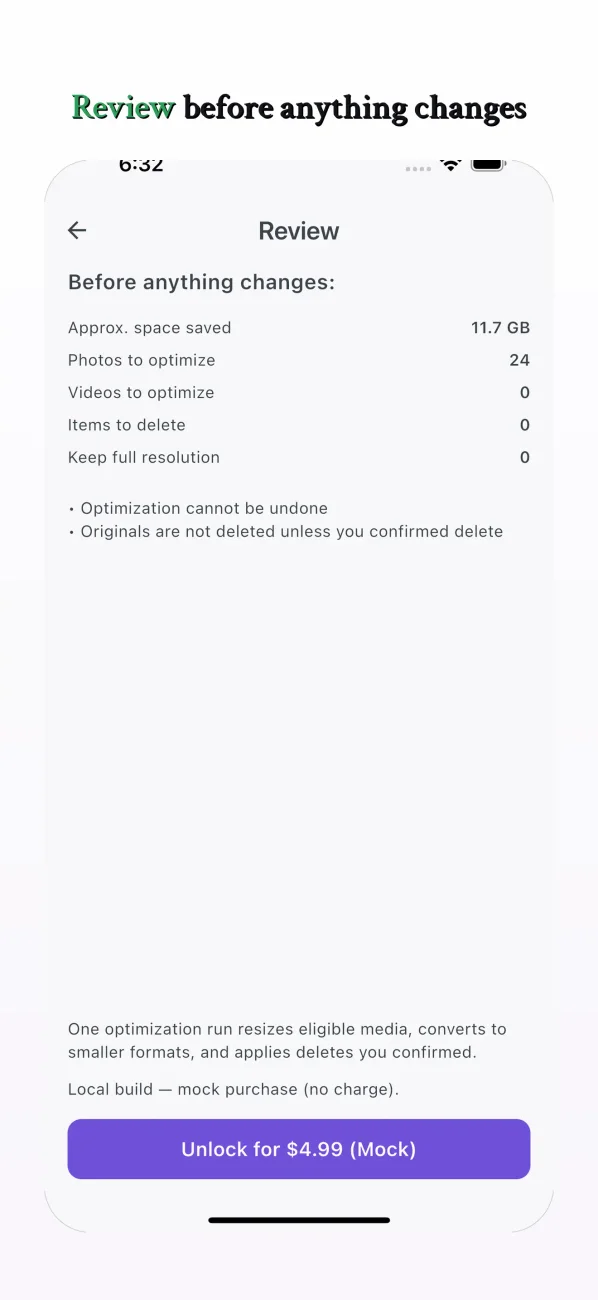
Photo Library Optimizer scans your photo library and shows how much space you can recover. Current size, recoverable GB, and estimated new size — before you pay. It resizes photos to social-post quality (1440px — great for Instagram, not for wallpapers) and converts them to a smaller format. You choose which photos stay full-resolution.
WHAT IT DOESN'T DO
This is not a cloud backup. This is not wallpaper quality. Optimized photos cannot be restored to their original resolution. We tell you that upfront.
HOW IT WORKS
1. Grant photo access — we need it to scan and optimize
2. See your estimated savings in GB (we tell you about the $4.99 paywall here)
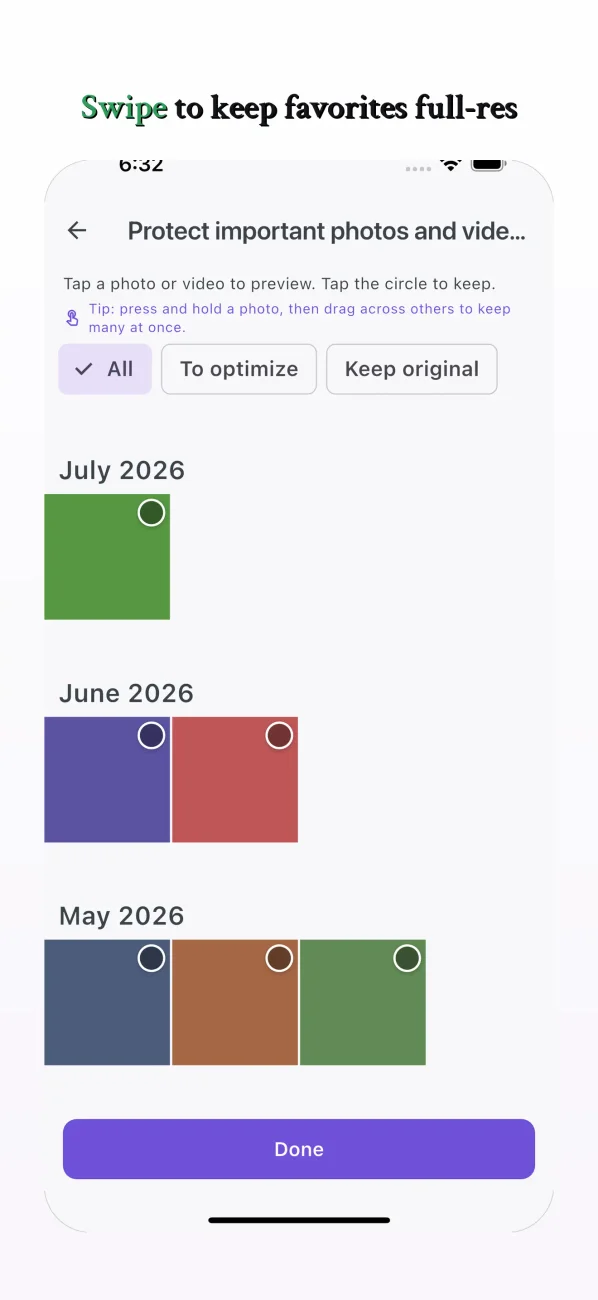
3. Browse photos with gallery-style controls — pinch, timeline, slide to select — to keep favorites at full resolution
4. Optionally mark photos to delete (separate confirmation)
5. Review the summary — then pay $4.99 for one optimization run
6. Photo Library Optimizer works in the background and notifies you when done
PRICING — NO SURPRISES
One optimization run costs $4.99. No subscription. No account. Stated at the start of the flow and again before you pay.
OFFLINE & PRIVATE
Everything happens on your device. Your photos never leave your device. They are never uploaded to our servers.
PHOTOS IN iCLOUD
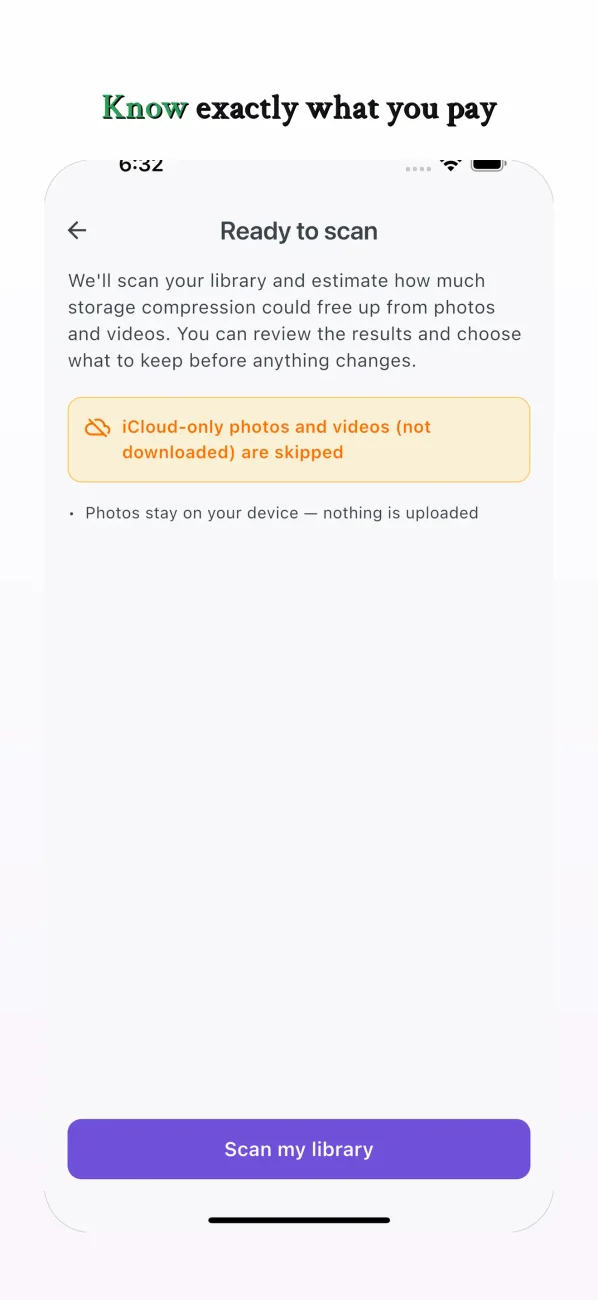
Photos stored in iCloud only (not downloaded to your device) are skipped — we cannot optimize what isn't local.
Photo Library Optimizer — free up storage without losing your memories.
App privacy
What Aleksandr Kichev declares on the App Store about how this app handles data.
-
Data not linked to you
May be collected but is not linked to your identity.
- Identifiers
Privacy practices may vary, for example with the features you use or your age.
Information
- Seller
- Aleksandr Kichev
- Category
- Utilities
- Version
- 1.0
- Updated
- Jul 13, 2026
- Released
- Jul 13, 2026
- Size
- 50.4 MB
- Requires
- iOS 13.0 or later
- Age rating
- 4+
- Price
- Free
- Languages
- English
- Copyright
- © 2026 Alexander Kichev
You might also like
-
 Water Meter: IoT PlatformNudron's Water Meter Platform
-
 Photo Compressor: Shrink SizeCompress, Resize Image & HEIC
-
 iCalculator X - All in OneFor iPhone & iPad
-
 Fade: Temp Mail, Fake EmailTemporary email generator
-
 Location Changer - AnyToVideoJourney Map Simulator, Triplog
-
 Himnos y Cánticos de EvangelioUtilities
-
 Dola AI | Smart AssistantGlobal version of the chat
-
 AIZO RINGUtilities
-
 Gallery : Photos & VideosFile Manager : Gallery Vault
-
 PDF converter: Text to PDFPDF creator & Convert photo