
- Age rating4+
- CategoryProductivity
- Developer博 刘
- LanguagesEnglish+ 1 more
- Size4.6 MB
Links to the official App Store page
Download.org hosts no file of Photo Margin. The button opens its official App Store page, published by 博 刘. Listing last checked on Nov 6, 2026.
Screenshots



About
Photo Margin is a local-first photo library organizer for iPhone.
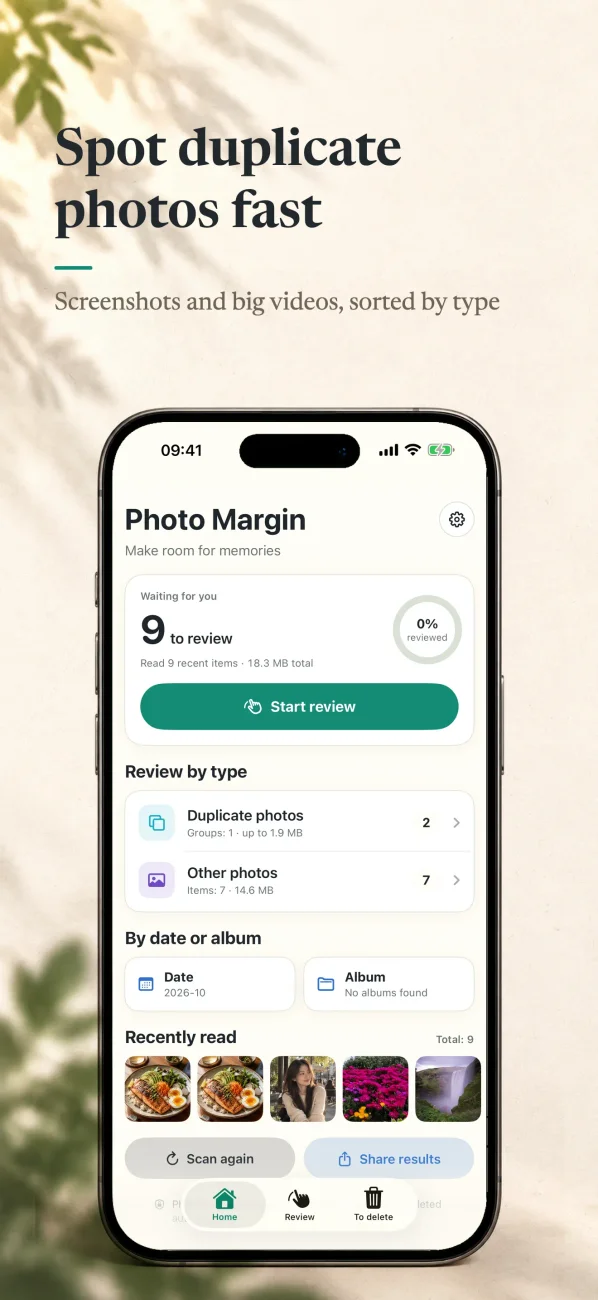
Separate new arrivals from older items and review photos and videos in batches by type, month, date or album. Reviewed and protected items stay out of unreviewed lists. Results are candidates for your review; you always decide what to keep.
Features:
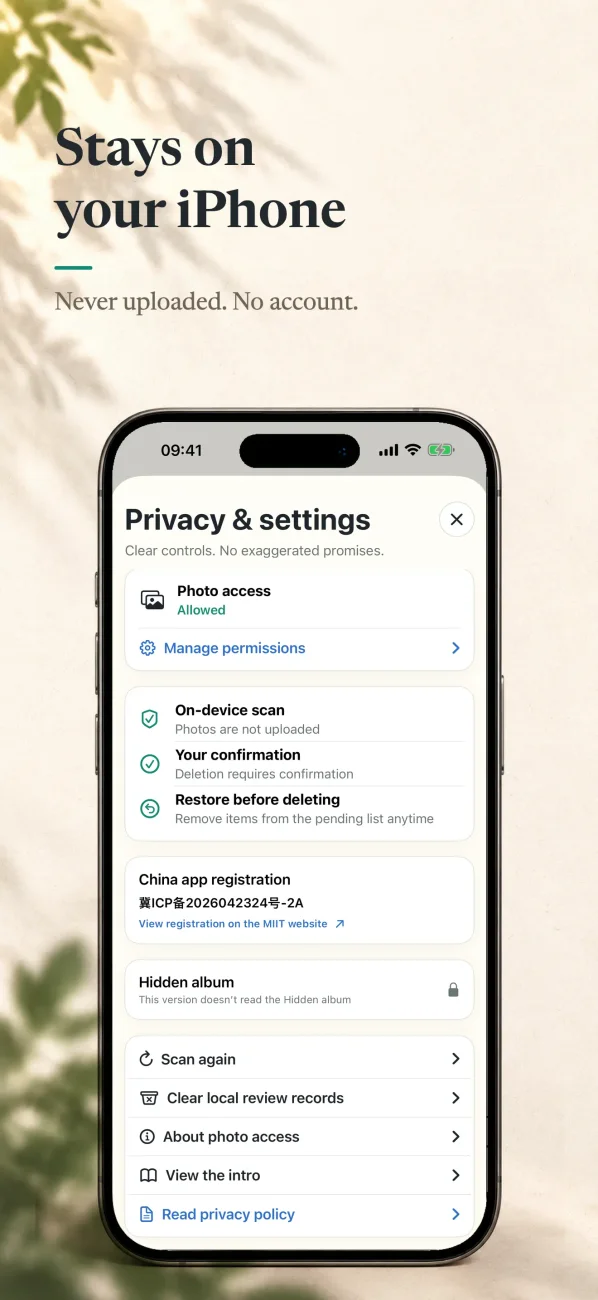
• On-device processing: no photos or videos are uploaded to the developer's servers
• Compare duplicate and similar photos side by side, in batches of up to five groups
• Swipe up to protect photos and videos; manage protection in Settings
• Review older screenshots in batches and sort large videos by file size
• Swipe left to set an item aside for deletion, right to keep it, or tap the buttons
• Zoom photos, play videos and restore candidates in the pending deletion list
• Pause and resume analysis, with clear iCloud and read-failure feedback
• Confirm final deletion through iOS
• Earn six local achievements with clear badge and reward feedback
• Choose unlocked alternate app icons in Settings
Free and Pro:
• Free: unlimited scanning and keeping, plus 30 items per rolling 24 hours into the To delete list
• 7-day free trial: you start it, it ends on its own; nothing is charged or renewed
• Photo Margin Pro: unlimited review with a yearly subscription, or a one-time lifetime purchase
• Subscriptions renew automatically through Apple and can be cancelled anytime in Settings → Apple Account → Subscriptions
No account or registration is required. Photo Margin does not create a cloud photo library. You control access through the system Photos permission. If an asset is stored in iCloud, iOS may download it for display or playback.
English and Simplified Chinese interfaces follow your device or app language.
Terms of Use (EULA): https://www.apple.com/legal/internet-services/itunes/dev/stdeula/
Privacy Policy: https://catteacher0515.github.io/privacy/en/
What’s new
Version 1.2.5 · Nov 4, 2026
• Added six achievements to celebrate keeping, protecting and organizing your library.
• Newly earned achievements appear one at a time, with badges, reward previews and a shortcut to unlocked icons.
• Added Dawn and Moon alternate app icons, available in Settings.
• Improved photo preview loading and retry feedback, fixing cases where previews could remain loading.
• Refined review interactions and layouts across window sizes.
App privacy
What 博 刘 declares on the App Store about how this app handles data.
-
Data not collected
The developer does not collect any data from this app.
Privacy practices may vary, for example with the features you use or your age.
Information
- Seller
- 博 刘
- Category
- Productivity
- Version
- 1.2.5
- Updated
- Nov 4, 2026
- Released
- Oct 20, 2026
- Size
- 4.6 MB
- Requires
- iOS 17.0 or later
- Age rating
- 4+
- In-app purchases
- Yes
- Languages
- English, Simplified Chinese
- Copyright
- © 2026 Bo Liu
You might also like
-
 Pare - App BlockerFocus by blocking distractions
-
 FocuDOS - ADHD 像素专注Productivity
-
 DocUpick: Document ScannerScan text into smart notes
-
 MyExpenses+Simple expense tracking app
-
 FlipScapeDynamicScenes、Flip Clock、Focus
-
 CliperX-Inspiration CollectionUnlimited history, reuse clips
-
 番茄钟-自律番茄时钟,自律考研学习神器一炷香事件管理-高效的管理
-
 Speeche - Speech to TextRecord, transcribe, summarize
-
 IDPouch: ID Scanner & StoragePassport, License & PDF Copies
-
 ChatGo Pro - AI Chatbot WatchChat & Ask with AI on Watch