
PhotoCuller Mobile
Fast RAW photo culling
Designed for iPhone, iPad
Free · In-app purchases
- Age rating4+
- CategoryPhoto & Video
- DeveloperJeffrey Kehler
- LanguagesEnglish+ 15 more
- Size60.2 MB
Links to the official App Store page
Download.org hosts no file of PhotoCuller Mobile. The button opens its official App Store page, published by Jeffrey Kehler. Listing last checked on Nov 29, 2026.
Screenshots

About
Go from a full card to your final selects, wherever you are.
PhotoCuller brings a fast, focused photo-culling workflow to iPhone and iPad. Ingest a shoot, organize related
frames into stacks, compare similar images, apply ratings and metadata, and deliver your selects without
waiting to get back to your desk.
Built for photographers who shoot more than they want to sort, PhotoCuller helps you find the best images
quickly while keeping you in control of every decision.
INGEST AND REVIEW
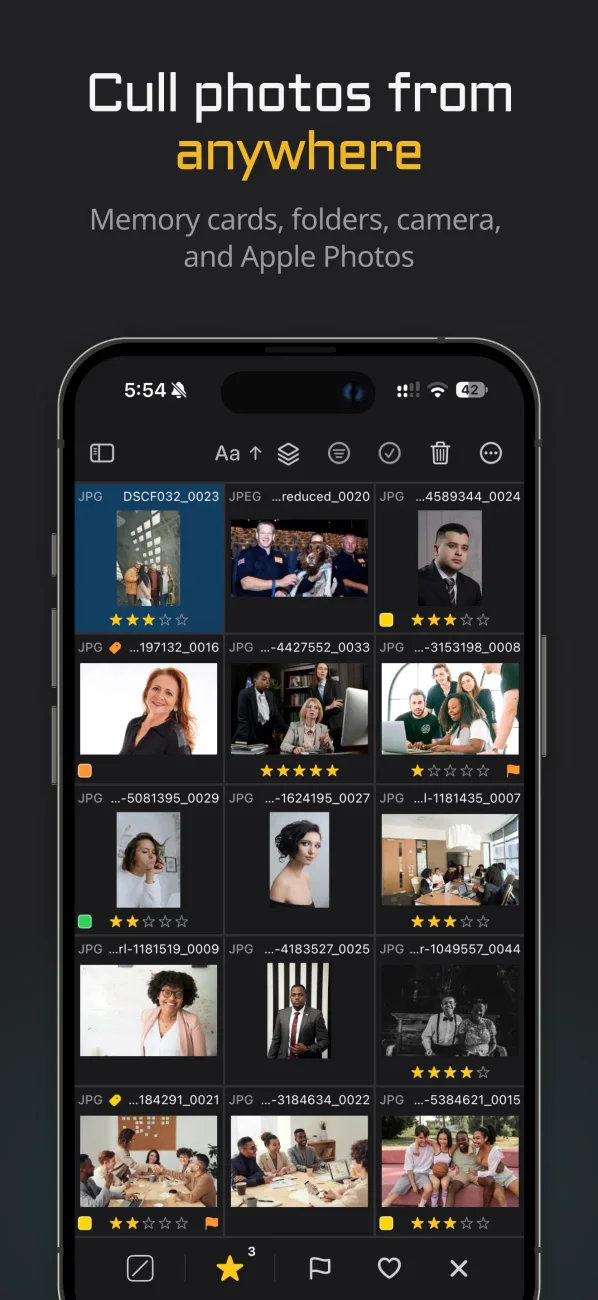
Import photos from an SD card or connected storage, browse local or remote folders, or work directly with your
Apple Photos library. Photos appear as they are copied, so you can begin reviewing before ingest finishes.
PhotoCuller supports RAW files from major camera brands, along with JPEG, HEIC, PNG, and TIFF. RAW+JPEG pairs
are handled together for a cleaner workflow.
CULL WITH CONFIDENCE
• Rate, flag, favorite, reject, and apply color labels
• Filter and sort large shoots to narrow your choices
• Review photos in a fast, customizable grid
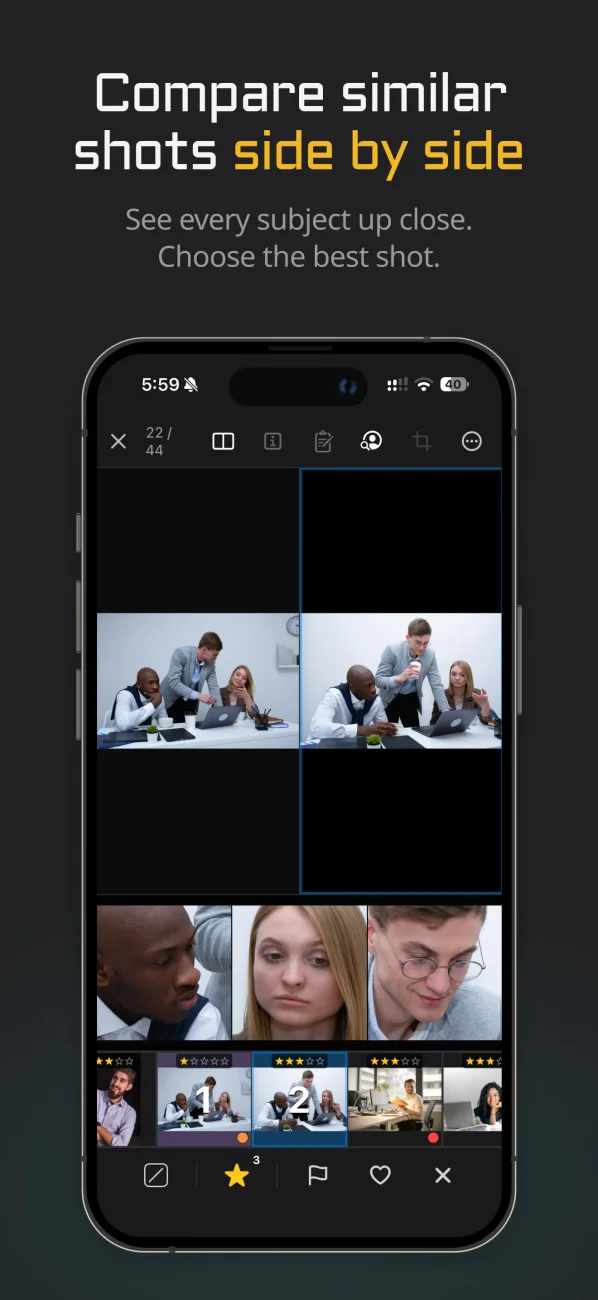
• Inspect images at full resolution with smooth pan and zoom
• Compare two photos side by side with synchronized zoom
• Check sharpness with focus peaking
• Identify exposure problems with highlight and shadow warnings
• View a live histogram while reviewing
• Inspect detected faces in a dedicated Face Panel
• Use touch controls or customizable hardware-keyboard shortcuts
SMART STACKING
Keep bursts and related frames together without cluttering your grid.
• Create and organize stacks manually
• Drag photos into existing stacks
• Expand or collapse stacks while reviewing
• Reorder photos and choose the stack’s hero image
• Automatically group photos by capture-time proximity
• Preview Auto Stack results before applying them
REMOTE FTP AND FTPS ACCESS
Connect PhotoCuller to saved FTP or encrypted FTPS servers from your iPhone or iPad. Browse remote folders,
load an existing shoot, or watch a folder for new photos as they arrive.
Remote images are downloaded as needed and can be cached locally, letting you start reviewing without first
copying the entire folder. Create and manage remote folders, copy or move photos between locations, and use FTP
or FTPS folders as workflow destinations.
ORGANIZE AND DELIVER
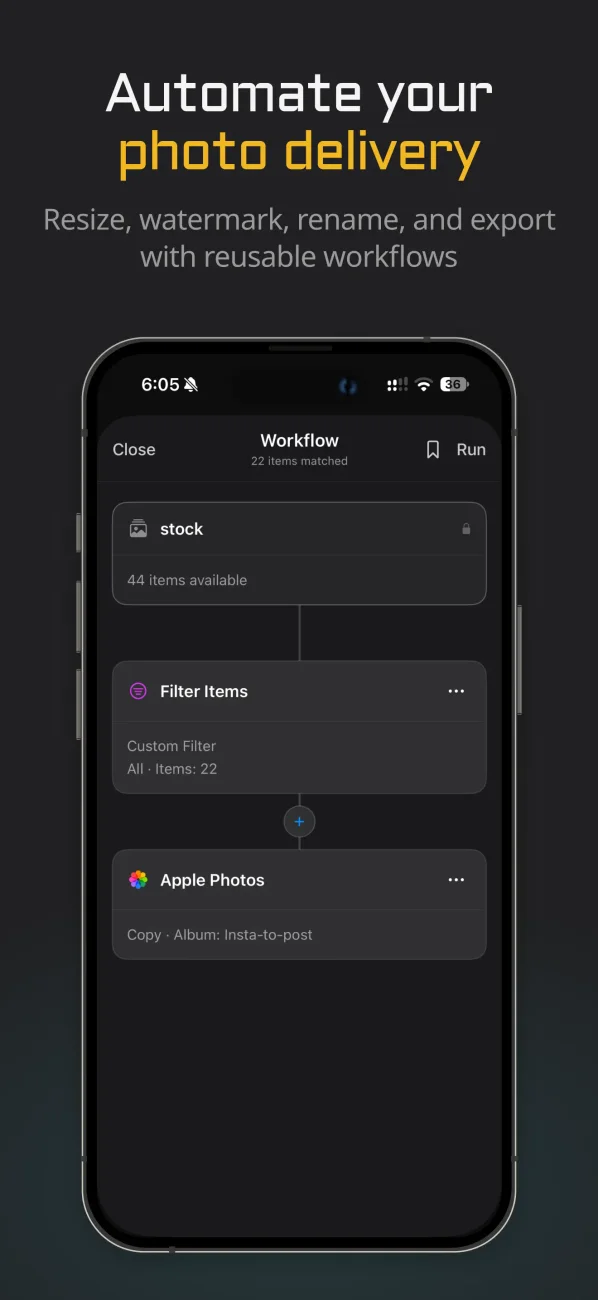
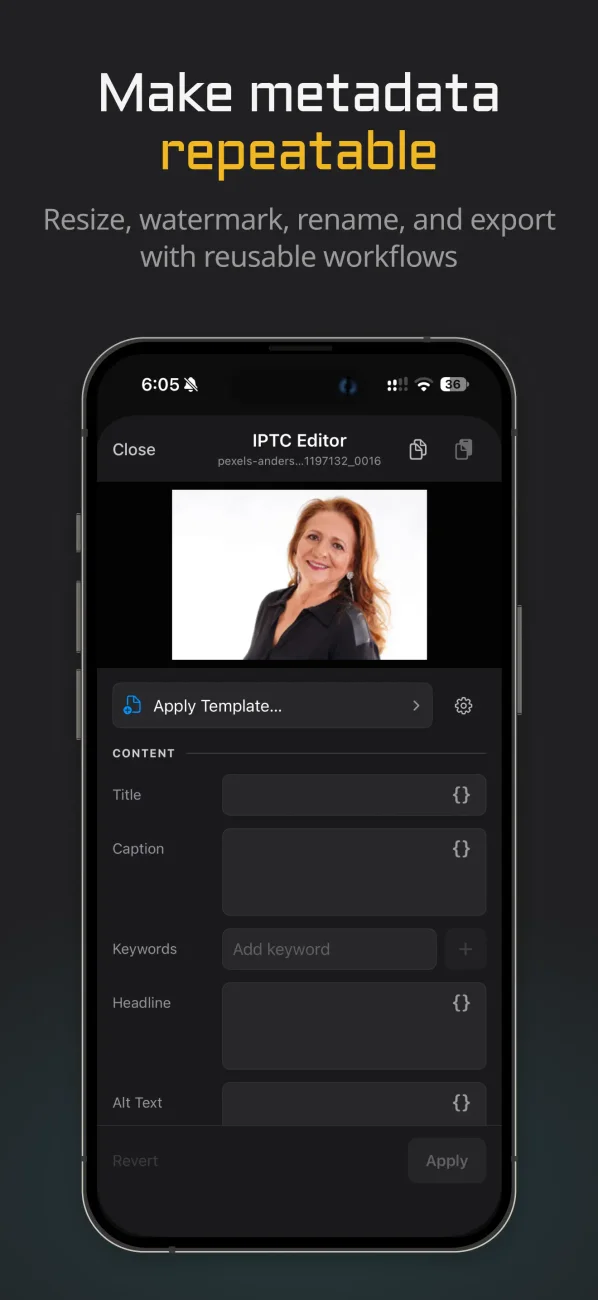
Build repeatable workflows that select photos by rating, flags, color labels, file type, and other criteria.
Rename files, convert RAW images to JPEG, apply IPTC metadata, and route your selects to local folders, Apple
Photos, or saved FTP and FTPS servers.
Create reusable IPTC templates, filename and folder templates, filter presets, and code replacements to speed
up recurring jobs.
CONTINUE YOUR CULL WITH CULLSYNC
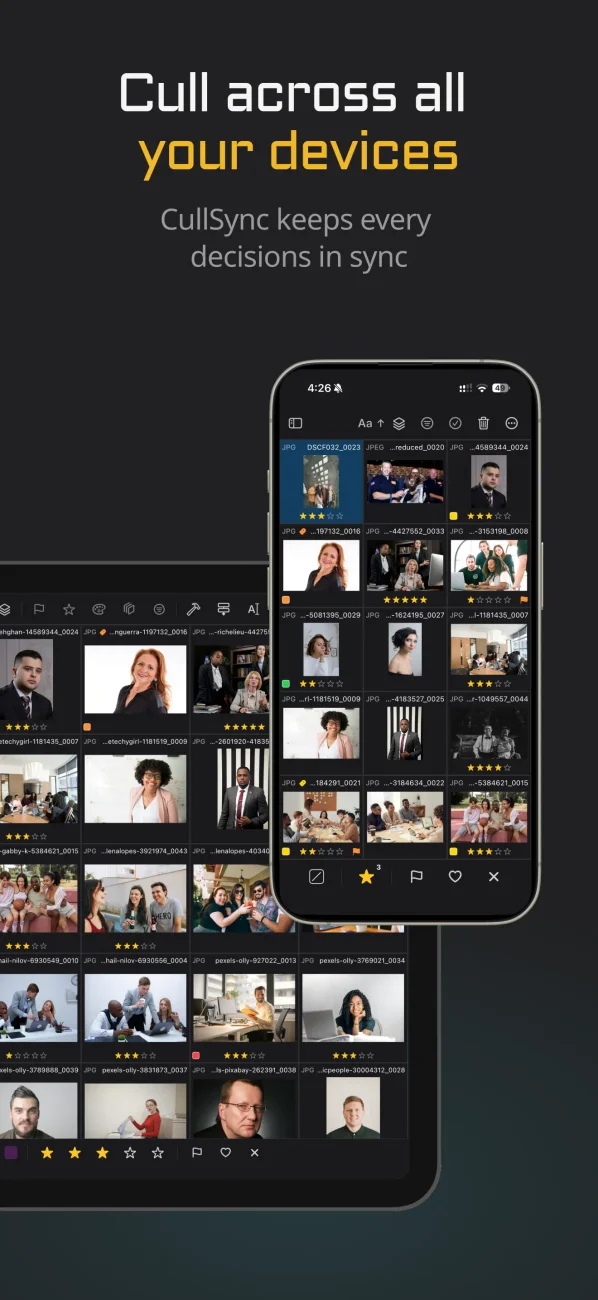
Have the same shoot on more than one device? Create a named CullSync from selected photos, visible photos, or a
filter preset. Ratings, labels, flags, favorites, stacks, crops, and IPTC metadata sync privately through
iCloud, ready to compare or apply to matching photos on another PhotoCuller device. Original photos stay local.
MADE FOR MOBILE PHOTOGRAPHY WORKFLOWS
PhotoCuller is designed for both iPhone and iPad, with an interface that adapts to portrait and landscape use.
Local workflows work offline, processing happens on your device, and no PhotoCuller account is required.
Download PhotoCuller and cull shoots of up to 50 photos at no cost. Unlock the Full Version to work without the
photo limit.
Spend less time sorting and more time working with your best images.
Terms of Use (EULA): https://www.apple.com/legal/internet-services/itunes/dev/stdeula/
PhotoCuller Terms & Conditions: https://www.photoculler.com/terms
What’s new
Version 1.1.6 · Oct 7, 2026
New Features
- Added a setting to show the finished crop instead of the full image with a crop outline, in thumbnails and Full View.
- Added an option to automatically insert a space after code replacements.
- Added recognition of JPEG XL (.jxl) photos.
Improvements
- Improved Ingest performance with large photo folders.
- Improved responsiveness when browsing and managing bookmarked folders.
- Clearer preset names, modified-state indicators, and action buttons in Ingest, Workflows, Rename, and template editors.
- Added clearer indicators for cropped photos.
Bug Fixes
- Fixed workflow presets not remembering which photos and filters to use.
- Fixed swipe feedback showing flag or reject colors when removing those states.
App privacy
What Jeffrey Kehler declares on the App Store about how this app handles data.
-
Data not collected
The developer does not collect any data from this app.
Privacy practices may vary, for example with the features you use or your age.
Information
- Seller
- Jeffrey Kehler
- Category
- Photo & Video
- Version
- 1.1.6
- Updated
- Oct 7, 2026
- Released
- Jul 30, 2026
- Size
- 60.2 MB
- Requires
- iOS 18.6 or later
- Age rating
- 4+
- Price
- Free
- In-app purchases
- Yes
- Languages
- English, Dutch, French, German, Italian, Japanese, Korean, Polish, Portuguese, Russian, Simplified Chinese, Spanish + 4 more
- Copyright
- © Jeffrey Kehler
You might also like
-
 CullKit: NAS Photo Cull & RateCull RAW from NAS or a folder
-
 Photo Triager: RAW CullingOffline RAW Photo Selection
-
 ApolloOne GO: Photo CullingFast RAW viewer for SD cards
-
 SDCullCull photos from SD cards
-
 Cull: AI Photo CullingSort & pick keepers, on device
-
 Nitro PhotoPro Photo Editor & Manager
-
 AI Photo Culling — PhotoPickerMobile Culling for Lightroom
-
 Koloristika • The CameraCinema Color Science.
-
 THE TetherWireless Photo Workflow
-
 Photoscope: Best Photo PickerChoose Perfect Shots