
PhotoFold
To be the best photo organizer
Designed for iPhone, iPad
Free · In-app purchases
- Age rating4+
- CategoryUtilities
- Developer林红 赵
- LanguagesEnglish+ 6 more
- Size22.8 MB
Links to the official App Store page
Download.org hosts no file of PhotoFold. The button opens its official App Store page, published by 林红 赵. Listing last checked on Nov 23, 2026.
Screenshots
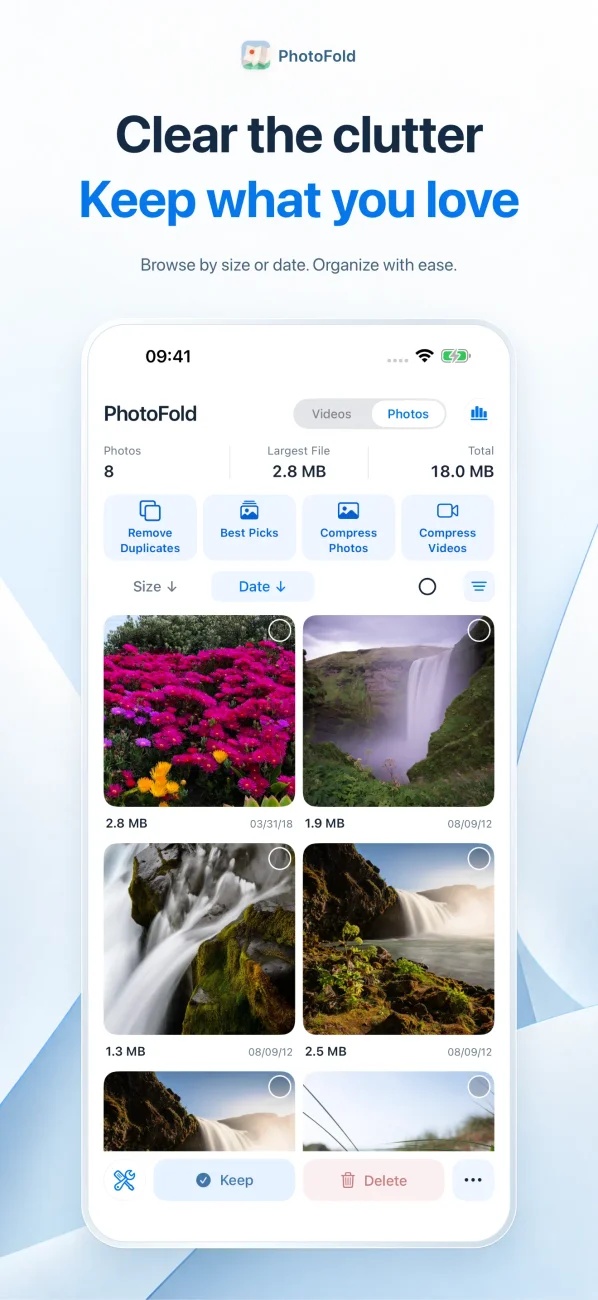
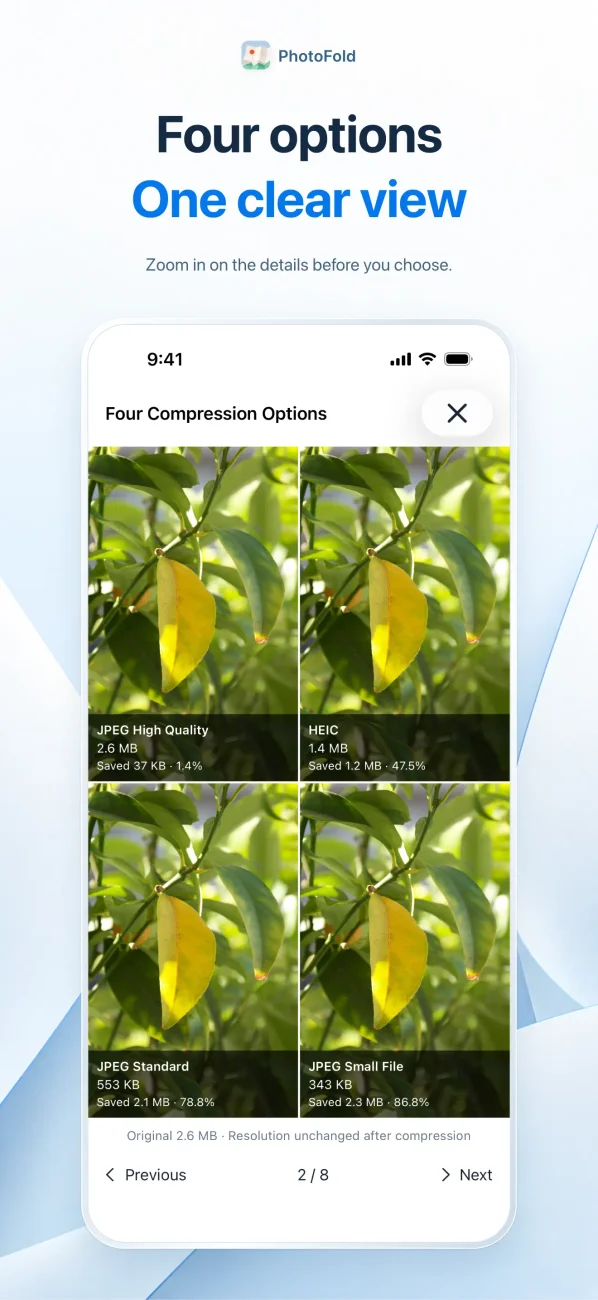
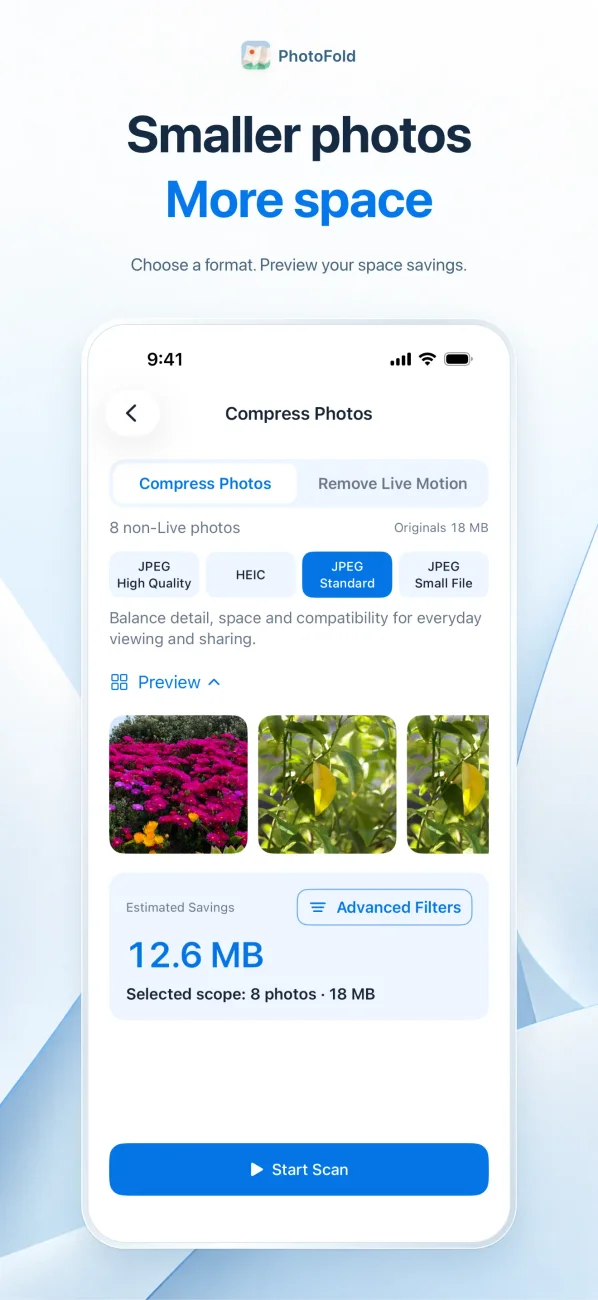


About
PhotoFold helps you organize photos and videos, review what takes up space, and keep the memories that matter.
FIND DUPLICATES AND SIMILAR PHOTOS
Find identical photos and videos, review similar shots in groups, and use Best Picks for suggestions on what to keep. Compare the results and adjust your choices before deleting anything.
COMPRESS PHOTOS AND VIDEOS
Preview image quality and file size before choosing a compression option. Process photos and videos in batches, review the results, and decide how to handle the originals.
ORGANIZE WITH A SWIPE
Swipe through your library to mark photos and videos for keeping or deletion. Add photos to albums as you review them, and shake to undo recent organizing actions.
CREATE LIVE PHOTOS
Combine a photo with a video clip to create a new Live Photo. Trim the clip, adjust playback speed and volume, and preview the result before saving.
PHOTO TOOLS
Invert colors, resize images, add watermarks, convert formats, or split a photo into tiles.
REVIEW SCREENSHOTS AND SENSITIVE CONTENT
Find chat screenshots and potential sensitive content using on-device analysis, then decide what to keep, hide, or delete. Recognition results are suggestions for your review.
YOUR LIBRARY STAYS WITH YOU
Photo and video processing takes place on your device. We do not upload your library media or recognition results to our servers or a cloud AI service. Optional rewards and feedback use the limited online data described in our Privacy Policy.
FREE TO START
Use free features within the limits shown in the app. Optional Monthly Pro and Lifetime Pro purchases unlock the corresponding limits. Monthly Pro is an auto-renewable subscription; Lifetime Pro is a one-time purchase.
Available on iPhone and iPad in English and Simplified Chinese. Features depend on your device, system version, permissions, and access to the original media.
Privacy Policy: https://photofold.wtmade.com/en/privacy
Terms of Service: https://photofold.wtmade.com/en/terms
Apple Standard EULA: https://www.apple.com/legal/internet-services/itunes/dev/stdeula/
What’s new
Version 1.0.5 · Nov 16, 2026
This update improves library loading, duplicate cleanup, and compression previews:
• Added Traditional Chinese, Japanese, Korean, Spanish, and German. PhotoFold now supports seven languages.
• Improved loading, size sorting, storage totals, and pull-to-refresh for large libraries, with less repeated processing.
• Improved duplicate and similar-photo detection, burst-photo support, and scan resumption.
• Reduced repeated video preview generation when switching compression presets, with better pause synchronization and more responsive cancellation.
• Refined filtering, batch processing, and recovery from low-storage interruptions for photo compression and Live Photo cleanup.
• Updated home-screen filters and button layouts, fixed a startup issue on some devices, and improved overall stability.
App privacy
What 林红 赵 declares on the App Store about how this app handles data.
-
Data linked to you
May be collected and linked to your identity.
- Contacts
- User content
Privacy practices may vary, for example with the features you use or your age.
Information
- Seller
- 林红 赵
- Category
- Utilities
- Version
- 1.0.5
- Updated
- Nov 16, 2026
- Released
- Oct 8, 2026
- Size
- 22.8 MB
- Requires
- iOS 17.0 or later
- Age rating
- 4+
- Price
- Free
- In-app purchases
- Yes
- Languages
- English, German, Japanese, Korean, Simplified Chinese, Spanish, Traditional Chinese
- Copyright
- © 长沙县星沙小妄图网络技术服务工作室
You might also like
-
 药吃了没Utilities
-
 Clean Up Storage: Cleaner AIDelete Duplicate Photos Quick
-
 游离 - 相册清理Utilities
-
 长卷Utilities
-
 GoodPhotos - Photo CleanerFind Duplicates, Free Up Space
-
 Minimal Digital Clock & AlarmAesthetic Nightstand & Desk
-
 LED Scrolling Text - GlowVoxBanner Sign, Megaphone & Voice
-
 元书输入法Utilities
-
 M3U8 Spark: Web Video PlayerWeb video sniffing
-
 勒夫防御性驾驶Utilities