PhotoLimit
Quick Expiry Date Tracker
Designed for iPhone, iPad, iPod touch
Free · In-app purchases
- Age rating4+
- CategoryFood & Drink
- DeveloperNobuchika Maruyama
- LanguagesEnglish+ 1 more
- Size76.3 MB
Links to the official App Store page
Download.org hosts no file of PhotoLimit. The button opens its official App Store page, published by Nobuchika Maruyama. Listing last checked on Nov 19, 2026.
Screenshots


About
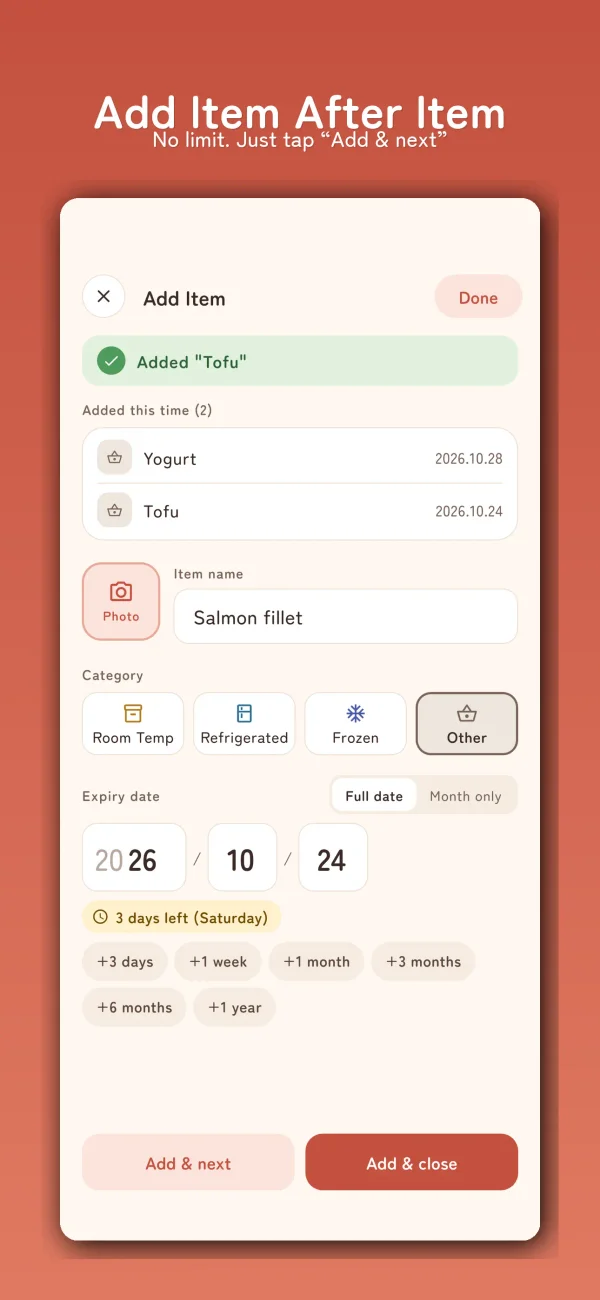
PhotoLimit helps you keep track of expiry and best-before dates for the food and household items in your fridge and pantry. Just type the name and the date. Back from shopping? Add as many items as you like, one after another.
QUICK ENTRY
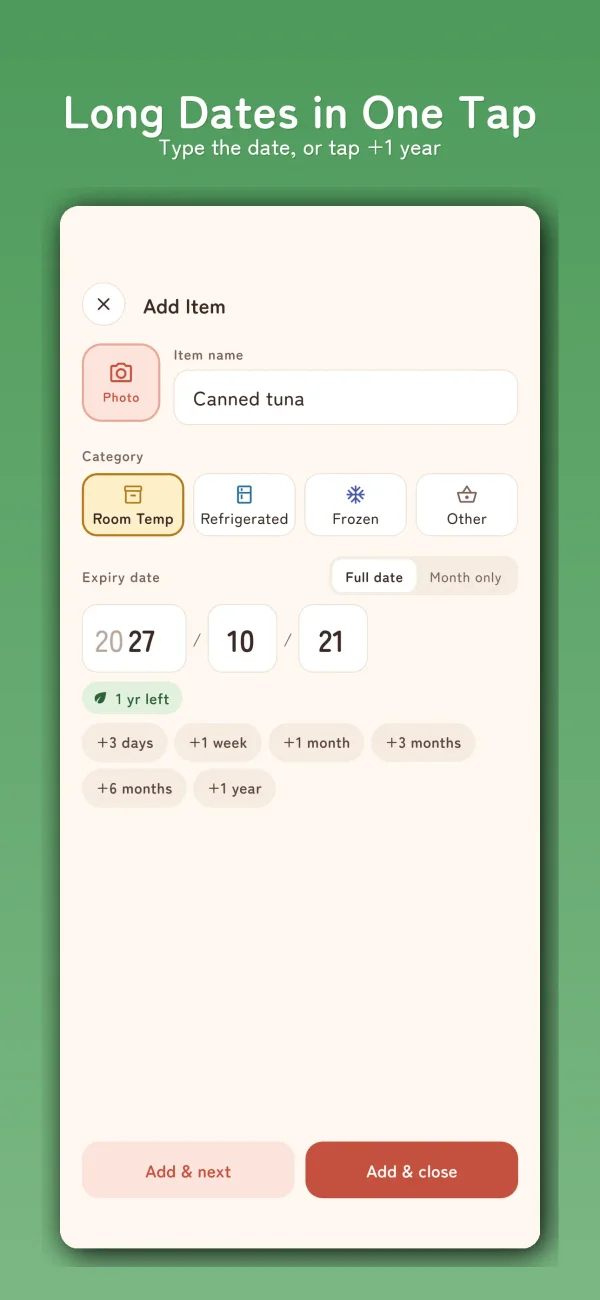
• Type the date with the number pad - Enter "290315" for March 15, 2029. Only the last two digits of the year
• Long dates in one tap - Pick +3 days, +1 week, +1 month, +3 months, +6 months, or +1 year
• Month-only dates - For cans and rice labeled "Mar 2028", enter just the year and month
• Add & next - Keep adding items with no limit
• Photos are optional - Snap or pick a photo only when you want one. Items without a photo show their category color and icon
SEE EXPIRY AT A GLANCE
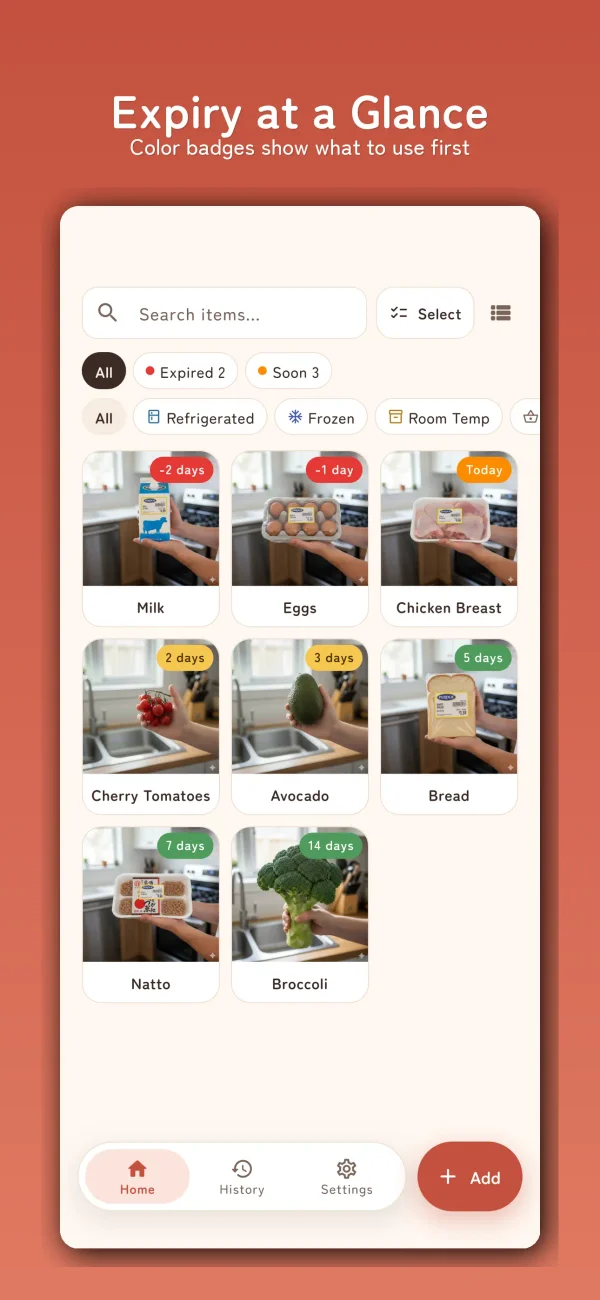
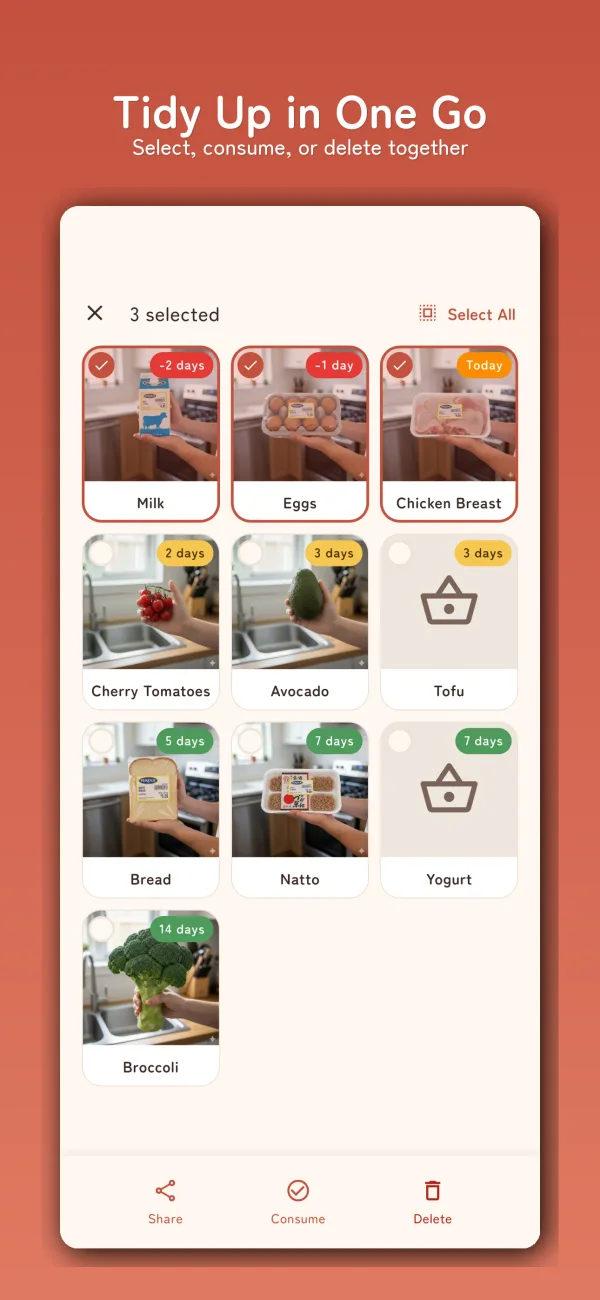
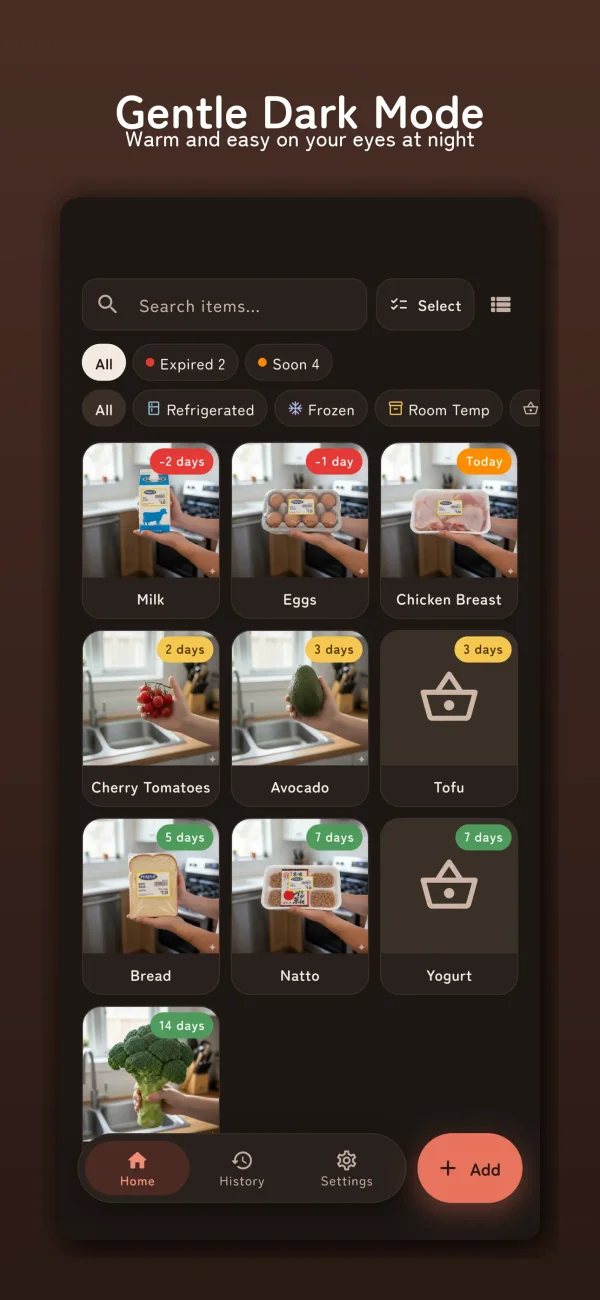
• Color-coded badges - Expired, due today, and expiring soon stand out. Long dates read simply as "2 yr" or "3 mo"
• Expiry filters - Narrow down to expired or expiring soon, with counts
• Categories - Refrigerated, frozen, room temperature, and other
• Search and views - Find items by name, switch between grid and list
NEVER FORGET
• Daily summary notification - One reminder a day for expired and expiring items
• Choose the time, how many days ahead, and how many days after expiry to remind you
TRACK WHAT YOU FINISH
• See how many items you finished this month, split into "before expiry" and "after expiry"
• Monthly chart to watch your food waste go down
• Move consumed items back to your inventory anytime
MORE
• Long-press to consume, edit, share, or delete. Select several to consume or delete at once
• Light, dark, and system themes
• All data stays on your device. No account needed
PERFECT FOR
• Anyone who wants to know what's in the fridge and stop overbuying
• People looking to reduce food waste
• Keeping emergency supplies like canned food and water up to date
• Anyone who often misses expiry dates
PREMIUM (PhotoLimit Pro)
• Remove ads with a one-time purchase (lifetime, no auto-renewal)
• Monthly and yearly plans are no longer offered to new subscribers. If you are subscribed, your plan stays active until you cancel
• Monthly and yearly plans renew automatically unless cancelled at least 24 hours before the end of the current period. Cancel anytime in Settings > Apple ID > Subscriptions
Terms of Use: https://limit-manager.web.app/terms-of-service-en.html
Privacy Policy: https://limit-manager.web.app/privacy-policy-en.html
What’s new
Version 2.0.1 · Oct 25, 2026
v2.0.1 Update
• Adding and using up items no longer stops if a notification can't be scheduled
• Stability improvements
App privacy
What Nobuchika Maruyama declares on the App Store about how this app handles data.
-
Data used to track you
May be used to track you across apps and websites owned by other companies.
- Location
- Identifiers
- Usage data
- Diagnostics
-
Data linked to you
May be collected and linked to your identity.
- Location
- Identifiers
- Usage data
- Diagnostics
Privacy practices may vary, for example with the features you use or your age.
Information
- Seller
- Nobuchika Maruyama
- Category
- Food & Drink
- Version
- 2.0.1
- Updated
- Oct 25, 2026
- Released
- Feb 17, 2026
- Size
- 76.3 MB
- Requires
- iOS 15.0 or later
- Age rating
- 4+
- Price
- Free
- In-app purchases
- Yes
- Languages
- English, Japanese
- Copyright
- © Copyright (c) 2026 MRYM All Rights Reserved.
You might also like
-
 Waste Not - Expiry TrackerTrack expiry & reduce waste
-
 Pantry Tracker - FoodatFood Inventory & Expiry Alerts
-
 JUNIPER - App for Gin LoversGet to know and enjoy gin.
-
 Expiration manage Food TimerSimple UI, No registration
-
 賞味期限管理で無駄をなくして節約!-かうサポFood & Drink
-
 渋谷の歩き方 渋谷・恵比寿・代々木上原で探す美味しい人気店Food & Drink
-
 Foodies Prime(フーディーズ プライム)Food & Drink
-
 プロント公式アプリFood & Drink
-
 賞味期限・在庫管理のリミッター(Limiter)Food & Drink
-
 NoWaste: Food Inventory ListTrack Pantry, Freezer & Fridge