
PhotoPeaks
All‑in‑one Studio
Designed for iPhone, iPad, Mac
Free · In-app purchases
- Age rating4+
- CategoryGraphics & Design
- Developer培钧 翁
- LanguagesEnglish+ 30 more
- Size32.2 MB
Links to the official App Store page
Download.org hosts no file of PhotoPeaks. The button opens its official App Store page, published by 培钧 翁. Listing last checked on Nov 20, 2026.
Screenshots

About
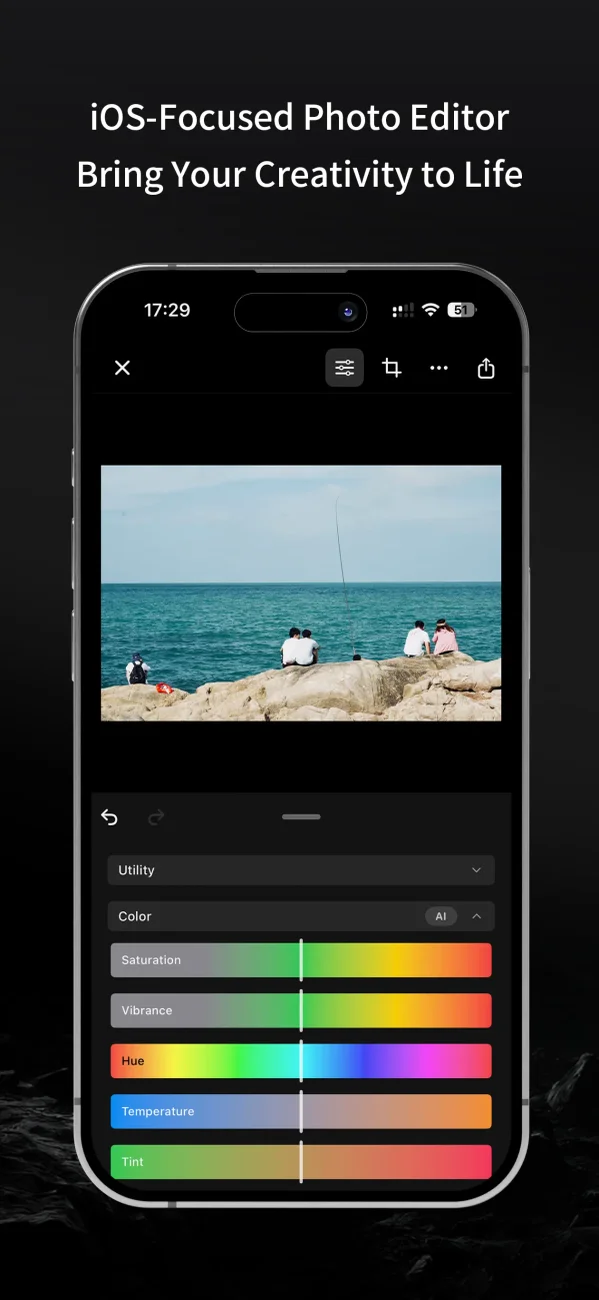
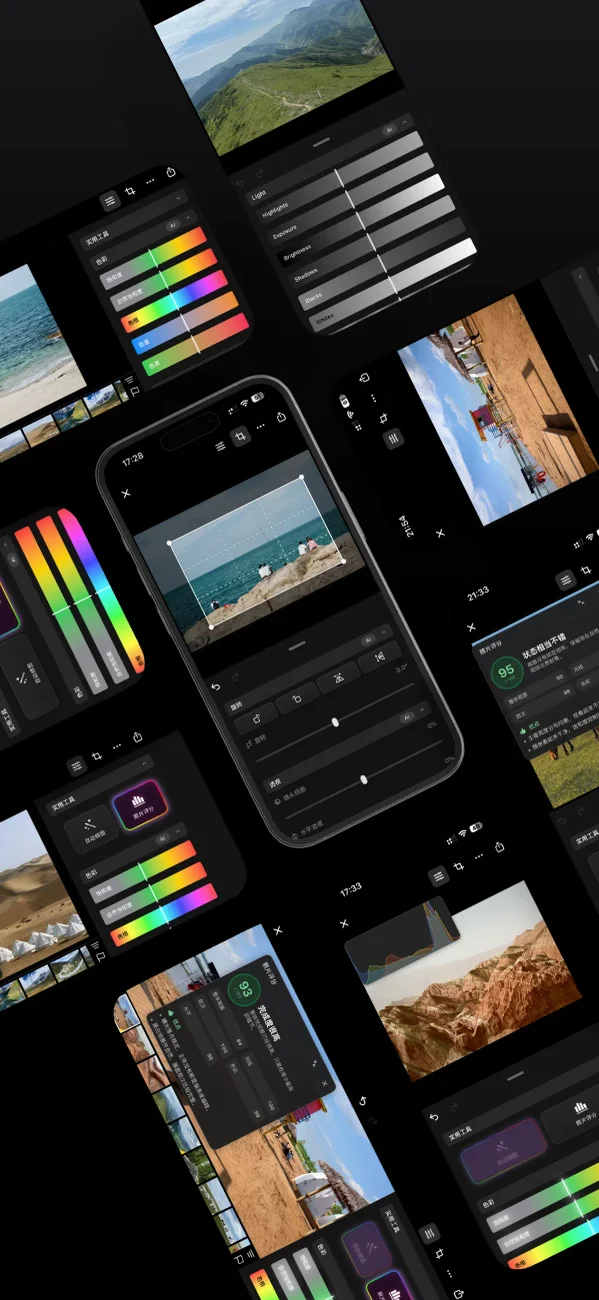
PhotoPeaks brings photo organization, detailed editing, everyday image tools, and photo book creation together on iPhone, iPad, and Mac. Move from selecting your shots to refining their colors, arranging a collection, and sharing the finished work—all within one creative workspace.
[Photo Organization and Projects]
Select your best shots with ratings and flags. Switch between grid and individual views to compare images and organize a shoot. Saved projects keep your adjustments and crop settings ready for your next editing session.
[RAW Editing and Color]
Edit RAW and ProRAW photos with exposure, white balance, highlights, shadows, curves, and selective color. Explore film-inspired filters, grain, vignette, texture, and clarity. Automatic enhancements offer a starting point, with manual controls to refine the result.
[Crop and Perspective]
Reframe with freeform crops or familiar aspect ratios. Rotate, flip, straighten, and adjust horizontal or vertical perspective. Nondestructive cropping leaves room to reconsider. For supported RAW files, recorded camera framing becomes an editable starting crop.
[Local Masks and Repair]
Combine intelligent selections with brushes to target specific parts of an image. Remove distractions with the object eraser, repair details, and refine local color. Masks and repairs stay with your project for further editing and comparison.
[Portrait Refinements]
Make targeted adjustments to skin detail and local color. Use masks and adjustable intensity to control where changes appear, and compare with the original as you find the right treatment for each portrait.
[Photo Information and Location]
Review shooting details and location information. Adjust or remove location data when needed, and control the information included with exported photos.
[Photo Books and Sharing]
Turn a collection into a story. Arrange photos, text, backgrounds, and layouts across covers and pages. Continue editing photos within your book, then export images, a PDF, or a page-turning video—or share an online book with a link.
[Collages and Video Frames]
Combine photos with adjustable layouts, proportions, borders, backgrounds, and individual crops. Select frames from a video to bring a sequence of actions, travel moments, or related details into one image.
[Long Screenshot Stitching]
Join screenshots into a continuous image. Align overlapping areas, adjust seams, and rearrange content to organize conversations, articles, or step-by-step instructions for saving and sharing.
[Text Recognition]
Extract Chinese and English text from images. Select and rotate the area you need, then copy the recognized text from screenshots, photographed documents, and other images.
[Still and Animated Cutouts]
Detect subjects automatically, then refine edges with keep and erase brushes. Export still cutouts as transparent PNGs, or work with animated images and Live Photo sources.
[Black-and-White Colorization]
Explore a new look for black-and-white photos. Adjust the colorization strength, compare with the original, and save a separate result for family photographs, historical images, or creative projects.
[Video to GIF and Live Photo]
Choose a memorable video segment and turn it into a GIF or Live Photo. Keep expressions, movements, and travel moments in a form that is easy to revisit and share.
[Export Your Work]
Export individual photos or batches with controls for format, dimensions, quality, and watermarks, plus high-precision processing options. Prepare your images for everyday sharing, photography projects, and photo book presentations.
Terms of Use (EULA):
https://www.apple.com/legal/internet-services/itunes/dev/stdeula/
What’s new
Version 1.6.6 · Nov 14, 2026
- fix bugs
App privacy
What 培钧 翁 declares on the App Store about how this app handles data.
-
Data not collected
The developer does not collect any data from this app.
Privacy practices may vary, for example with the features you use or your age.
Information
- Seller
- Beijing Ajidui Technology Co., Ltd
- Category
- Graphics & Design
- Version
- 1.6.6
- Updated
- Nov 14, 2026
- Released
- Nov 20, 2022
- Size
- 32.2 MB
- Requires
- iOS 18 or later
- Age rating
- 4+
- Price
- Free
- In-app purchases
- Yes
- Languages
- English, Arabic, Czech, Danish, Dutch, Filipino, Finnish, French, German, Greek, Hebrew, Hindi + 19 more
- Copyright
- © PJ.Studio
You might also like
-
 DemosaicProfessional RAW Editor
-
 Vinette: Sticker JournalCute Diary & Photo Scrapbook
-
 FORMA: Draw, Paint & SketchArt, Animation & Illustration
-
 ImaginAI - Text to ImageCreate AI Art Images Instantly
-
 Color & Relax: Adult ColoringMindful Zen Art & Therapy
-
 WIDGET. Home Screen AestheticAnimated Photo & Pet Widgets
-
 Figma for GovernmentView Designs. Comment. Mirror.
-
 CollageBookEffortless Collage Creation
-
 Covers Maker & Design Pro ArtDesign Cover Art Music Media
-
 CapMoment - Video to LiveTake a shot from your video