
Photos Wizard
Swipe. Sort. Done.
Designed for iPhone, iPad, Mac
Free · In-app purchases
- Age rating4+
- CategoryPhoto & Video
- DeveloperSPATIAL AI LABS LTD
- LanguagesEnglish+ 8 more
- Size15.6 MB
Links to the official App Store page
Download.org hosts no file of Photos Wizard. The button opens its official App Store page, published by SPATIAL AI LABS LTD. Listing last checked on Nov 20, 2026.
Screenshots


About
Clean up your camera roll one swipe at a time. Game-style review, daily streaks, and bulk power tools — turn the chore you skip into something you actually finish.
A PHOTOS APP YOU'LL OPEN ON PURPOSE
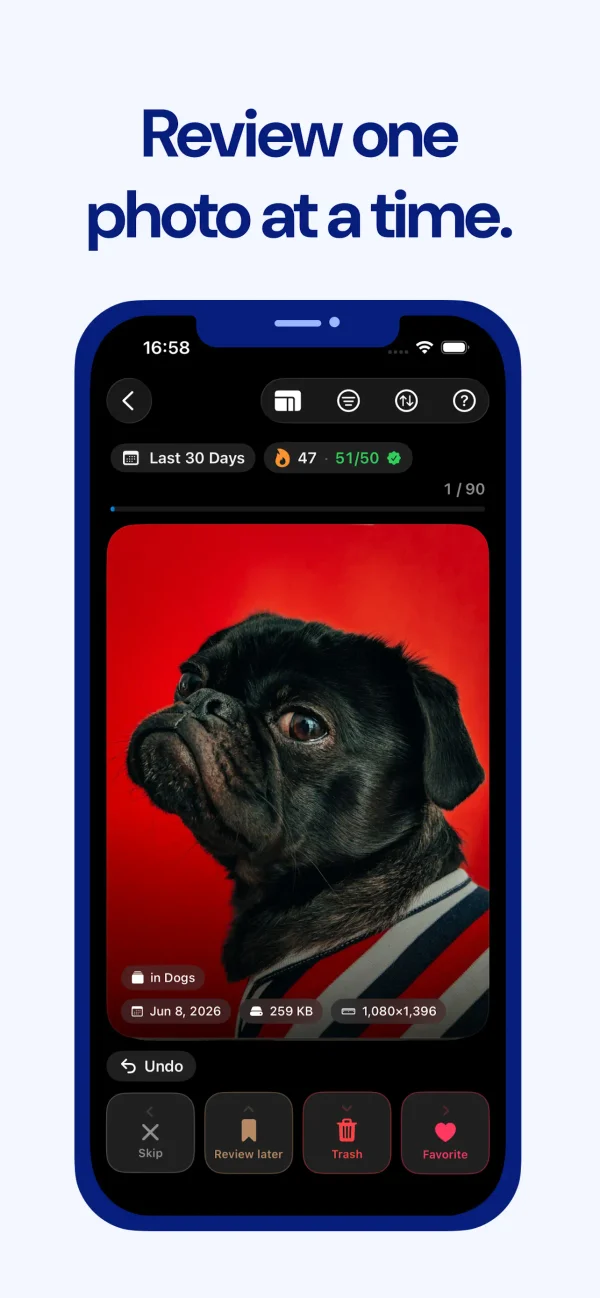
Photos Wizard turns the chore of cleaning your library into something you'll come back to. Swipe through your photos like a deck of cards, assign one action per swipe, and watch the backlog shrink. Streaks, daily quotas, and badges keep the momentum going.
THE SWIPE DECK
• One photo at a time, full-screen — no grid to get lost in.
• Bind any action to any direction: Delete, Favorite, Move to Album, Hide, Share, Review Later, or Skip.
• Reassign your bindings anytime from the (?) menu — your deck, your rules.
• Smart filters: Screenshots, Large Videos, Hidden, Favorites, by Album.
POWER TOOLS THE NATIVE APP LACKS
• Bulk move into custom albums in a single pass.
• Filter by what's actually wasting space — screenshots, large videos, duplicates.
• Per-window decks on Mac and Vision Pro: open two libraries side by side and sort them independently.
• Multi-window everywhere your device supports it.
A DAILY HABIT, NOT A ONE-OFF
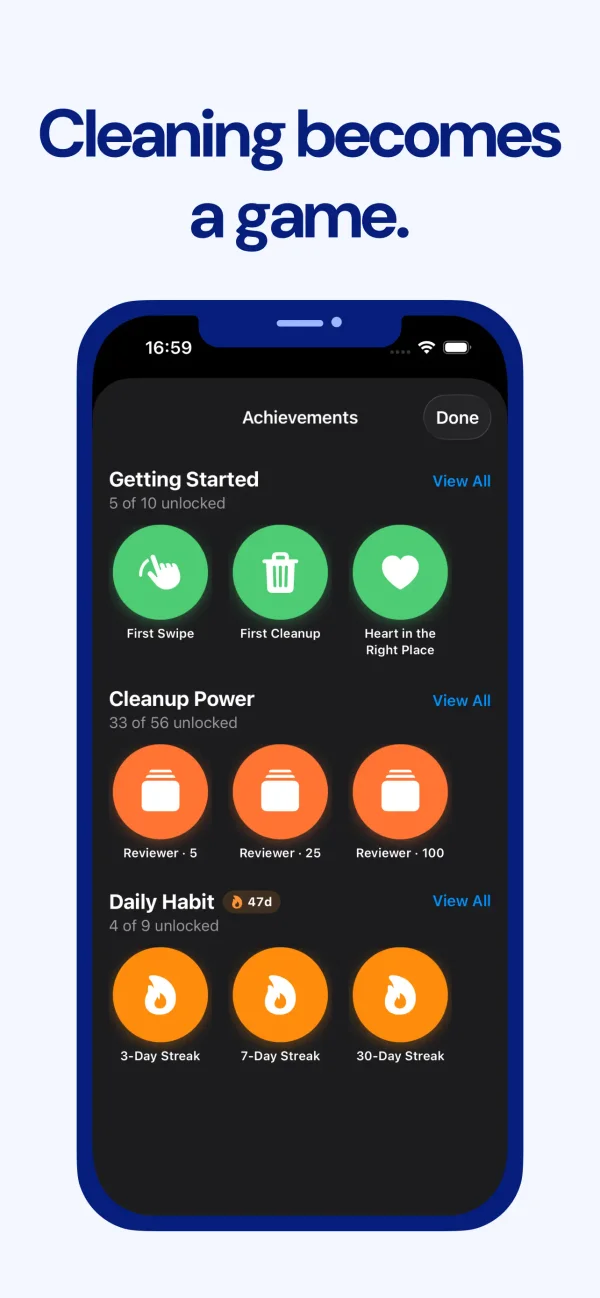
• Daily quota with a confetti finish when you cross it.
• Streak counter — clean a little every day instead of a panicked once-a-year purge.
• XP and badges for milestones you actually care about (first 100 cleaned, first album sorted, longest streak).
HOW IT WORKS
1. Grant Photos access — we never upload your library; everything happens on-device.
2. Pick a filter (or just start with All Photos).
3. Swipe. Right to favorite, left to delete, up to add to album — or rebind any of them.
4. Hit your daily quota, keep your streak, and watch the deck shrink.
PERFECT FOR
• Anyone whose camera roll has crossed 10,000 photos and stopped feeling browsable.
• People who screenshot too much and never go back to clean up.
• Folks who've tried "delete a photo a day" challenges and bounced off the friction.
• Power users who want bulk album moves without dragging into the native Photos app.
PRICING
• Free forever for the core swipe loop — clean up to 100 photos per day.
• Pro unlocks unlimited daily swipes, vertical swipe actions, and the Review Later queue.
PRIVACY
Your photos never leave your device. Photos Wizard talks to Apple's Photos library locally — no cloud upload, no third-party photo storage.
Stop scrolling past 47,000 photos every time you open the camera. Swipe. Sort. Done.
---
Privacy Policy: https://photoswizard.lpp.pw/privacy
Terms of Service: https://photoswizard.lpp.pw/terms
Support: contact@spatial-ai-labs.com
What’s new
Version 1.0.1 · Jun 12, 2026
Snappier swipes, new home filter & sort menus, persistent swipe bindings, plus polish and bug fixes.
App privacy
What SPATIAL AI LABS LTD declares on the App Store about how this app handles data.
-
Data not linked to you
May be collected but is not linked to your identity.
- Usage data
- Diagnostics
Privacy practices may vary, for example with the features you use or your age.
Information
- Seller
- SPATIAL AI LABS LTD
- Category
- Photo & Video
- Version
- 1.0.1
- Updated
- Jun 12, 2026
- Released
- Jun 8, 2026
- Size
- 15.6 MB
- Requires
- iOS 18.6 or later
- Age rating
- 4+
- Price
- Free
- In-app purchases
- Yes
- Languages
- English, Arabic, French, German, Japanese, Korean, Simplified Chinese, Spanish, Traditional Chinese
- Copyright
- © 2026 Spatial AI Labs. All rights reserved.
You might also like
-
 FolioLume PlayerA Player for a New Era
-
 PhotoWagon: Image EditorLayers, AI Remove, Camera RAWs
-
 Shrinkray: Video CompressorShrink photos for easy sharing
-
 Remove BG & Background EraserRemover, Changer & PNG Maker
-
 AdBlockTube: Video Ad BlockerBackground Play & PiP Browser
-
 Flipcorder: Retro CamcorderYour day as one home movie
-
 Eight Shot - Instant CameraEight shots. Make them count.
-
 PicVore: AI Photo CleanerFind Similar & Duplicate Shots
-
 Gallery Vault AppPhoto & Video
-
 Player Goplayer-go