
- Age rating4+
- CategoryMusic
- Developer征宇 孙
- LanguagesEnglish
- Size111.1 MB
Links to the official App Store page
Download.org hosts no file of Pianoesis. The button opens its official App Store page, published by 征宇 孙. Listing last checked on Nov 17, 2026.
Screenshots



About
Pianoesis is a fully offline rhythm-piano duet platform with zero learning curve. Import a local MIDI/MusicXML/solo piano recording and get a playable score in one tap. No keys to aim at — tap anywhere on screen to play. The tempo is entirely yours, so every performance stays true to the score yet sounds unmistakably like you. Play solo and the app is your duet partner; in Duo Mode, play both hands yourself — or split them with a friend, one hand each.
MUSICXML & STAFF VIEW
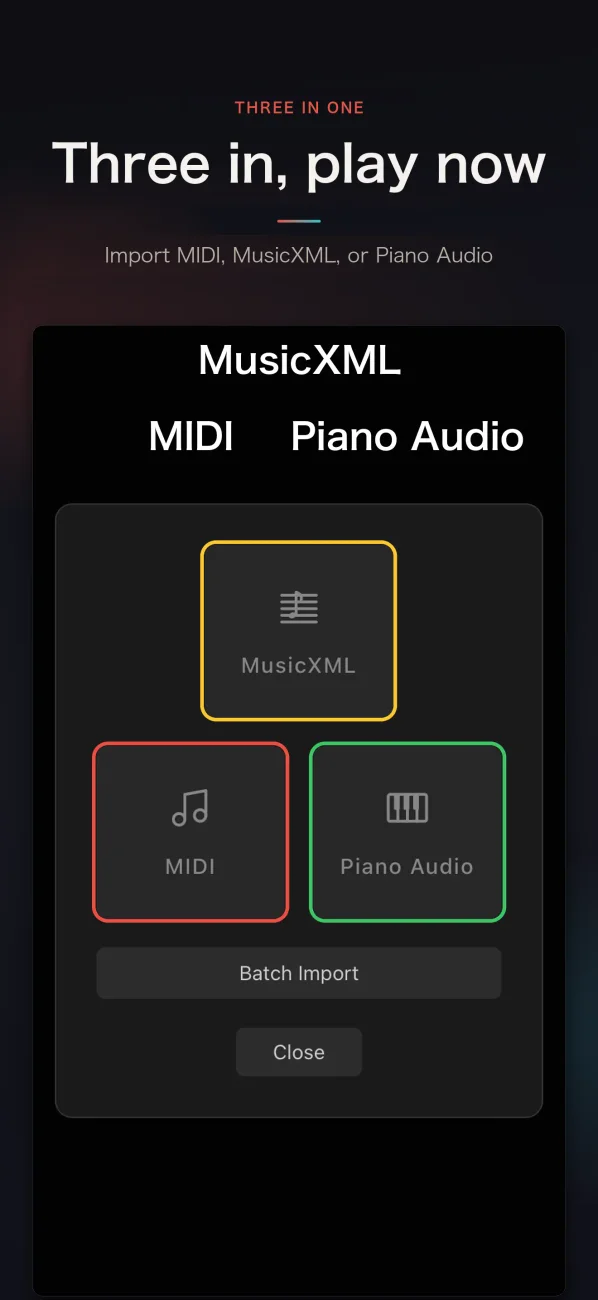
Import .musicxml, .xml, or .mxl. Scores are parsed on-device and open directly in the staff view, engraved by Verovio. Tap the score to seek, turn pages, zoom, expand repeat signs, and choose grace-note style; played notes light up their noteheads in track colors. Regular MIDI can also generate a staff score automatically.
MusicXML is read-only: note editing, voice separation, track mapping, and original audio are unavailable; the file can be saved unchanged to My Folder and reopened as a staff score.
SINGLE-HAND SPLIT SCREEN
On wide screens, split the pitch area into two panes: same piece, same progress, with independent layouts (Horizontal / Sprite Jump / Vertical / Score).
DUO MODE
On iPad landscape or unfolded iPhone Duo, the screen splits into two halves, one hand on each side. Play with both hands yourself, or split the piece with a friend — one hand each. The two sides stay in sync — all you do is keep the beat.
▪ Built for iPad: the split layout, touch targets, and navigation are tailored to two-hand play on the big screen
▪ Duo Sprite Jump: twin sprites leap in sync, with live scoring and sync halos for even more ensemble fun
▪ Staff view: MusicXML or score-MIDI pieces support a full-width staff score
WHY IT ALWAYS SOUNDS GOOD
▪ Every note lands right: the melody is locked to the source score, so any tap hits the correct pitch.
▪ A perfect duet by design: the app plays the other hand in real time — two-hand harmony without the coordination practice.
▪ True to the original: your part and the accompaniment both follow the original score.
▪ Two sound sources: a warm, lifelike MIDI piano, or the original piano recording in lossless quality. Switch anytime.
OUR SIGNATURE VISUAL — THE TAIJI SPINNING STAFF
On the home screen, treble and bass notes drift out along a slowly spinning taiji staff — a signature animation that brings the idea to life: 88 keys become one, and the app is your duet partner.
MORE WAYS TO SEE THE MUSIC
▪ Taiji spinning staff
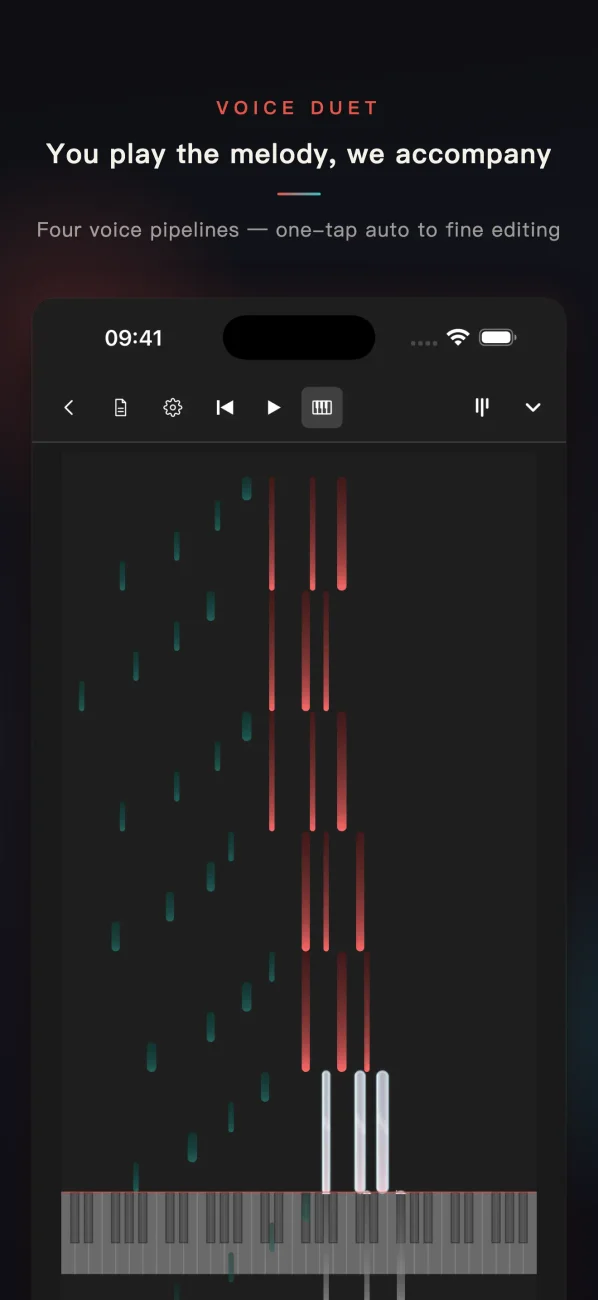
▪ Horizontal piano roll
▪ Sprite Jump
▪ Vertical waterfall
▪ Engraved staff score
▪ Single-hand split screen
FOUR WAYS TO SEPARATE VOICES
▪ Ready-made tracks: pick one hand from a two-track MIDI and start playing.
▪ Smart separation: single-track MIDI or piano audio is split into melody and accompaniment automatically.
▪ Track mapping: carry a proven left/right-hand split from a reference score over to your piece.
▪ Fine editing: hand-assign individual notes for tricky passages.
MusicXML scores use fixed treble/bass tracks and are excluded from voice separation and track mapping.
FULLY OFFLINE
▪ Everything runs on-device. No account, no uploads.
▪ MusicXML scores are parsed and engraved on-device — never uploaded or distributed.
▪ No ads, no in-app purchases, no subscriptions.
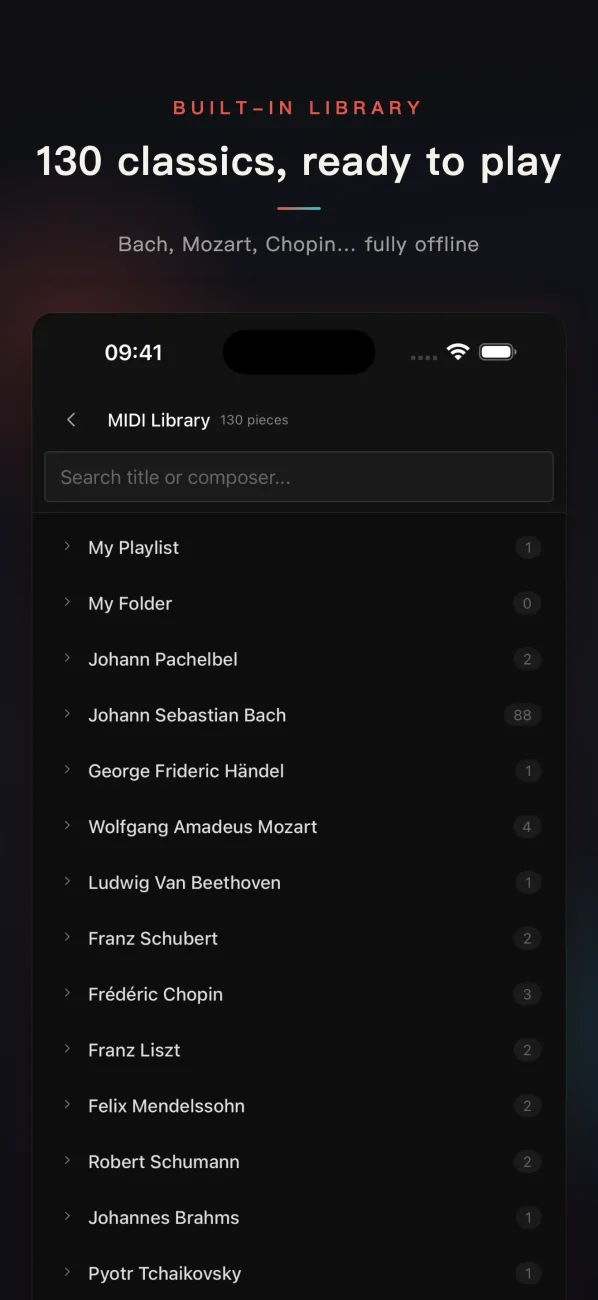
▪ The built-in library is fully licensed for free distribution — per-piece sources and licenses are listed under "Copyright" in the library.
▪ Universal: iPhone, iPad, and Mac.
SUPPORTED FORMATS
▪ MIDI: .mid / .midi
▪ MusicXML: .musicxml / .xml / .mxl (single-instrument piano grand staff)
▪ Audio: MP3 / WAV / FLAC / M4A / AAC — solo piano recordings work best
SUPPORT & PRIVACY
▪ Sheet-music engraving: Verovio (RISM Digital Center, LGPL-3.0)
▪ Website: https://pianoesis.com
▪ Privacy policy: https://pianoesis.com/privacy
▪ Contact: support@pianoesis.com
What’s new
Version 3.0 · Nov 6, 2026
3.0 — Major update: MusicXML and the staff view
· MusicXML: import .musicxml / .xml / .mxl, parsed on-device and opened directly in the staff view
· Staff view: tap to seek, turn pages, zoom, expand repeats, and choose grace-note style; played notes light up in track colors
· Score MIDI: rhythmically regular MIDI can generate a staff score automatically
· Single-hand split screen: on wide displays, two panes show the same piece and progress with independent layouts
· Saving: MusicXML files are archived unchanged and reopen as staff scores
· Fully offline: no network requests — pieces, scores, and audio stay on your device
App privacy
What 征宇 孙 declares on the App Store about how this app handles data.
-
Data not collected
The developer does not collect any data from this app.
Privacy practices may vary, for example with the features you use or your age.
Information
- Seller
- 征宇 孙
- Category
- Music
- Version
- 3.0
- Updated
- Nov 6, 2026
- Released
- Aug 21, 2026
- Size
- 111.1 MB
- Requires
- iOS 16.4 or later
- Age rating
- 4+
- Price
- Free
- Languages
- English
- Copyright
- © 2026 Zhengyu Sun
You might also like
-
 Midi HubMIDI Library & Piano Practice
-
 MelodyDropMusic
-
 Firefly Notes: Sheet MusicPiano Practice & Visualizer
-
 MidiFlow PianoMIDI & sheet music practice
-
 Purple Piano for KidsMusic
-
 PX1 FM SynthMusic
-
 STPZMX SynthAUv3 synthesizer, 17 models
-
 NoteSprint: Sight ReadingQuick piano note practice
-
 SHED: Music WorkspacePractice. Organize. Perform.
-
 Shiba Go for Piano!Piano self-study, sheets, MIDI