
- Age rating4+
- CategoryUtilities
- DeveloperWilliam Tifft
- LanguagesEnglish
- Size1.6 MB
Links to the official App Store page
Download.org hosts no file of PictoTimer. The button opens its official App Store page, published by William Tifft. Listing last checked on Nov 18, 2026.
Screenshots

About
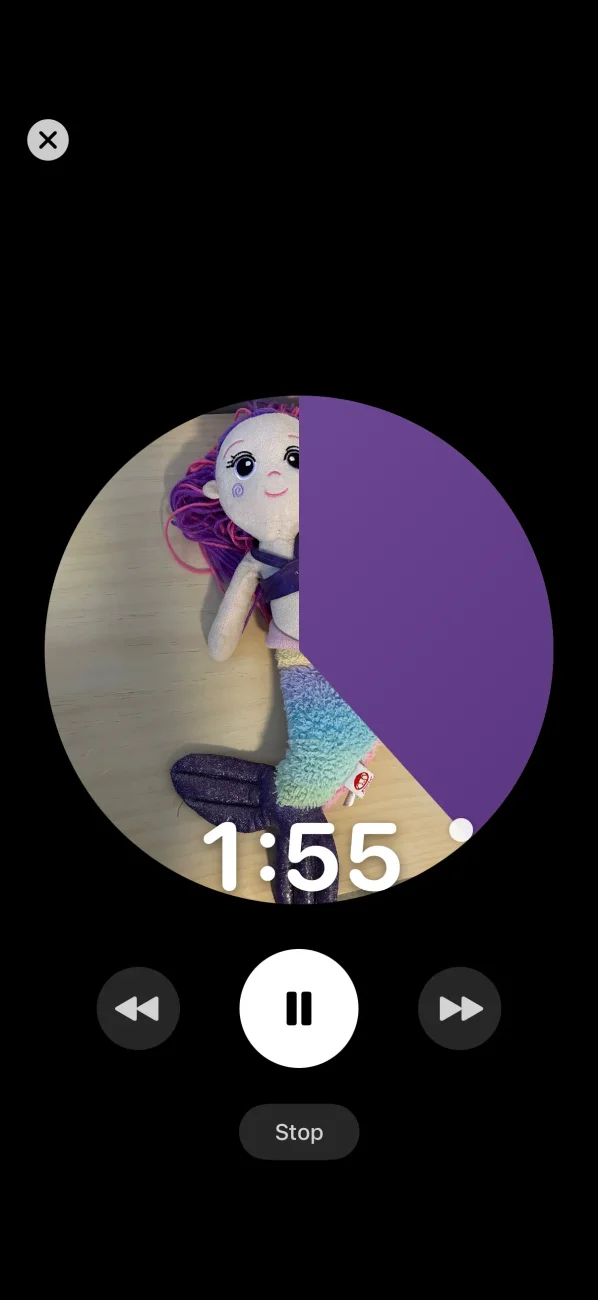
PictoTimer transforms countdown timers into a visual experience. Watch your photos gradually reveal as time passes, making waiting fun and engaging.
PERFECT FOR:
• Kids learning time management
• Focus sessions and productivity
• Cooking and meal prep
• Exercise and workout routines
• Study breaks and pomodoro sessions
• Any activity where you want a visual countdown
KEY FEATURES:
Photo Timers
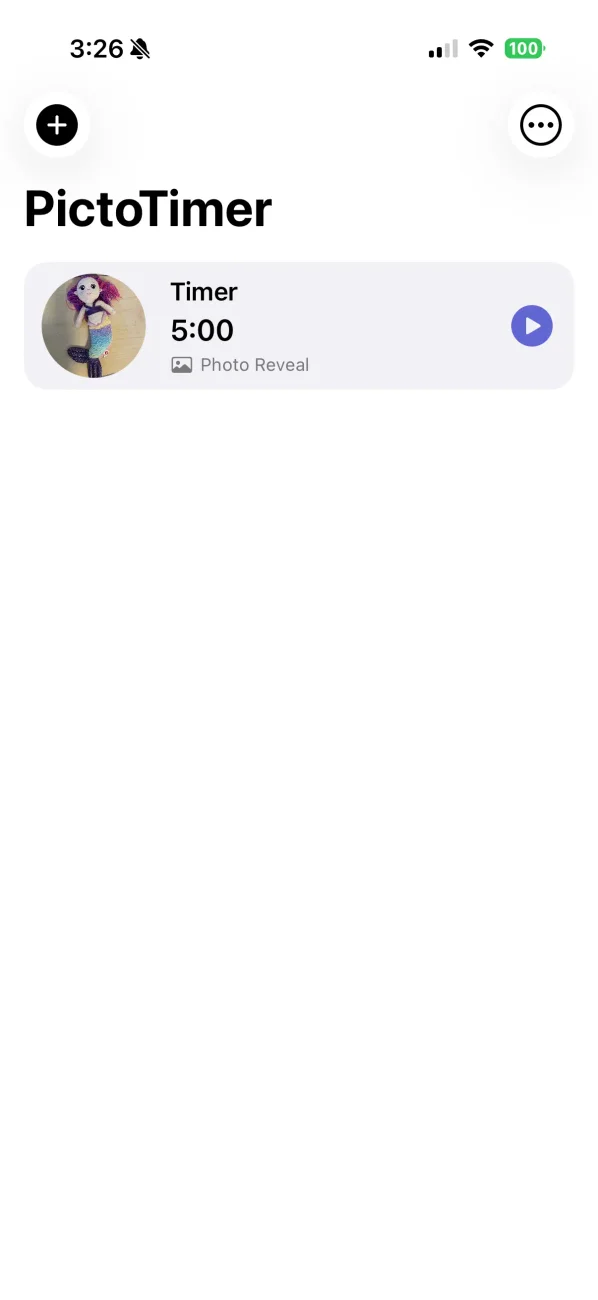
Create personalized countdown timers using photos from your library or take new ones with your camera. Each timer is unique and meaningful to you.
Multiple Reveal Styles
Choose from four beautiful animation styles:
• Photo Reveal - Watch your image gradually appear from top to bottom
• Pixelate - Start with a pixelated image that becomes crystal clear
• Puzzle - Assemble your photo piece by piece
• Clock Face - Traditional clock hands move over your image
Flexible Duration
Set timers from seconds to 24 hours. Perfect for quick tasks or extended activities.
Multiple Timers
Create and save multiple timers for different activities. Organize your day with visual reminders.
End Alerts
Get notified when your timer completes with a clear sound alert.
Live Activities & Widgets
Stay on top of your timers with Live Activities on your Lock Screen and Dynamic Island, plus home screen widgets.
Privacy First
All your photos and timers are stored locally on your device. We don't collect, transmit, or share any of your data.
Perfect for parents, students, professionals, and anyone who wants a more engaging way to track time. Make waiting fun with PictoTimer!
What’s new
Version 1.1.2 · May 29, 2026
PictoTimer now fully supports iPad and landscape mode!
• iPad Support – Runs beautifully on all iPad models with full support for Split View and Slide Over multitasking. The timer list automatically adapts to a card grid layout on larger screens.
• Landscape Mode – Use PictoTimer in landscape on any device. The timer running view intelligently repositions controls for a comfortable landscape experience, with the circular photo reveal placed side-by-side with the timer controls.
• Refined Detail View – The Start Timer button is always visible at the bottom of the screen, with a side-by-side photo and settings layout in landscape.
App privacy
What William Tifft declares on the App Store about how this app handles data.
-
Data not collected
The developer does not collect any data from this app.
Privacy practices may vary, for example with the features you use or your age.
Information
- Seller
- William Tifft
- Category
- Utilities
- Version
- 1.1.2
- Updated
- May 29, 2026
- Released
- Jan 29, 2026
- Size
- 1.6 MB
- Requires
- iOS 17.0 or later
- Age rating
- 4+
- Price
- Free
- Languages
- English
- Copyright
- © 2026 William Tifft
You might also like
-
 Segment ChronoInterval timer: HIIT, cooking
-
 Samir's Awesome TimerUtilities
-
 Time Date ToolsCalculate dates & time zones
-
 TrueLine: One-Line DiagramElectrical Diagram & PDF
-
 Counter: Tally Clicker & StatsCount People, Reps & Habits
-
 CartridgeIDIdentify, Buy, Ship
-
 Lead Wire AmpacitySouthwire Calculator
-
 Clicker Counter & Count ThingsTally Counter & Tap counter
-
 Building Wire Reliability CalcUtilities
-
 INSTRUCT_RERConAACCreate short video trainings