- Age rating4+
- CategoryHealth & Fitness
- DeveloperKevin Tang
- LanguagesEnglish
- Size6.2 MB
Links to the official App Store page
Download.org hosts no file of Pilates Timer. The button opens its official App Store page, published by Kevin Tang. Listing last checked on Nov 15, 2026.
Screenshots


About
Stay focused on your form, not your phone.
Pilates Timer is a simple, elegant interval timer designed specifically for mat Pilates and floor workouts. Run your workouts from Apple Watch with haptic alerts—you'll always know when to transition without breaking your flow.
REQUIRES APPLE WATCH
This app is designed to be used with Apple Watch. Create and manage routines on your iPhone, then run hands-free workouts from your wrist. The Watch app delivers haptic alerts so you can focus entirely on your practice.
KEY FEATURES
• Hands-Free Workouts on Apple Watch
Start workouts directly from your wrist. Large countdown display shows the current exercise name, and haptic taps alert you before each transition—no need to look at any screen.
• Pre-Built Routines
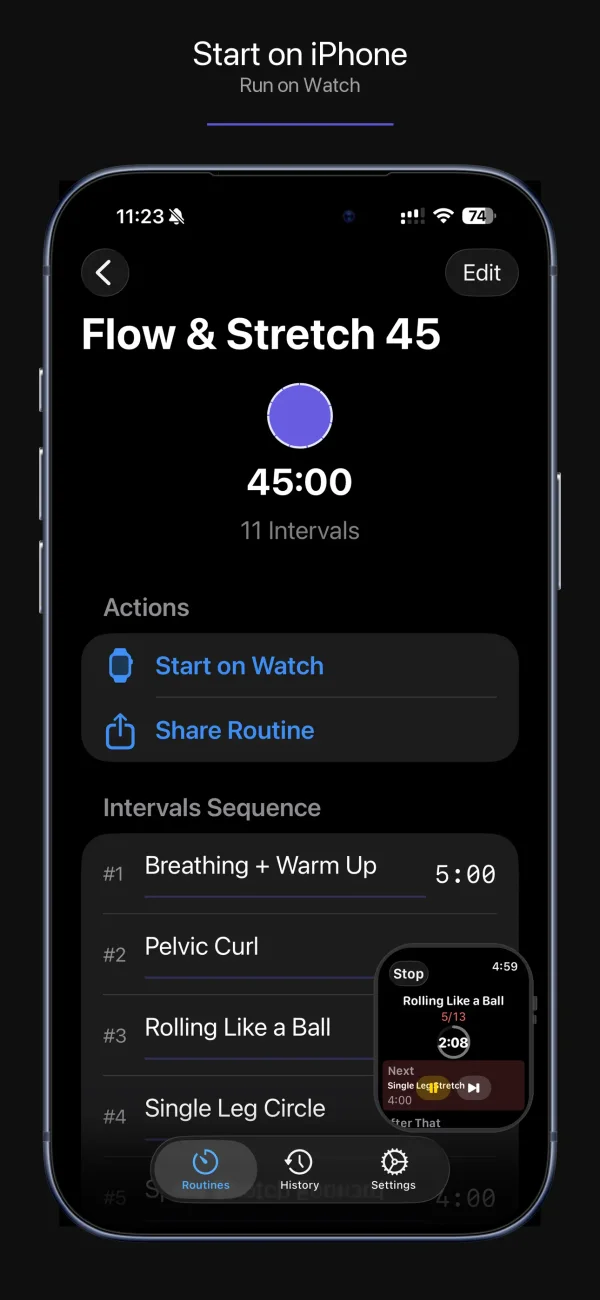
Start immediately with 6 classic Pilates routines: Classical Mat, Reformer-Inspired, Athletic Mat, Flow & Stretch, Core + Mobility, and Power Mat.
• Custom Intervals
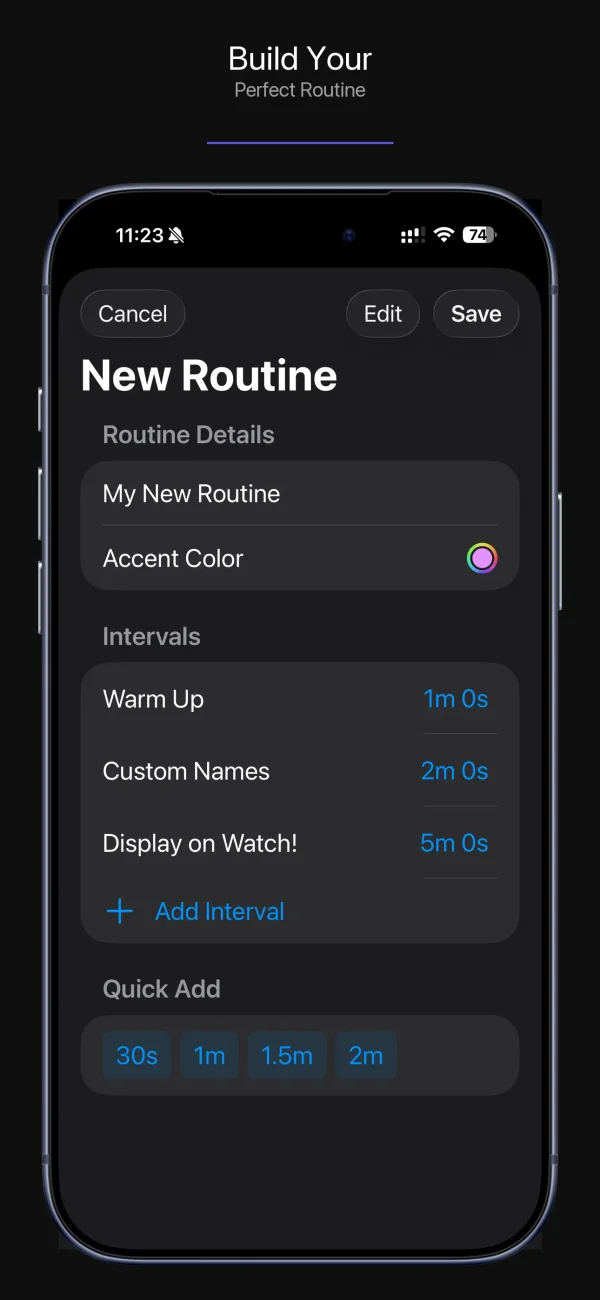
Build your own routines with named intervals. "Pelvic Curl" for 4 minutes, "Rolling Like a Ball" for 3 minutes—you name it.
• 10-Second Haptic Warning
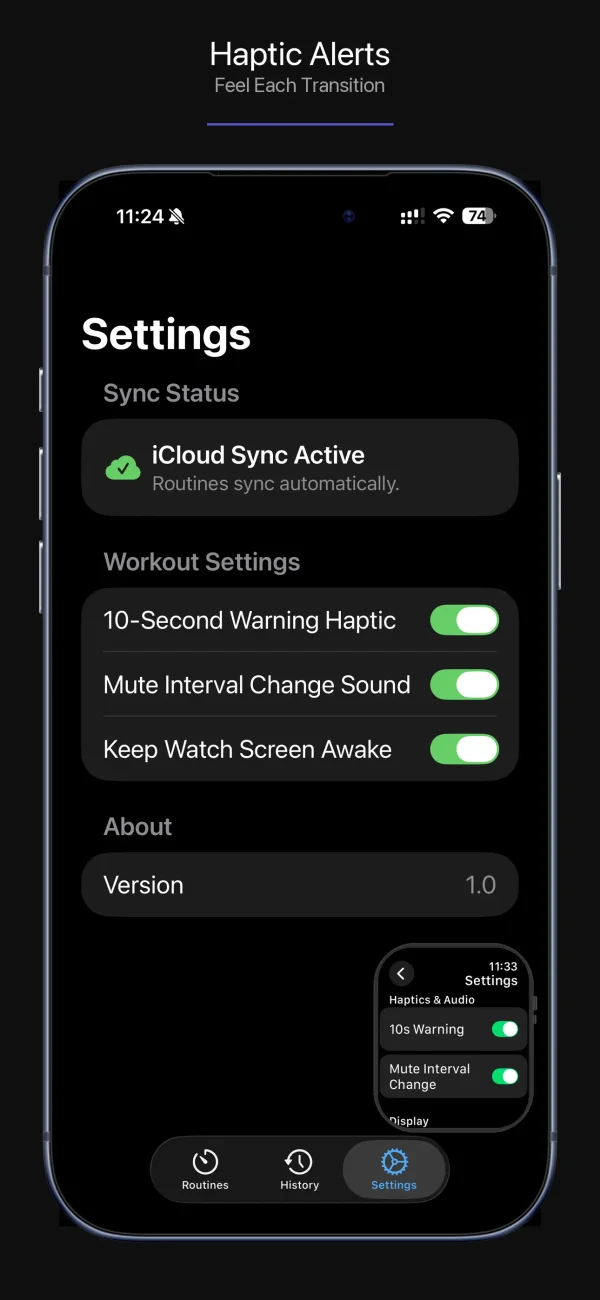
Feel a gentle tap on your wrist before each interval ends. Finish your reps and prepare for the next exercise without watching the clock.
• iCloud Sync
Your routines sync automatically between iPhone and Apple Watch.
• Share Routines
Send your favorite routines to friends, students, or clients via AirDrop, Messages, or any sharing method.
• Workout History
Track completed sessions and see your progress over time.
DESIGNED FOR PILATES
Unlike generic interval timers, Pilates Timer understands your workout. Named intervals mean you see "Single Leg Circle" on your watch—not just a number. The dark interface won't distract during practice, and the screen stays awake so you never miss a cue.
Whether you're a Pilates instructor timing classes or a practitioner flowing through mat sequences at home, Pilates Timer keeps you moving.
What’s new
Version 1.2 · Sep 2, 2026
• Duplicate a routine: press and hold it in the list, or tap Duplicate Routine on its detail screen. You get an editable copy and the original stays as-is.
• Reorder faster: in the routine editor, tap Select to check several intervals, then move them up or down together or delete them in one go.
• New feedback form in Settings so requests can reach the developer directly.
Both new tools came from instructor feedback. Keep it coming!
App privacy
What Kevin Tang declares on the App Store about how this app handles data.
-
Data not collected
The developer does not collect any data from this app.
Privacy practices may vary, for example with the features you use or your age.
Information
- Seller
- Kevin Tang
- Category
- Health & Fitness
- Version
- 1.2
- Updated
- Sep 2, 2026
- Released
- Feb 8, 2026
- Size
- 6.2 MB
- Requires
- iOS 17.6 or later
- Age rating
- 4+
- Price
- $5.99
- Languages
- English
- Copyright
- © 2026 Kevin Tang
You might also like
-
 Reformd - Interval TimerPilates, HIIT, guided timer
-
 Cadence: Pilates Class TimerInterval timer for instructors
-
 TempoFlow | Routine BuilderLagree, Pilates & HIIT Timer
-
 Exercise Timer: Interval TimerHIIT, Tabata, Circuit Training
-
 NetGym AppGroup Fitness Sub Scheduling
-
 Seconds Interval TimerTabata, HIIT, Circuit Training
-
 Intervals Pro: HIIT TimerRunning & Fitness Workouts
-
 Pilates Anytime | WorkoutsMat, Reformer, and Beyond
-
 JETSET PilatesHealth & Fitness
-
 FORM: Strength, Pilates, GymExpert workouts & nutrition