Pilot-Briefer
METAR TAF weather briefing
Designed for iPhone, iPad
Free · In-app purchases
- Age rating4+
- CategoryNavigation
- Developeramenai technologies
- LanguagesEnglish
- Size1.2 MB
Links to the official App Store page
Download.org hosts no file of Pilot-Briefer. The button opens its official App Store page, published by amenai technologies. Listing last checked on Nov 12, 2026.
Screenshots


About
Weather and NOTAMs, read aloud.
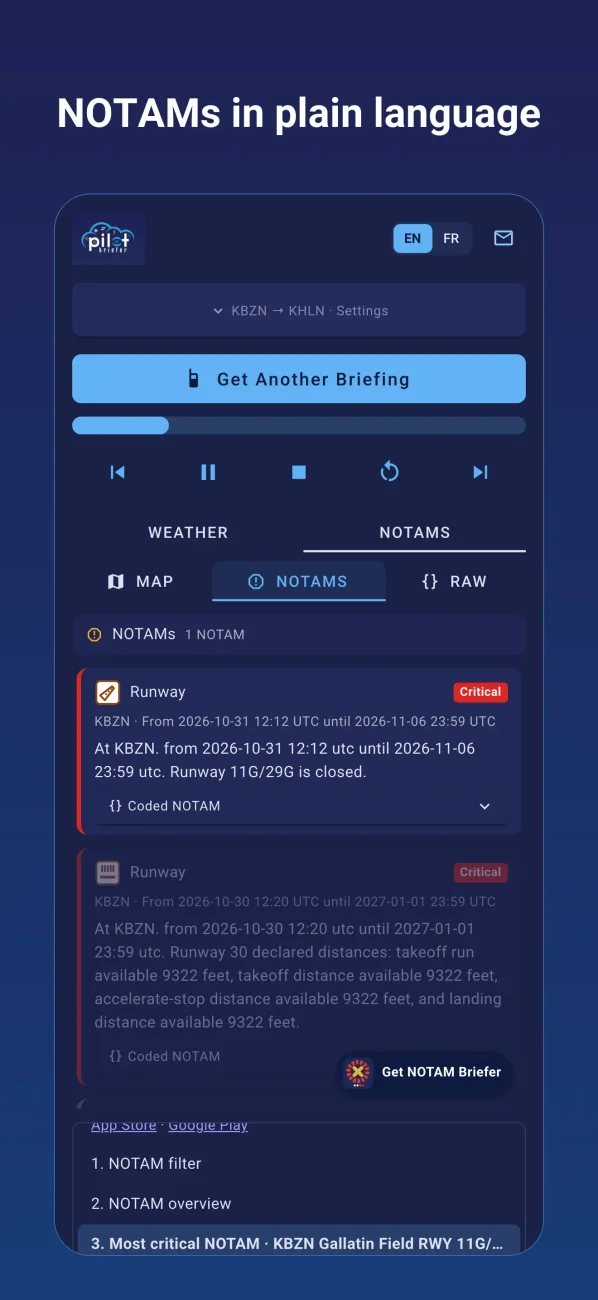
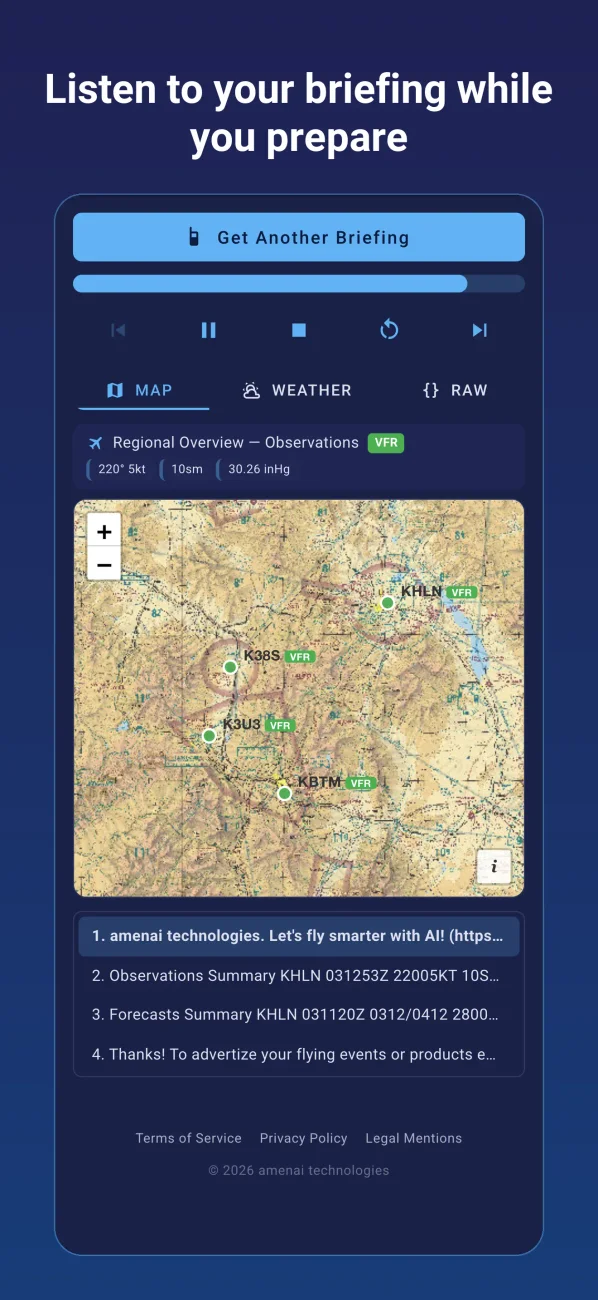
Decoding METAR, TAF and NOTAMs before every flight is slow and error-prone. Pilot Briefer turns them into plain language and reads them aloud, in English or French, with proper aviation terminology. A map follows the audio and shows each airfield and each NOTAM as it is spoken.
Trusted by over 4,000 pilots.
HOW IT WORKS
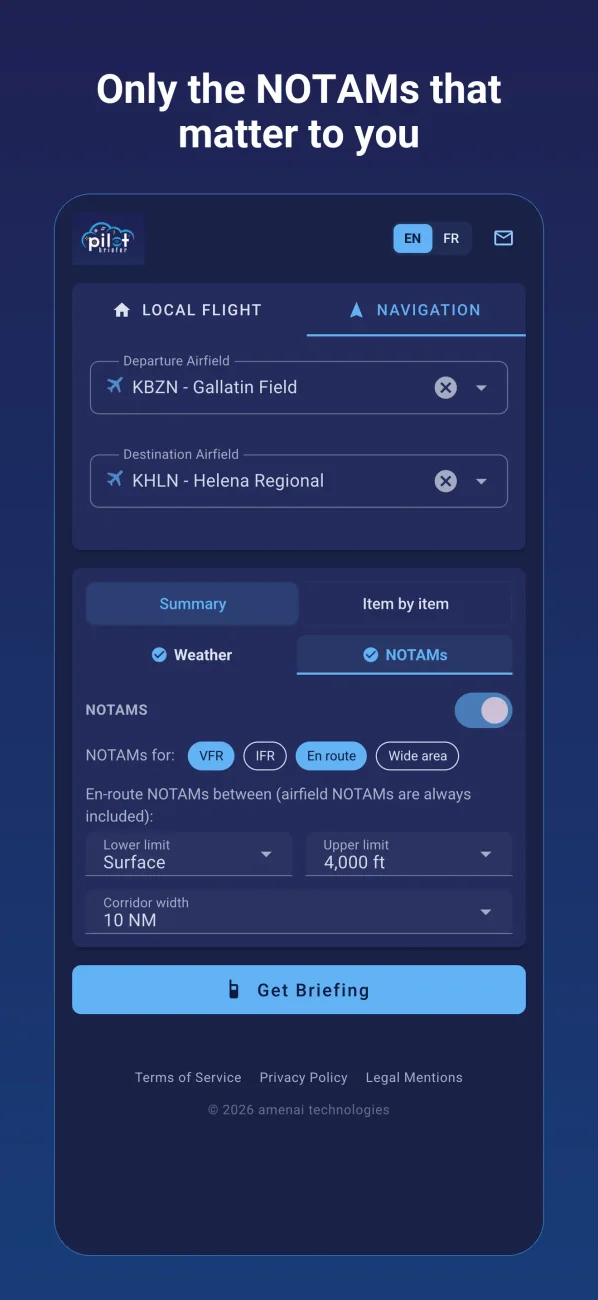
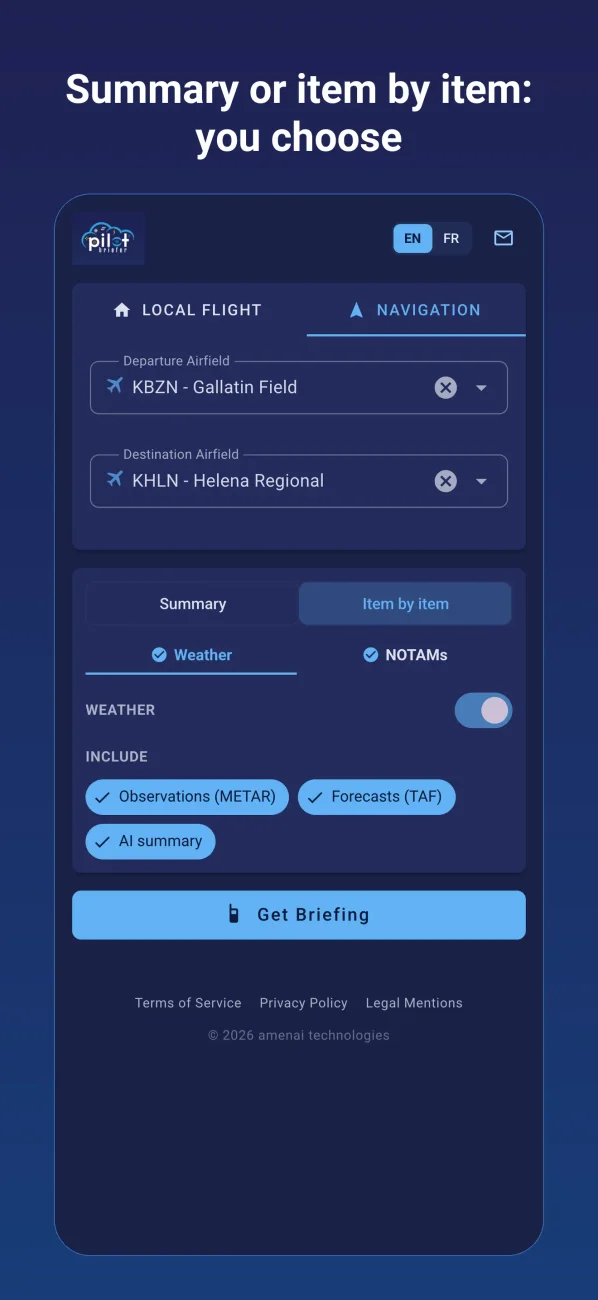
1. Choose Local Flight or Navigation
2. Pick your airfield (or departure and destination), or tap My Position to find the nearest one
3. Choose what you want: Weather, NOTAMs, or both
4. Tap Get Briefing and listen while you walk to the aircraft
NEW: NOTAMS IN YOUR BRIEFING
- NOTAMs for your airfield, or for your route from departure to destination
- Read aloud in plain language, after the weather or on their own
- Every NOTAM on the map with its own icon and, for an area, its outline
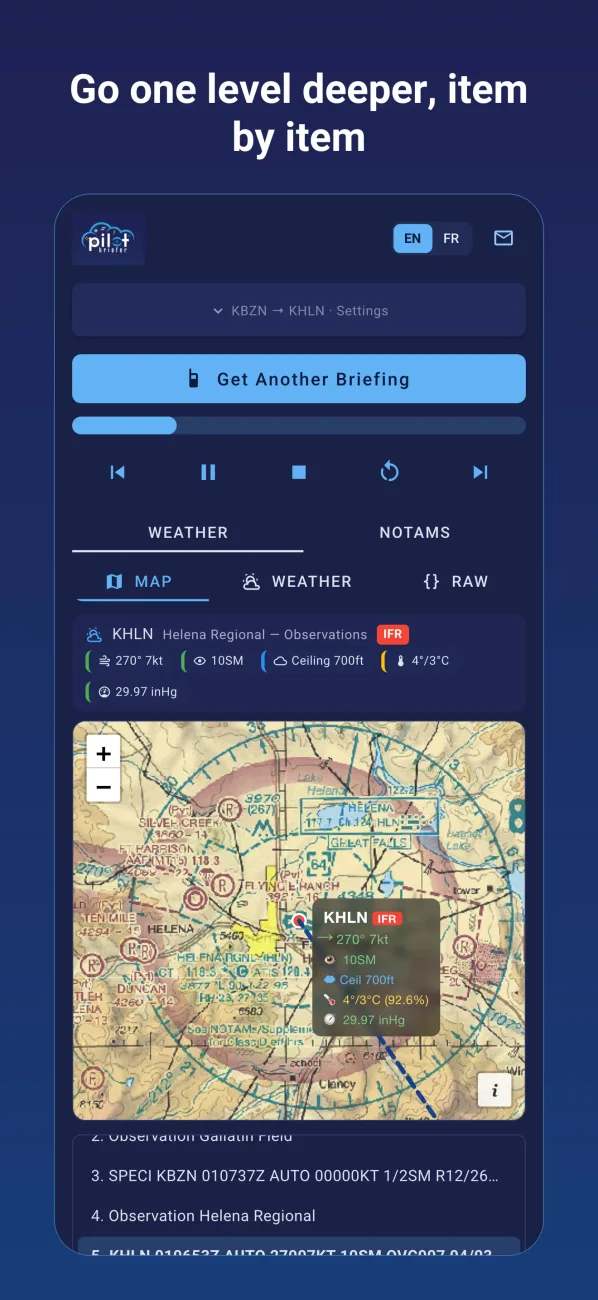
- The map shows the NOTAM being spoken and opens its card: altitudes, radius, schedule, validity, full text
- Choose what matters to you: VFR, IFR, en route, wide area
- Set the altitude band and the corridor width along your route
- The coded NOTAM is always one tap away
WEATHER, THE WAY YOU WANT IT
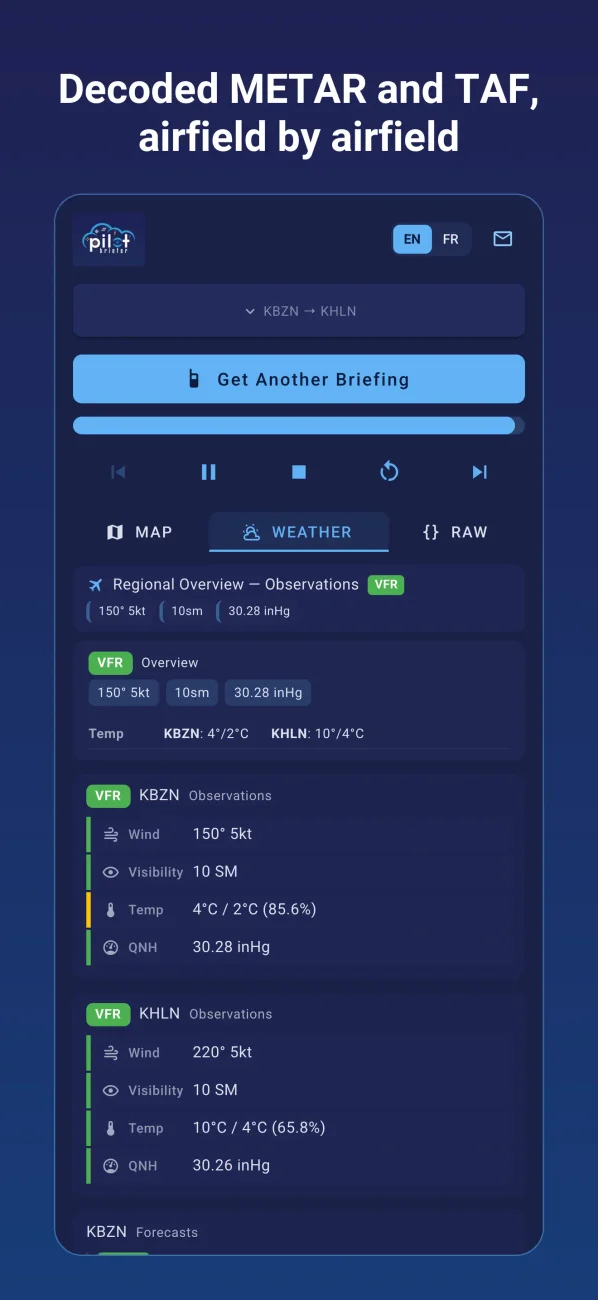
- Animated VFR charts, colour-coded by flight category (VFR, MVFR, IFR, LIFR)
- Animated wind, ceiling and visibility, in sync with the audio
- TAF forecast clock: see how conditions change across the forecast period
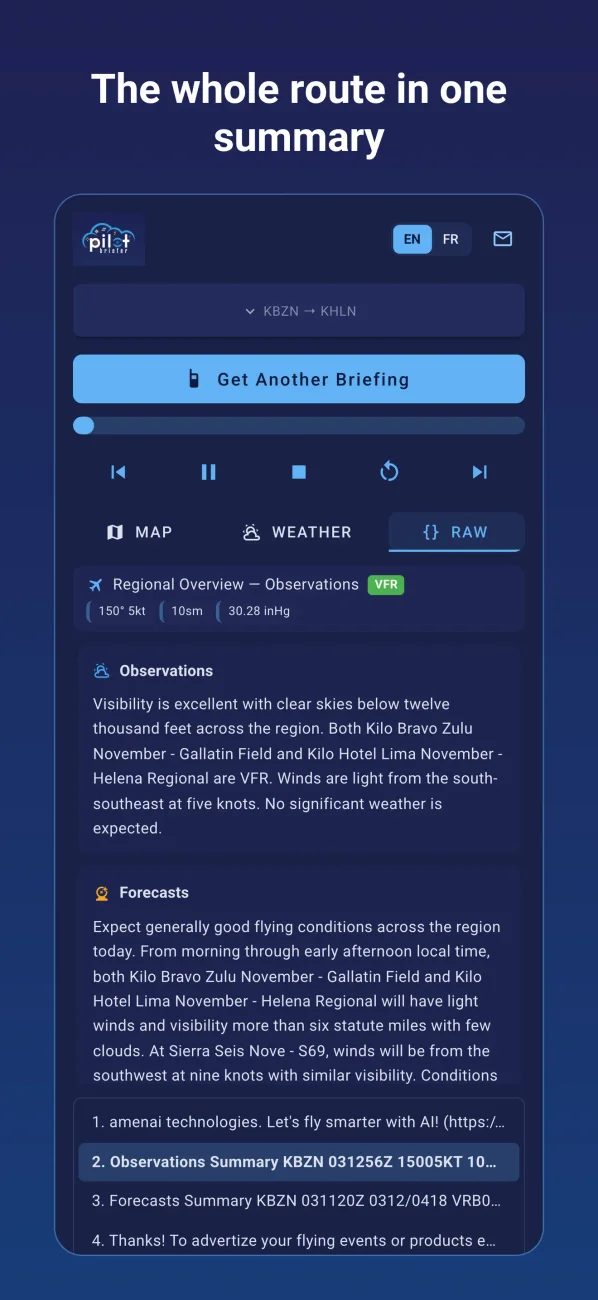
- Weather cards: a clear summary of each airfield
- Stale METARs and expired TAFs are flagged or left out, so you know how fresh the data is
SUMMARY OR ITEM BY ITEM
- Summary: one briefing for the whole route or area
- Item by item: each airfield and each NOTAM in turn, on the map, in the text and in the audio
NO COMPROMISE ON ACCURACY
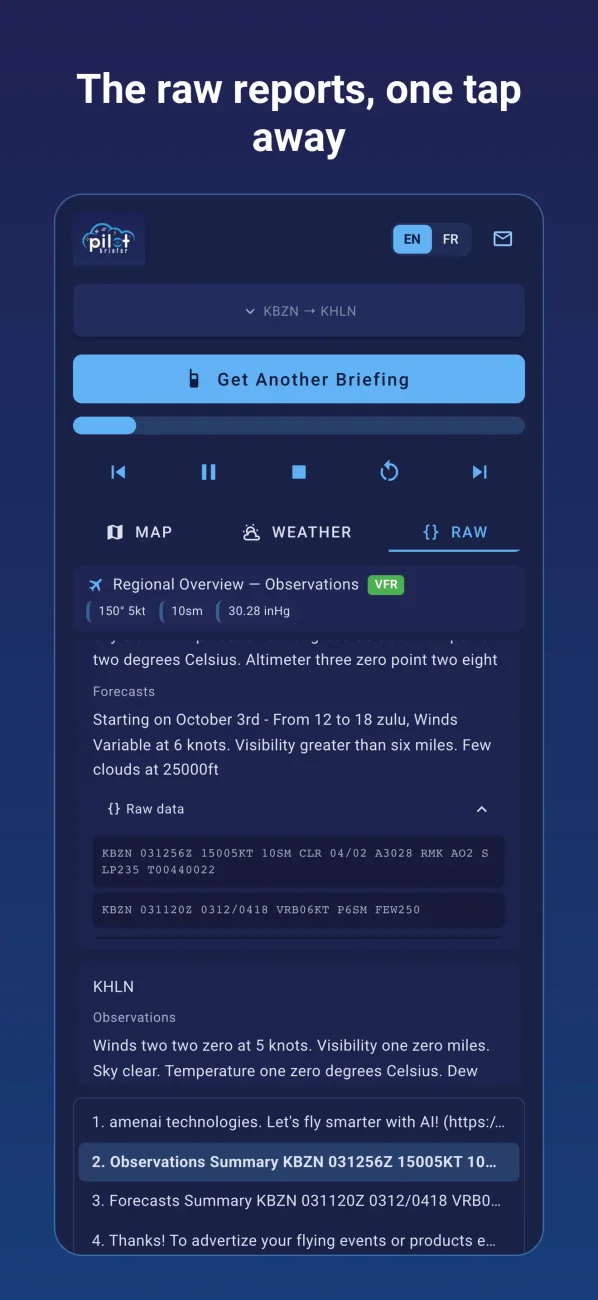
Every interpretation comes with the original coded report. Tap the Raw tab to read the METAR, TAF or NOTAM it was made from.
WHY PILOTS USE IT
- Spoken briefings: listen instead of reading
- Bilingual English and French, with proper phraseology (QNH in hPa, feet, Zulu time)
- Your route drawn on the map, from departure to destination
- Nearest airfield from your GPS position
- Keeps playing when the screen locks, with lock-screen controls
- Thousands of airports, heliports and microlight fields, including French ULM strips
- On iPhone and iPad
PERFECT FOR
- VFR pilots planning a local flight or a cross-country
- Flight instructors walking students through the weather and NOTAMs
- Student pilots learning to read METAR, TAF and NOTAMs
- Microlight, glider and ULM pilots who need a fast briefing on the field
IMPORTANT
Pilot Briefer is a decision-support tool. It does NOT replace the official pre-flight briefing from your national aeronautical information service. Always check the weather and every NOTAM in full in official sources before flight.
Terms of Use (EULA): https://www.apple.com/legal/internet-services/itunes/dev/stdeula/
What’s new
Version 3.6 · Nov 1, 2026
New: NOTAMs in your briefing.
- NOTAMs for your airfield or your route, read aloud after the weather or on their own.
- Every NOTAM on the map with its icon. The map follows the NOTAM being spoken and opens its card.
- Choose VFR, IFR, en route or wide area NOTAMs, the altitude band and the corridor width.
- Weather and NOTAM tabs above the map: tap one to play it.
- New settings: Summary or Item by item, for the whole briefing.
- Fixes and improvements.
App privacy
What amenai technologies declares on the App Store about how this app handles data.
-
Data not linked to you
May be collected but is not linked to your identity.
- Location
- Search history
- Identifiers
- Usage data
Privacy practices may vary, for example with the features you use or your age.
Information
- Seller
- amenai technologies
- Category
- Navigation
- Version
- 3.6
- Updated
- Nov 1, 2026
- Released
- Feb 19, 2024
- Size
- 1.2 MB
- Requires
- iOS 16.0 or later
- Age rating
- 4+
- Price
- Free
- In-app purchases
- Yes
- Languages
- English
- Copyright
- © amenai technologies