- Age rating4+
- CategoryNavigation
- DeveloperFlight Service SIA
- LanguagesEnglish
- Size56.5 MB
Links to the official App Store page
Download.org hosts no file of PilotDeck. The button opens its official App Store page, published by Flight Service SIA. Listing last checked on Nov 23, 2026.
Screenshots



About
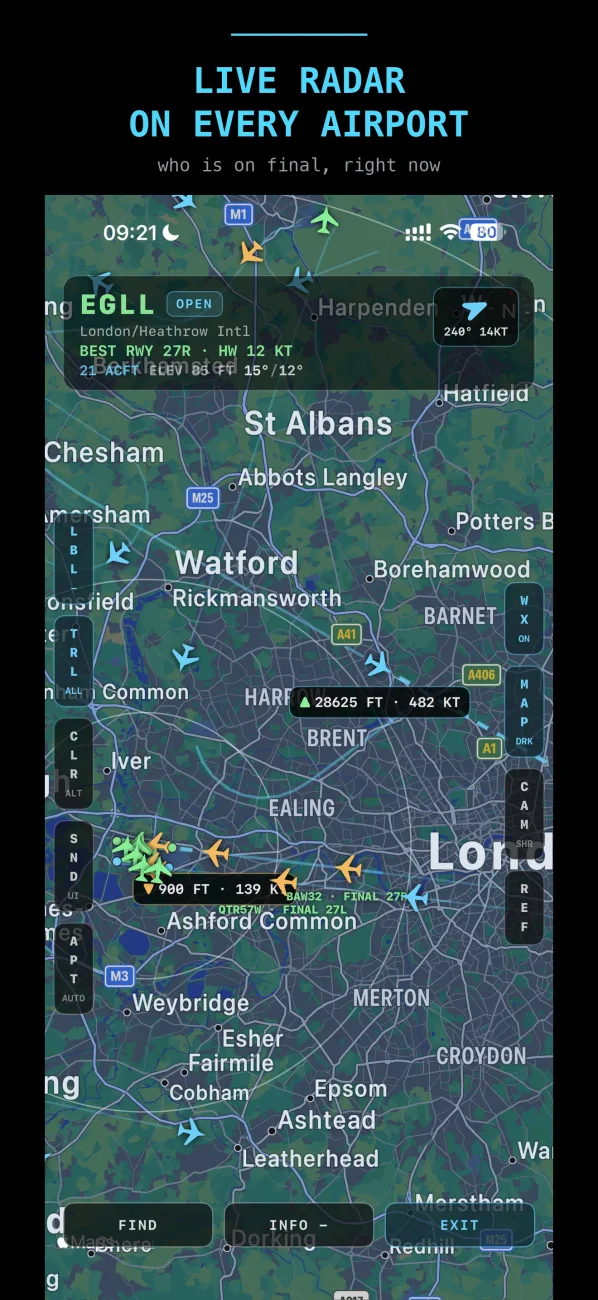
PilotDeck puts real aeronautical weather in your pocket — decoded METAR and TAF, live NOTAMs, SIGMET on the map, aviation news and a full route briefing for any ICAO airport in the world. Built by a pilot, for pilots, in a clean flight-deck (FMS) style.
WEATHER — FREE, FOREVER
• Live METAR and TAF, decoded into plain language
• Hour-by-hour forecast: temperature, wind, gusts, precipitation, pressure; 7-day outlook
• Weather at your exact position: a minute-by-minute rain nowcast and a 12-hour trend
• Unlimited airports on your watchlist, everything cached for offline reading
SMART PUSH ALERTS — THE FEATURE PILOTDECK WAS BUILT ON
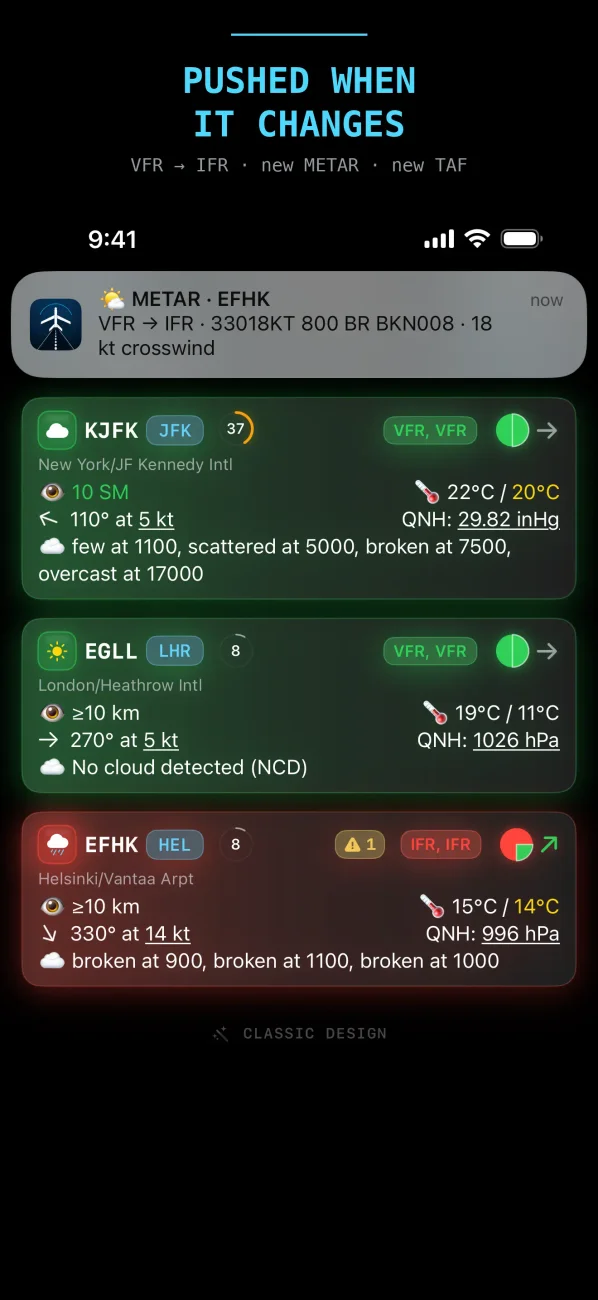
Follow an airport and PilotDeck watches it for you. The moment a new METAR or TAF is issued — a wind shift, a drop to IFR — a push reaches you, even with the app closed.
ROUTE BRIEFING — YOUR WHOLE FLIGHT ON ONE SCREEN
One tap builds a departure–destination–alternate brief, judged at your ETD and ETA:
• A plain-English verdict: GOOD TO GO / CAUTION / NOT RECOMMENDED
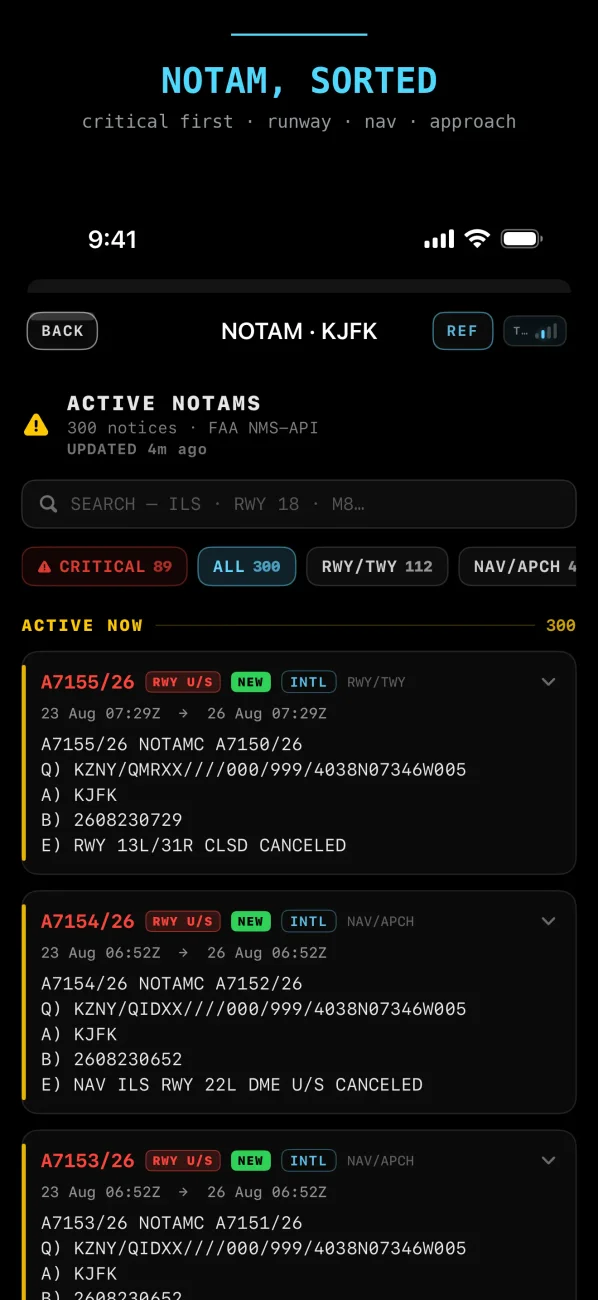
• NOTAMs sorted honestly: red only for what can stop you — runway or approach closed, minima raised, RVR out
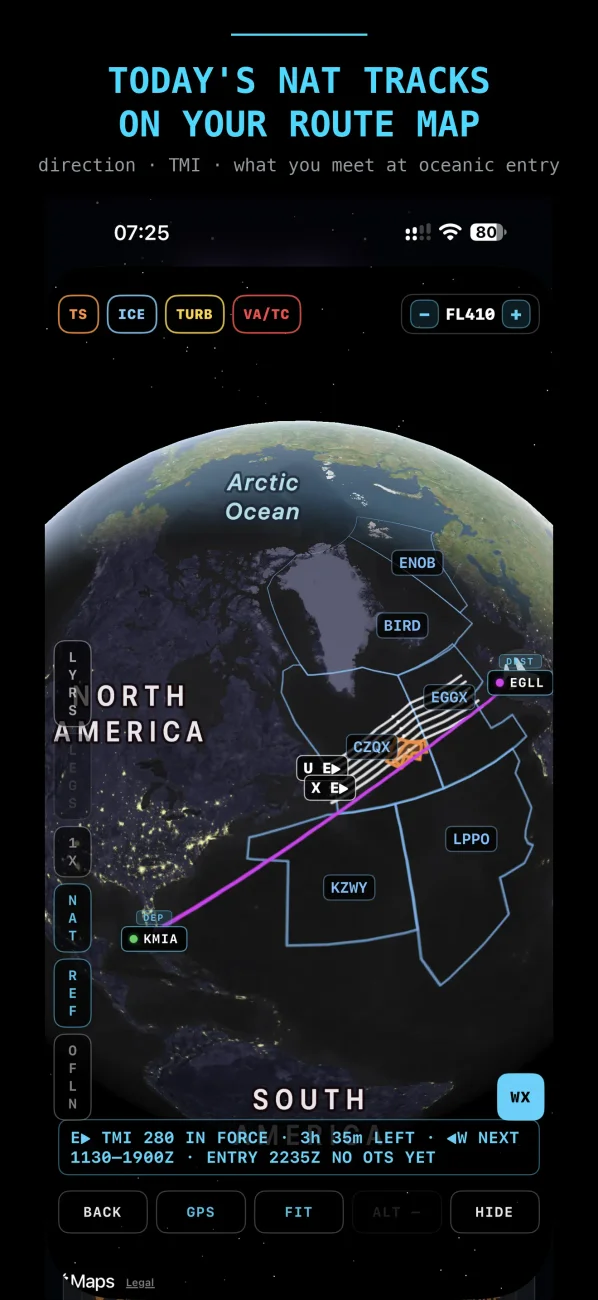
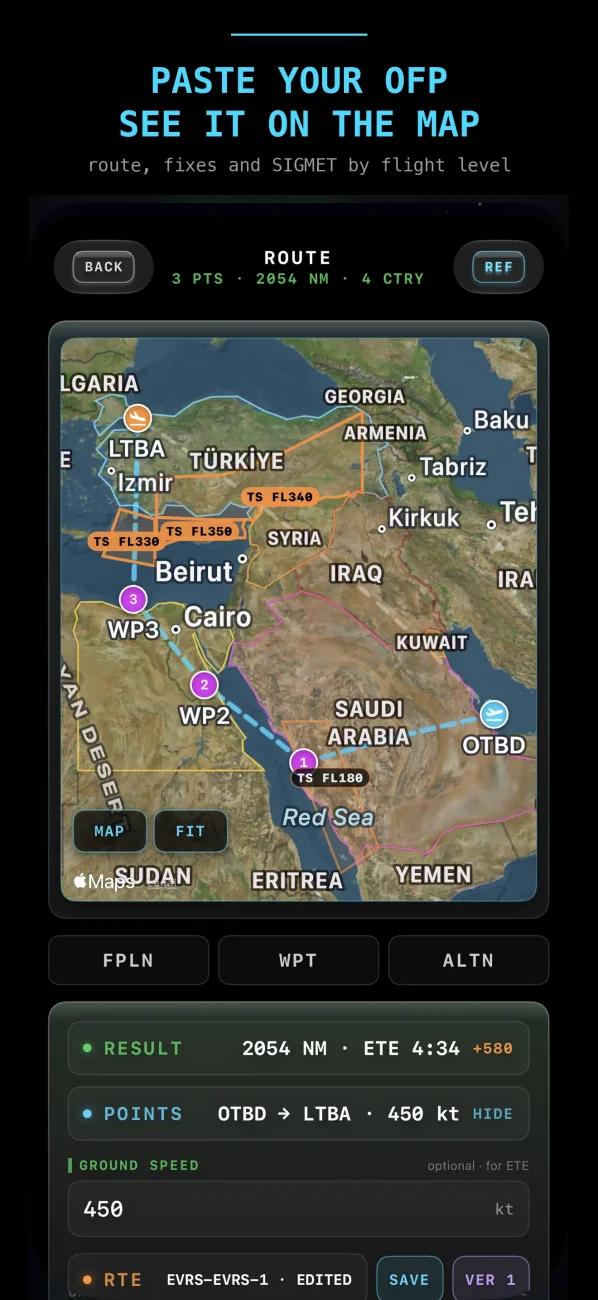
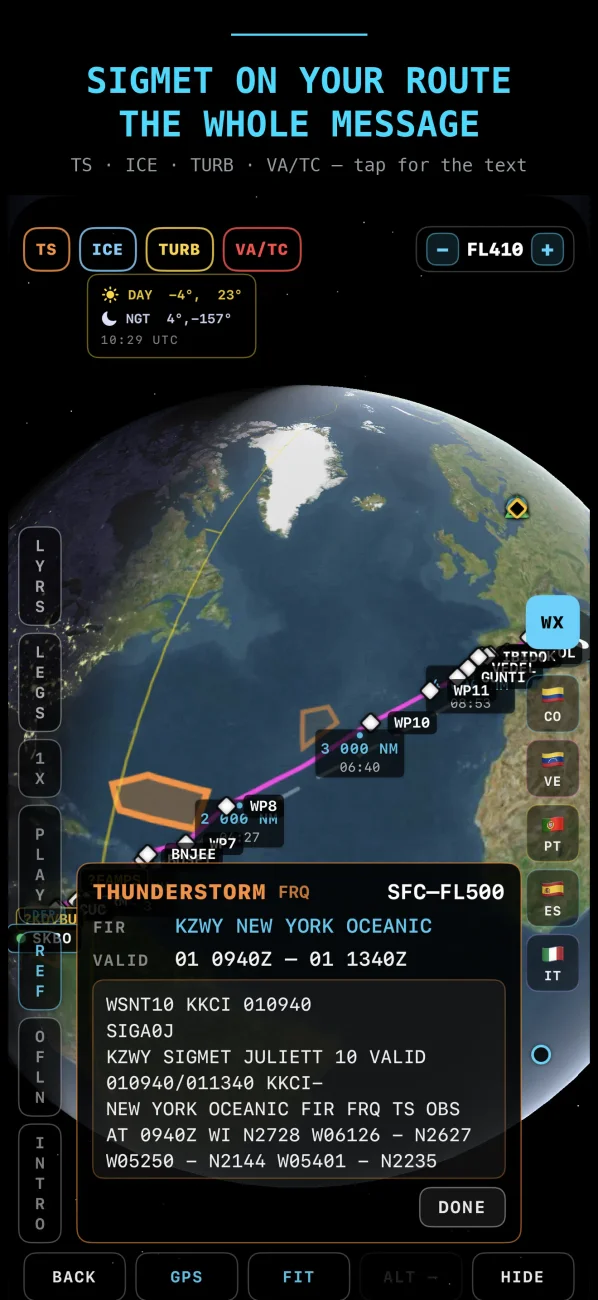
• SIGMET along your track, drawn on the map and sorted against your cruising level
• Wind on the real runway layout: best threshold, crosswind and tailwind for every runway end
• TAF timeline with LVTO, LVP and below-minima tags; take-off alternate when you may depart but could not land back
• Countries overflown with entry times; re-route around any airspace in a few taps
• The whole briefing as a PDF to share or keep with the flight's documents
Flight tracks are recorded in the background and can be merged and shared.
AVIATION NEWS
Twelve trusted sources in one feed, categorised, with alerts for incidents and regulation changes. Bookmark to read offline.
HOME SCREEN WIDGETS
Live airport weather with a colour-coded wind compass, your Daily Check streak and the latest news.
DAILY CHECK — A PRE-FLIGHT FOR YOUR BRAIN
A two-minute cognitive pre-flight measures reaction, memory and decision-making and gives you a FIT index for today, with an IMSAFE self-check and a 30-day trend.
REFERENCE IN SIX ICAO LANGUAGES
Every screen has a REF key: an illustrated explanation in English, Arabic, Chinese, French, Russian and Spanish.
TRAINING AND TOOLS
• Holding Entry, Scan & Catch, Crosswind Crunch, Needle Chase — games that train real skills, with a scientific debrief
• Aviation quizzes with detailed explanations
• Flight-planning tools: wind and drift, top of descent, crosswind, fuel, density altitude and more
PRICING — HOW IT WORKS
PilotDeck is built for pilots, by pilots. Everything a pilot needs for a flight — weather, NOTAM, SIGMET, briefing and PDF, routes, alternates, tracks, news — is free and stays free. No operational feature is locked behind a paywall.
What is paid is the training side: PilotDeck PRO unlocks unlimited games, the full quiz banks and the Daily Check history. That is what keeps the team going — the servers, and the data that is only sold, not given away. A number of professional feeds would make the app noticeably better: full ADS-B traffic for the flight-radar layer (today it runs on free feeds, so aircraft and flight details are incomplete), richer NOTAM and airport data, wider weather coverage and faster updates. Each is a paid subscription on our side, and every PRO plan brings them closer.
PilotDeck PRO: Monthly €4.99 · Annual €39.99 (best value). Both start with a 7-day free trial.
Payment is charged to your Apple ID at confirmation of purchase. The subscription renews automatically unless turned off at least 24 hours before the current period ends; your account is charged within 24 hours prior to the end of that period. Manage or cancel in your App Store account settings. Any unused portion of a free trial is forfeited on purchase.
Terms of Use (EULA): https://www.apple.com/legal/internet-services/itunes/dev/stdeula/
In partnership with DataFly Systems LLC.
PilotDeck — making nothing happen. Fly boring.
What’s new
Version 4.8 · Nov 21, 2026
PilotDeck 4.8 brings digital ATIS. For now it covers the United States: the FAA D-ATIS as text for about 75 major US airports. Other regions will follow.
Also new: a simpler way to start a flight from your OFP, and alternates picked on the map. Every pilot feature stays free, always.
D-ATIS - US AIRPORTS
- Letter, time and age, and the full text
- On the station screen, in the aerodrome card on the flight map, in the briefing and in its PDF
- Unofficial source - confirm on frequency
NEW FLIGHT FROM YOUR OFP
- RTE opens NEW FLIGHT: FROM OFP or BY HAND. SCAN opens the camera, PDF opens the file - the whole flight is filled in seconds
- The import report is clearer: one green ACCEPT, and BACK no longer loses a read OFP by accident
- A file that is not an OFP now says so: OFP NOT RECOGNISED, with what was read and a key to pick another
- A reference page for the new screen in six languages
PERF - REDRAWN
- Block fuel as a bar of its parts, every weight as a bar toward its limit
- The step climbs as a level profile over the fixes
- Trip fuel by level as bars, the planned level in green
ALTERNATES
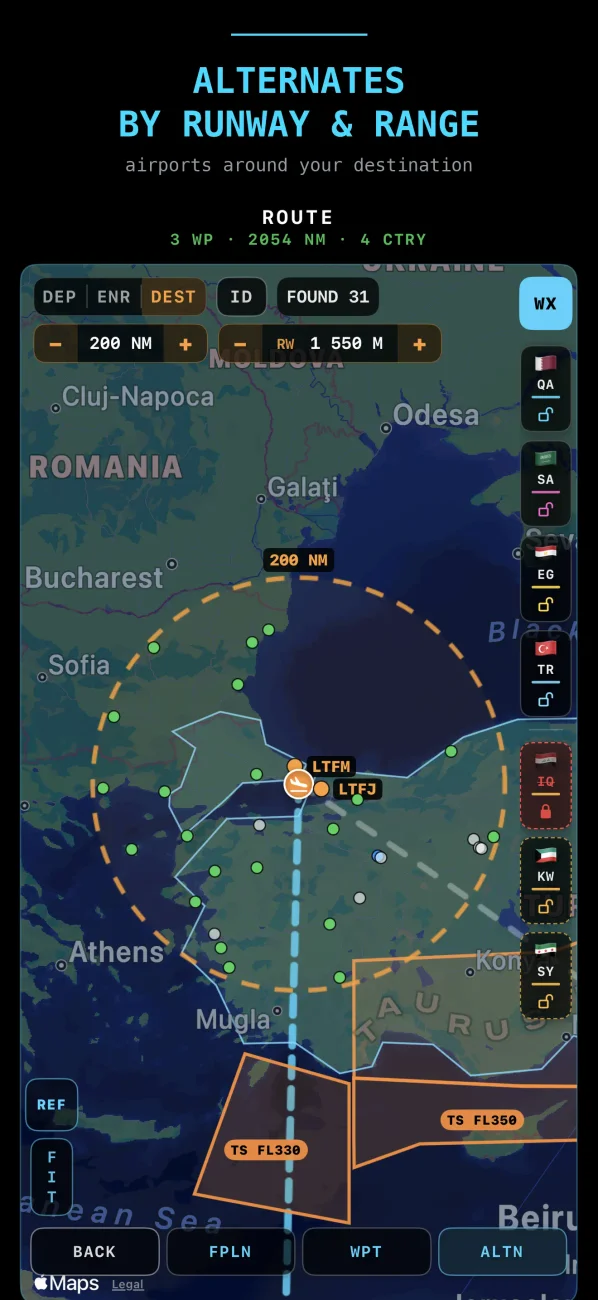
- FIND opens the map with the aerodromes as dots: corridor, runway filter, codes that appear as you zoom in
- A new aerodrome card: weather category, forecast at your time, runway, distance from the route, one key to add
- LIST gives the same candidates as a list, redesigned
- En-route alternates now stand in the order you fly past them, on every screen
BRIEFING PDF
- Everything from the OFP is printed: flight and registration, fuel, weights against limits, cruise, step climbs, the table by level
- NAT HLA and OCEANIC section: oceanic areas with entry and exit, the OTS against your plan, the tracks, the checklist
ALSO
- The two key rows on the flight card are lower - more flights fit on the screen
- Fixed: after a few weeks without the app the stations could show old weather for days. They now update at once
- Vref and Vapp are removed from flight setup - PilotDeck is for planning, not for approach speeds
App privacy
What Flight Service SIA declares on the App Store about how this app handles data.
-
Data not linked to you
May be collected but is not linked to your identity.
- Identifiers
Privacy practices may vary, for example with the features you use or your age.
Information
- Seller
- Flight Service SIA
- Category
- Navigation
- Version
- 4.8
- Updated
- Nov 21, 2026
- Released
- Jul 20, 2026
- Size
- 56.5 MB
- Requires
- iOS 18.0 or later
- Age rating
- 4+
- Price
- Free
- In-app purchases
- Yes
- Languages
- English
- Copyright
- © 2026 Flight Service SIA
You might also like
-
 Aviation GPSMoving map GPS for pilots
-
 FlyCharts - Sim Flight PlannerFlight planner for simulator
-
 Flight Navigation for PilotsGPS Air Navigation
-
 EF1 E6B Flight ComputerE6B Calculator & C/X Planner
-
 Air Navigation - VFR & IFRMaps, Charts, Weather, Terrain
-
 FlyTrack-Live Flight Tracking3D Airplane Map, Cockpit View
-
 AirmateFlight planning/weather
-
 Tailvision by ADS-B ExchangeIdentify Any Aircraft Overhead
-
 Navigraph ChartsNavigation
-
 FltPlan Go for iPhoneNavigation