PineScreen: Push Up Blocker
Block Apps, Earn Screen Time.
Designed for iPhone, iPad
Free
- Age rating17+
- CategoryHealth & Fitness
- DeveloperXiamen Kuaile Xiaotian Intelligence Technology Co., Ltd.
- LanguagesEnglish+ 2 more
- Size16.0 MB
Links to the official App Store page
Download.org hosts no file of PineScreen: Push Up Blocker. The button opens its official App Store page, published by Xiamen Kuaile Xiaotian Intelligence Technology Co., Ltd. Listing last checked on Nov 23, 2026.
Screenshots

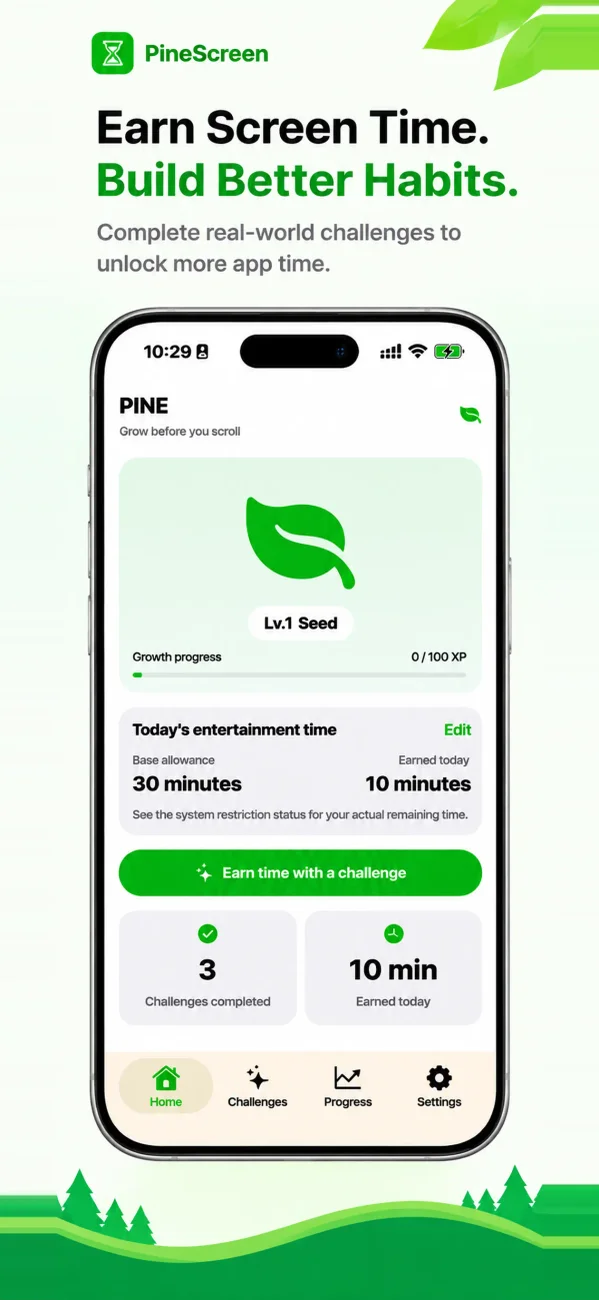
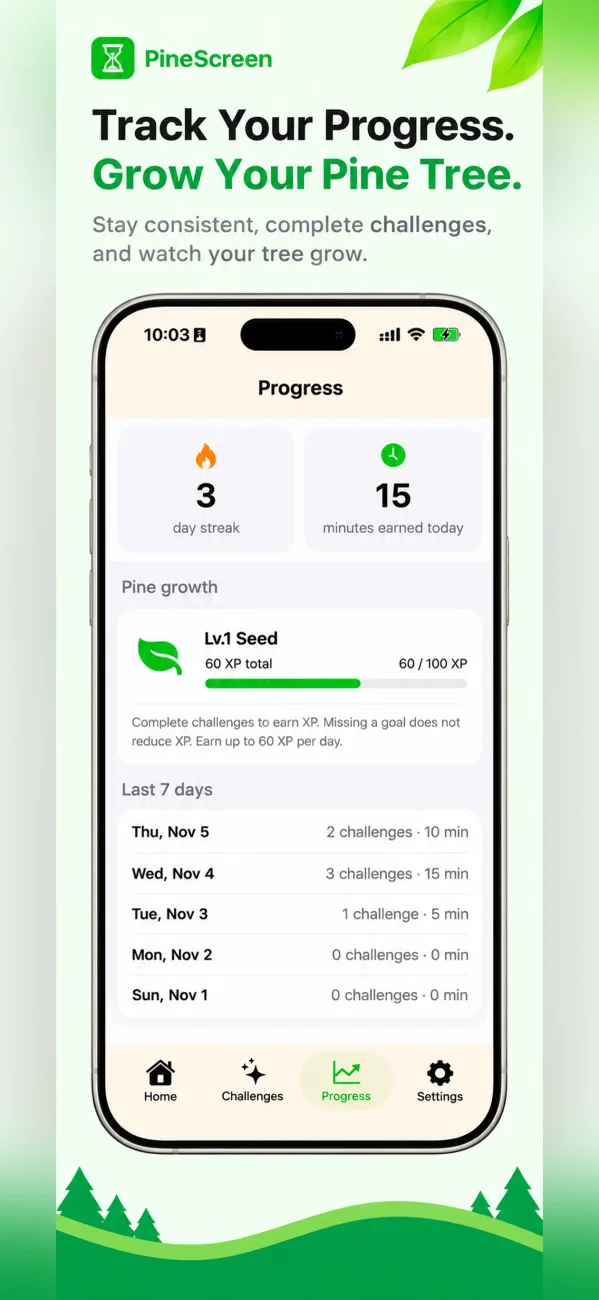
About
PineScreen — Less Scrolling. More Living.
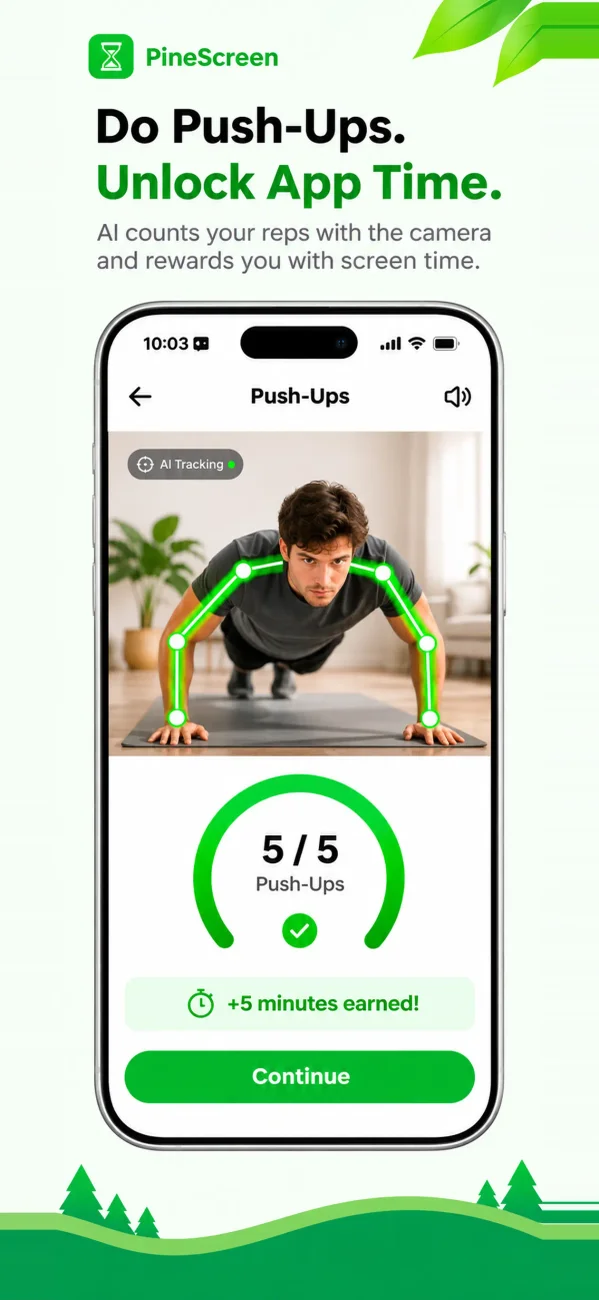
Do Push-Ups. Complete Challenges. Earn Screen Time. Reduce Your Screen Time One Minute at a Time.
Ever opened TikTok, Instagram, or YouTube for just five minutes, only to realize an hour has passed?
Struggling to put your phone down before bed? Getting distracted while studying or working?
PineScreen helps you take back control of your phone and build healthier digital habits.
Unlike traditional app blockers, PineScreen doesn't just limit distracting apps. It motivates you to take action through fitness, learning, and daily challenges to earn extra screen time.
With custom blocking schedules, ready-to-use focus presets, and a gradual screen time reduction plan, building better habits becomes easier.
KEY FEATURES
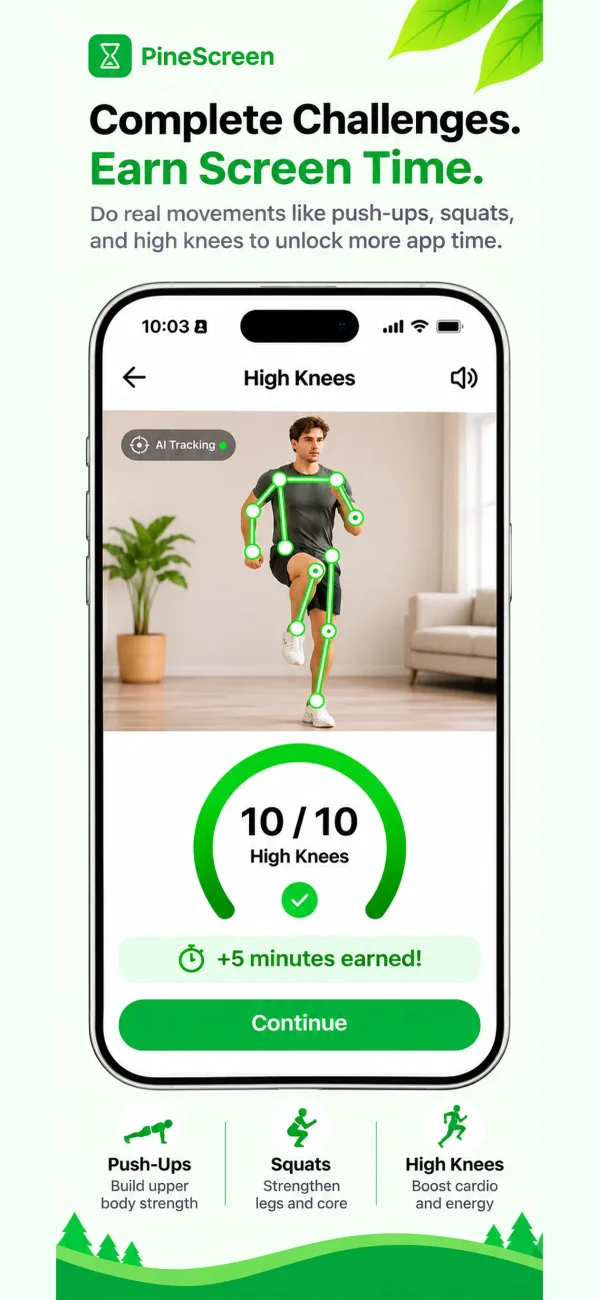
1. Fitness Challenges — Move to Unlock
Want more time on your favorite apps? Get moving first!
Push-up challenges
Squat challenges
High-knee challenges
Camera-assisted exercise counting
Earn extra screen time by completing challenges
Turn the urge to scroll into motivation to move.
2. One Minute Less Every Day — Small Steps, Big Changes
Want to reduce your screen time but find it hard to stick to strict limits?
Try the One Minute Less Every Day plan.
Start with your current screen time allowance
Gradually reduce your daily limit by one minute
Avoid sudden, overwhelming restrictions
Build sustainable habits through small daily changes
Just one minute less each day can help you build a more intentional digital routine.
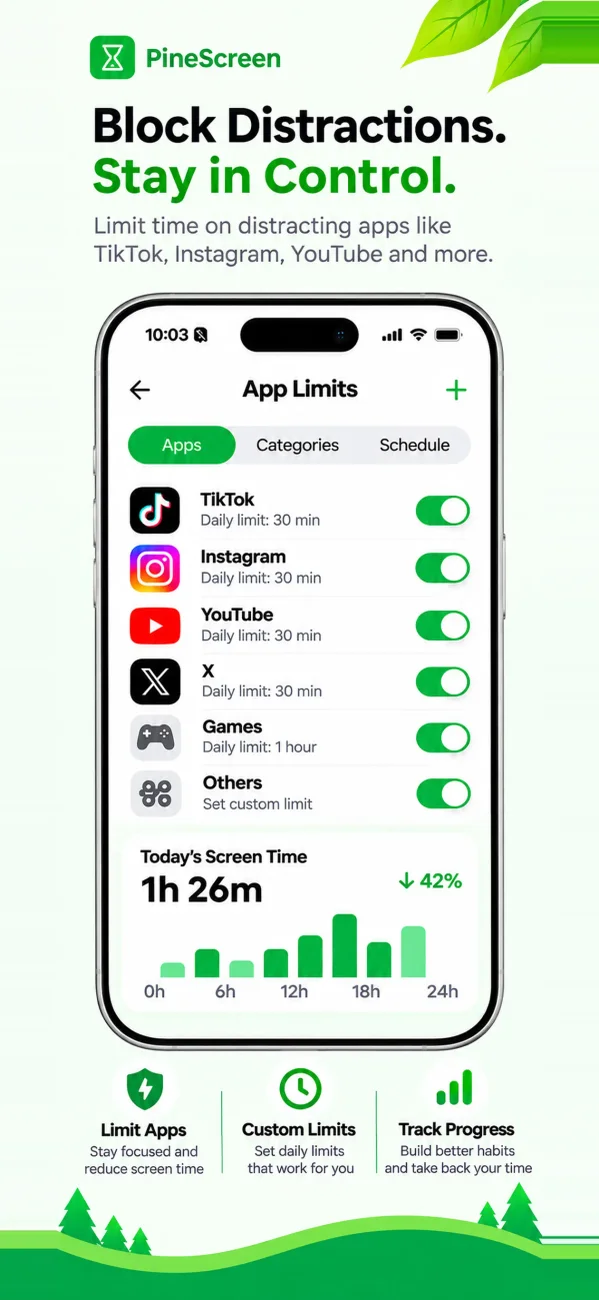
3. Screen Time Control — Your Time, Your Rules
Choose apps you want to limit
Set your daily base screen time
Earn extra minutes by completing challenges
Set a maximum daily screen time limit
Build healthier phone habits
You don't have to quit your favorite apps. Just learn to use them more intentionally.
4. Custom Blocking Schedules — Focus When It Matters
Set custom start and end times
Choose which apps to restrict
Schedule restrictions around your daily routine
Reduce distractions during important moments
Whether you're studying, working, or resting, PineScreen helps you stay in control.
5. Bedtime, Study & Work Presets — Focus Made Simple
Bedtime Mode: Reduce late-night scrolling and build better nighttime routines
Study Mode: Block distracting apps and stay focused on learning
Work Mode: Minimize interruptions and make time for important tasks
Get started quickly without setting everything up from scratch.
6. Learning Challenges — Learn to Earn
Not in the mood for exercise? Challenge your mind instead.
English vocabulary exercises
Fill-in-the-blank challenges
Quick knowledge quizzes
Daily learning tasks
Turn small moments into opportunities to learn.
7. Daily Challenges — Build Better Habits
Complete small daily goals and develop a routine that works for you.
Whether it's exercise, learning, or staying focused, every completed challenge is another step toward better habits.
8. Grow Your Pine Tree — Watch Your Progress
Your self-discipline journey is also your pine tree's growth journey.
Start with a tiny seedling and watch it grow as you complete challenges and stay consistent.
Every small action helps you grow.
WHO IS PINESCREEN FOR?
PineScreen is great for anyone who wants to:
Reduce TikTok, Instagram, YouTube, and social media scrolling
Gradually cut down daily phone usage
Stop scrolling before bedtime
Stay focused while studying or working
Build fitness habits through push-ups and squats
Improve productivity and self-discipline
Develop healthier digital habits
ONE MINUTE LESS. ONE STEP FORWARD.
Building self-discipline doesn't have to happen overnight.
Scroll one minute less today. Complete a fitness challenge tomorrow. Make time for what matters most.
Small changes can lead to lasting habits.
Less Scrolling. More Living.
Download PineScreen today and start taking control of your screen time!
What’s new
Version 2.5.0 · Nov 20, 2026
Do Push-Ups. Complete Challenges. Earn Screen Time. Reduce Your Screen Time One Minute at a Time.
App privacy
What Xiamen Kuaile Xiaotian Intelligence Technology Co., Ltd. declares on the App Store about how this app handles data.
-
Data not collected
The developer does not collect any data from this app.
Privacy practices may vary, for example with the features you use or your age.
Information
- Seller
- Xiamen Kuaile Xiaotian Intelligence Technology Co., Ltd.
- Category
- Health & Fitness
- Version
- 2.5.0
- Updated
- Nov 20, 2026
- Released
- Dec 2, 2024
- Size
- 16.0 MB
- Requires
- iOS 17.0 or later
- Age rating
- 17+
- Price
- Free
- Languages
- English, Simplified Chinese, Traditional Chinese
- Copyright
- 2024-2026 ©PineScreen
You might also like
-
 Chilled MindTake time for yourself
-
 PocketPacer RunningPace, splits & race plans
-
 FitCurve: Weight Loss TrackerBody Fat, Measurements & Trend
-
 Brawnly: Strength TrainingGym Workout Tracker & Planner
-
 Fitness Supplement TrackerPerfect Supplement Timing
-
 Water Tracker: FluidoHydration Reminder & Habits
-
 Yoga Yogi90 Day Yoga
-
 Fitness Tracker: Gym LogbookSimple Workout Tracking
-
 Nightlight: Baby Feed TrackerBreastfeeding, Sleep & Nappy
-
 Gym Bro - Your Workout BuddyWorkouts, nutrition & progress