
PinShift Staff
Roster, Timeclock Assistant
Designed for iPhone, iPad, iPod touch
Free
- Age rating4+
- CategoryBusiness
- DeveloperSlash Limited
- LanguagesEnglish+ 2 more
- Size41.5 MB
Links to the official App Store page
Download.org hosts no file of PinShift Staff. The button opens its official App Store page, published by Slash Limited. Listing last checked on Nov 12, 2026.
Screenshots



About
"Time for technological innovation in HR management" - from a group of front-line store managers in Hong Kong.
Talking about the use of technology in the retail/food and beverage industry, most people are talking about POS, CRM, etc. However, they often forgot a repetitive and tedious task - Rostering and Attendance Management. Every front-line store needs to handle its workforce. From work schedule arrangement, checking in/out, to leave management, every store manager is spending more than 2 hours per hour managing HR-related tasks.
"PinShift Staff App" is a cloud system built for them! We combine simple rostering, mobile punch card system, and attendance management into one user-friendly system. PinShift helps store managers automatically compare assigned rosters and the time-clock records, saving a day or two workloads for managers per month.
1. Reliable mobile attendance function with multiple verifications
PinShift Staff app allows employees to log in and check in / out using the mobile app. The app can support multiple ways for your staff to punch in / out without time lag. Our system can also accurately record time-clock records and prevent staff from cheating when checking in/out. PinShift supports the following attendance methods:
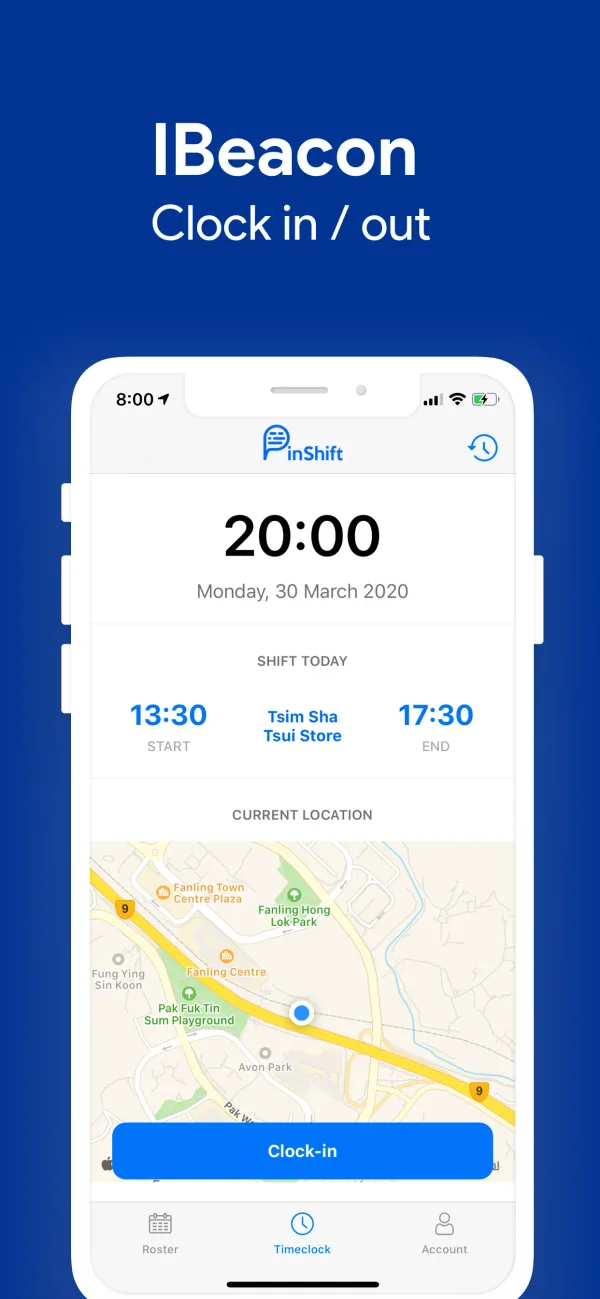
a. iBeacon Bluetooth: Connects to our PinShift Bluetooth Attendance Kiosk with Bluetooth to locate your employee nearby within the Bluetooth signal.
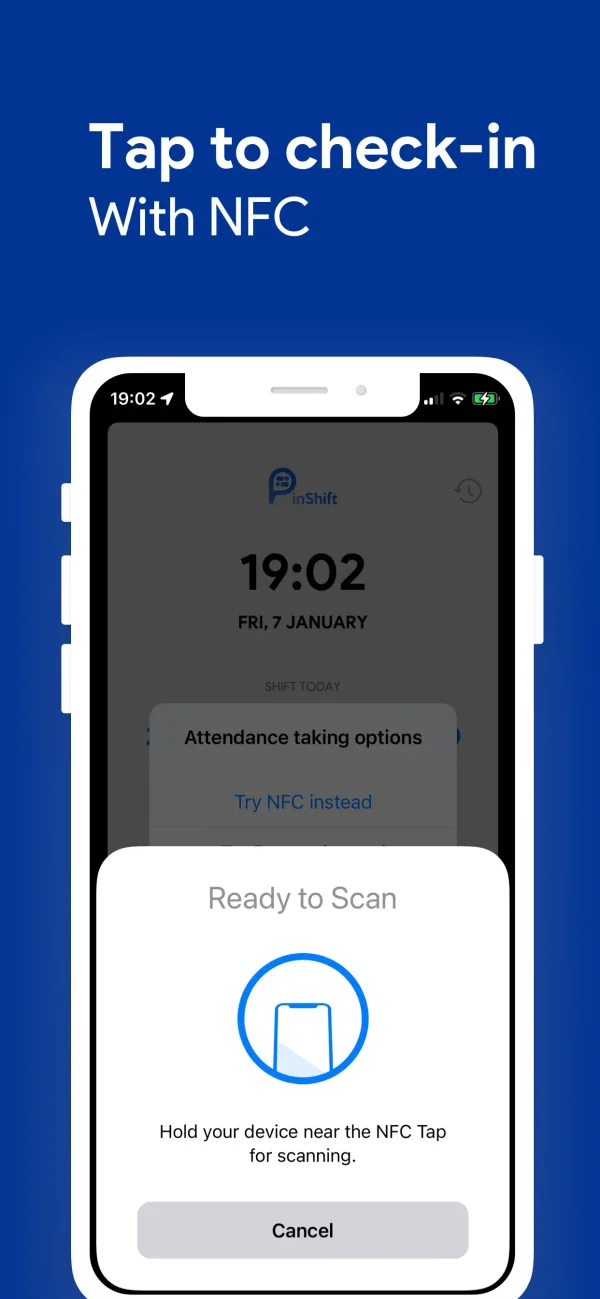
b. NFC tags: For phones with NFC, your staff can simply tap the phone on the NFC tags to trigger the punch in / out.
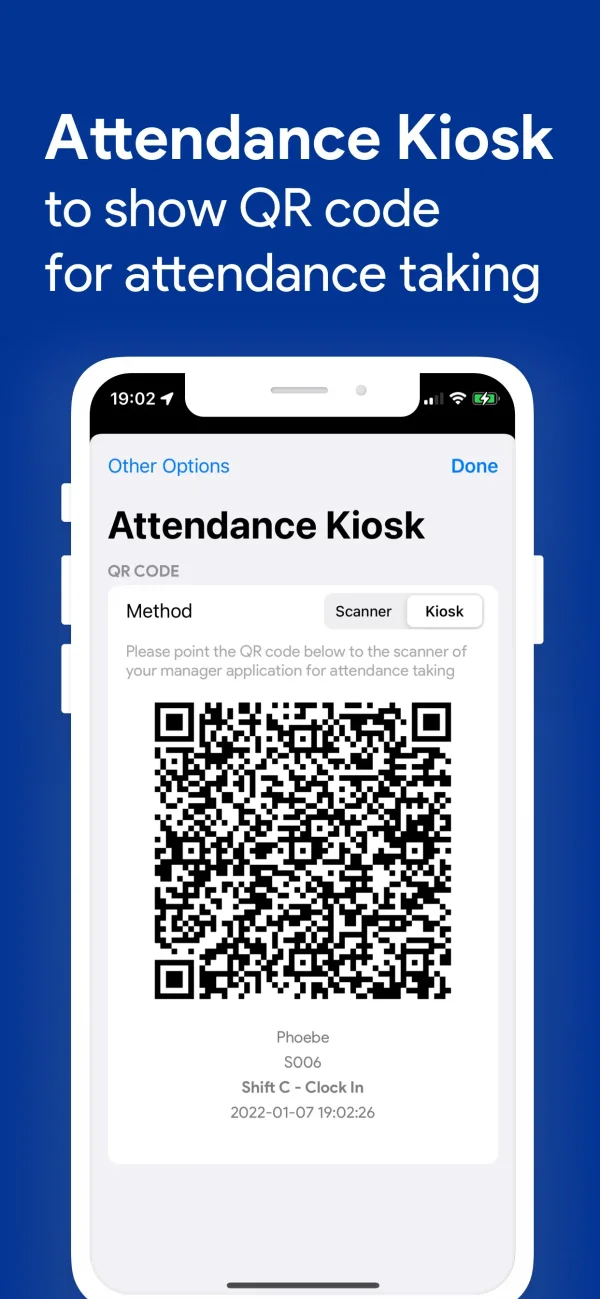
c. Two-way dynamic QR code: Your staff can scan the QR code shown in the PinShift Manager App OR show QR code in the staff app and let your manager scan yours.
d. Facial recognition: Employee can set up their facial profile and take attendance with a selfie. PinShift can recognize the staff photo image and allow your staff to clock in / out.
e. GPS: PinShift Staff App can locate your staff with the help of GPS.
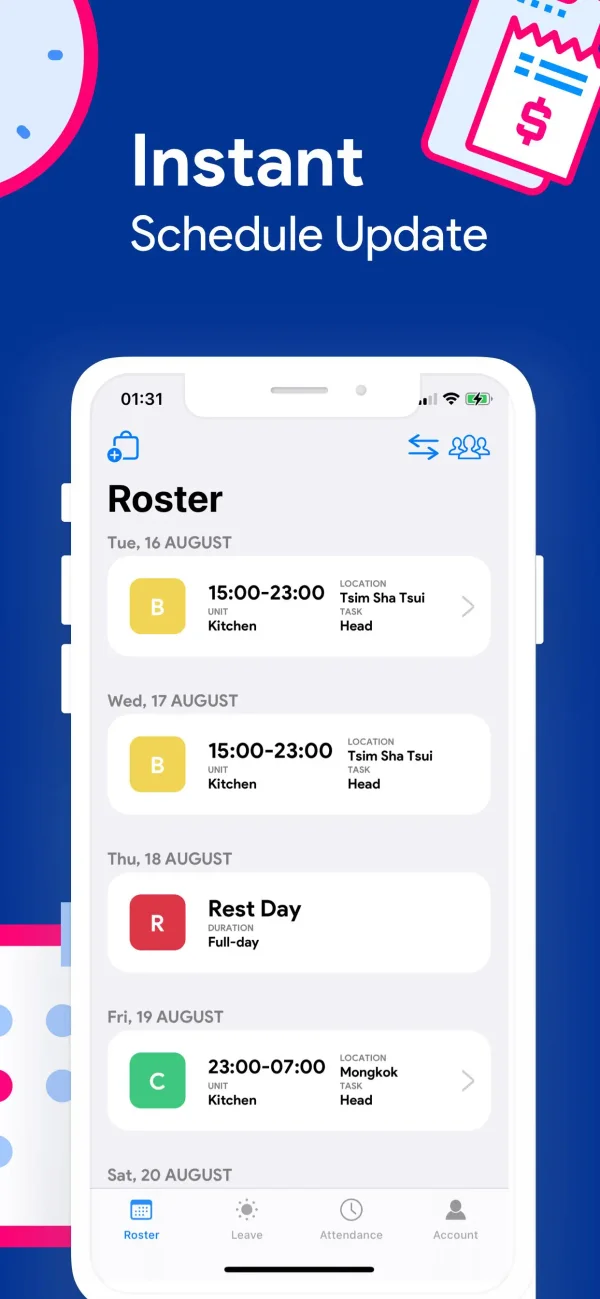
2. Real-time roster update
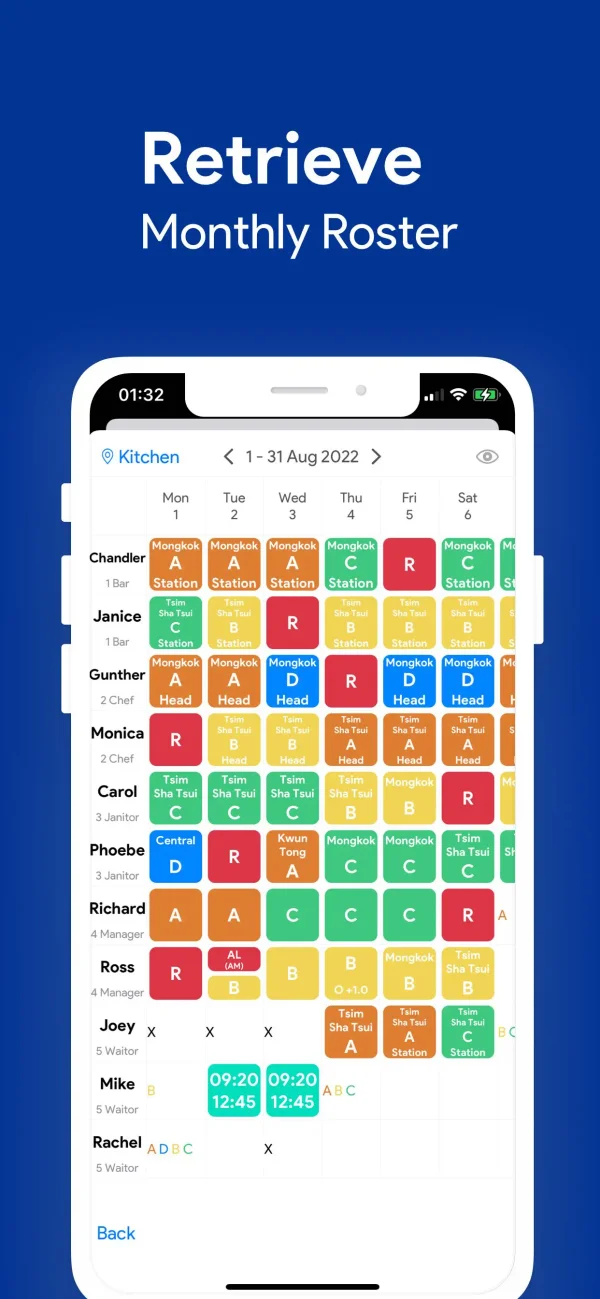
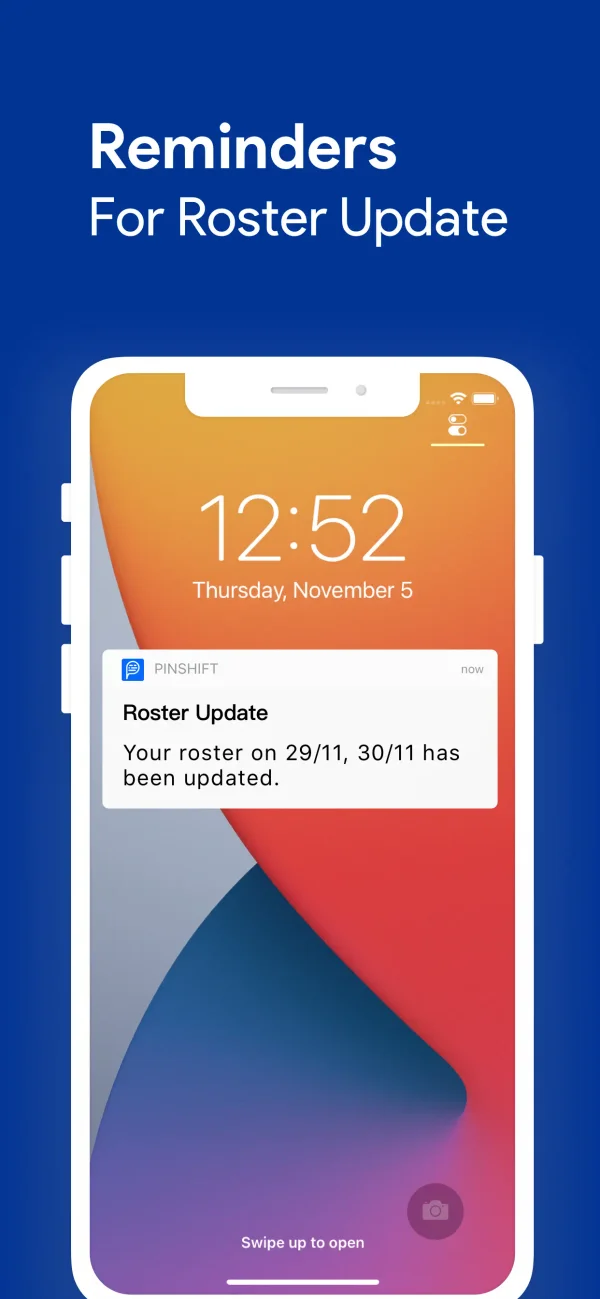
PinShift app updates the employee instantly when the roster is changed. Staff can easily browse the app to get the latest assigned working schedule for the week.
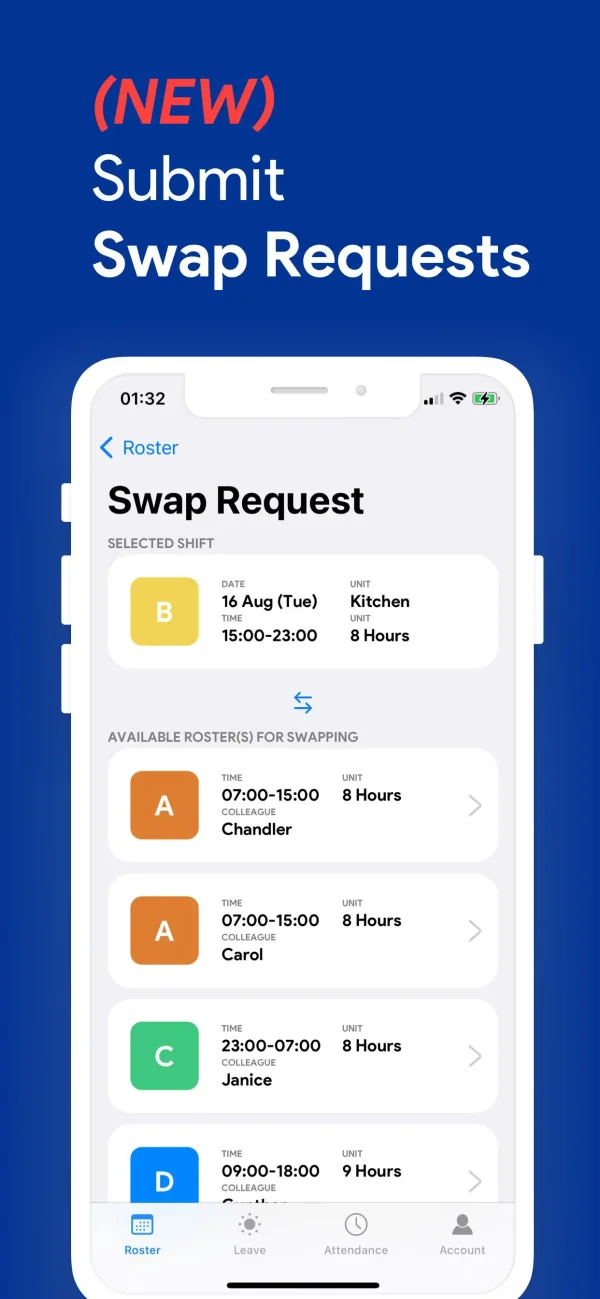
3. Swap requests submission
Employees are allowed to request shift swapping with colleagues. When both employees agree on the roster swap, they can submit the request to their manager and wait for approval, saving time and workload from the managers
4. Staff Availability Management
Staff is now able to submit their availabilities for work in the PinShift Staff App by tapping their available working dates and preferred shifts in the calendar.
5. Self-help leave application
With PinShift Staff, employees can review their leave request approval status, and submit leave requests with their mobile phones.
6. Review Time-clock histories
Employees are allowed to check for their past punch card records through the app. They can have a better understanding of their timesheet status in the past.
To know more about the PinShift rostering, timesheet, attendance, and payroll functions, you can visit https://pinshiftapp.com
What’s new
Version 2.30 · Jan 3, 2024
【PinShift Version 2.30 Update for Staff App】
- Fixed issue related to iOS 17 with 12-hour time format
- Fixed issue related to custom leave type selection in leave request submission
- Fixed decimal issue for leave balance
- the shift swapping function allows employees to send swap requests to colleagues and submit for management approval
- Added "task" and "location" information in the staff roster
- Allow users to view the roster with shift time instead of shift code
- Auto refresh the attendance options in the attendance page
- Fixed permission control issue
- Fixed bugs in the new attendance interface
- Fixed NFC clock in / out issue when scanning too early
- Added offline QR code display function for attendance taking without internet connection (The attendance data is uploaded via Manager App)
- Allow staff to submit their "unavailability", so that managers can adjust the roster according to their available slots for work
- NFC attendance taking - with PinShift attendance Kiosk, now you can simply tap your phone on the Kiosk to clock in / out
- 2-way QR Code scanning - you can also scan the QR code on your manager app OR show your QR code in your app and let your manager scans yours for attendance taking.
- Staff availability input - to indicate available working time in the coming weeks/months
- Self-help leave application - review leave request status and apply for leave using PinShift mobile app
- Brand-new attendance function with more options
- Personal data maintenance and update
App privacy
What Slash Limited declares on the App Store about how this app handles data.
-
Data linked to you
May be collected and linked to your identity.
- Location
-
Data not linked to you
May be collected but is not linked to your identity.
- Identifiers
- Diagnostics
Privacy practices may vary, for example with the features you use or your age.
Information
- Seller
- Slash Limited
- Category
- Business
- Version
- 2.30
- Updated
- Jan 3, 2024
- Released
- Apr 1, 2020
- Size
- 41.5 MB
- Requires
- iOS 11.0 or later
- Age rating
- 4+
- Price
- Free
- Languages
- English, Simplified Chinese, Traditional Chinese
- Copyright
- © Slash Limited @ 2024
You might also like
-
 打卡-yes企業芸出勤系統Productivity
-
 Cloud Punch Clock-Time RecordGPS Location & Cloud Sync
-
 TimeRecorder S (phone)Over 150,000 downloads !
-
 冰鹅事记 排班日历 排班助手 排班表 倒班日历 排版系统管理Productivity
-
 Workstem OneProductivity
-
 BBHRMS - HR App on the GoClock In/Out, Apply Leave
-
 Coreway OneYour HR Management Helper
-
 FREONEProductivity
-
 OpenJobsBusiness
-
 TC Scheduling TableProductivity