
PinStamp: GPS Map Camera
Timestamp & Location on Photos
Designed for iPhone, iPad, iPod touch
Free · In-app purchases
- Age rating4+
- CategoryProductivity
- DeveloperYalintech
- LanguagesEnglish+ 21 more
- Size43.4 MB
Links to the official App Store page
Download.org hosts no file of PinStamp: GPS Map Camera. The button opens its official App Store page, published by Yalintech. Listing last checked on Nov 12, 2026.
Screenshots



About
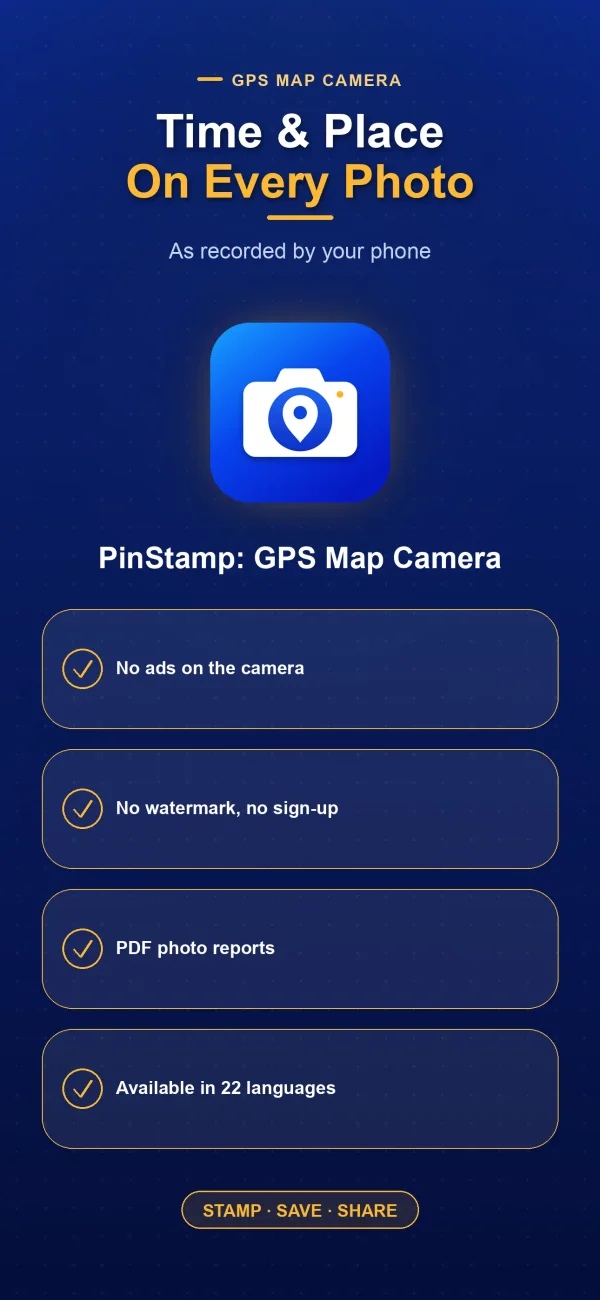
PinStamp is a GPS map camera: take a photo and it stamps the address, GPS coordinates, date and time right on it. Readable stamps, a live accuracy reading, PDF photo reports, and no ads on the camera.
WHY PINSTAMP
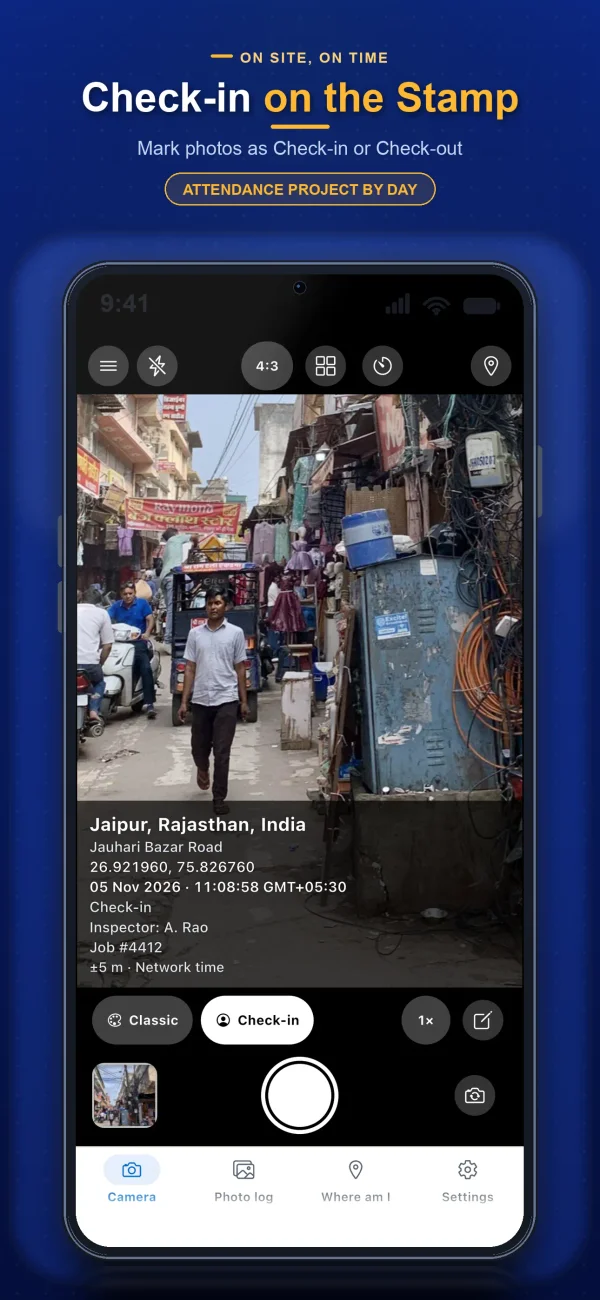
• See the stamp before you shoot, with the live GPS accuracy (for example ±4 m)
• Honest labels: network or device time, "Location set manually", approximate area, and a warning when the phone reports a mock location
• Works offline: the coordinates still go on, and the last known address is marked as such
• No watermark on your photos and no sign-up. Your photos stay on your phone unless you share them.
THE STAMP
• 5 free styles: Classic, Map card, Minimal, Time XL and Travel; dark or light, any size, top or bottom
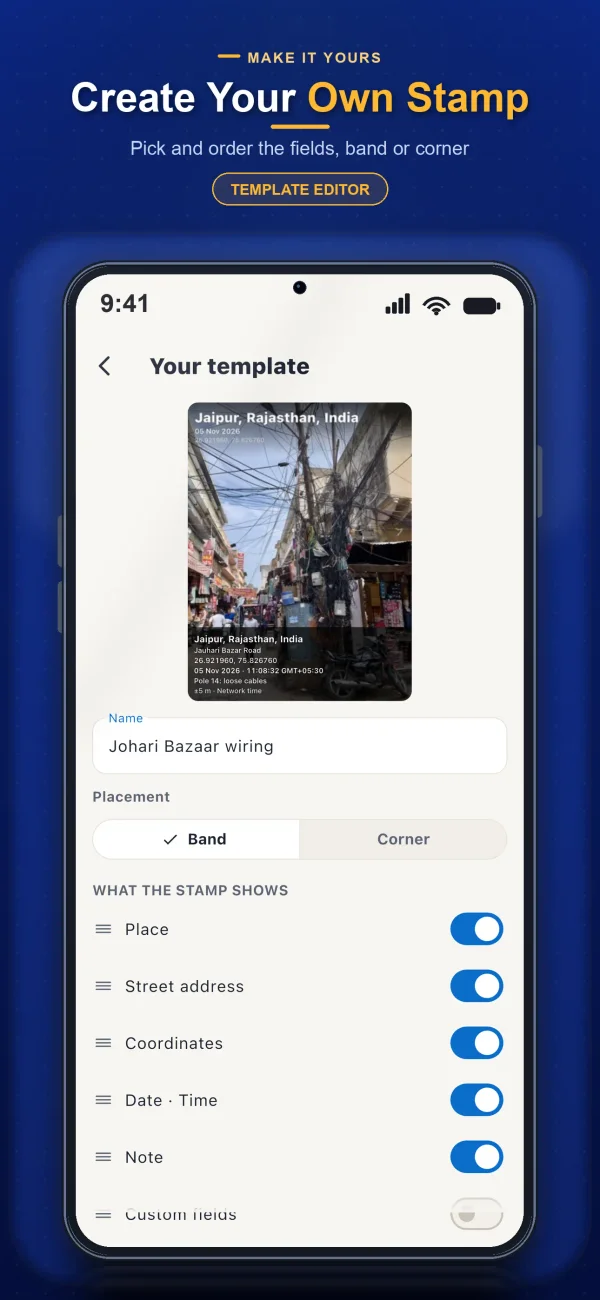
• Show what you need: place, address, coordinates, date, time, accuracy, time source and a note (site, client, job number...)
• Coordinates in decimal, DMS, Plus Code, UTM or MGRS; date formats, time zone, feet and miles
• Attendance: mark a photo as Check-in or Check-out on the stamp; these go to their own Attendance project, by day
THE CAMERA
• 4:3 or 16:9, flash, torch, zoom, grid, front camera
• 3 or 10 second self-timer
• Wrong spot? Move the pin on the map, or search an address or coordinates
• Weak GPS, location off or approximate only: the app and the stamp say so
PHOTO LOG
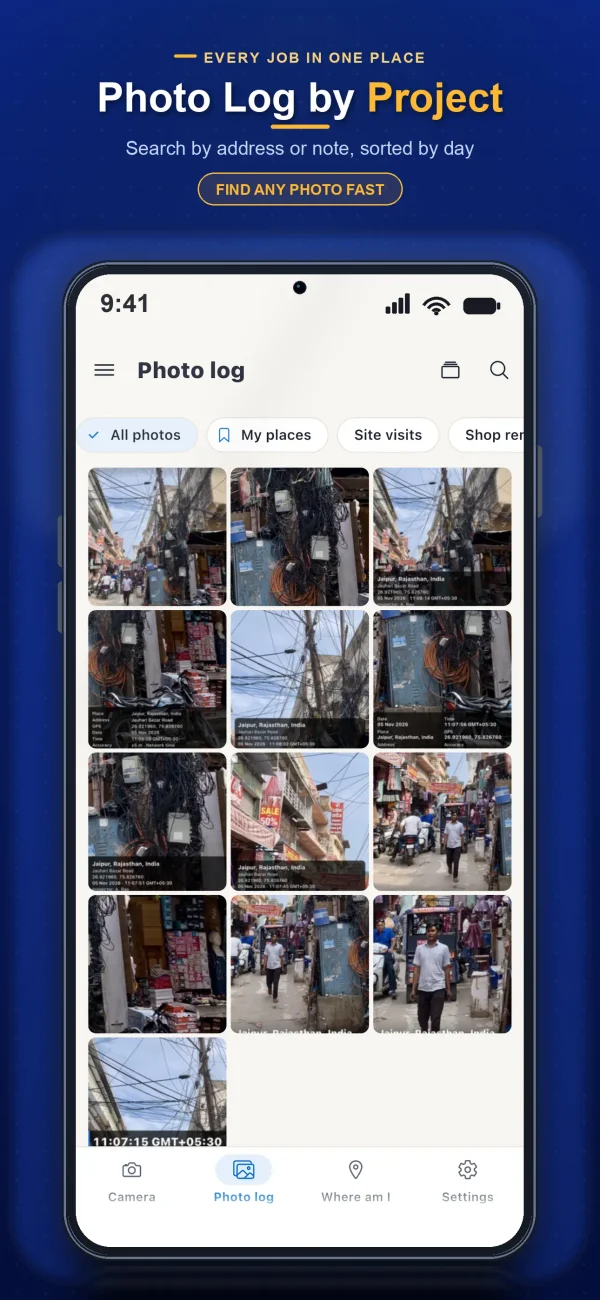
• Every stamped photo is saved to your Photos library and to the Photo log, by day
• Search by address or note
• Projects for each job (3 free): rename, archive or delete them (the photos stay); each remembers its stamp style
• Before and after: take the "after" of an earlier photo and see both side by side
• Optionally keep the unstamped original, then stamp it again with another style as a new copy
• Stamp photos from your gallery with the time and place saved in each (3 at a time free). No saved location: use where you are, a point on the map (labelled "Location set manually") or the date and time only. Originals stay unchanged.
• Share photos with an optional map link; choose whether the coordinates also go into the file (EXIF)
PDF PHOTO REPORTS
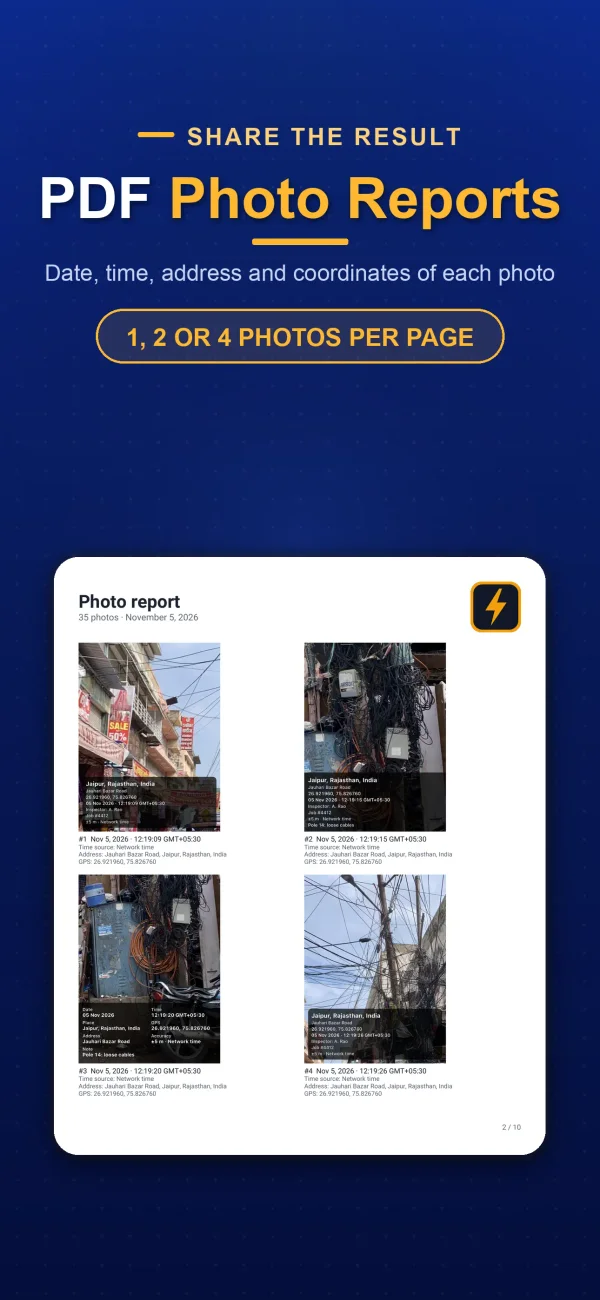
Select photos and get a PDF with each one's date, time, address, coordinates and accuracy. 2 reports free, then one more for each short video you choose to watch. Free reports carry a small "Made with PinStamp" line.
WHERE AM I
Copy, share or open your coordinates and address in maps. Places you saved in My Location Tracker are in Photo log > My places.
ALSO INCLUDED (Settings > More tools)
Device info, compass, Wi-Fi, flashlight, battery, metal detector (uses the phone's magnetic sensor) and screen light.
PINSTAMP PRO
• 8 more styles: Report, Branded, Compact, Grid and 4 color themes, or design your own stamp layout
• Your business name and logo on the Branded stamp and on PDF reports
• Up to 3 custom stamp lines, such as a job number or client
• Altitude, heading, a QR code of the map link (Classic styles) and your own stamp color
• Mark up photos with arrows, circles and text, saved as a new copy
• Unlimited PDF reports without the PinStamp line: 1, 2 or 4 photos per page and a cover page
• Unlimited gallery stamping and projects, CSV, KML, GPX and ZIP export, and no ads
The camera, the 5 free styles, saving and sharing stay free. The free version shows a banner ad in the Photo log (never on the camera) and offers an optional video for an extra report. Earlier My Location Tracker purchases stay active.
A NOTE ON ACCURACY
Time and place as recorded by your phone. PinStamp is not a legal certification of time or place. Accuracy depends on your phone's GPS and signal.
Available in 22 languages.
Privacy policy: https://www.yalintech.com/legal/location/privacy
Questions or ideas: support@yalintech.com
What’s new
Version 3.0.0 · Nov 5, 2026
My Location Tracker is now PinStamp, a GPS map camera.
• Photos with the address, GPS coordinates, date and time stamped on them
• PDF photo reports, before-and-after pairs and attendance check-in / check-out
• Stamp photos from your gallery, UTM / MGRS coordinates and a self-timer
• Pro: 8 more stamp styles, your logo, custom fields and CSV / KML / GPX export
• Your saved places are in Photo log > My places; the tools are in Settings > More tools
No ads on the camera.
App privacy
What Yalintech declares on the App Store about how this app handles data.
-
Data used to track you
May be used to track you across apps and websites owned by other companies.
- Location
- Identifiers
- Usage data
-
Data linked to you
May be collected and linked to your identity.
- Purchases
- Location
- Identifiers
- Usage data
- Diagnostics
-
Data not linked to you
May be collected but is not linked to your identity.
- Location
Privacy practices may vary, for example with the features you use or your age.
Information
- Seller
- Yalintech
- Category
- Productivity
- Version
- 3.0.0
- Updated
- Nov 5, 2026
- Released
- Nov 1, 2022
- Size
- 43.4 MB
- Requires
- iOS 15.0 or later
- Age rating
- 4+
- Price
- Free
- In-app purchases
- Yes
- Languages
- English, Arabic, Bengali, Danish, Dutch, French, German, Hebrew, Hindi, Indonesian, Italian, Japanese + 10 more
- Copyright
- © Copyright (c) 2023, Yalintech
You might also like
-
 Speech Air - Text to AudioPDF Docs Natural Voice Reader
-
 SingleFile for SafariSave web pages faithfully
-
 Total Password for MobileYour Passwords, Secure
-
 Network Toolbox Net securityWiFi Cell LAN scanning tools
-
 A2Z GroupsGroup Text & Group Email
-
 Device HelpYour Device, Simplified
-
 Spy Phone ® Phone TrackerFamily GPS & Contacts Tracking
-
 ShadowX VPN: Secure Faster VPNStable Unlimited VPN Proxy
-
 AT&T Personal CloudProtect your special memories
-
 iNet - Network ScannerKnow Your Network...