- Age rating4+
- CategoryUtilities
- DeveloperTakumi Sekiguchi
- LanguagesEnglish+ 14 more
- Size5.9 MB
Links to the official App Store page
Download.org hosts no file of PinTimer: Quick Timers. The button opens its official App Store page, published by Takumi Sekiguchi. Listing last checked on Nov 18, 2026.
Screenshots

About
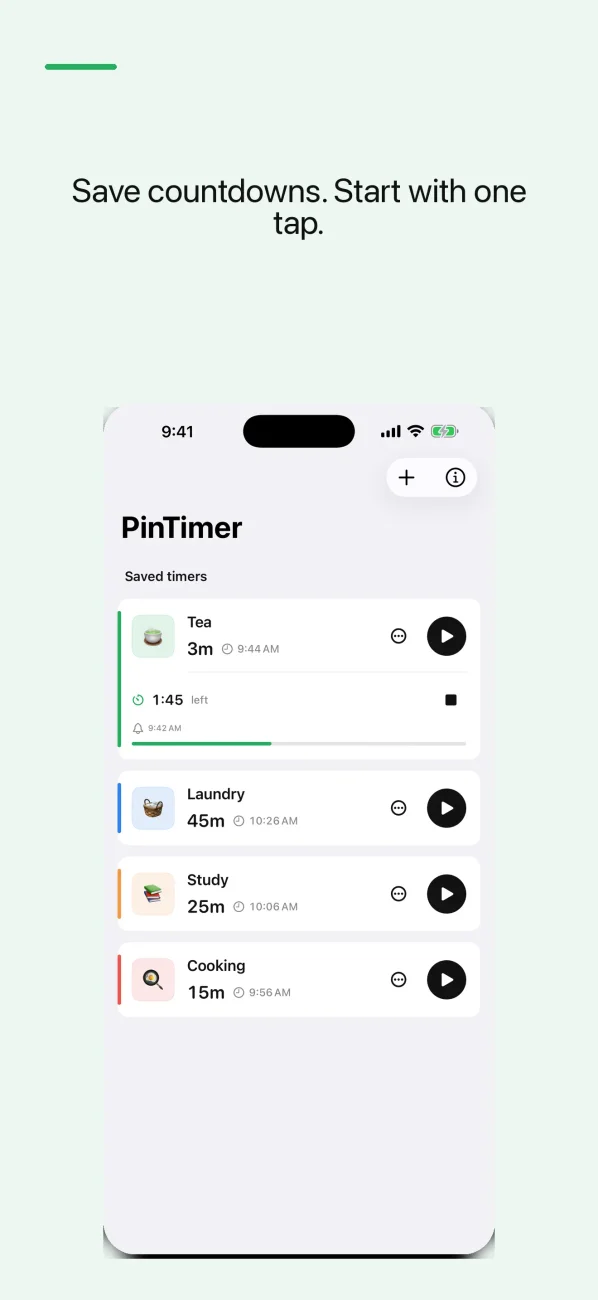
Stop scrolling through your phone's growing list of recent timers.
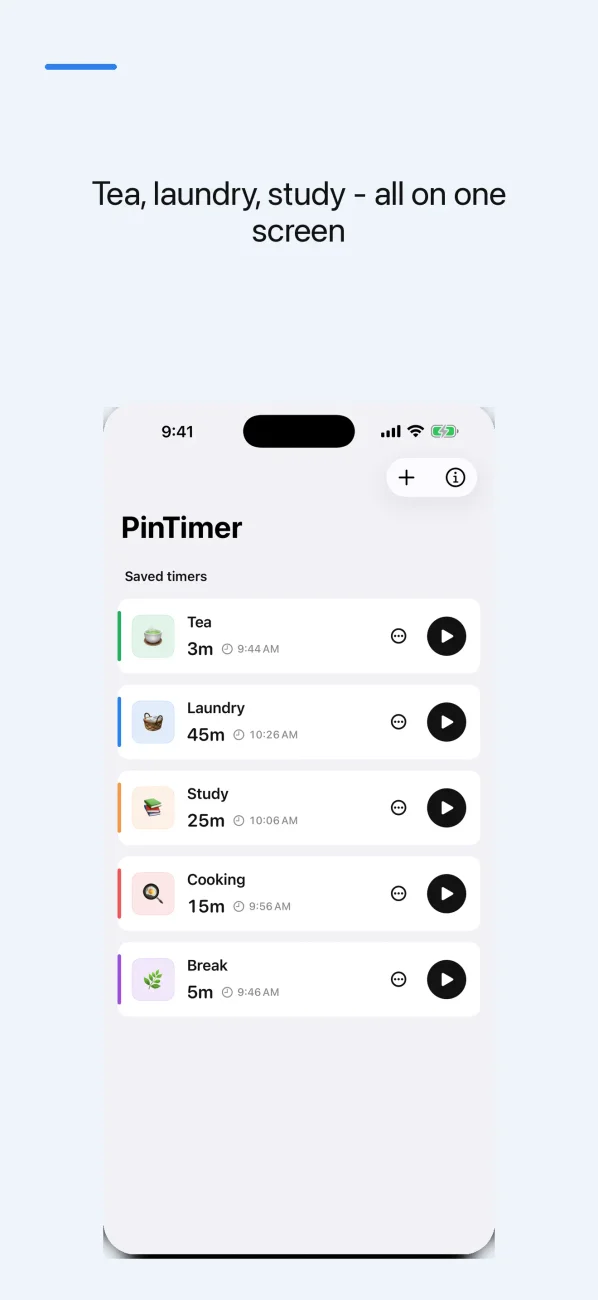
PinTimer saves the countdowns you actually use, then starts any of them with one tap.
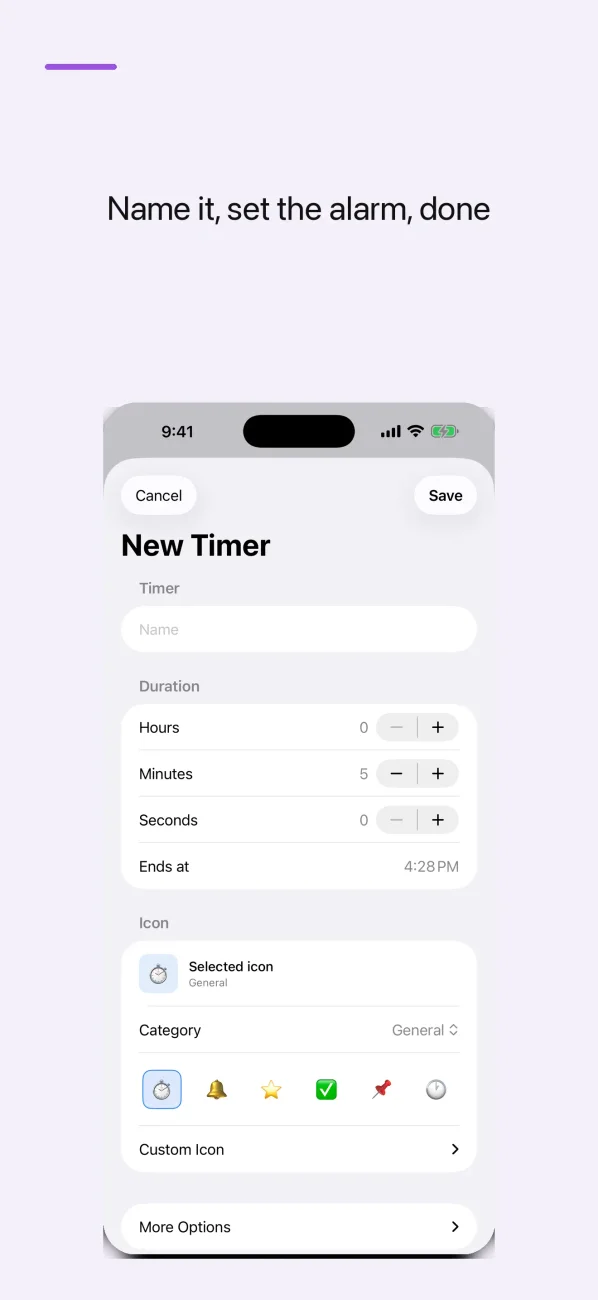
Set a name, icon, color, and duration once; reuse it whenever the same task comes up.
No account needed. No cloud required. Your timers stay on this device.
Use it for tea, laundry, cooking, study blocks, short breaks, or any small task that needs the same countdown again and again.
Features:
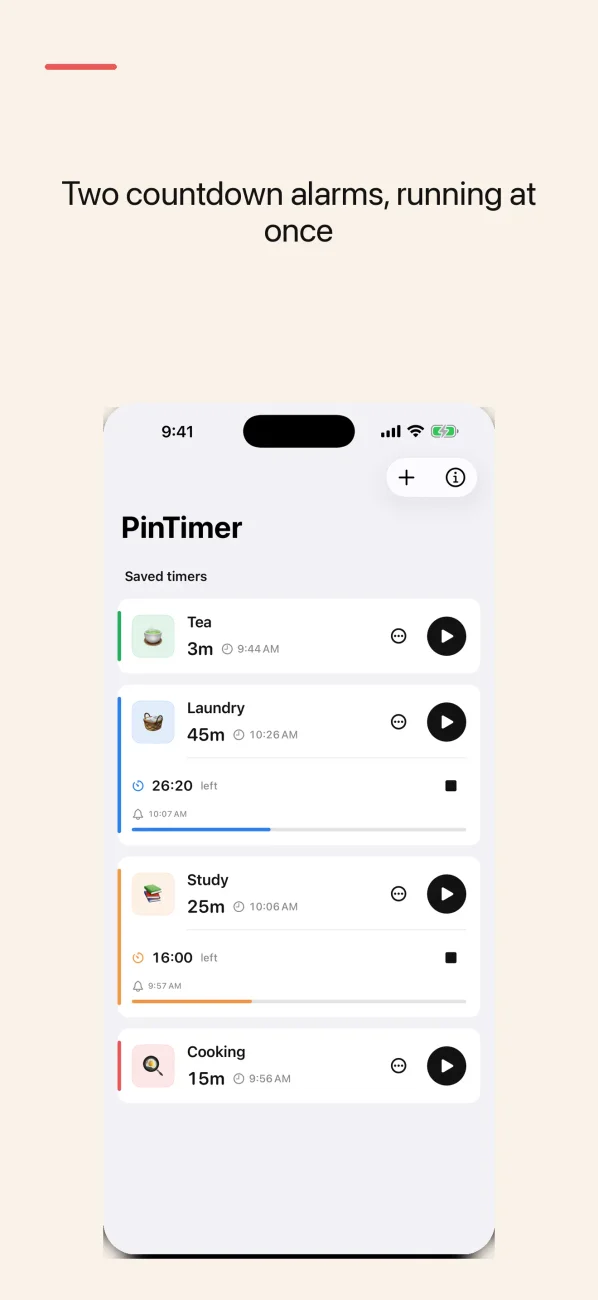
- Saved countdowns with custom names, icons, colors, and durations
- One-tap start and stop from the timer list
- Run two timers at the same time
- End-time preview before you start
- Optional alarms so timers can notify you when they finish
Perfect for:
- Kitchen timers for cooking, baking, and boiling eggs
- Study sessions and Pomodoro focus blocks
- Workout and stretch intervals
- Laundry, dishwasher, and household chores
- Nap timers and mindfulness breaks
PinTimer is intentionally simple: open the app, tap the countdown you need, and get back to what you were doing.
Questions or feedback? We read every email at support@smallappworks.com.
FREE VERSION AND FULL ACCESS
The free version displays banner ads. A one-time Full Access purchase unlocks every feature and removes ads. Customers who previously bought the paid app also continue without ads.
What’s new
Version 1.4.4 · Sep 29, 2026
Performance improvements and bug fixes
App privacy
What Takumi Sekiguchi declares on the App Store about how this app handles data.
-
Data used to track you
May be used to track you across apps and websites owned by other companies.
- Identifiers
- Usage data
-
Data linked to you
May be collected and linked to your identity.
- Location
- Identifiers
- Usage data
- Diagnostics
-
Data not linked to you
May be collected but is not linked to your identity.
- Diagnostics
Privacy practices may vary, for example with the features you use or your age.
Information
- Seller
- Takumi Sekiguchi
- Category
- Utilities
- Version
- 1.4.4
- Updated
- Sep 29, 2026
- Released
- Jun 1, 2026
- Size
- 5.9 MB
- Requires
- iOS 17.0 or later
- Age rating
- 4+
- Price
- Free
- Languages
- English, French, German, Hindi, Indonesian, Italian, Japanese, Korean, Portuguese, Simplified Chinese, Spanish, Thai + 3 more
- Copyright
- © 2026 Small App Works