Pintly Passport
Brewery journal & beer log
Designed for iPhone, iPad
Free · In-app purchases
- Age rating17+
- CategoryFood & Drink
- DeveloperKL5 Labs LLC
- LanguagesEnglish
- Size9.3 MB
Links to the official App Store page
Download.org hosts no file of Pintly Passport. The button opens its official App Store page, published by KL5 Labs LLC. Listing last checked on Nov 12, 2026.
Screenshots





About
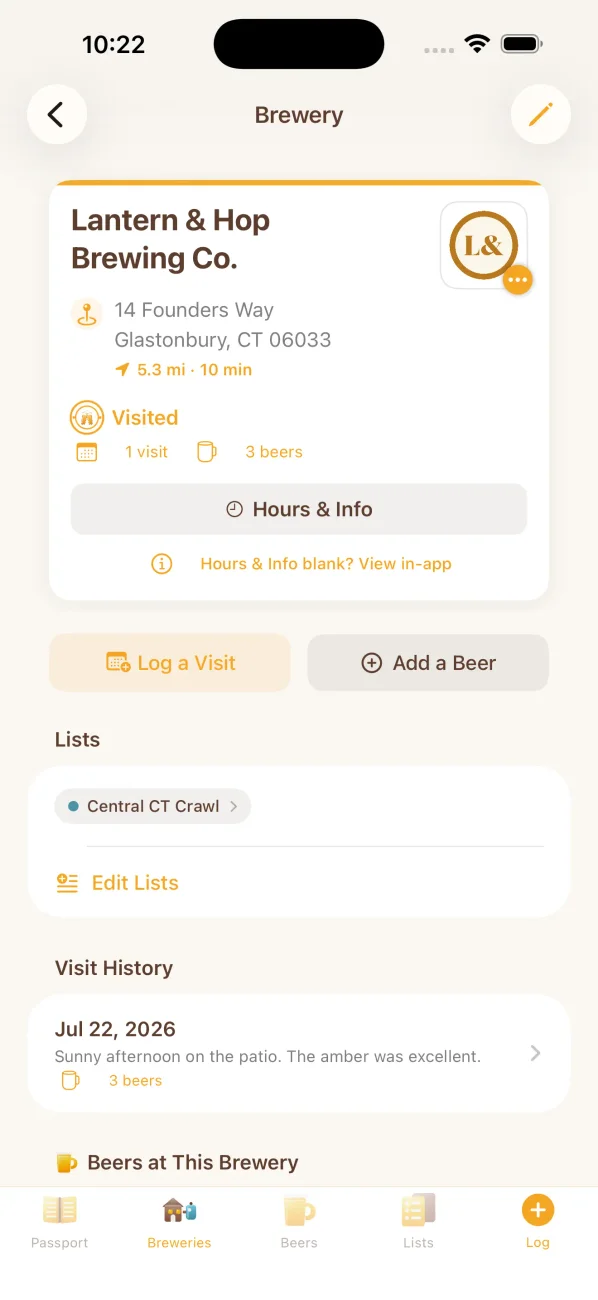
Pintly Passport turns every brewery visit into a stamp in your own craft-beer passport.
Part travel journal, part beer logbook, part discovery map — it's the beautiful, private
way to remember every pint, every brewery, and every tasting room you've ever set foot
in.
STAMP YOUR JOURNEY
• Log a visit and watch a satisfying passport stamp slam onto the page.
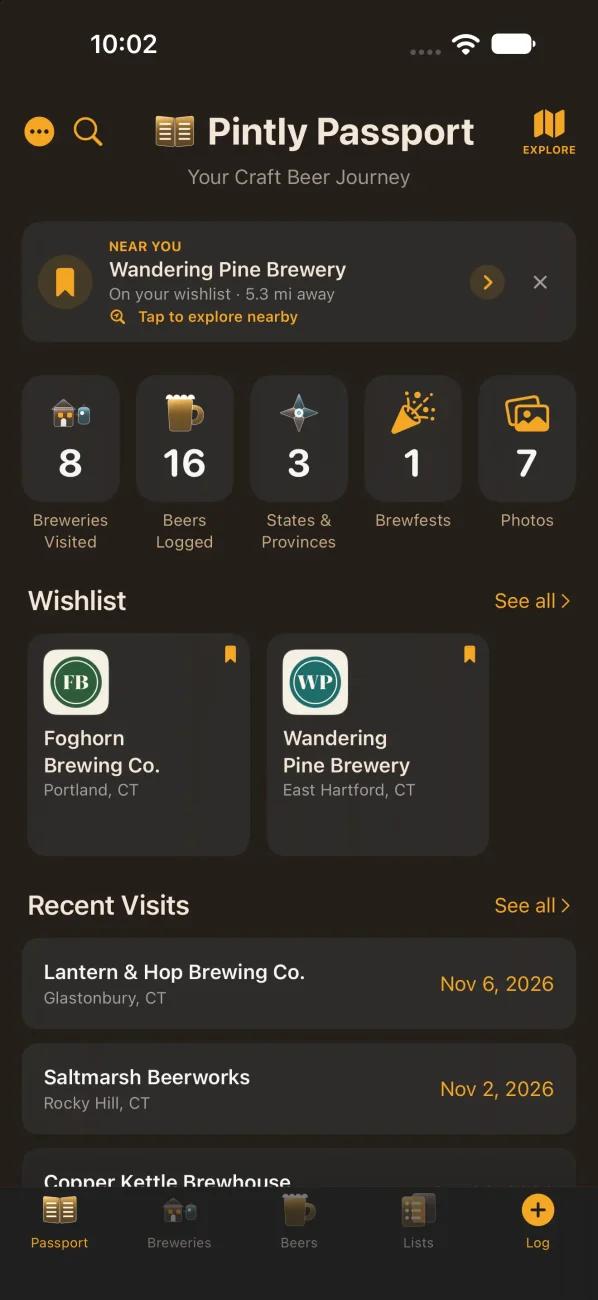
• Track breweries visited, beers logged, and states explored on your home dashboard.
• Every visit keeps the date, your notes, the beers you had, and your photos.
LOG EVERY PINT
• Rate beers with five amber stars, add tasting notes, and flag your favorites.
• Search across every brewery, beer, and visit in an instant.
• Browse your beers by style, rating, or brewery.
EXPLORE THE MAP
• See your whole brewery universe on one map — amber pins for the ones you've stamped,
teal for new ones nearby.
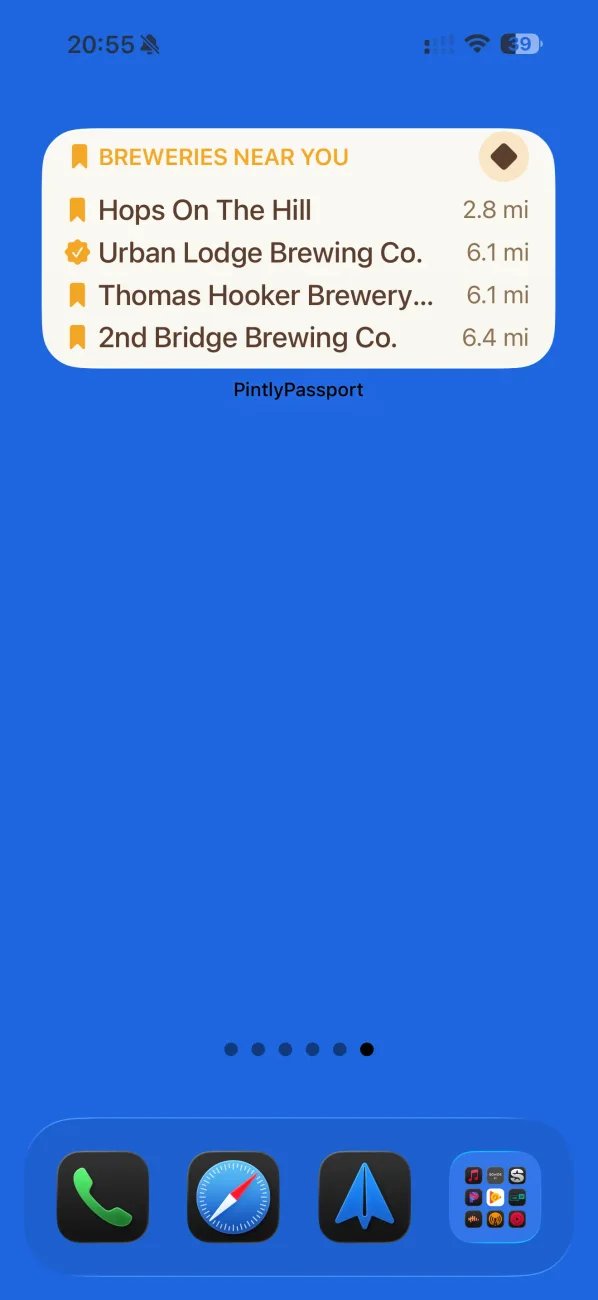
• Find breweries near you with an adjustable search radius.
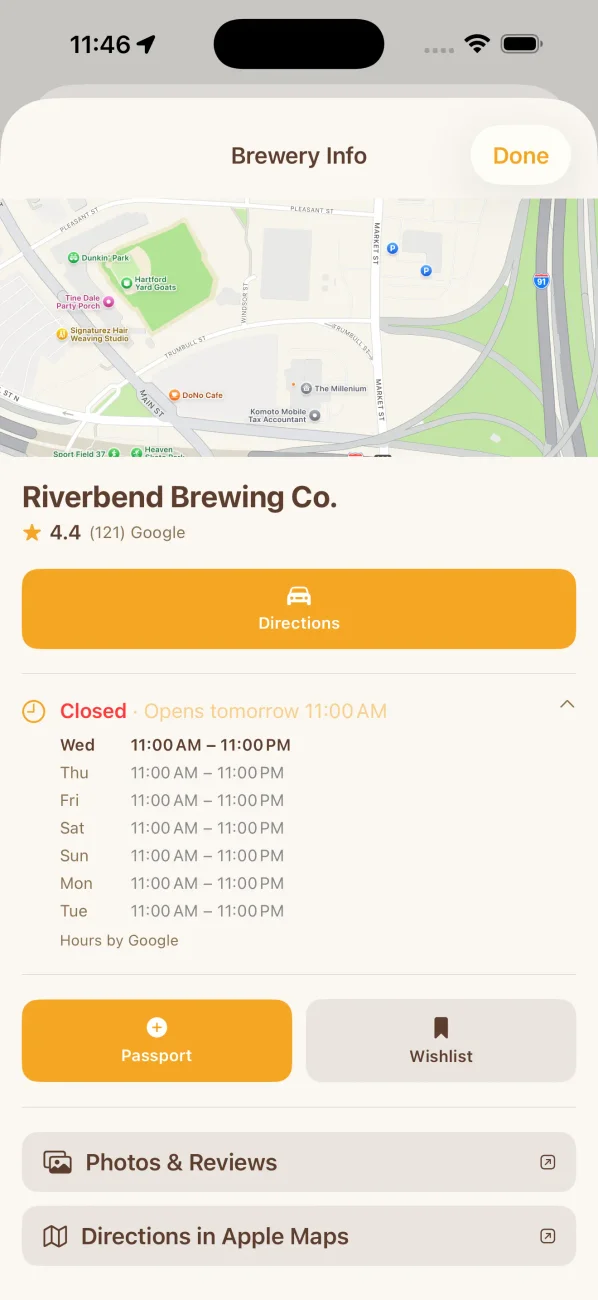
• Tap any pin for hours, directions, and one-tap "Add to Passport."
PLAN THE ROAD TRIP
• Group breweries into lists like "Vermont Weekend" or "Coastal Crawl."
• Preview the driving route across your stops with total time and per-stop distances.
• Drag to reorder your stops, then open the whole multi-stop route in Apple Maps.
BREWFEST — FOR FESTIVAL DAYS
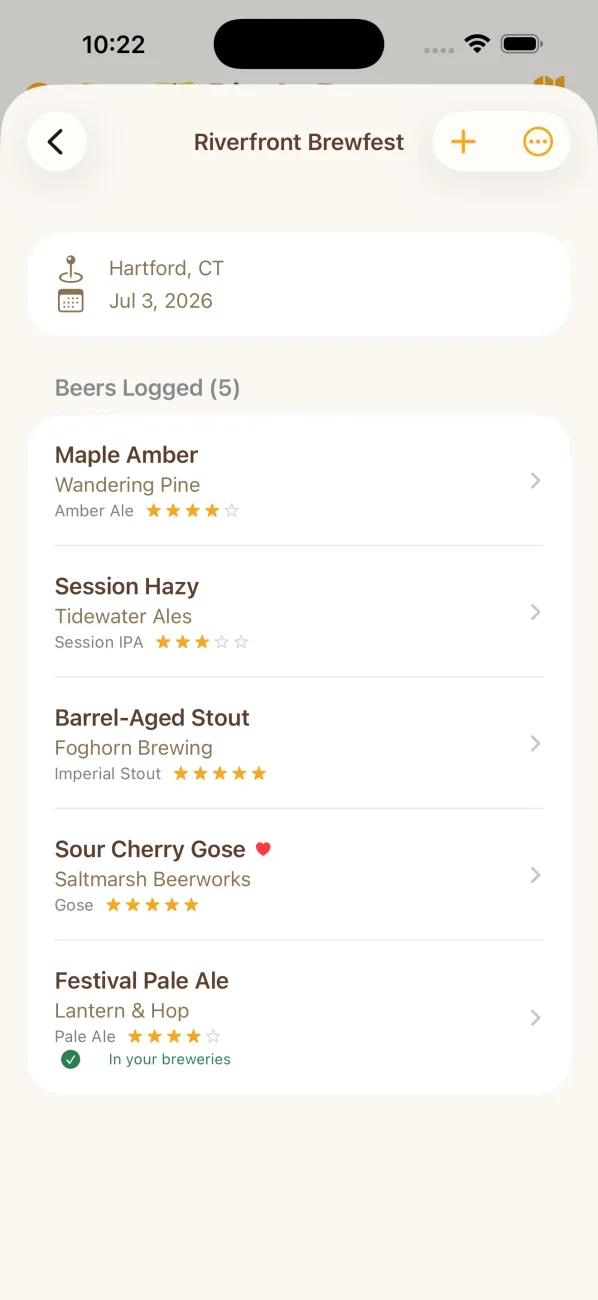
• Sampling dozens of pours at a beer festival? Log them all in one quick flow — brewery,
beer, style, rating, notes, and photos.
• Keep the ones worth remembering with one tap to add them to your collection.
KEEP IT FOREVER
• Export a beautifully formatted PDF keepsake, or take your data as CSV, anytime.
PRIVATE BY DEFAULT
• Everything lives on your iPhone or your private iCloud account. No account. No sign-up. No tracking. No ads.
Pintly Passport is free to start — every install includes a 7-day full-access trial.
Keep logging on the free tier, or unlock unlimited breweries, beers, maps, and export
with Premium, plus unlimited festival logging with Premium Plus.
Carefully crafted in Connecticut by KL5 Labs.
—
Premium and Premium Plus are auto-renewable subscriptions offered monthly or yearly.
Payment is charged to your Apple Account at confirmation of purchase. Subscriptions
renew automatically unless auto-renew is turned off at least 24 hours before the end of
the current period; manage or cancel anytime in your Apple Account settings.
Privacy Policy:
https://pintlypassport.app/privacy
Terms of Use (EULA):
https://www.apple.com/legal/internet-services/itunes/dev/stdeula/
What’s new
Version 1.5 · Nov 9, 2026
Your passport, on every device.
• iCloud Sync — your breweries, visits, beers, photos, lists and Brewfests now follow
you to every iPhone and iPad signed in to your iCloud account. It's on by default,
free for everyone, and kept in your own private iCloud storage. Settings → iCloud
Sync shows when the last sync finished, or turns it off.
• Every photo in one place — a new Photos tile on Home opens all your photos, sorted by
date, beer style or brewery. Swipe through them, share or save one, and jump straight
to the visit it came from.
• Put the stamp where you want it — when you share a visit, choose which corner the
passport stamp sits in so it never covers a face. Your choice is remembered.
• Faster with a big passport — photos are now stored on their own, so lists, tabs and
the map stay quick however many breweries you've logged.
The first time you open 1.5, a one-time update moves your photos into the new format.
It saves a safety copy of your passport first, listed in Settings → Backup & Restore.
Restored the same passport onto two phones? Settings → iCloud Sync can merge the
duplicate copies.
Plus fixes for sharing from the photo viewer.
App privacy
What KL5 Labs LLC declares on the App Store about how this app handles data.
-
Data not collected
The developer does not collect any data from this app.
Privacy practices may vary, for example with the features you use or your age.
Information
- Seller
- KL5 Labs LLC
- Category
- Food & Drink
- Version
- 1.5
- Updated
- Nov 9, 2026
- Released
- Jul 22, 2026
- Size
- 9.3 MB
- Requires
- iOS 18.0 or later
- Age rating
- 17+
- Price
- Free
- In-app purchases
- Yes
- Languages
- English
- Copyright
- © 2026 KL5 Labs LLC
You might also like
-
 Cultured: Find Cheese You LoveExplore, Rate, & Track Cheeses
-
 Daft BeerInteractive Brewery Map
-
 Find My BreweryFood & Drink
-
 Social Sips: The Brewery AppThe Brewery Discovery App
-
 My Cheese RaterLog your favorite cheese
-
 The Beer Garden StateFood & Drink
-
 TapTrail - Brewery DiscoveryCraft Brewery Discovery
-
 The Cocktail GuideFind your favourite drink
-
 CorkAndBrewsFind the Adventure
-
 CheesrScan, rate & taste cheese