Pipe Saddle Layout Calc Pro
Tube Notching & PDF Templates
Designed for iPhone
Free · In-app purchases
- Age rating4+
- CategoryUtilities
- Developerkozi publishing
- LanguagesEnglish
- Size65.9 MB
Links to the official App Store page
Download.org hosts no file of Pipe Saddle Layout Calc Pro. The button opens its official App Store page, published by kozi publishing. Listing last checked on Nov 18, 2026.
Screenshots
About
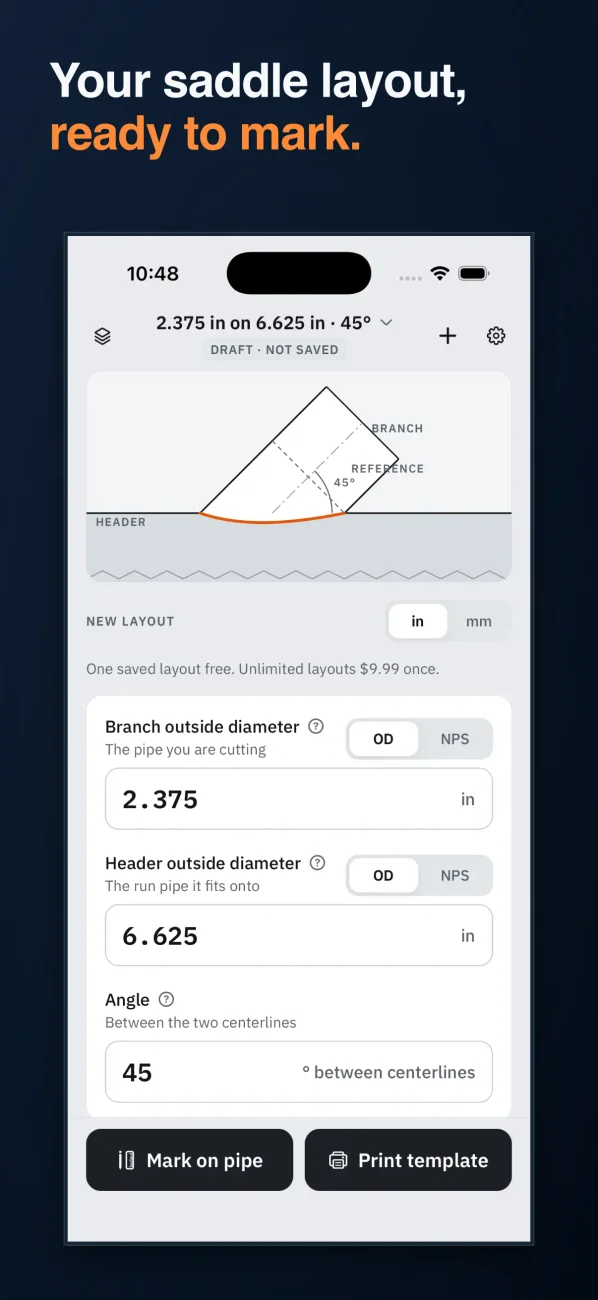
Pipe Saddle Layout Calc Pro is a pipe saddle layout calculator for centered round pipe joints. Enter your pipe sizes and the angle, then follow numbered cut marks or generate a printable wrap template.
Keep one complete saved layout free. Revise it, mark it and print it whenever you need. A one-time purchase adds an unlimited layout library.
FROM PIPE SIZES TO A USABLE LAYOUT
• Enter measured outside diameters or choose supported nominal pipe sizes.
• See the actual outside diameter used in the calculation.
• Work in inches, mixed fractions or millimetres.
• Set the angle between the pipe centerlines with a visual joint diagram.
• Choose an outside-edge or inside-edge reference. Inside-edge layouts use your entered branch wall thickness.
MARK DIRECTLY ON THE PIPE
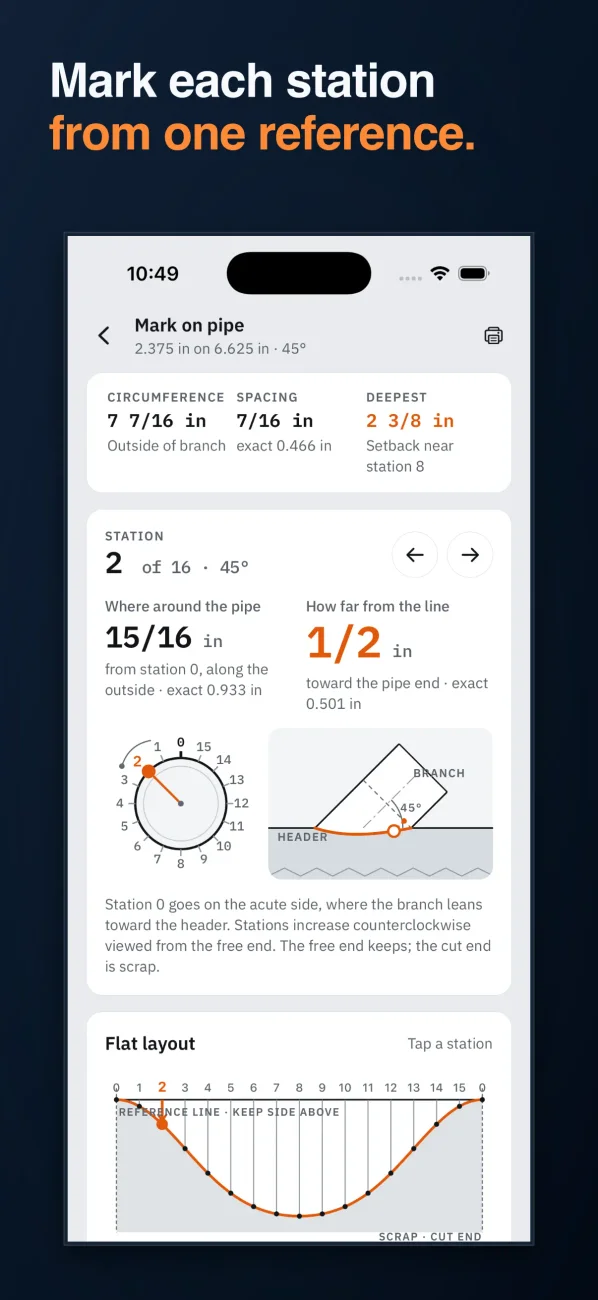
• Follow numbered stations around the branch.
• Read each station’s distance around and setback from the reference line.
• Choose 8, 16 or 32 stations.
• Highlight a station for a larger readout or use the complete table.
PRINT A WRAP TEMPLATE
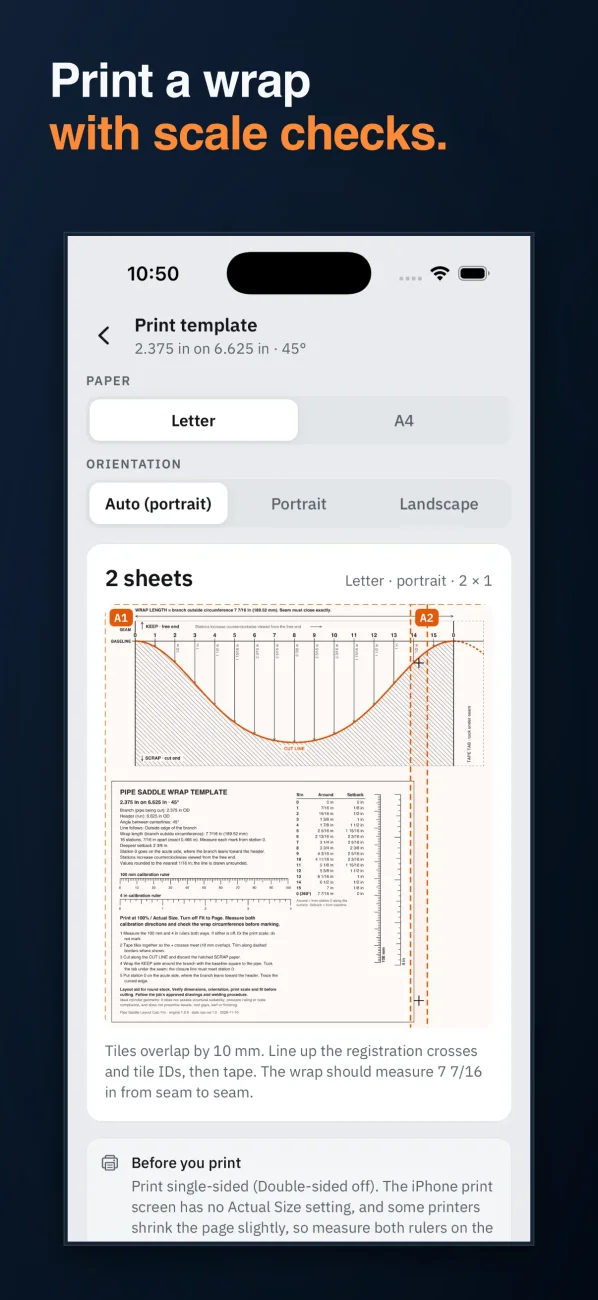
• Create A4 or Letter PDFs with automatic page tiling.
• Assemble pages using alignment marks and tile labels.
• Check horizontal and vertical calibration rulers before marking.
• Save, share or print the generated PDF from your iPhone.
KEEP THE SETUPS YOU USE AGAIN
Name layouts, add notes and favorite useful setups. With the full unlock, save separate jobs and duplicate a setup for the next cut. Calculations, saved work and PDF generation run on your device and work offline.
SUPPORTED JOINTS
Straight round branch pipes meeting straight round headers with intersecting centerlines. Included centerline angles from 30° to 90°. Branch outside diameter must be no larger than the header outside diameter.
The app generates geometric branch-end profiles. Check the supported layout and chosen edge reference for your job. Follow the app’s guidance for finishing, grinding and fit-up.
Verify actual dimensions, orientation, print scale and fit before cutting. Use the job’s approved drawings and welding procedure. Structural suitability, pressure ratings and code compliance require appropriate professional assessment.
One saved layout is free. An optional one-time purchase adds unlimited saved layouts and duplication. Restore an existing purchase from Settings or the unlock screen.
App privacy
What kozi publishing declares on the App Store about how this app handles data.
-
Data not linked to you
May be collected but is not linked to your identity.
- Purchases
- Usage data
Privacy practices may vary, for example with the features you use or your age.
Information
- Seller
- Kozi Publishing LLC
- Category
- Utilities
- Version
- 1.0.0
- Updated
- Nov 11, 2026
- Released
- Nov 11, 2026
- Size
- 65.9 MB
- Requires
- iOS 16.4 or later
- Age rating
- 4+
- Price
- Free
- In-app purchases
- Yes
- Languages
- English
- Copyright
- © 2026 Kozi Publishing LLC
You might also like
-
 PocketAngle: ProtractorPhoto Angles, Ruler & Level
-
 FitterMaster: Pipe Fitter CalcPipe Offset & Flange Torque
-
 Shoppa’s ConnectOrder John Deere parts online
-
 Protractor: Angle FinderCamera Level, Slope Meter
-
 Pipe Cutting CalculatorPipe fitting calculation
-
 ARIA myHOMEUtilities
-
 Triangle Calculator: SolverAngles, Sides & Trigonometry
-
 Angle Finder - Trig CalculatorTriangle Calculator
-
 Flange Hole Marker CalcAccurate Flange Hole Layout
-
 SSI Steel DesignUtilities