
Pivot - Coaching Platform
For fitness/nutrition coaches
Designed for iPhone, iPod touch
Free
- Age rating4+
- CategoryHealth & Fitness
- DeveloperThe A Team Coaching, LLC
- LanguagesEnglish
- Size23.1 MB
Links to the official App Store page
Download.org hosts no file of Pivot - Coaching Platform. The button opens its official App Store page, published by The A Team Coaching, LLC. Listing last checked on Nov 23, 2026.
Screenshots


About
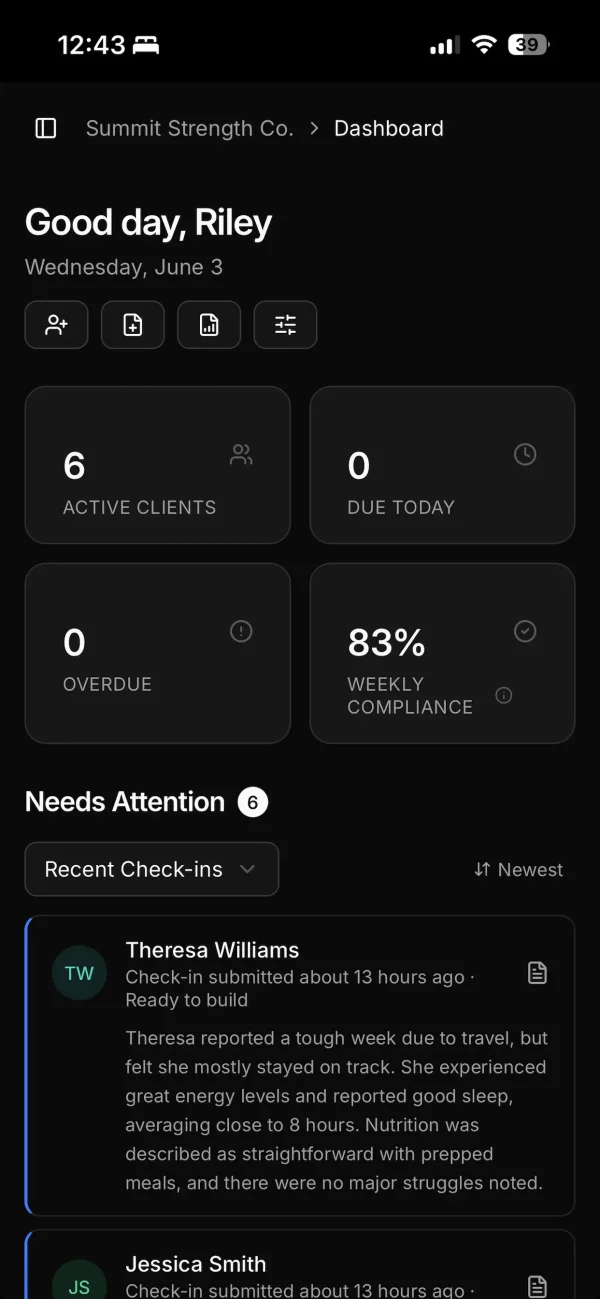
Pivot helps fitness and nutrition coaches do their best work - without the chaos of spreadsheets, scattered messages, and memory-based tracking.
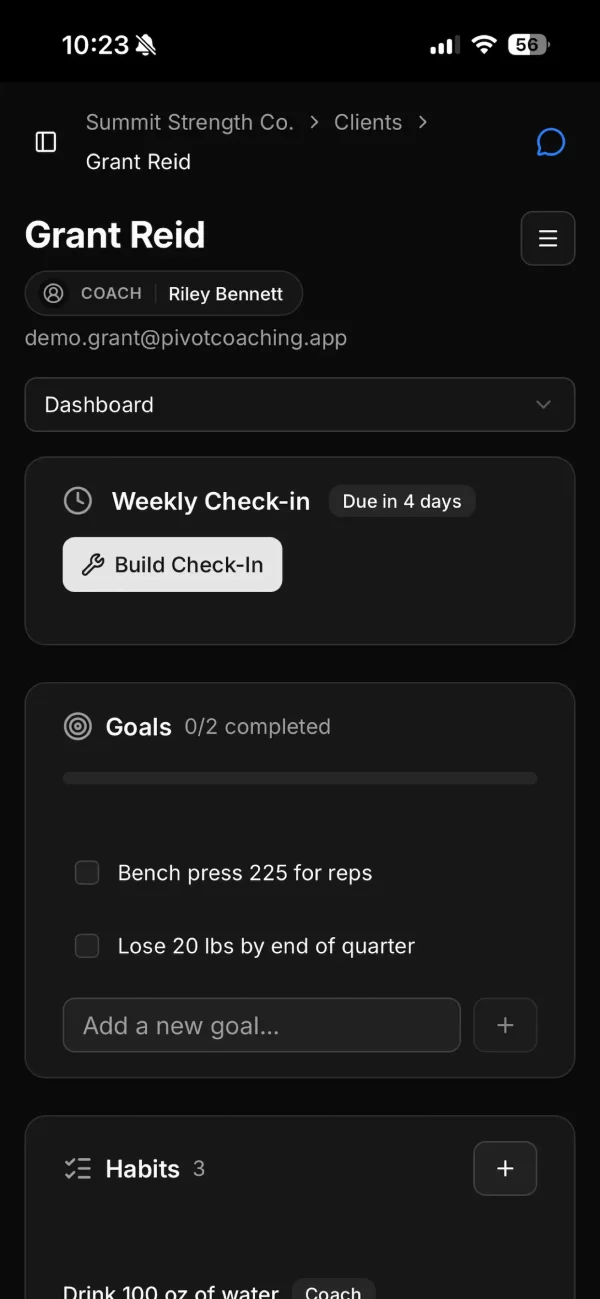
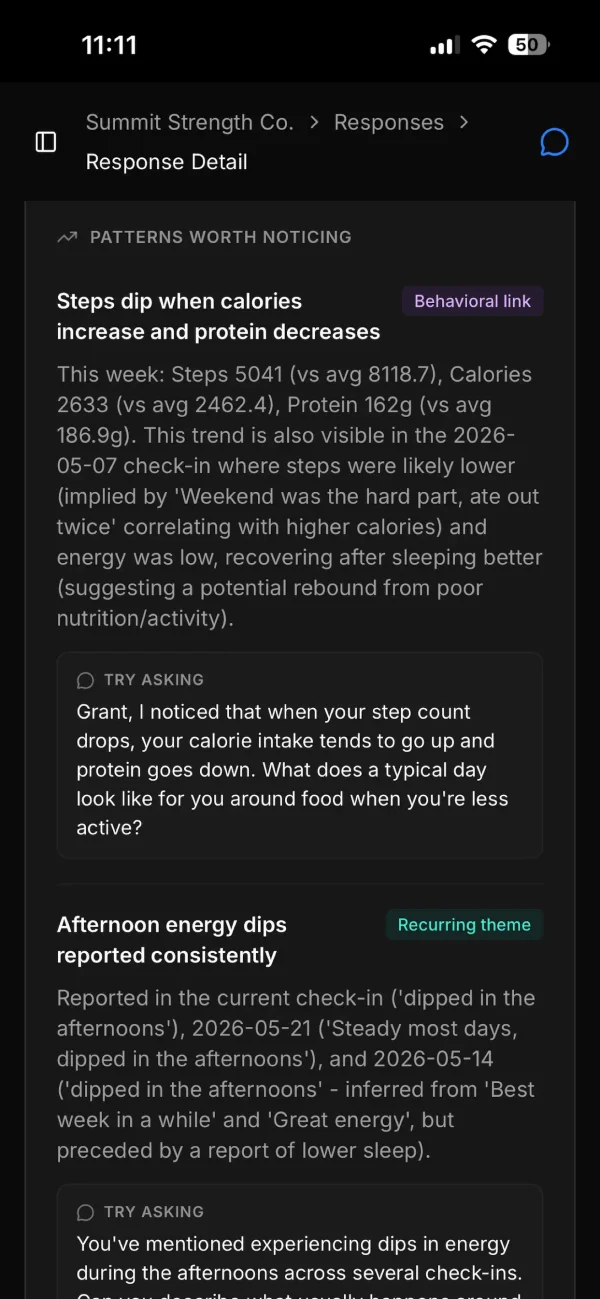
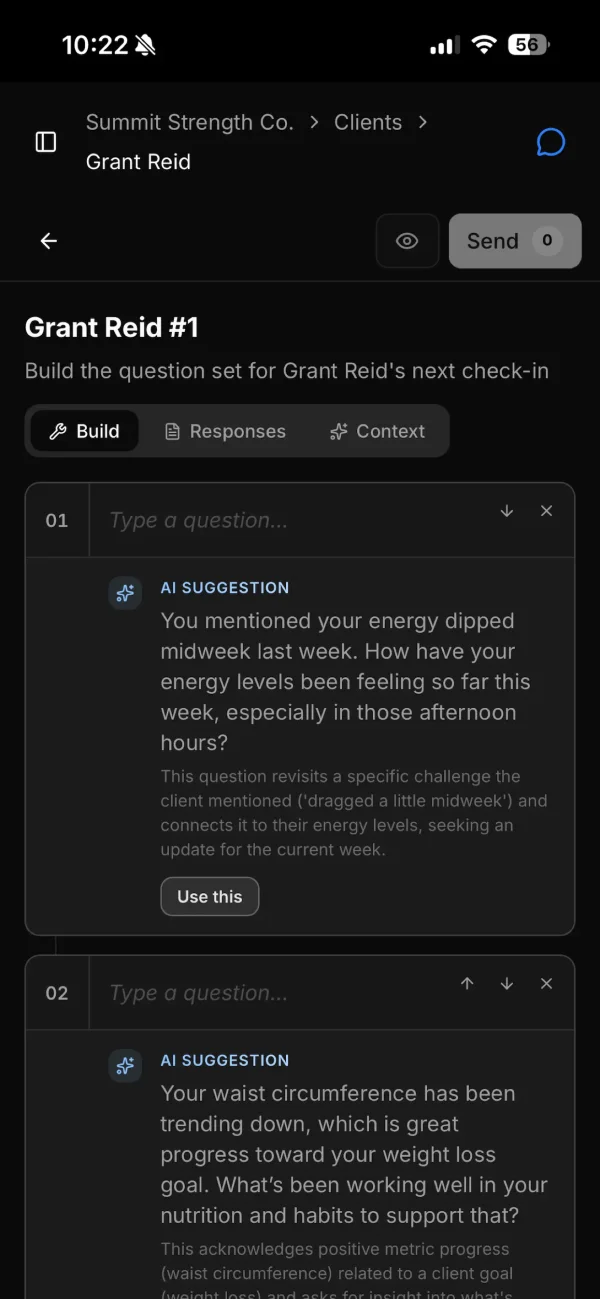
For coaches. Manage your entire client roster in one place. Send structured check-ins, review responses with AI-powered analysis, and track every client's progress over time. Pivot's AI studies each client's history, goals, and recent answers to suggest personalized follow-up questions - you review and approve before clients ever see them. Your judgment stays in the loop.
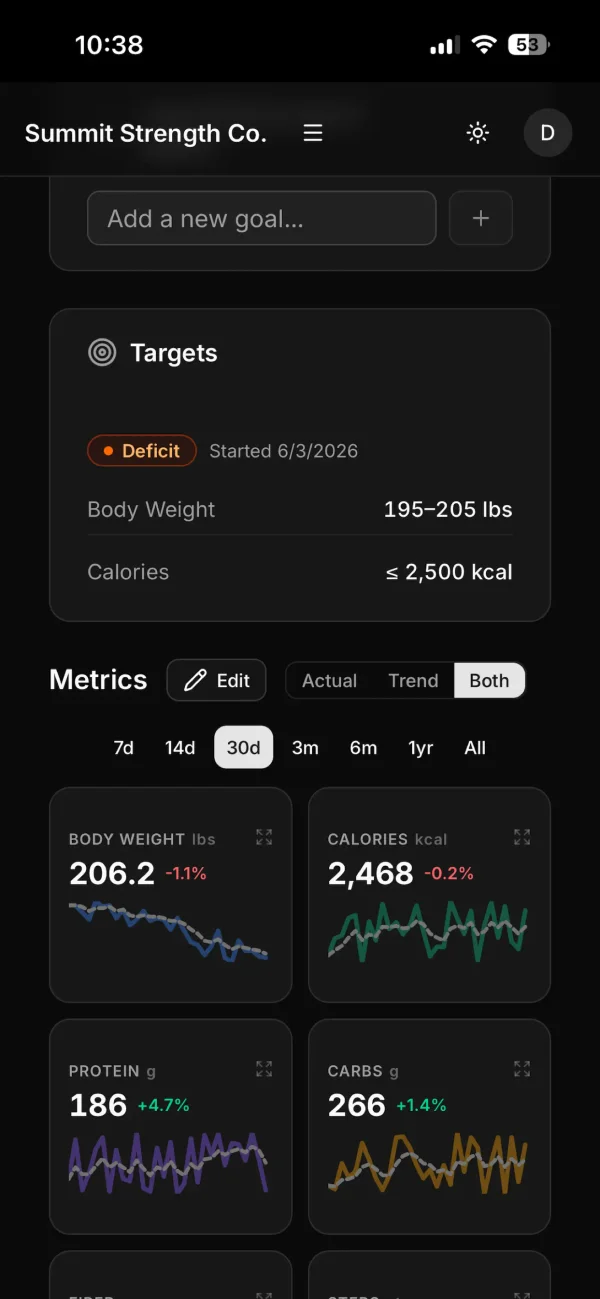
Build target phases, track body metrics, log progress photos, and use the AI brainstorm and report tools to see what's actually working. Message clients directly, and let check-in conversations stay organized by context.
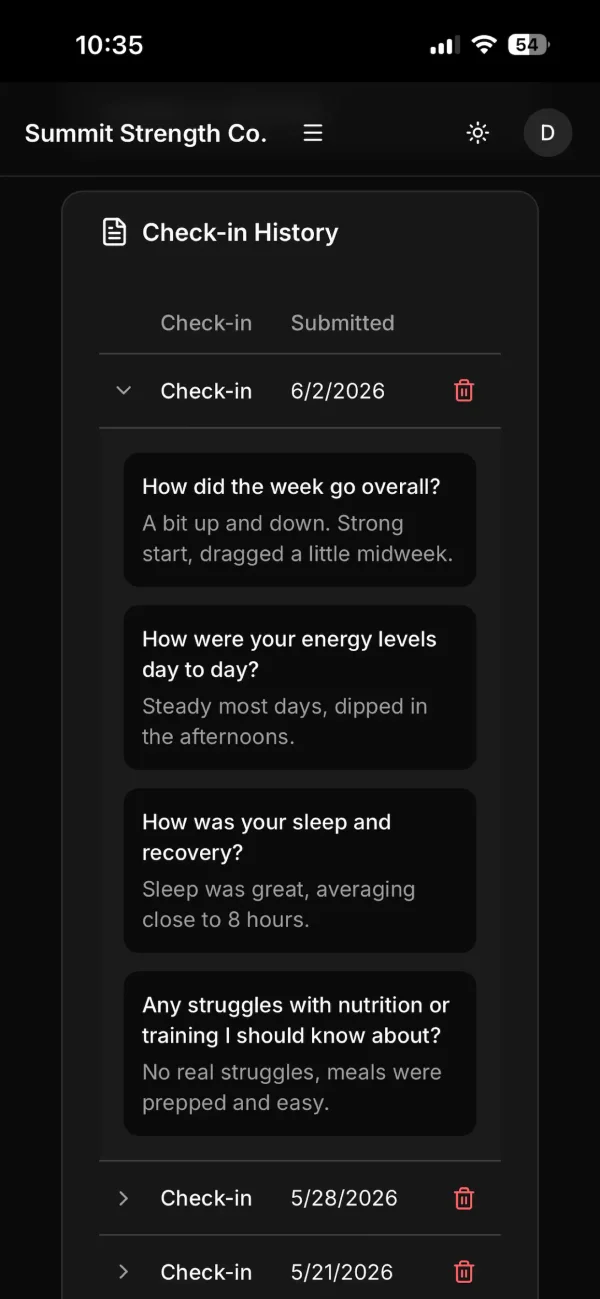
For clients. Complete check-ins on your schedule, log daily metrics and habits, and track your progress with photos and charts. Chat with an AI coaching assistant across topics like nutrition, goal-setting, sleep, and motivation. Message your coach directly from the app.
Key features.
• Dynamic AI check-ins - personalized questions generated from client history, reviewed by coaches before sending
• Metric tracking - daily and progress metrics, pinned charts, and target overlays
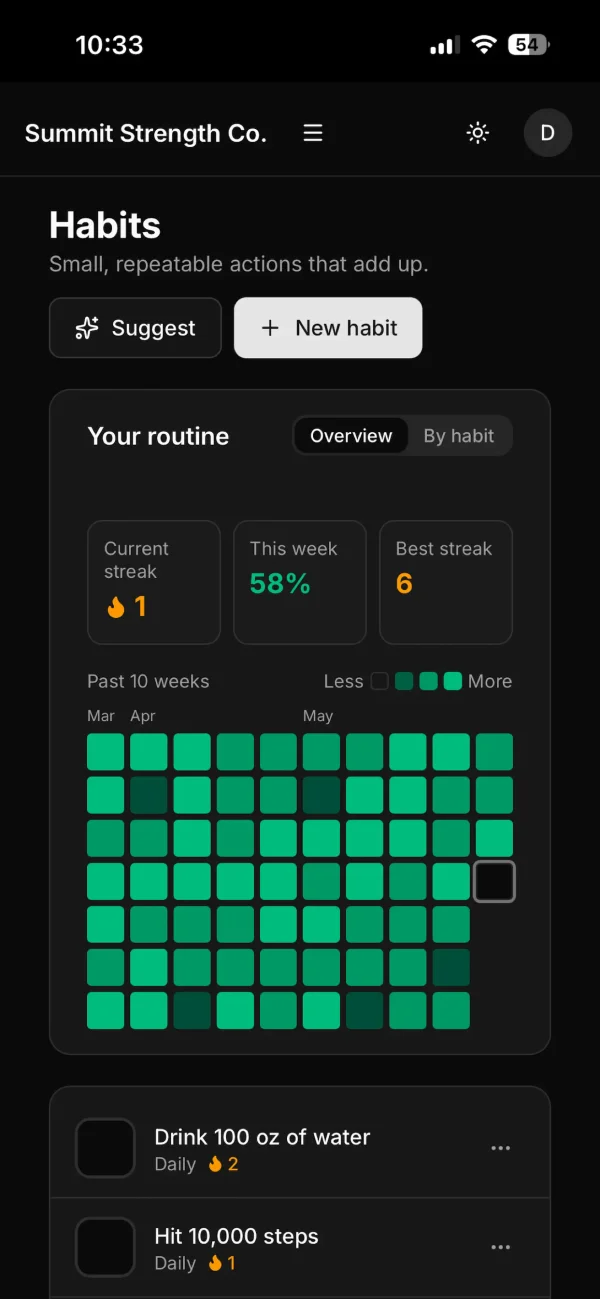
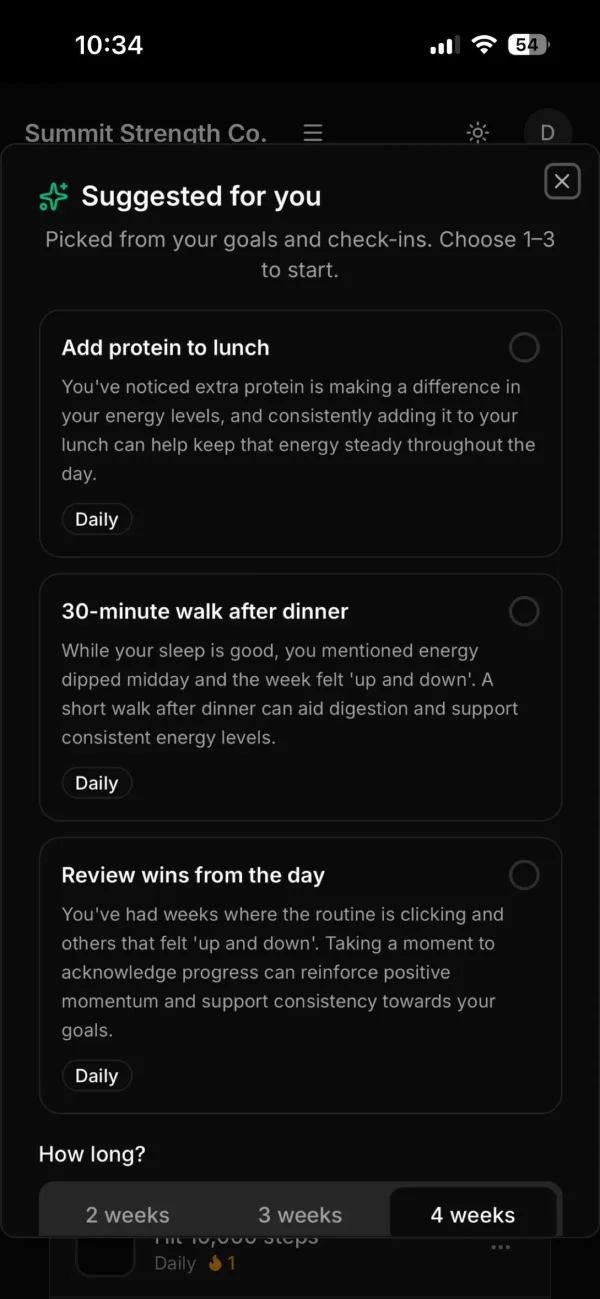
• Habit tracking - streaks, reminders, AI-recommended habits, and a visual routine heatmap
• Progress photos - pose-tagged gallery with before/after comparison
• AI tools - client reports, coaching brainstorm, pattern analysis, and AI chat
• Apple Health integration - auto-import weight, steps, sleep, and more (read-only
• Messaging - direct coach-client communication tied to check-in context • Works on iPhone, iPad, and the web
Access requires an account. Pivot is an invite-only platform - coaches add clients to their practice. Visit pivotcoaching.app to learn more.
What’s new
Version 1.13.0 · Nov 19, 2026
For coaches
• Brainstorm opens with a row of chips for its tools: Estimate a meal, Progress report, Nutrition targets and Adjust calories. Each client's Brainstorm page has them too.
• A fresh look for signing in, matching the Pivot homepage. Signing in still works with an emailed code.
• The forum feed shows the first reply under each comment, so you can tell at a glance whether it has been answered.
• The bottom bar shows how many new forum posts are waiting, as a number, the same as the sidebar.
• Larger videos in Messages, the forum and packages upload in parts. If the connection drops, the upload waits for it to come back instead of giving up.
• A simpler dashboard: one Add Client button up top. The all-clients Metrics page is gone; each client's numbers are on their own Metrics tab.
• A client's Goals now live on their Edit Client page (the Settings button on their profile), matching where your clients find theirs.
• Charts show a clear dot when there is only one reading, and the point you tap is easier to see.
• Voice notes: the trash can sits away from Stop, and discarding a recording asks first.
• Clearer wording on Add Client, check-in reviews and Templates.
• Long messages stay above the keyboard while you type.
• Menus and pickers no longer freeze the app, and close buttons on pop-up panels stay in their corner.
• Check-in videos keep playing when a message arrives.
• New Brainstorm chats show in History right away.
• Closing the share sheet without sharing is no longer an error.
• Dragging check-in questions works by touch.
• The group check-in template's description now matches how it works.
For clients
• A fresh look for signing in.
• The forum feed shows the first reply under each comment, and the bottom bar shows how many new posts are waiting.
• Larger videos upload reliably, even on a patchy connection.
• Charts show a clear dot when there is only one reading.
• Voice notes ask before a recording is discarded.
• Long messages stay above the keyboard, and menus no longer freeze the app.
• New Brainstorm chats show in History right away.
App privacy
What The A Team Coaching, LLC declares on the App Store about how this app handles data.
-
Data linked to you
May be collected and linked to your identity.
- Health and fitness
- Contact info
- User content
- Identifiers
-
Data not linked to you
May be collected but is not linked to your identity.
- Diagnostics
Privacy practices may vary, for example with the features you use or your age.
Information
- Seller
- The A Team Coaching, LLC
- Category
- Health & Fitness
- Version
- 1.13.0
- Updated
- Nov 19, 2026
- Released
- Jun 18, 2026
- Size
- 23.1 MB
- Requires
- iOS 15.0 or later
- Age rating
- 4+
- Price
- Free
- Languages
- English
- Copyright
- © 2026 Pivot Systems LLC
You might also like
-
 The Lyss Method V2Health & Fitness
-
 Oh Snap MacrosHealth & Fitness
-
 ApotheoSubmit check-ins to your coach
-
 Everfit - Train smartPersonal Training Platform
-
 TrainHeroic: Strength TrainingGym Tracker, Workout Log Plans
-
 MacroFactor Workouts: TrackerGym Planner, Fitness Coach
-
 TrueCoachRemote personal training
-
 MOVES by MadelineWorkouts & Fitness for Women
-
 CoachRx by OPEX FitnessHealth & Fitness
-
 Prehab: Physical Therapy, PainMuscle recovery home exercises