
PixClean
AI Photo & Video Cleaner
Designed for iPhone, iPad
Free · In-app purchases
- Age rating4+
- CategoryUtilities
- DeveloperWe Developers LLC
- LanguagesEnglish+ 6 more
- Size9.4 MB
Links to the official App Store page
Download.org hosts no file of PixClean. The button opens its official App Store page, published by We Developers LLC. Listing last checked on Nov 18, 2026.
Screenshots
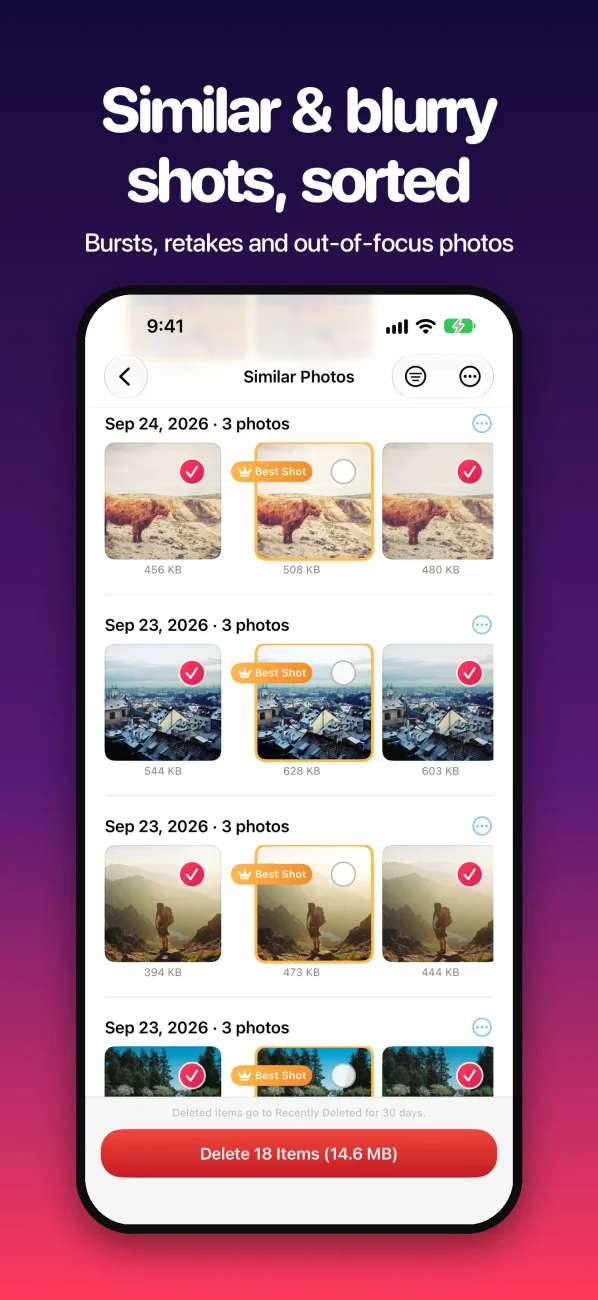


About
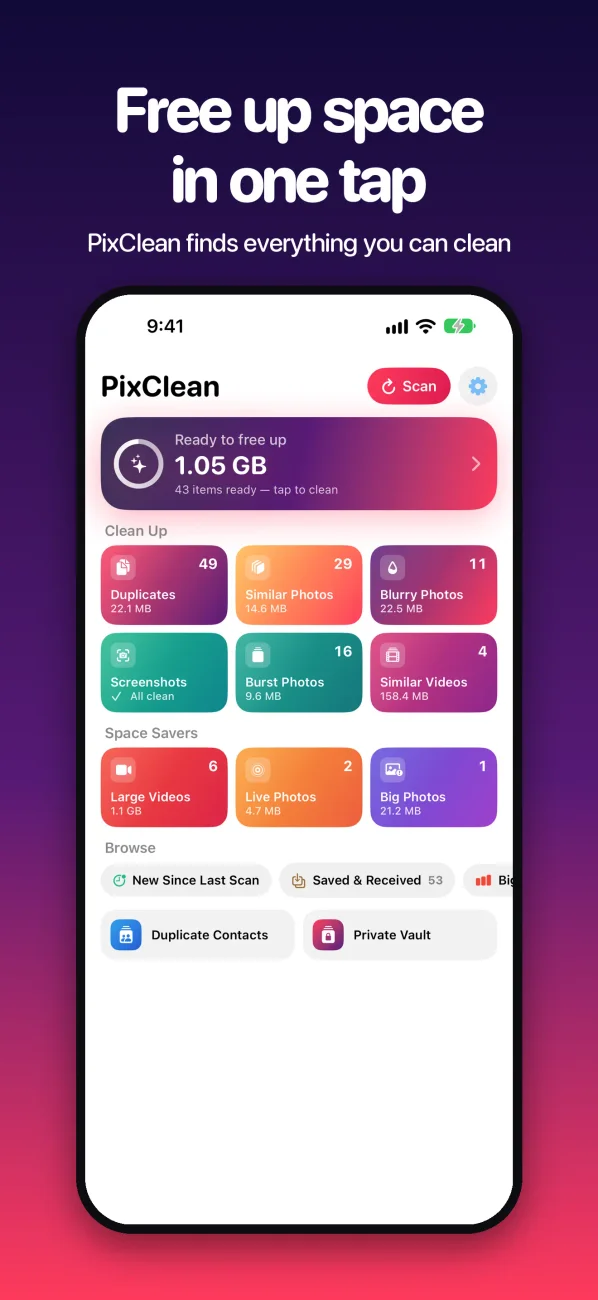
Running out of storage? PixClean finds the photos and videos you don't need and frees up gigabytes in minutes — safely, privately, on your iPhone.
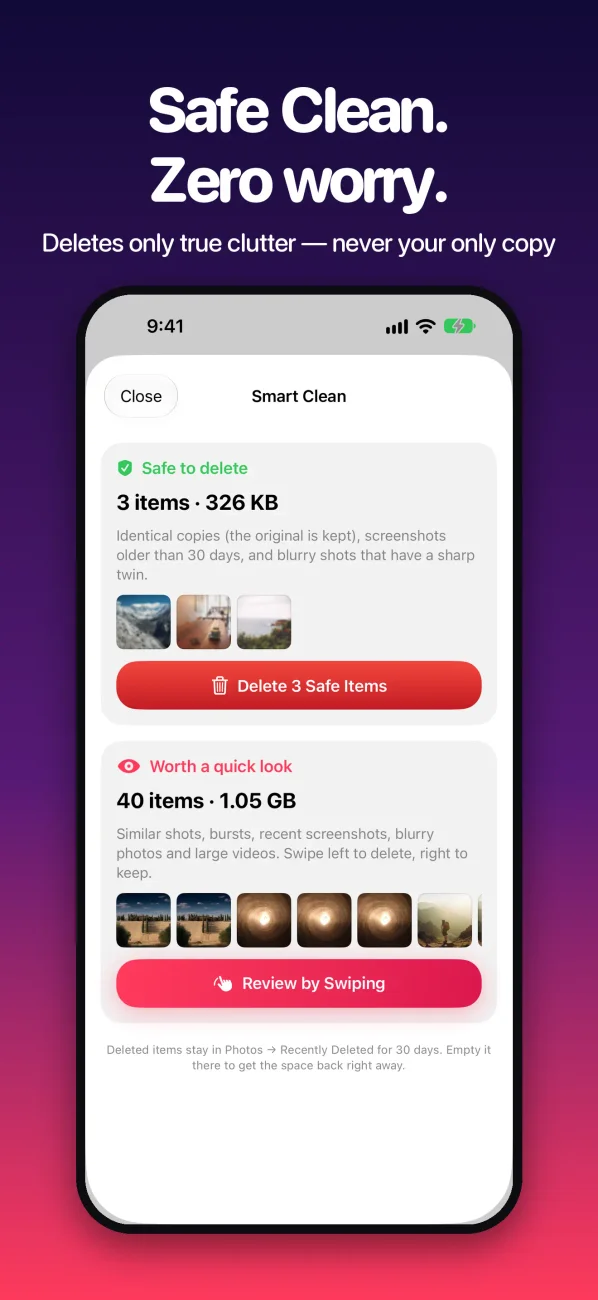
SAFE CLEAN — ONE TAP, ZERO WORRY
PixClean sorts results into two piles. Safe Clean holds only true clutter: identical copies (the original is always kept), old screenshots and blurry shots that have a sharp twin. Delete it all in one tap. Everything else goes to a quick review. PixClean never deletes the only copy of a photo, and photos you marked as Favorites are never suggested.
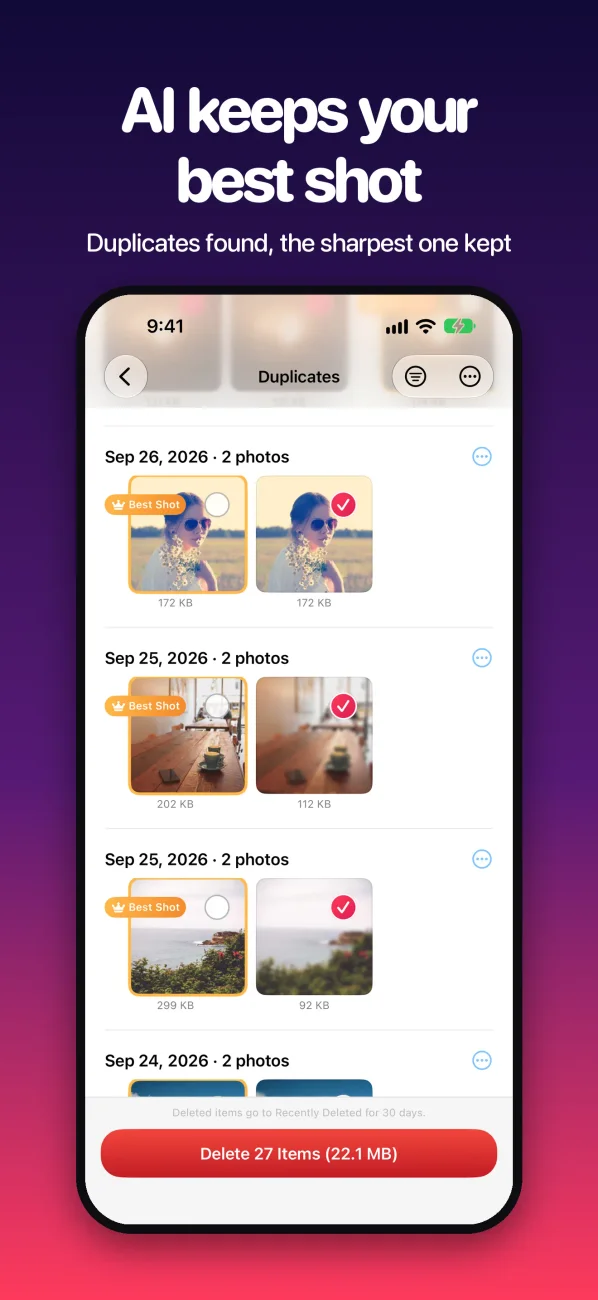
AI THAT KEEPS YOUR BEST SHOT
On-device AI compares what photos show, not just their pixels, so it catches edited, cropped and filtered copies too. In every group PixClean picks the keeper for you: eyes open, faces in focus, the sharpest and highest-resolution shot.
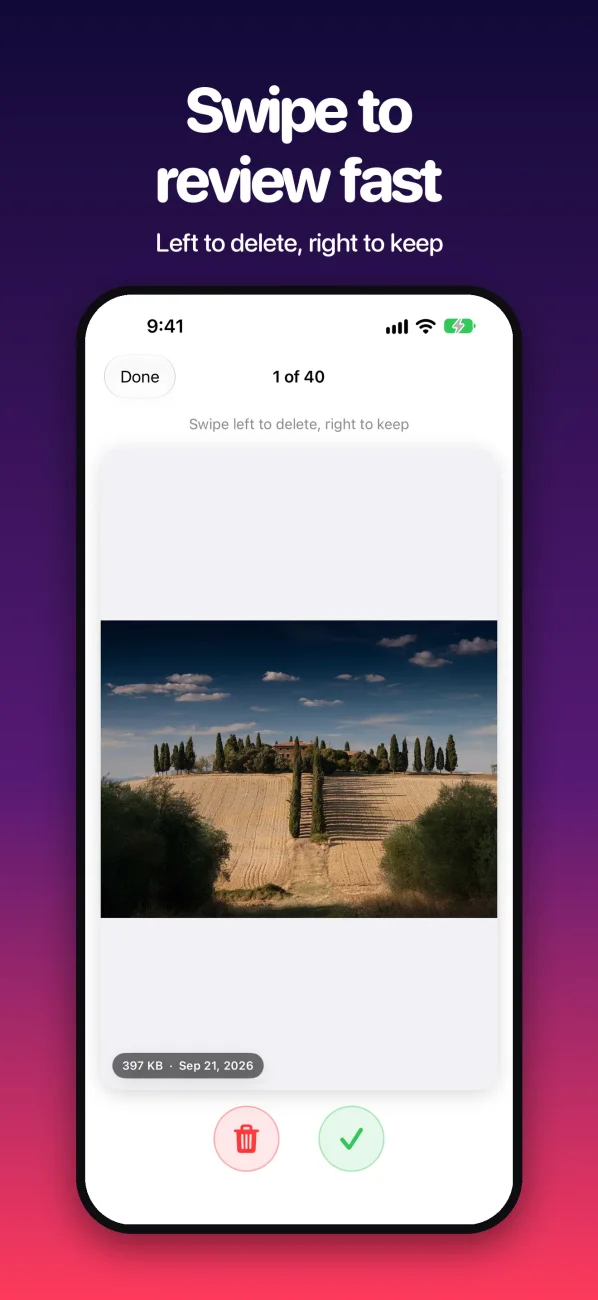
SWIPE TO REVIEW
Swipe left to delete, right to keep. Clear hundreds of screenshots and look-alikes in a few minutes.
EVERYTHING YOU CAN CLEAN
• Duplicates and Similar Photos
• Blurry Photos
• Screenshots and Screen Recordings
• Burst Photos
• Large Videos and Similar Videos
• Low-Quality Videos
• Saved & Received images (WhatsApp, downloads)
• Biggest Items and New Since Last Scan
• Selfies, Documents, By Scene and By People
SAVE SPACE WITHOUT DELETING
• Compress big videos and keep the memory
• Turn Live Photos into stills
• Shrink big photos to space-saving HEIC
PRIVACY FIRST
• Private Info: finds screenshots that show passwords, card numbers, bank details or codes
• Private Vault: hide personal photos behind Face ID
• Every scan runs on your device. Your photos never leave your phone.
MORE
• Duplicate Contacts cleaner
• Clean while charging: PixClean checks new photos overnight
• Fast rescans: only new photos are analyzed
• Home Screen widget and Siri shortcuts
• Streaks and milestones to keep your library tidy
FREE TO USE, PRO TO GO FURTHER
PixClean is free with ads, and you start with free cleaning credits. Go Pro to remove all ads and unlock everything: unlimited cleaning, video compression, the Private Vault and more. Cancel anytime.
Terms of Use (EULA): https://www.apple.com/legal/internet-services/itunes/dev/stdeula/
What’s new
Version 2.3 · Oct 17, 2026
• Safer than ever: Favorites are never suggested, and only true copies are treated as duplicates
• Look-alike photos and videos are no longer pre-selected — you choose what goes
• Screenshots with passwords or card numbers always go to review, never one-tap cleaning
• A quick tutorial shows you around on first use
• Brand-new app icon
• Free with ads for everyone — go Pro to remove ads and unlock everything
• Bug fixes and faster ad loading
App privacy
What We Developers LLC declares on the App Store about how this app handles data.
-
Data used to track you
May be used to track you across apps and websites owned by other companies.
- Identifiers
- Usage data
-
Data not linked to you
May be collected but is not linked to your identity.
- Identifiers
- Usage data
- Diagnostics
Privacy practices may vary, for example with the features you use or your age.
Information
- Seller
- We Developers LLC
- Category
- Utilities
- Version
- 2.3
- Updated
- Oct 17, 2026
- Released
- Mar 4, 2026
- Size
- 9.4 MB
- Requires
- iOS 16.0 or later
- Age rating
- 4+
- Price
- Free
- In-app purchases
- Yes
- Languages
- English, French, German, Italian, Japanese, Portuguese, Spanish
- Copyright
- © 2026 PixClear
You might also like
-
 Link for LandscapeUtilities
-
 weDictateUtilities
-
 myFECUtilities
-
 Battery Analyzer:Hardware Viewsystem battery analysis health
-
 LGMV-BusinessUtilities
-
 DWG Converter, DWG to PDFConvert DWG files
-
 ZSmartUtilities
-
 Merge files PDFMerge Multi PDF Files
-
 DWG Reader Converter PDF CADDWG File Reader Convert CAD
-
 Netvue NextIn Sight, In Mind