- Age rating4+
- CategoryPhoto & Video
- DeveloperArk-Networks
- LanguagesJapanese+ 8 more
- Size37.1 MB
Links to the official App Store page
Download.org hosts no file of PixConvert-Kun. The button opens its official App Store page, published by Ark-Networks. Listing last checked on Nov 16, 2026.
Screenshots

About
PixConvert-Kun is a simple image converter for resizing, compressing, and changing photo formats directly on your device.
Use it when a photo is too large to upload, send by email, post on social media, or attach to a document. Select one image or choose multiple images and convert them in a batch.
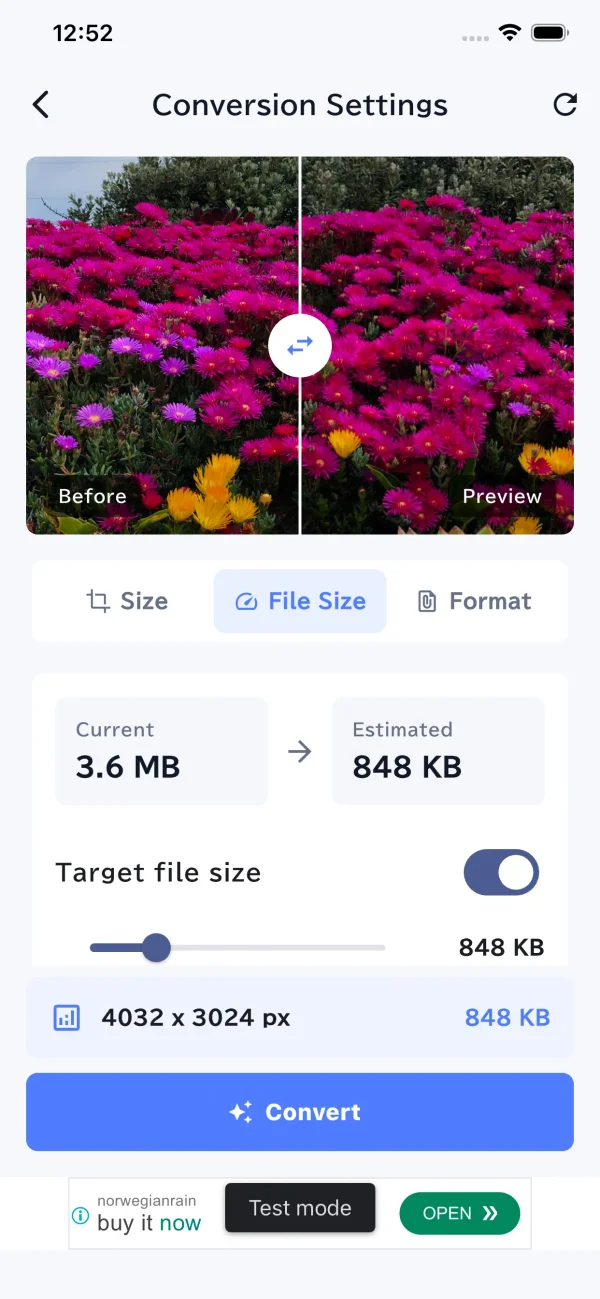
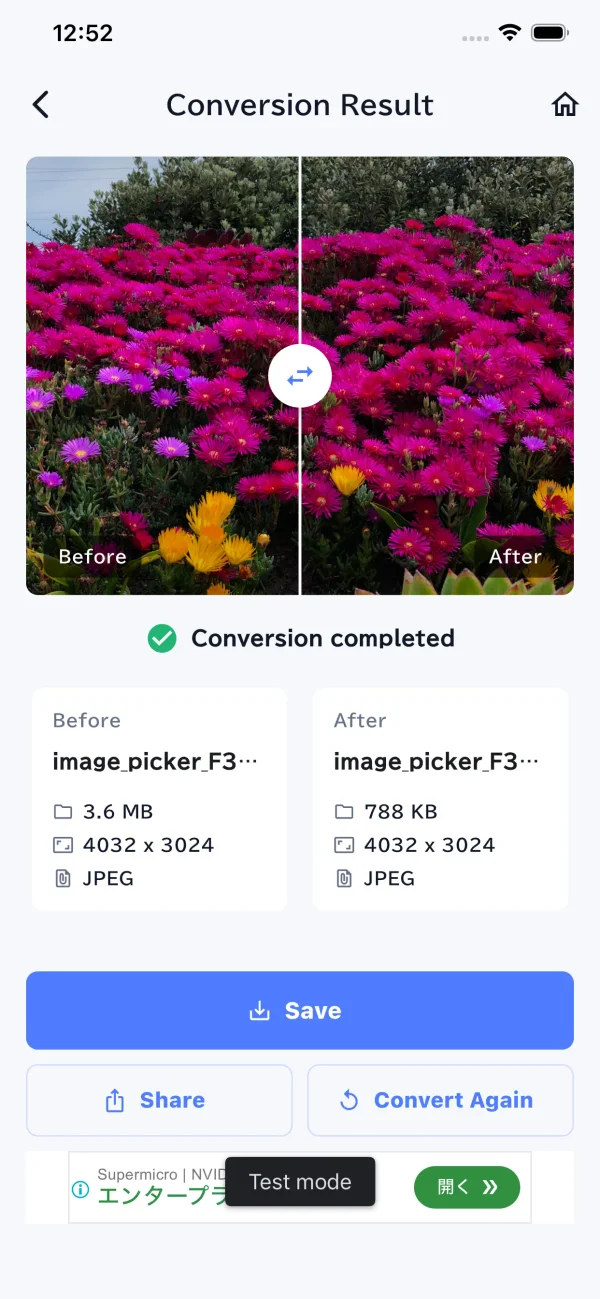
You can convert between JPEG, PNG, WebP, and HEIC, resize by width and height, keep the original aspect ratio, adjust quality, and set a target file size for JPEG, WebP, and HEIC. Before saving, you can compare the original and converted image with preview and file size details.
Batch conversion helps you process multiple photos with shared settings, such as maximum width and target size per image. Save converted images to Photos, share a single file, or share batch results as a ZIP file.
PixConvert-Kun can also remove image metadata such as EXIF, location information, and capture date. Image conversion is designed to run on your device, and selected or converted images are not sent to our server.
Key features:
- Resize images by width, height, or scale
- Keep aspect ratio while resizing
- Convert JPEG, PNG, WebP, and HEIC images
- Adjust quality for JPEG, WebP, and HEIC
- Set a target file size
- Batch convert multiple images
- Preview before and after conversion
- Compare image dimensions and file size
- Save converted images to Photos
- Share converted files
- Share batch results as a ZIP file
- Remove EXIF, location, and other metadata
- View recent conversion history
HEIC support may vary depending on your device and OS version.
What’s new
Version 1.1.6 · Jul 12, 2026
Thank you for using PixConvert-Kun.
This update includes bug fixes, stability improvements, and app optimizations.
App privacy
What Ark-Networks declares on the App Store about how this app handles data.
-
Data not linked to you
May be collected but is not linked to your identity.
- Identifiers
- Usage data
Privacy practices may vary, for example with the features you use or your age.
Information
- Seller
- Ark-Networks
- Category
- Photo & Video
- Version
- 1.1.6
- Updated
- Jul 12, 2026
- Released
- Jun 22, 2026
- Size
- 37.1 MB
- Requires
- iOS 13.0 or later
- Age rating
- 4+
- Languages
- Japanese, Spanish, German, French, Portuguese, Simplified Chinese, Traditional Chinese, English, Korean
- Copyright
- © 2026 Ark-Networks
You might also like
-
 BatchFit: Image ConverterBatch Resize, Rename & Export
-
 Image Compressor: Reduce KBShrink Photo Size, Offline
-
 Image Converter – HEIC & WebPBatch convert JPG, PNG & PDF
-
 Image Converter: Offline BatchHEIC WebP AVIF JPG to PDF
-
 Image ConvertrCovert any image format
-
 Image Resizer: Resize PhotoCompress Photo & Batch Resize
-
 Image Resize AIImage Resizer, Photo Resize
-
 Fix My Smile - Teeth MakeoverPerfect your smile with AI
-
 Reframe It - Video CroppingCrop People Automatically
-
 Image Compressor Photo ResizerCompress, Reduce Size: MB & KB