
PixelGuard | EXIF Remover
Remove GPS & photo metadata
Designed for iPhone, iPad
Free · In-app purchases
- Age rating4+
- CategoryUtilities
- DeveloperAIXion
- LanguagesEnglish+ 14 more
- Size21.2 MB
Links to the official App Store page
Download.org hosts no file of PixelGuard | EXIF Remover. The button opens its official App Store page, published by AIXion. Listing last checked on Nov 27, 2026.
Screenshots



About
Shoot, check, clean, hide, store. One app for before and after you show a photo.
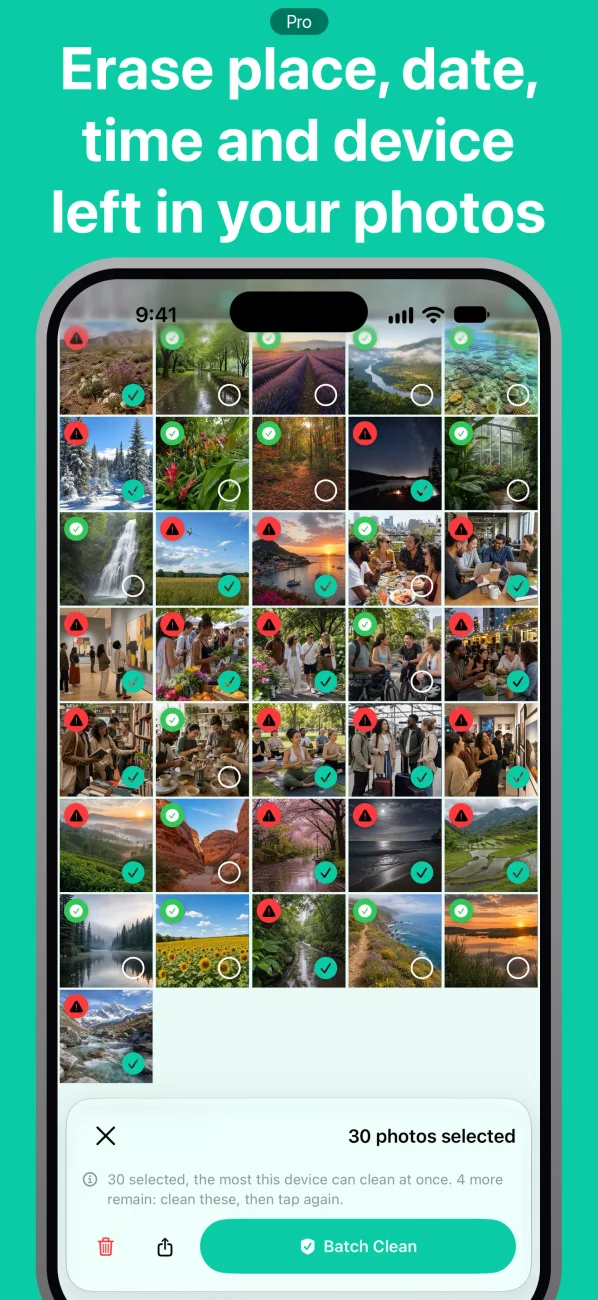
Share photos with location (GPS), date and time, and camera details removed together. Keep private photos in a locked vault on this device only.
No ads, no sign-up, no data collection. Clean photos, videos and Live Photos free, up to 3 photos a day.
CHECK AND CLEAN BEFORE SHARING
- See the location on a map and check the date and time, camera, lens and more. You can also see a list of what was removed.
- What the photo shows stays the same. If cleaning fails, the original is kept as it was and the app lets you know the result.
- Clean multiple photos together. Free users can try it once, with up to 10 photos.
- Save clean copies from the Photos share sheet or the Files app too. The originals stay.
LEAVE NOTHING FROM THE START
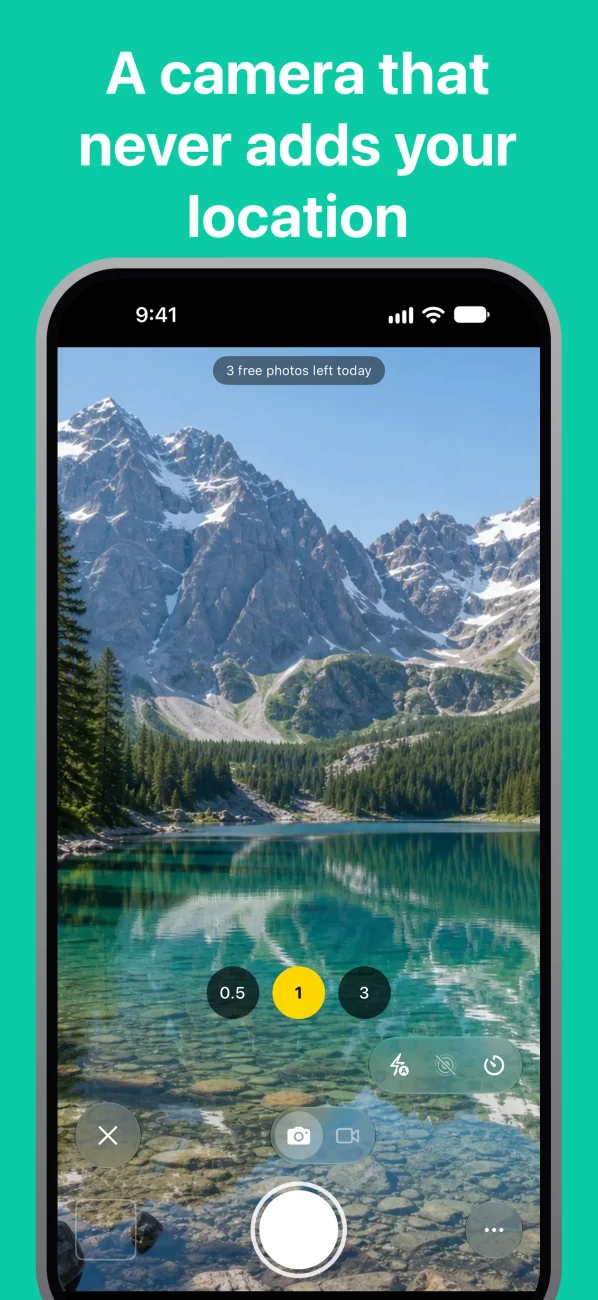
- Clean Camera: shoot photos, videos and Live Photos, and save them with location, camera, device model and other details removed.
HIDE WHAT THE PHOTO SHOWS
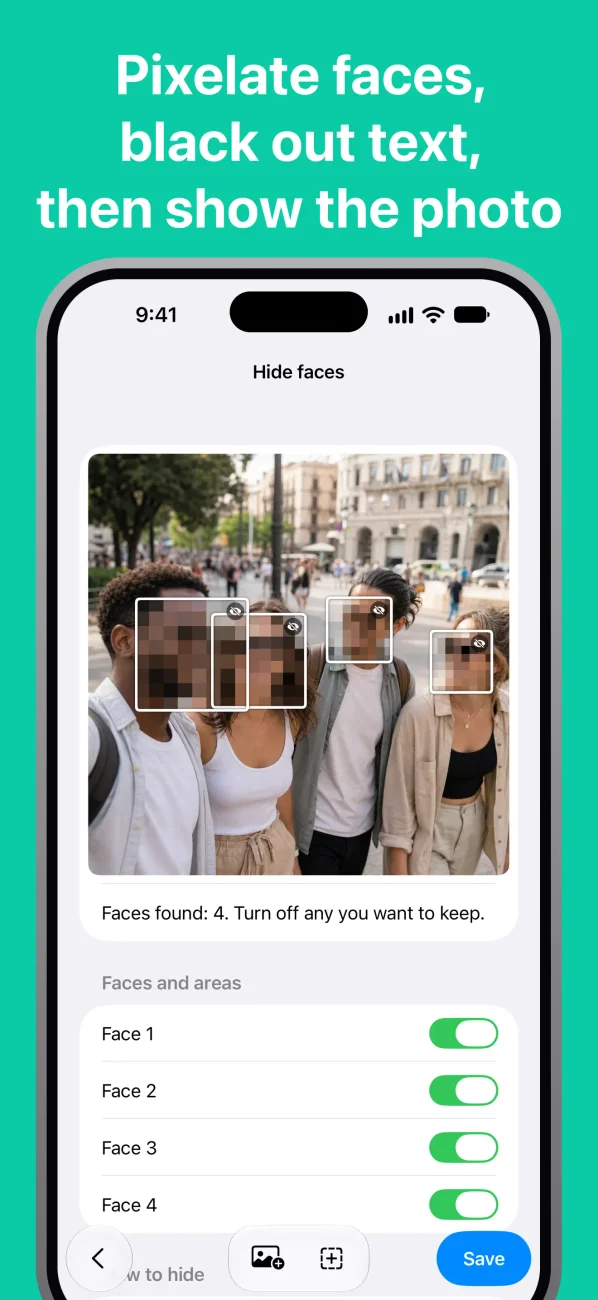
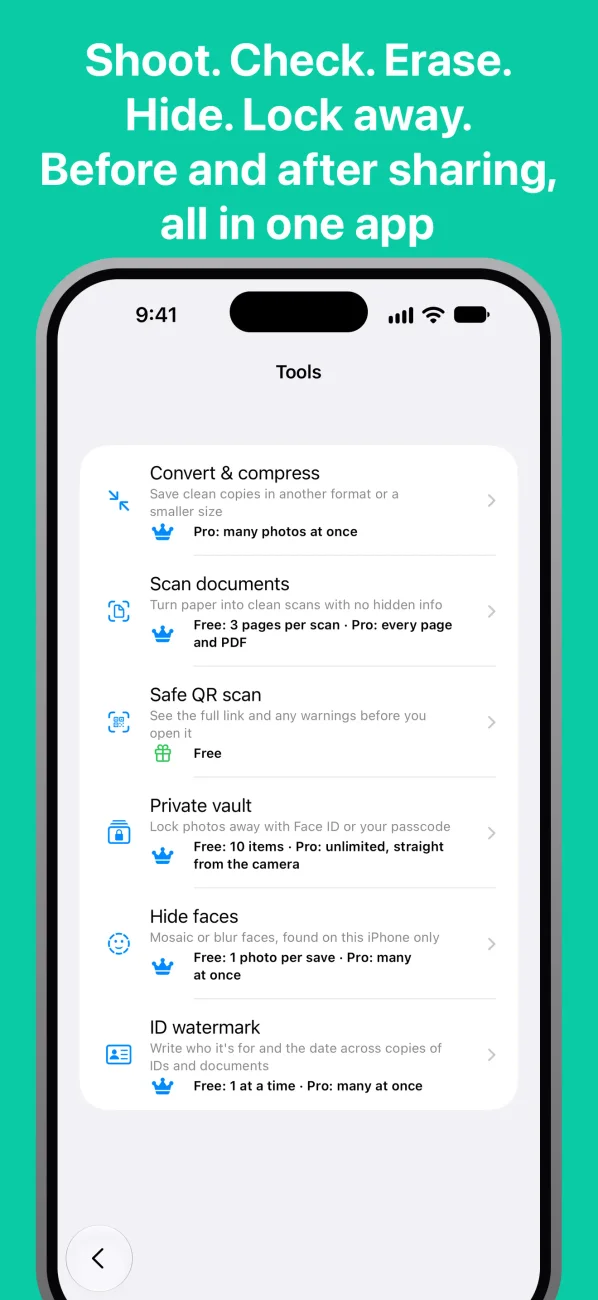
- Hide faces: find faces on device and save a copy with them pixelated or blurred. Some faces may be missed.
- Black out: hide parts of still photos you don't want seen, with freehand shapes, rectangles or circles.
- ID watermark: add the recipient and the date across copies of IDs and documents.
PUT PRIVATE PHOTOS AWAY
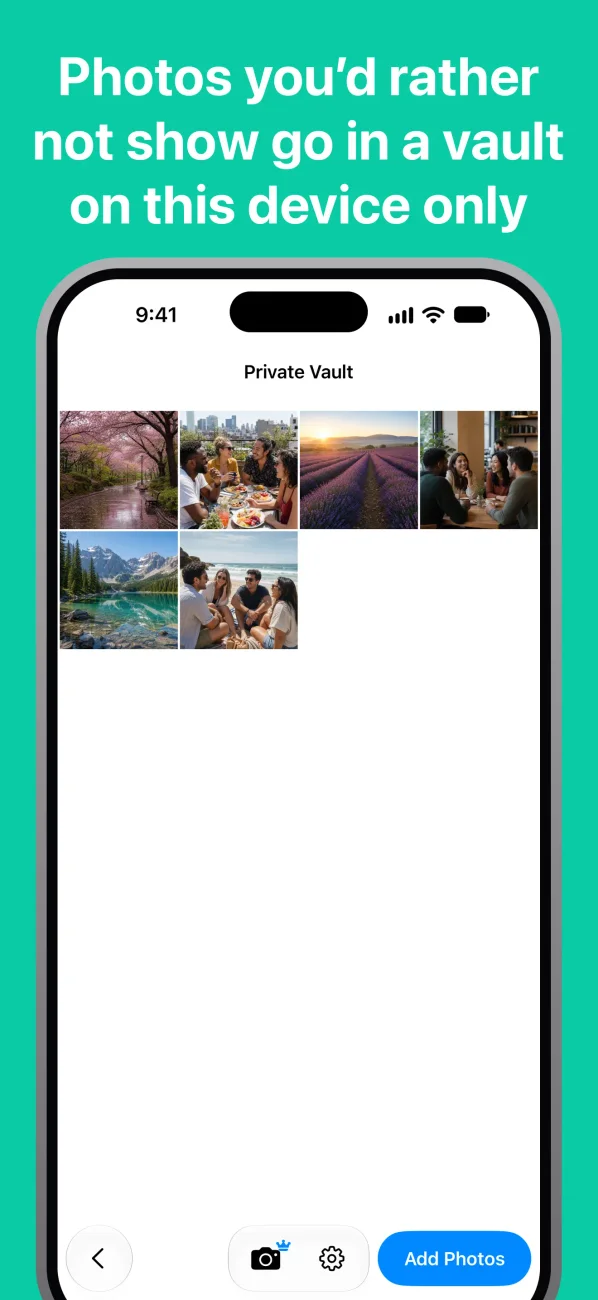
- Private Vault: keep private photos outside the Photos app, encrypted with AES-256 on this device.
- Open it with a vault-only PIN or password. Face ID or Touch ID can open it too.
- Vault photos are not included in backups or the cloud, and the key works only on this device.
- So if you change device, restore, or delete the app, even you won't be able to open the vault. Move photos you want to keep back to Photos first.
- When moving photos back to Photos or sharing them, choose to keep them as they are or remove hidden details.
- You choose whether to delete the originals from the Photos app.
EXPORT AND TIDY UP
- Convert & compress: export to JPEG, HEIC or PNG, choosing size and quality. Hidden details are removed by default. You can keep them in vault settings.
- Scan documents: turn paper documents into easy-to-read images. PDFs include no author, creation date/time or device details.
- QR code scan: links do not open automatically. You see the full link and any warning signs first. It cannot detect every risk.
- Free Up Space: choose what to keep from similar photos, bursts, screenshots and long videos.
KEEP AN EYE ON YOUR PHOTOS
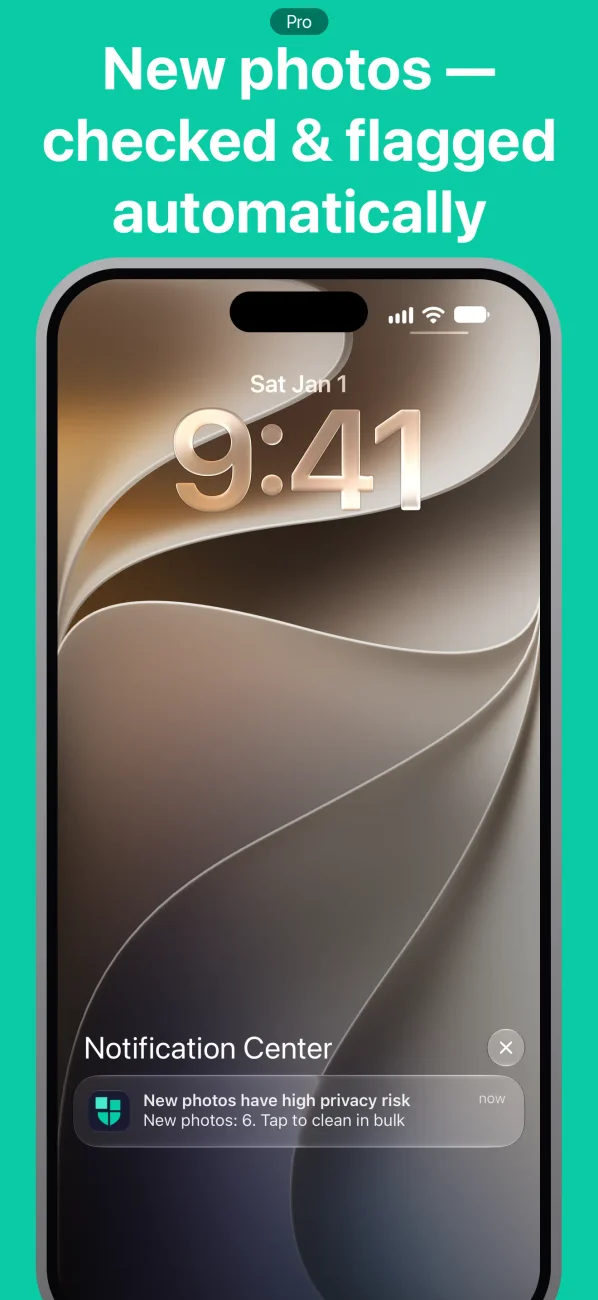
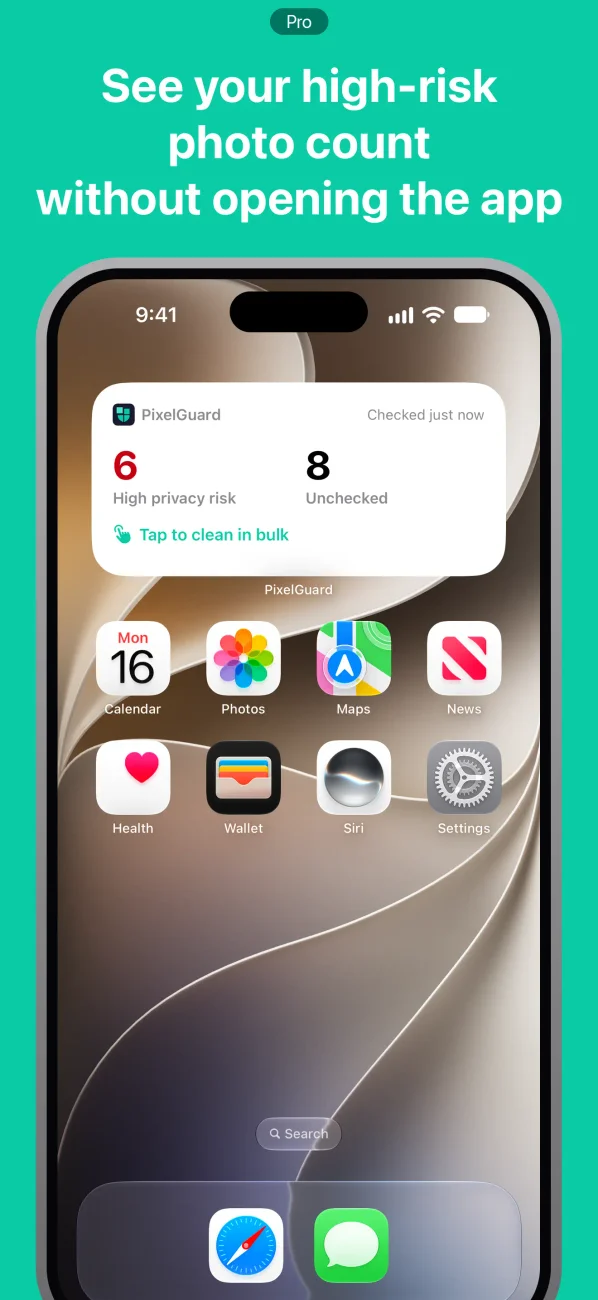
- Get alerts about recent photos that still carry hidden details: at launch, by notification (permission needed) or with widgets.
- Works with Shortcuts and Siri too. Protection record shows how many photos you have cleaned.
- Controls sit at the bottom of the screen and fit iPhone in landscape, iPad and iPhone Duo screens.
FREE AND PRO
- Free: up to 3 photos a day in total across clean, convert, black out, hide faces and watermark saves. Scans: 3 pages per scan. Vault: 10 photos. Free Up Space deletions: 30 photos a day.
- QR code scan, Protection record and Lock Screen widgets are free for everyone.
- Pro: no photo limit. Clean and convert multiple photos together, and select high-risk photos with one tap.
- Pro: save every scanned page and PDFs. No limit for the vault or Free Up Space. Save from the camera straight to the vault.
- When your free photos run out, you can keep shooting. Those photos are saved as originals without removing details, and the app lets you know.
- Choose a monthly or yearly Pro plan. Existing lifetime purchases and Restore Purchases still work.
PROCESSED ON DEVICE
Removing details, converting, face detection, vault encryption and the rest all happen on device.
PixelGuard does not upload photos or collect usage data.
QR Code is a registered trademark of DENSO WAVE INCORPORATED.
Terms of Use: https://pixel-guard.com/terms
Privacy Policy: https://pixel-guard.com/privacy
What’s new
Version 2.0.0 · Nov 26, 2026
Tools for before and after you show a photo, together in one app.
- Private Vault: keep private photos outside the Photos app, encrypted on this device. Open it with a vault-only PIN or password, or with Face ID or Touch ID. It is not included in backups, so if you change device or delete the app, you cannot open it. Free: up to 10 photos.
- Hide faces and ID watermark: save copies with faces hidden, or with the recipient and the date across them.
- Use Convert & compress, Scan documents, and a QR code scan that lets you check links before opening them.
- Free Up Space: choose what to keep from similar photos, bursts, screenshots and long videos.
- Black out can find candidate faces and text on your device. Some may be missed.
- Free users can try cleaning up to 10 photos together, once.
- Controls rearrange to fit iPhone in landscape and iPhone Duo screens. In Arabic, the screen is mirrored.
- Notices appear at the top of the screen. After you delete photos, the app shows how to get them back.
- Lock Screen widgets and Protection record are available.
App privacy
What AIXion declares on the App Store about how this app handles data.
-
Data not collected
The developer does not collect any data from this app.
Privacy practices may vary, for example with the features you use or your age.
Information
- Seller
- AIXion
- Category
- Utilities
- Version
- 2.0.0
- Updated
- Nov 26, 2026
- Released
- May 19, 2026
- Size
- 21.2 MB
- Requires
- iOS 17.0 or later
- Age rating
- 4+
- Price
- Free
- In-app purchases
- Yes
- Languages
- English, Arabic, French, German, Hindi, Italian, Japanese, Korean, Portuguese, Russian, Simplified Chinese, Spanish + 3 more
- Copyright
- © 2026 AIXion
You might also like
-
 Jike ImageAll EXIF & GPS Data Analysis
-
 EXIF+ Viewer, Metadata RemoverRemove GPS, Fix Photo Location
-
 Video to Live & GIFGIF & Photo to Live, Frames
-
 VoicePro: AI Audio & RecorderProfessional Voice Recorder
-
 Escritório MagalhãesUtilities
-
 Screenshot: ScaptureCapture Beautiful Screenshots
-
 Real Metal Detector AppStud Finder & EMF Scanner
-
 Exif Cleaner: Remove MetadataTake GPS and EXIF off photos
-
 Delete Contacts Pro.Clean, merge, or backup