
Pixelizer
converts images to pixelart
Designed for iPhone, iPad
Free · In-app purchases
- Age rating4+
- CategoryUtilities
- DeveloperOleksandr Semydidko
- LanguagesEnglish
- Size1.3 MB
Links to the official App Store page
Download.org hosts no file of Pixelizer. The button opens its official App Store page, published by Oleksandr Semydidko. Listing last checked on Nov 18, 2026.
Screenshots
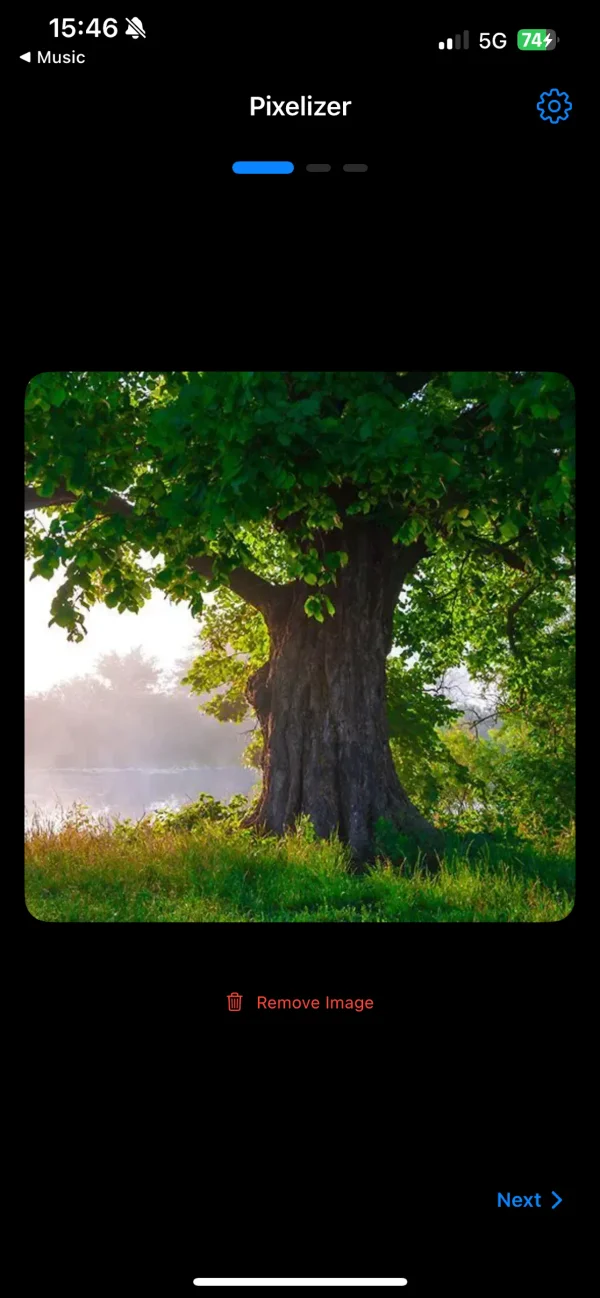

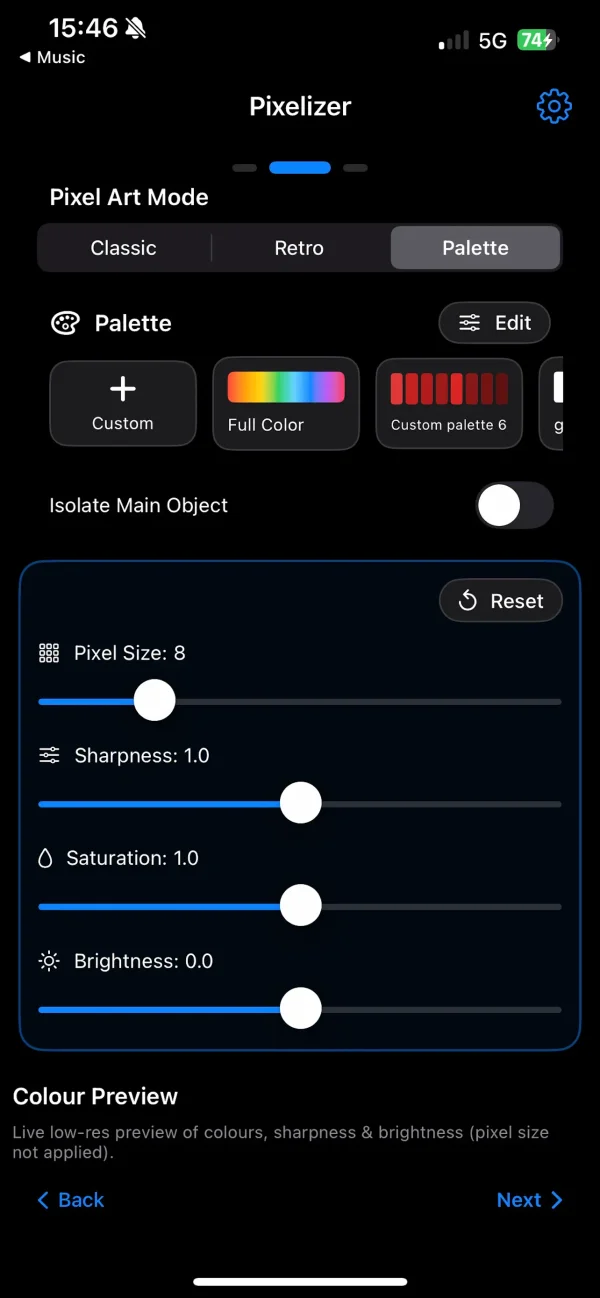

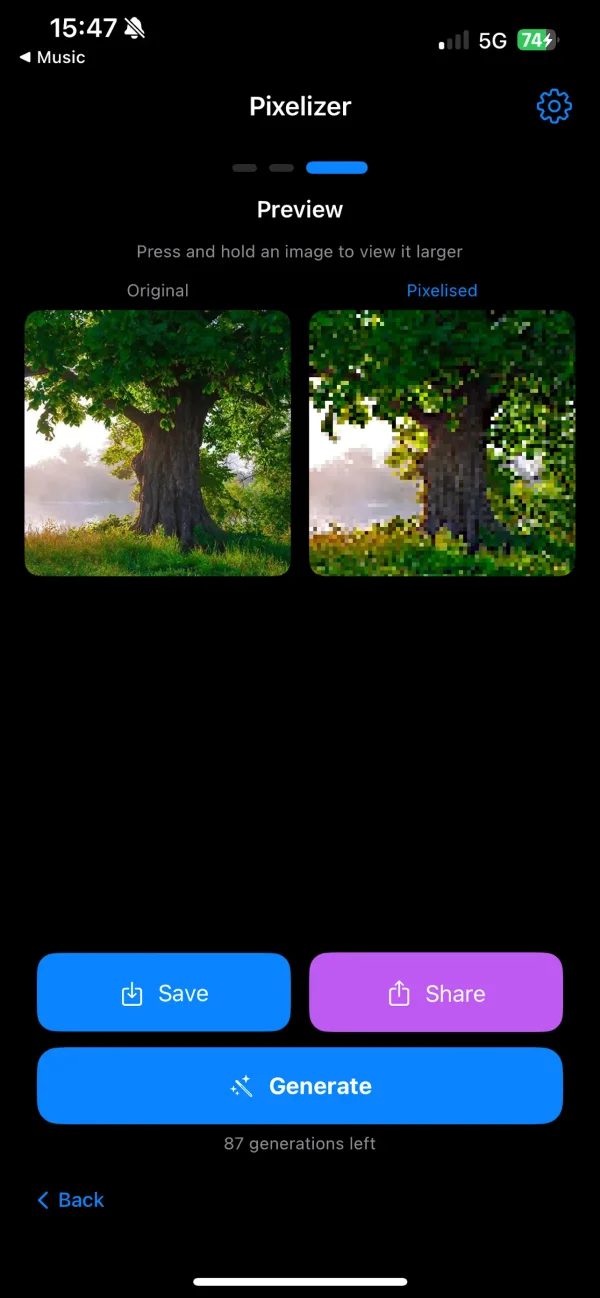
About
Turn your photos into pixel art. Retro, 8-bit, and arcade styles — right on your device.
Three distinct styles:
Classic — clean pixelation with adjustable sharpness and color.
Retro — dithering and sprite outlines for an authentic 8-bit CRT look.
Palette — remap your image to real game palettes: PICO-8, Game Boy, NES, C64, and more.
You have the full control
- Fine-tune pixel size, sharpness, color levels, saturation, brightness, and contrast with a live preview.
- Isolate the main subject and pixelate the foreground and background independently.
- Build custom palettes — pick from 256 colors or paste your own hex codes.
Fast and private
- Everything runs on your device. Your photos never leave it.
App privacy
What Oleksandr Semydidko declares on the App Store about how this app handles data.
-
Data not collected
The developer does not collect any data from this app.
Privacy practices may vary, for example with the features you use or your age.
Information
- Seller
- Oleksandr Semydidko
- Category
- Utilities
- Version
- 1.0
- Updated
- Aug 29, 2026
- Released
- Aug 29, 2026
- Size
- 1.3 MB
- Requires
- iOS 17.6 or later
- Age rating
- 4+
- Price
- Free
- In-app purchases
- Yes
- Languages
- English
- Copyright
- © Oleksandr Semydidko
You might also like
-
 Woper: Y2K Pixel Art WidgetsRetro phone lock screen logos
-
 Modu.lite: Retro App LauncherVintage Styled Dumbphone
-
 TICKEY LinkUtilities
-
 Swiper: Photo Gallery CleanerSwipe left or right to clean
-
 Russian Keyboard + TranslatorType & translate russian text
-
 Flippr: Coin Flip & MomentsCollect, Capture, Contemplate
-
 EticksReliable Ticketing Platform
-
 Satellite Tracker ProPass prediction included
-
 Psylo: Private Browser & ProxyAdblock & Incognito Browsing
-
 Authenticator App 2FA Secure2FA Security with Instant OTP