
PlaceTap - Map & Nav Widgets
Saved places, one tap away
Designed for iPhone
In-app purchases
- Age rating4+
- CategoryNavigation
- DeveloperCHOYOWORKS
- LanguagesGerman+ 21 more
- Size12.0 MB
Links to the official App Store page
Download.org hosts no file of PlaceTap - Map & Nav Widgets. The button opens its official App Store page, published by CHOYOWORKS. Listing last checked on Nov 13, 2026.
Screenshots
About
Your usual places, ready on your home screen.
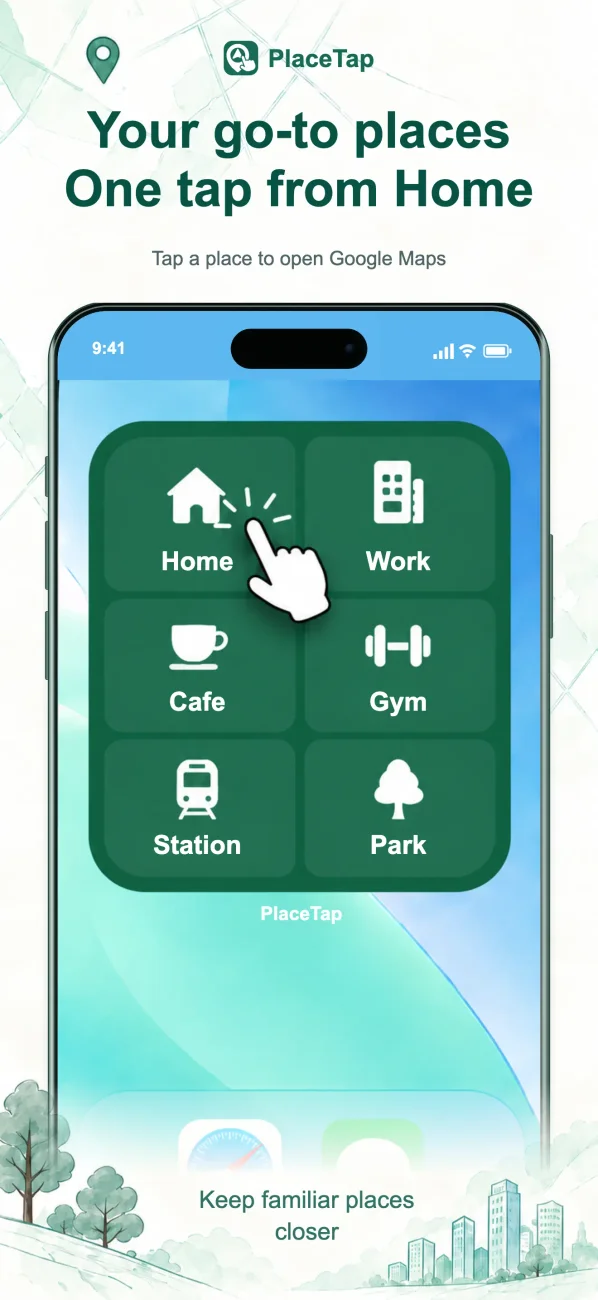
PlaceTap saves your destinations and lets you start Google Maps navigation from your iPhone home screen.
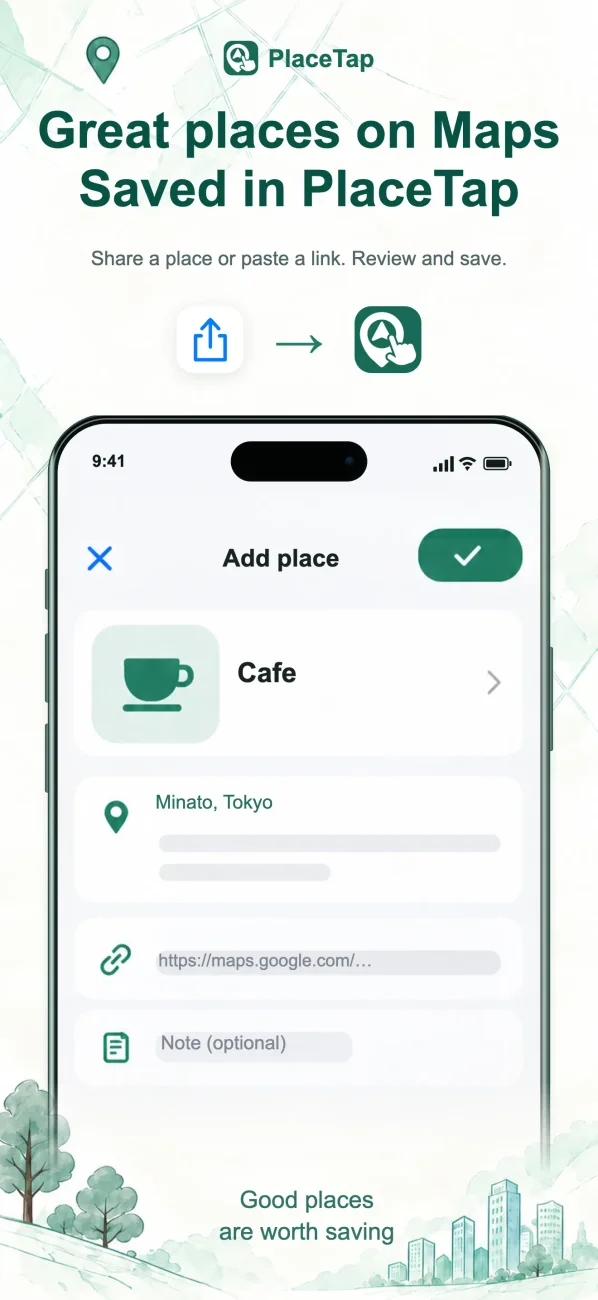
SAVE A PLACE
Paste a Google Maps share link or save your current location.
START FROM YOUR HOME SCREEN
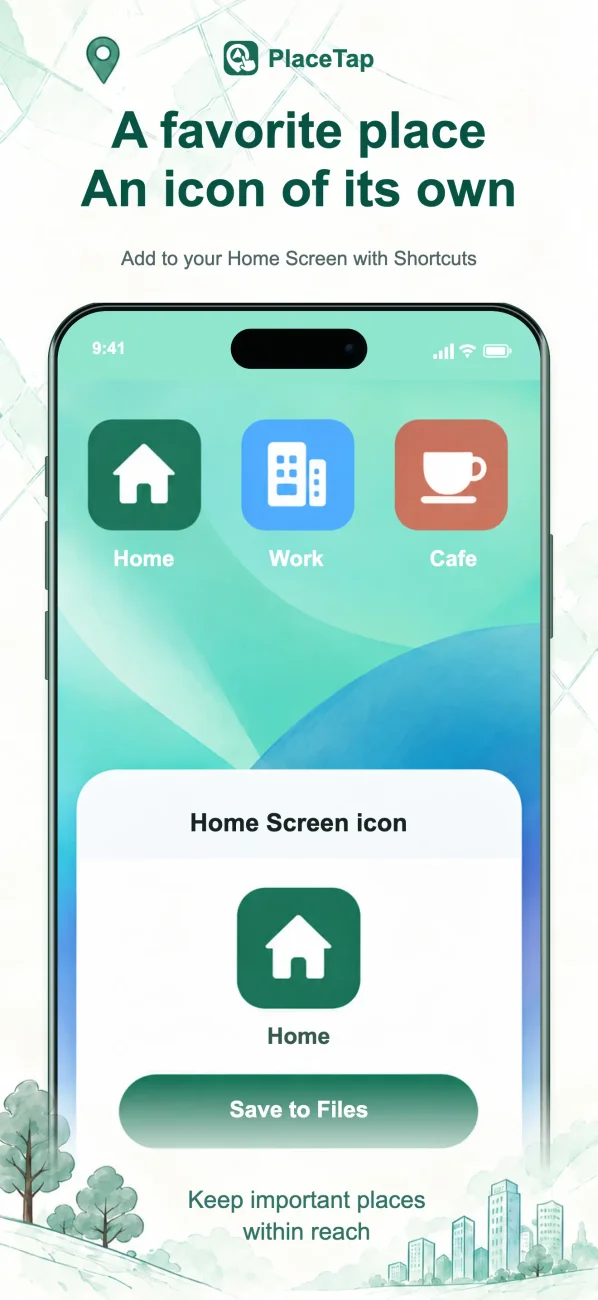
Use a widget for one or several places, or a shortcut you can keep in a folder. Choose driving or walking for each widget or shortcut.
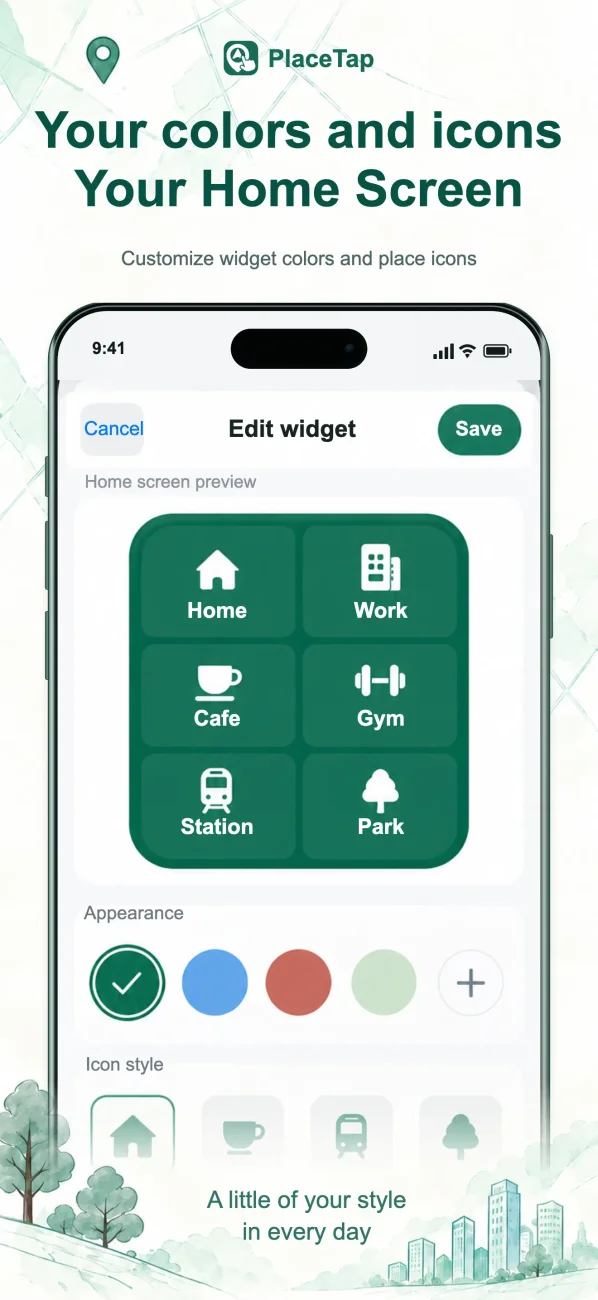
MAKE IT YOURS
Customize icons, labels and colors. Adjust widget transparency, text size and icon size.
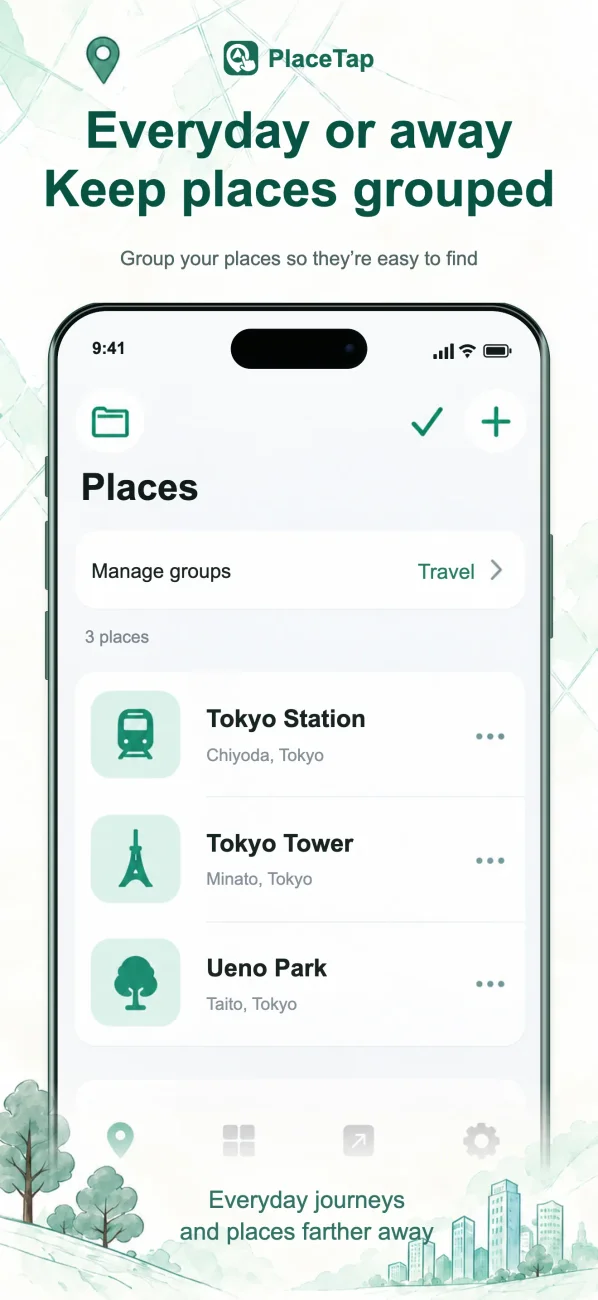
KEEP THINGS ORGANIZED
Group your places, widgets and shortcuts so they are easy to find.
On iPhone, add widgets using the Home Screen controls. For a separate place icon, use Apple's Shortcuts app to add it to the Home Screen; you can export a custom icon from PlaceTap. Saving a configuration does not add it to the Home Screen automatically. Widget appearance follows iOS display rules.
No account required. No ads. Your saved places stay on your device.
The free version lets you use your 3 earliest saved places and their widgets and shortcuts. Later places stay saved but are locked. Pro unlocks all places.
Try Pro free for 7 days
Every Pro feature is available during the trial. No payment details are required, and there is no auto-renewal.
PlaceTap Pro is an optional one-time in-app purchase that removes the place limit. No subscription. Restore Pro with the same App Store account.
Terms of Use (EULA):
https://www.apple.com/legal/internet-services/itunes/dev/stdeula/
What’s new
Version 1.0.6 · Oct 16, 2026
Preview places on an embedded Apple map and fine-tune the pin when saving your current location or entering coordinates. In Backup, export places and groups as a JSON file, or import one to add only what's missing without changing existing places. New “Rate on the App Store” option, more accurate current location (refined for up to 20 seconds), and remembered group filters. Places, groups, widget and shortcut configurations, settings and the trial record can now be restored from iCloud or computer backups.
App privacy
What CHOYOWORKS declares on the App Store about how this app handles data.
-
Data not collected
The developer does not collect any data from this app.
Privacy practices may vary, for example with the features you use or your age.
Information
- Seller
- CHOYOWORKS
- Category
- Navigation
- Version
- 1.0.6
- Updated
- Oct 16, 2026
- Released
- Sep 19, 2026
- Size
- 12.0 MB
- Requires
- iOS 17.0 or later
- Age rating
- 4+
- In-app purchases
- Yes
- Languages
- German, Arabic, English, Filipino, French, Hindi, Indonesian, Italian, Japanese, Korean, Dutch, Polish + 10 more
- Copyright
- © 2026 ChoyoWorks
You might also like
-
 Car GPSFind your parked car instantly
-
 Go There: Saved Places MapTurn saved spots into trips
-
 Pin Points Distance CalculatorMultistop Route & Trip Planner
-
 Triplink - Editable trip plansIdea/Route/Tips from travelers
-
 Route-FinderCreate multi-stop routes
-
 Passporty: Travel Map TrackerMark the places you've been
-
 Sector 1Track your rides
-
 Find My Car: Auto Park GPSSpot Locator & Walking Routes
-
 RoutificIntelligent Route Optimization