Planet Focus: Pomodoro Timer
Study, work & concentration
Designed for iPhone, iPad, Mac
Free · In-app purchases
- Age rating4+
- CategoryProductivity
- Developer小雨 尹
- LanguagesEnglish+ 7 more
- Size75.0 MB
Links to the official App Store page
Download.org hosts no file of Planet Focus: Pomodoro Timer. The button opens its official App Store page, published by 小雨 尹. Listing last checked on Nov 12, 2026.
Screenshots
About
Choose from three free timer presets: Classic (25/5/15), Sprint (15/3/10) and Deep Focus (50/10/20). Tap the cycle track above the timer to switch. Pro lets you save and edit your own named presets. Use Planet Focus in portrait or landscape.
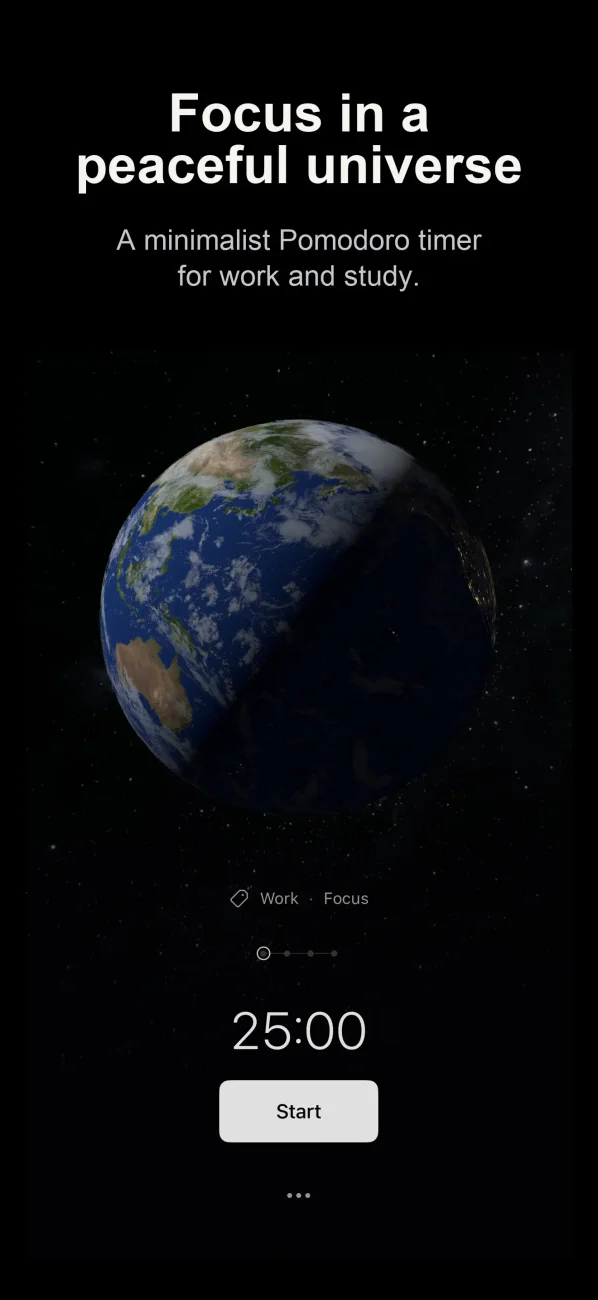
Focus in a peaceful universe with Planet Focus, a Pomodoro timer for work and study. Focus on Earth, take a break on the Moon, and spend a longer rest with Saturn.
YOUR FOCUS, YOUR ROUTINE
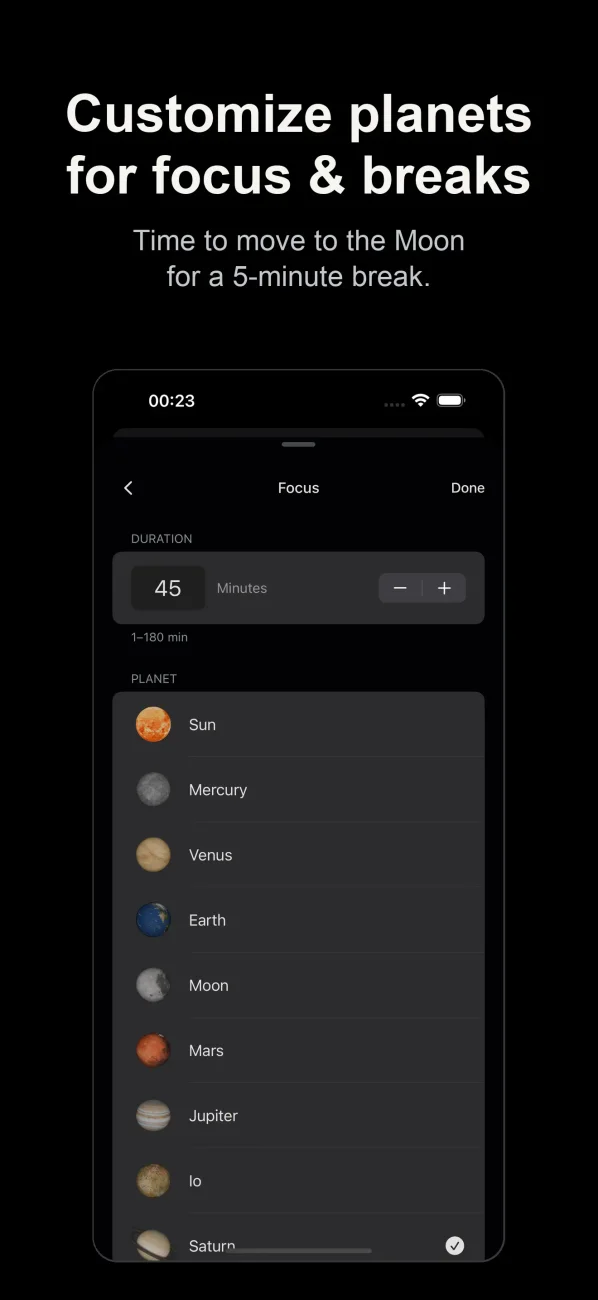
Choose Earth, Moon or Saturn for any phase, free. Follow your rounds along a quiet track, and reset the cycle with confirmation when no timer is active. Add Work, Study, Reading or Creative tags before starting. Delete individual History records and undo recent deletions. Start, pause or resume with App Shortcuts. Pro Insights also groups focus time by tag.
A Milky Way panorama, Earth night lights and detailed lunar terrain bring the solar system closer. Each new focus gently shifts your view of the galaxy. Short timers use smoother planet rotation.
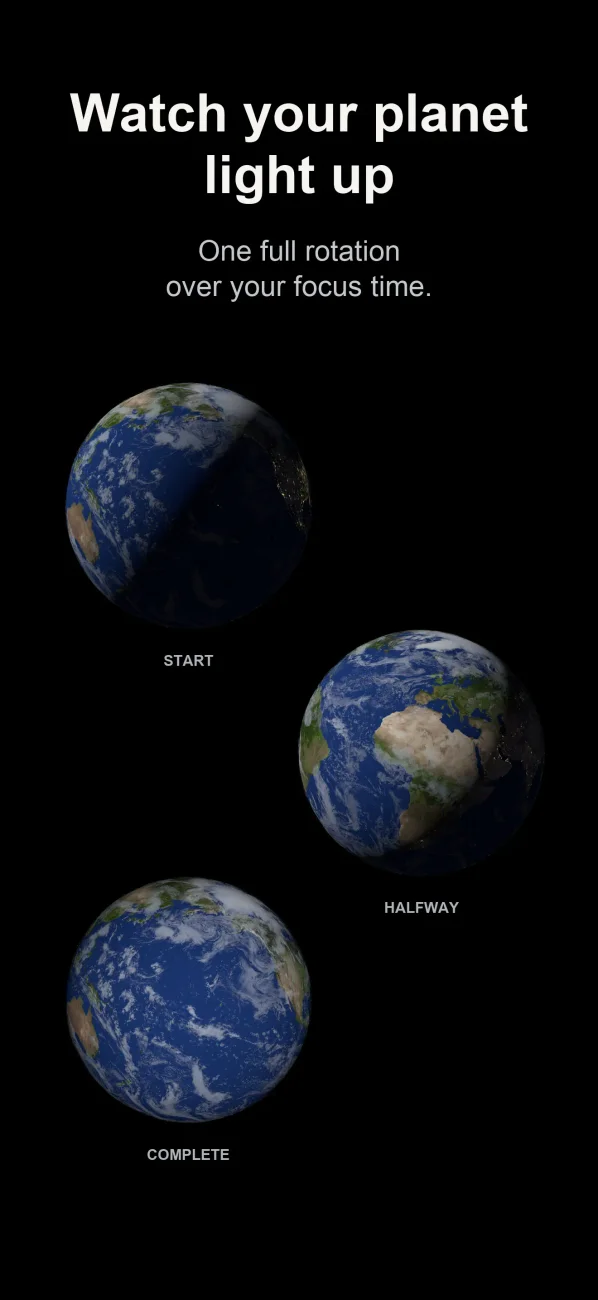
Each timed phase takes your planet through one full rotation. Watch Earth go from half-lit to fully revealed as you progress. The countdown stays visible. Optionally hide it after 10 seconds in Settings. Before you start, you can turn the globe with a swipe.
FREE
• 25-minute focus, 5-minute short breaks and 15-minute long breaks.
• Earth, Moon and Saturn mark each part of your routine.
• Pause, resume, and save or discard an unfinished focus.
• Reminders name your next planet and how long you will stay.
• History with daily totals, a weekly chart and saved focus and break records.
GET PLANET FOCUS PRO
• Set your own durations and assign a different celestial body to each phase. Choose from the eight planets, the Sun, the Moon and Io.
• Three original space-inspired soundscapes: Nebula, Orbit and Distant signal.
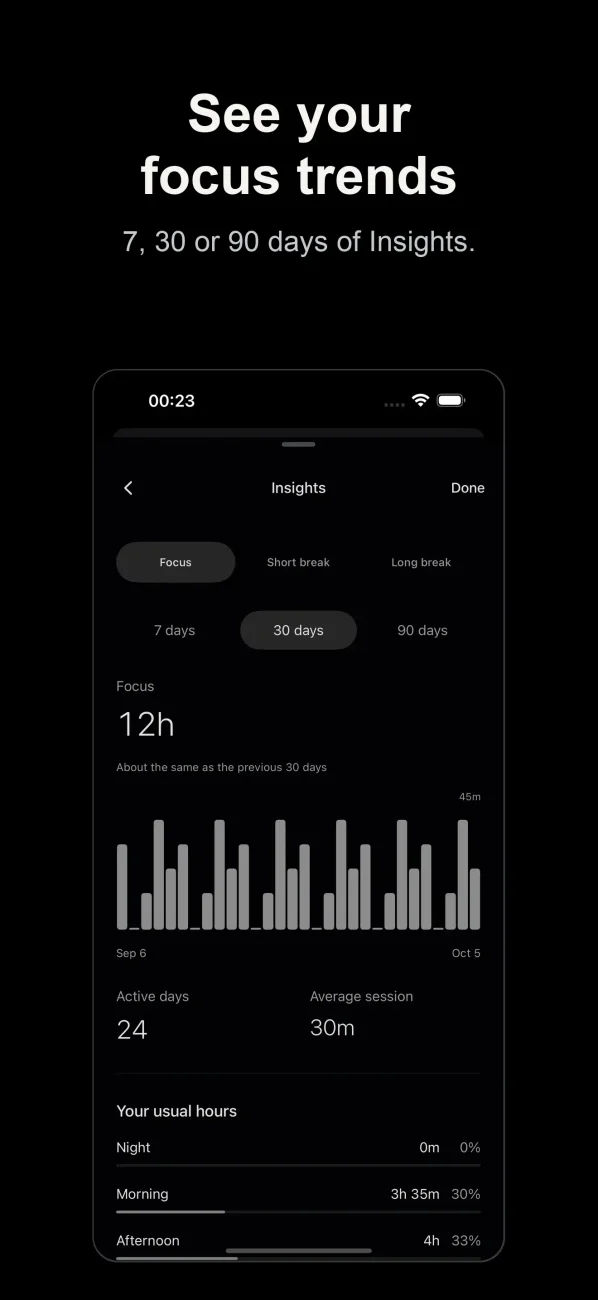
• 7-, 30- and 90-day Insights, active days and time per planet.
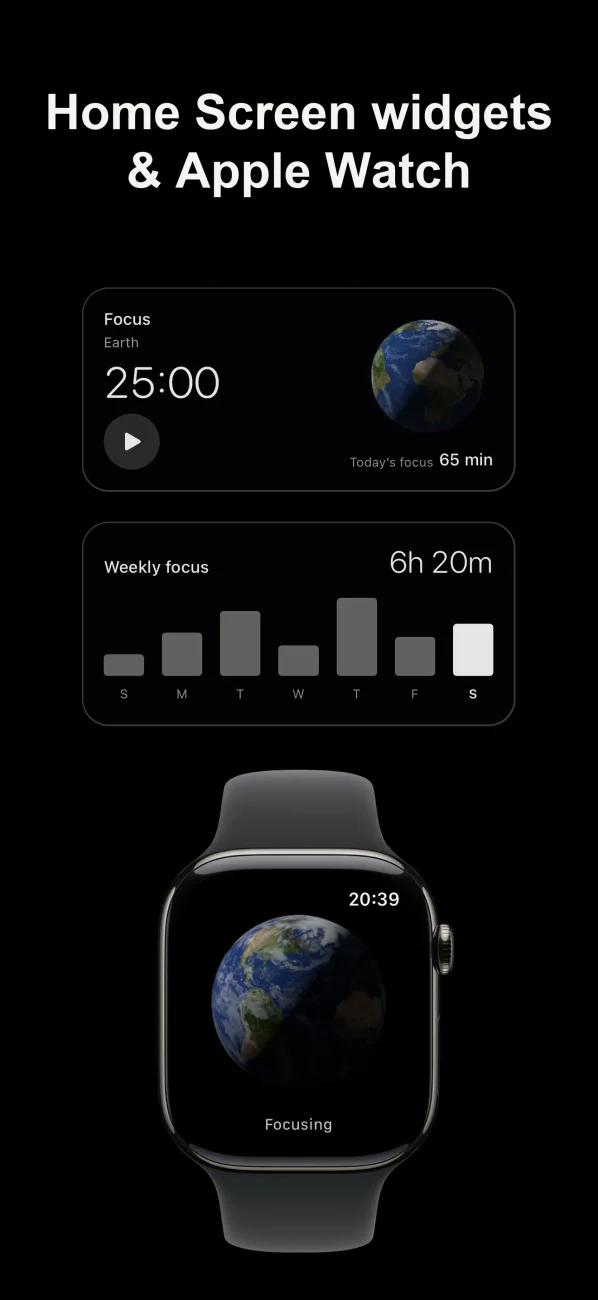
• Start, pause and resume your timer directly from Home Screen widgets. See daily focus totals in the Weekly Focus widget.
• Apple Watch with a rotating planet or timer view. Watch records sync to iPhone History; the two timers run independently.
No account needed. History is stored on your devices. Optional analytics and crash diagnostics are on by default and can be disabled in Settings.
Pro is available monthly, yearly or as a lifetime purchase. All plans unlock the same features. Subscriptions renew automatically unless canceled at least 24 hours before the period ends. Manage subscriptions in App Store account settings. Prices are shown before purchase.
Privacy: https://firstappstudio.com/apps/planet-focus/privacy/
Terms: https://www.apple.com/legal/internet-services/itunes/dev/stdeula/
Textures: Solar System Scope (CC BY 4.0). https://www.solarsystemscope.com/textures/
Additional imagery: NASA / NASA SVS and USGS. Full source credits in Settings → Image credits.
What’s new
Version 1.2.3 · Nov 1, 2026
Tap the info button to explore the current planet’s diameter, rotation, orbit and axial tilt.
App privacy
What 小雨 尹 declares on the App Store about how this app handles data.
-
Data linked to you
May be collected and linked to your identity.
- Purchases
- Location
- Identifiers
- Usage data
- Diagnostics
-
Data not linked to you
May be collected but is not linked to your identity.
- Purchases
Privacy practices may vary, for example with the features you use or your age.
Information
- Seller
- 小雨 尹
- Category
- Productivity
- Version
- 1.2.3
- Updated
- Nov 1, 2026
- Released
- Oct 12, 2026
- Size
- 75.0 MB
- Requires
- iOS 17.0 or later
- Age rating
- 4+
- Price
- Free
- In-app purchases
- Yes
- Languages
- English, French, German, Italian, Japanese, Korean, Portuguese, Spanish
- Copyright
- © 2026 Storm Yin
You might also like
-
 Pomorail: Pomodoro Focus TimerRide the metro into deep focus
-
 Folder+ : Hide Photos & VideosHide Files, Photos & Videos
-
 Focus Arc: Pomodoro TimerBlock Apps, Build Habits
-
 Ekimori: Train Focus TimerFocus, one station at a time
-
 Quiet Orbit: Focus App BlockerPomodoro & study timer
-
 Muntrie: Focus TimerPomodoro, Scenes & Ambience
-
 Foco EstoicoDisciplina, foco e hábitos
-
 Pomica - Pomodoro Focus TimerCustom Images, Colors & Fonts
-
 DocuQRProductivity
-
 Tredori: Calm To-Do ListHabit tracker & day planner