PlanetEdit - Simple and Quick
4 in 1 Planet Stacking App
Designed for iPhone, iPad
Free · In-app purchases
- Age rating4+
- CategoryPhoto & Video
- Developeryong chong loh
- LanguagesEnglish
- Size3.1 GB
Links to the official App Store page
Download.org hosts no file of PlanetEdit - Simple and Quick. The button opens its official App Store page, published by yong chong loh. Listing last checked on Nov 22, 2026.
Screenshots
About
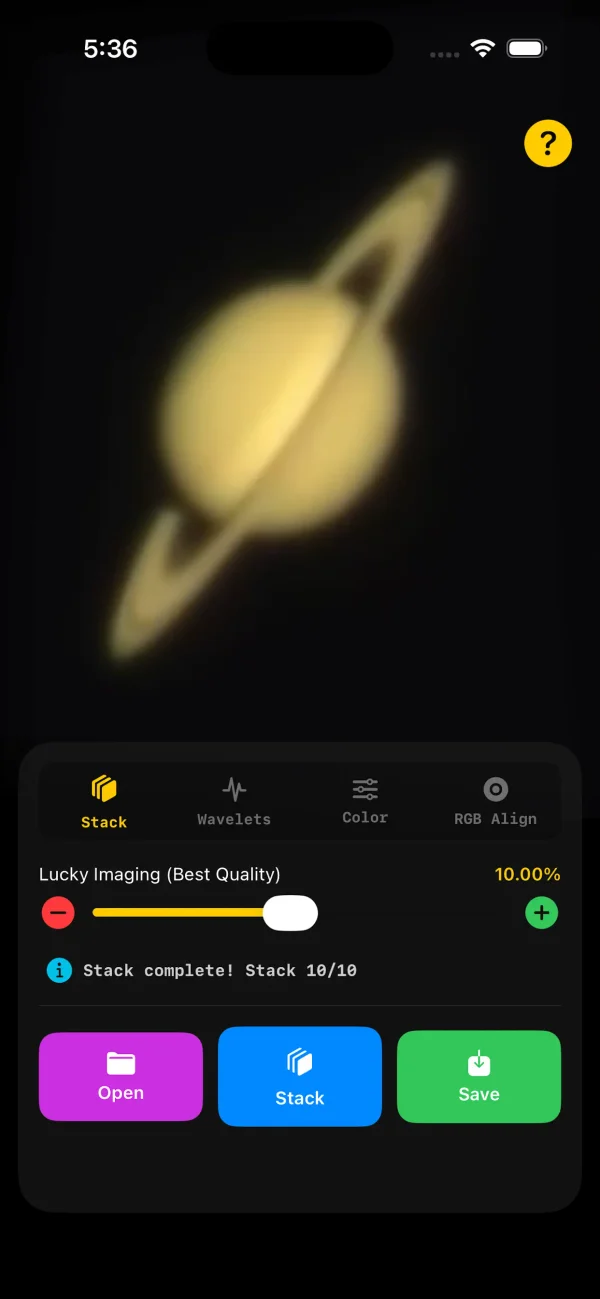
AstroEdit Planet is a very simple 4in1 app to stack planetary video. It will automatically crop the video and center the planet. It works on video that has planet moving across the view or planet centred in the view. When you open the app, it auto loads a sample Saturn video and start stacking. Adjust the lucky(Frame Quality) slider and tap Stack button to stack again.
PlanetEdit integrates the four legacy desktop software into a single delicate mobile app. Traditionally, astronomer has to install 4 different programs to process planetary video. They are (in process sequence):
1. PPIP for cropping video
2. AutoStakkert! for stacking frames
3. Registax for wavelet sharpening
4. Photoshop for RGB alignment and coloring
Features:
- Open video or image. Accept all format recognised by the Photo app. In addition, it open .ser files. First, copy them to the Files app. Then tap Open button in PlanetEdit app. Choose Open Files App. Tested for a 3.5Gb .ser file. Now for .avi file, copy to your the Photo app or the Files app. The .avi has to be the standard accepted by the Photo app. If it is accepted by the Photo app, it will be visible in the Photo app.
- Auto crop video and center frame.
- Auto set alignment points for stacking.
- Lucky stacking slider.
- Real time update of stacking result.
- Use 2 finger to pinch zoom, 1 finger to drag and 1 finger to long press to compare a frame(best quality).
- RGB alignment.
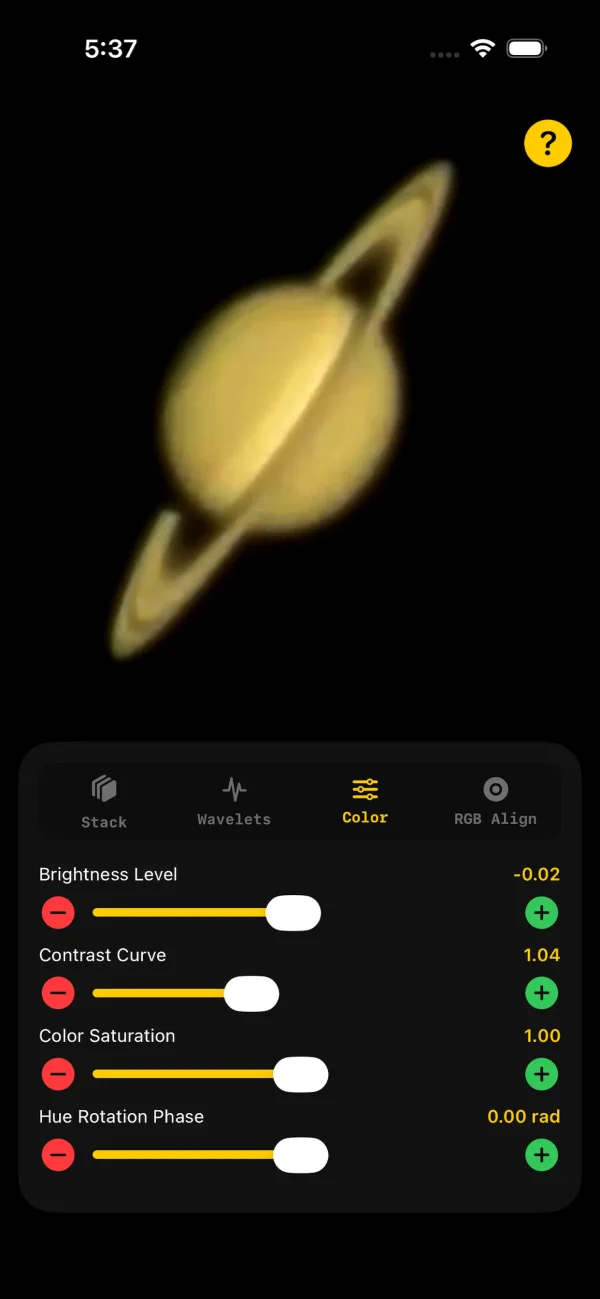
- Basic image processing like saturation, bright, contrast and hue.
- 5 wavelet layers to extract detail and denoise.
- Save edited image to photo.
- Stack surface too. eg Moon surface.
PlanetEdit has been tested for video capture in seestar S30, S50 smart telescope, ZWO camera, refractive telescope 80mm and Dobson 200mm telescope. Email me at ustransit74@gmail.com if you need any assistance. Attached a short planet video file if necessary.
Privacy policy and term of use (EULA) is at https://deepskycolor.blogspot.com/2018/12/privacy-policy-for-deep-sky-color-app.html
What’s new
Version 3.13 · Nov 20, 2026
- Fix a bug in in app purchase.
App privacy
What yong chong loh declares on the App Store about how this app handles data.
-
Data not collected
The developer does not collect any data from this app.
Privacy practices may vary, for example with the features you use or your age.
Information
- Seller
- yong chong loh
- Category
- Photo & Video
- Version
- 3.13
- Updated
- Nov 20, 2026
- Released
- Jan 22, 2026
- Size
- 3.1 GB
- Requires
- iOS 17.0 or later
- Age rating
- 4+
- Price
- Free
- In-app purchases
- Yes
- Languages
- English
- Copyright
- © 2026-1
You might also like
-
 AstroStacker: Stack the SkyAstrophotography on iPhone
-
 AstroFinishPhoto & Video
-
 Eagle Image StackerAstro stacking and RAW tools
-
 SvbonyastrocamPhoto & Video
-
 SvbonyAstroPhoto & Video
-
 StellaVitaPhoto & Video
-
 MacroShaderA macro photography app
-
 RoboTou StackerOn-device image stacking
-
 Ultra Zoom 200X - Night CameraNight Sky Photography Camera
-
 SkyScope: Telescope CameraUltra Zoom Moon & Sky Camera