PlankPlanner
Floor Layout Planner
Designed for iPhone, iPad, iPod touch
Free · In-app purchases
- Age rating4+
- CategoryUtilities
- DeveloperEMIL THOMAS CHRISTENSON
- LanguagesEnglish
- Size48.6 MB
Links to the official App Store page
Download.org hosts no file of PlankPlanner. The button opens its official App Store page, published by EMIL THOMAS CHRISTENSON. Listing last checked on Nov 15, 2026.
Screenshots


About
PlankPlanner turns a messy flooring project into a clear, visual plan — before you spend a cent on materials.
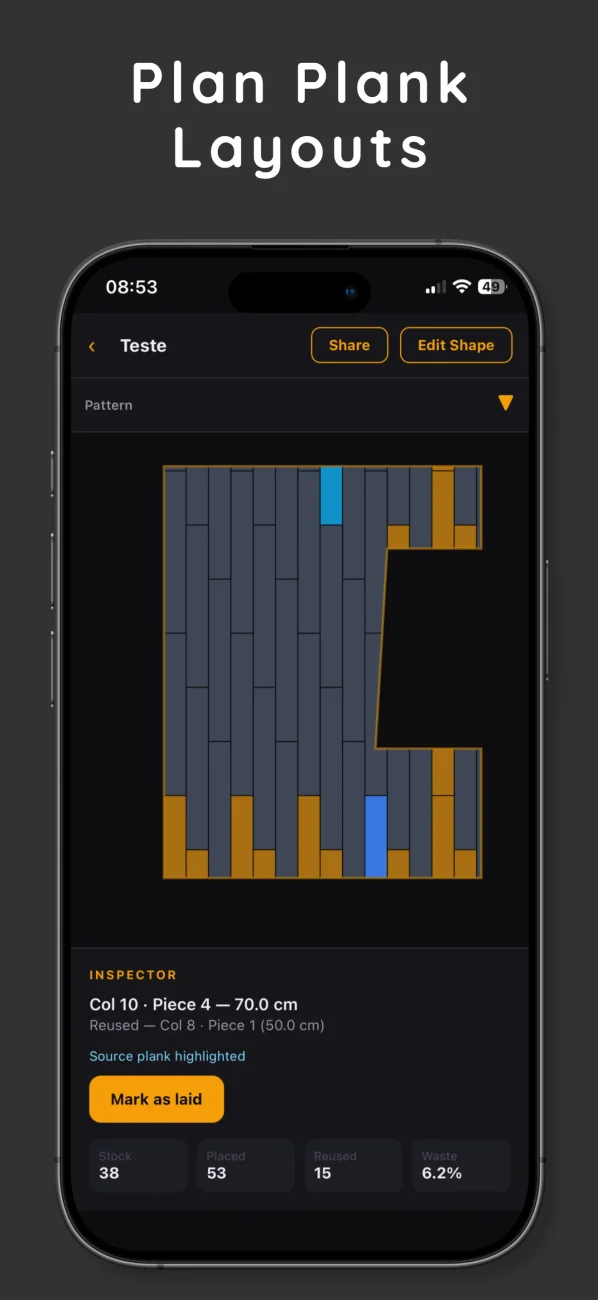
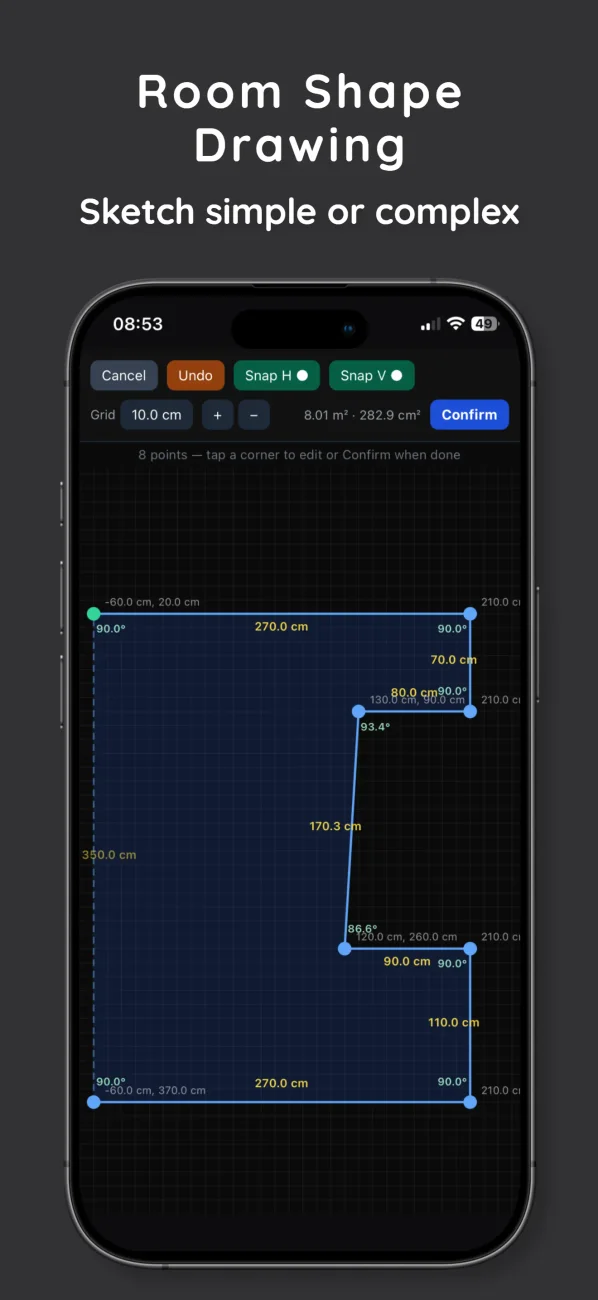
Draw your room, enter your plank size, and instantly see a full layout with every plank placed. The app calculates cuts, tracks reusable off-cuts, and shows your waste percentage so you know exactly how many planks to buy.
WHETHER YOU'RE DOING IT YOURSELF OR HIRING A CREW
PlankPlanner gives DIY homeowners the confidence to plan and buy correctly, and gives installers a fast on-site planning tool they can use in minutes.
WHAT YOU CAN DO
• Visualize your full plank layout before installation
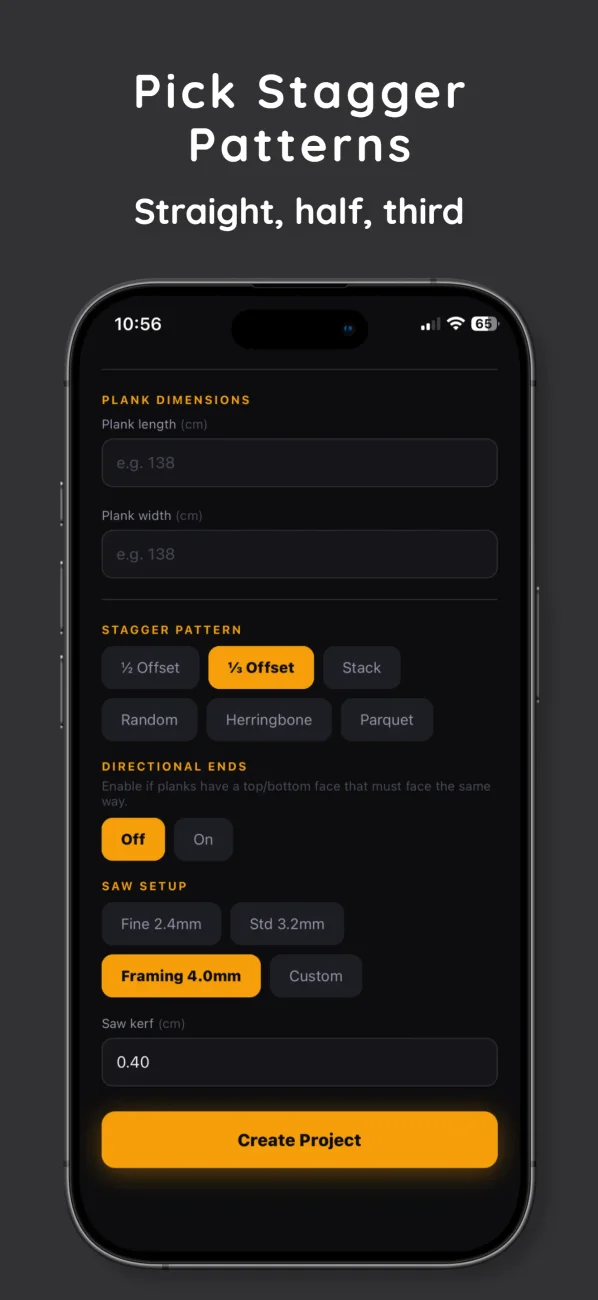
• Choose from straight, half-stagger, and third-stagger patterns
• See every cut piece and how off-cuts get reused across rows
• Track which planks have been physically laid as you go
• Zoom and pan the layout canvas for a close-up view
PRO FEATURES
• Unlimited rooms and projects
• Export and share your layout
• Advanced room shapes and planning tools
NO GUESSWORK. NO WASTE.
Most people overbuy flooring by 15–20% because they plan with rough estimates. PlankPlanner shows you the exact cut list — so you buy what you need and nothing more.
All your project data stays on your device. No account required to get started.
:::writing{variant=“standard” id=“39274”}
Terms of Use (EULA): https://www.apple.com/legal/internet-services/itunes/dev/stdeula/
:::
What’s new
Version 1.5 · Aug 21, 2026
PlankPlanner 1.0.5
This update significantly improves room sketching, accuracy, and ease of use.
New
* Room sketches are now automatically saved and restored if you leave before finishing.
* Select a wall to enter its exact length and angle.
* Imperial measurements now accept inches, mixed fractions, and eighth-inch values.
* Added a Manage Subscription button to the Projects screen.
Improved
* The grid is brighter and easier to see.
* The first point establishes the visible 0,0 origin.
* Added clear 45-degree snapping controls and instructions for disabling snapping.
* Wall angles and corner angles are displayed while sketching.
* Exact 90-degree corners are clearly highlighted.
* Room area and corner statistics now have their own row.
* Added built-in sketching instructions that can be dismissed by tapping the message and reopened when needed.
Fixed
* Sketches are no longer lost when navigating away.
* Room statistics no longer become compressed when no point is selected.
* Improved precision when positioning points and measured walls.
* Improved subscription handling and access to account management.
Existing projects remain fully compatible and are not modified by this update.
App privacy
What EMIL THOMAS CHRISTENSON declares on the App Store about how this app handles data.
-
Data linked to you
May be collected and linked to your identity.
- Purchases
-
Data not linked to you
May be collected but is not linked to your identity.
- Identifiers
Privacy practices may vary, for example with the features you use or your age.
Information
- Seller
- EMIL THOMAS CHRISTENSON
- Category
- Utilities
- Version
- 1.5
- Updated
- Aug 21, 2026
- Released
- Mar 26, 2026
- Size
- 48.6 MB
- Requires
- iOS 15.1 or later
- Age rating
- 4+
- Price
- Free
- In-app purchases
- Yes
- Languages
- English
- Copyright
- © 2026 Emil Christenson
You might also like
-
 Floor Calculator & CarpetPlank, Tile, Vinyl & Roll
-
 Pro Tile: Layout & FlooringGrout, Thinset & Backsplash
-
 Tile & Plank CalculatorFlooring & Wall Estimator
-
 Flooring & Tile CalculatorMulti-Room, Boxes & Waste
-
 TilePlan – Flooring CalculatorTile Calculator & Floor Plan
-
 ScalarCut Precision Tile Floor2D/3D Room CAD - Precise cuts
-
 TilePlannerUtilities
-
 Laminate CalculatorComposite & Resin Calculator
-
 SmartPlankFloor Monitoring System
-
 TileFit: Tile Layout PlannerTile Calculator & Cut List