
PlaySafe Video
Online Video Moderation App
Designed for iPhone, iPad
Free · In-app purchases
- Age rating4+
- CategoryEntertainment
- DeveloperBrandon Smuin
- LanguagesEnglish
- Size62.4 MB
Links to the official App Store page
Download.org hosts no file of PlaySafe Video. The button opens its official App Store page, published by Brandon Smuin. Listing last checked on Nov 12, 2026.
Screenshots


About
PlaySafe: Safe YouTube Viewing for Kids, Tweens, and Teens
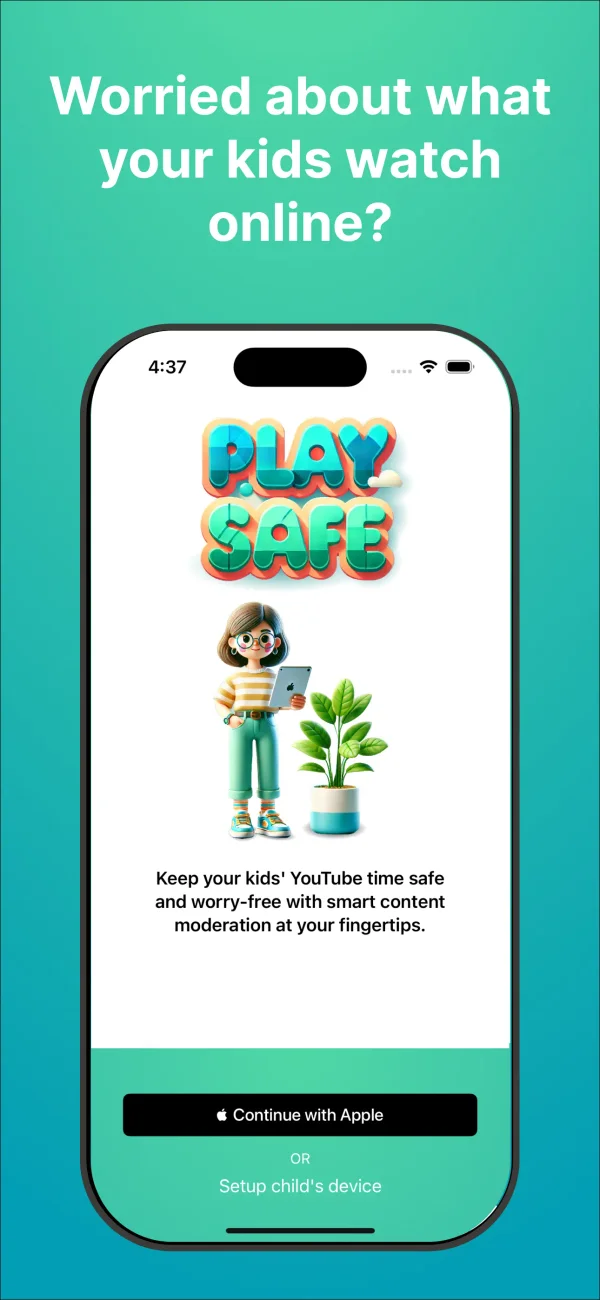
It's very difficult to keep inappropriate, harmful content out of YouTube feeds. If you're worried about what your kids view on YouTube, but still want them to access the valuable entertainment and education YouTube offers, PlaySafe is the answer.
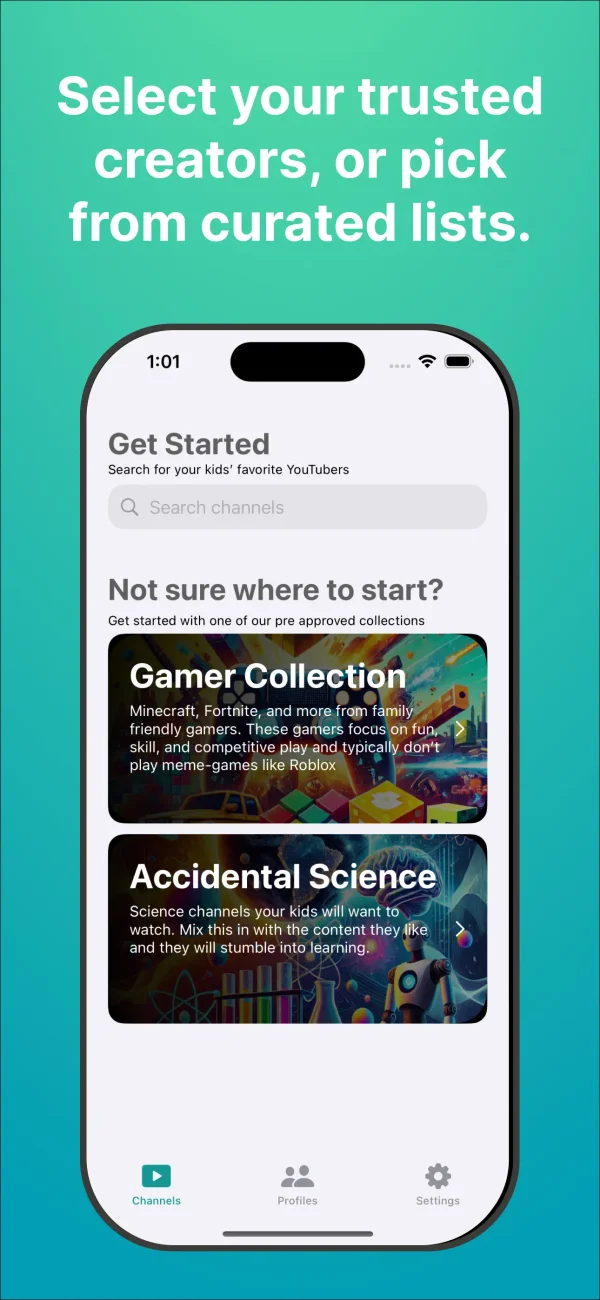
With PlaySafe, caregivers easily and quickly select trusted creators or pick from curated interest lists for their kids' profiles. Once on a kids' device, only the selected content is available for viewing. No autoplay, no recommended videos from unknown sources. Just what you've previously approved.
Ensure that every video is age-appropriate and aligned with your family’s values. With a kid-friendly interface and robust parental controls, PlaySafe creates a safe and enjoyable viewing environment for children of all ages.
Features:
Custom Profiles for Each Child (Subscription Required for Unlimited Profiles)
Easily create profiles for each child, tailored to their age and interests. Just add a nickname — no personal data required. Each profile provides a unique, personalized experience, allowing parents to customize approved content to fit each child’s individual preferences.
Parental Control Dashboard
The intuitive dashboard lets parents manage all settings in one place. You can add or remove approved channels, browse YouTube videos, and decide what your kids can watch.
Approve Channels
Search and select YouTube channels to approve for each child. If a video doesn’t meet your standards, you can block it with a single tap, preventing it from appearing in your child’s accessible content.
Kid-Friendly Viewing Experience
Once profiles are set up, kids can navigate their personalized viewing profile within the app. The colorful, engaging grid format makes it easy for kids to find videos and channels while keeping them from straying into unapproved content.
Commitment to Privacy and Safety
Play Safe is dedicated to protecting your family’s privacy. We only collect essential information needed for account setup, and we never store personal data about your children. Our app is designed to ensure that all family members can enjoy YouTube safely and confidently.
How It Works:
1. Log in with Your Apple Account: Start by securely logging in to access and manage YouTube content.
2. Set Up Profiles: Add profiles with just a nickname to keep each child’s viewing experience personalized and separate.
3. Select Approved Content: Browse YouTube and add channels that you approve for your kids.
4. Enjoy a Safe Viewing Experience: Kids can navigate their approved content in a friendly, colorful interface designed just for them.
Why PlaySafe?
PlaySafe is designed by parents for parents, making it easier to guide your children’s online experience while they enjoy YouTube safely. With PlaySafe, you control what content is available, allowing your kids to explore age-appropriate videos without exposure to unsuitable, inappropriate, or low-quality content.
Simple, Safe, and Fun
Whether you’re tech-savvy or new to content moderation, PlaySafe’s intuitive setup makes it easy for everyone to get started. The simple controls, colorful design, and robust parental features make PlaySafe the ideal companion for family screen time.
Take control of your family’s YouTube experience and keep screen time safe with PlaySafe. Download now and start your free trial!
Terms of Use: https://www.apple.com/legal/internet-services/itunes/dev/stdeula/
Extended Terms of Use: https://playsafe.video/terms
Privacy Policy: https://playsafe.video/privacy
What’s new
Version 1.2.0 · Aug 26, 2025
- Fixes a bug where recommended videos outside of the whitelisted video could be clicked.
- Removes the subscribe sheet after first signing in. Isn't triggered until the parent attempts to add more than 3 profiles.
App privacy
What Brandon Smuin declares on the App Store about how this app handles data.
-
Data not linked to you
May be collected but is not linked to your identity.
- Contact info
- Identifiers
Privacy practices may vary, for example with the features you use or your age.
Information
- Seller
- Brandon Smuin
- Category
- Entertainment
- Version
- 1.2.0
- Updated
- Aug 26, 2025
- Released
- Jan 15, 2025
- Size
- 62.4 MB
- Requires
- iOS 17.5 or later
- Age rating
- 4+
- Price
- Free
- In-app purchases
- Yes
- Languages
- English
- Copyright
- © Worthy Software LLC
You might also like
-
 Safe Stream AppEntertainment
-
 Visor: Family Approved YouTubeParental control for YouTube
-
 NuggzyJust the Nuggets
-
 Fishtank - Curated ScreentimeCurated channels for your kids
-
 SafeTube: Safe Kids YouTubeParent-controlled YouTube
-
 LearnWatchGoWatch YouTube with a twist!
-
 VidopickChild-Safe Video Player
-
 Viwella - Watch LaterFollow Channels and New Videos
-
 WowTubeEntertainment
-
 CloakiPrivate Video Browser