
- Age rating4+
- CategoryProductivity
- DeveloperSoyoung Park
- LanguagesKorean+ 1 more
- Size9.4 MB
Links to the official App Store page
Download.org hosts no file of Pochi-focus timer. The button opens its official App Store page, published by Soyoung Park. Listing last checked on Nov 12, 2026.
Screenshots
About
Pick a timer. Decorate it. Focus.
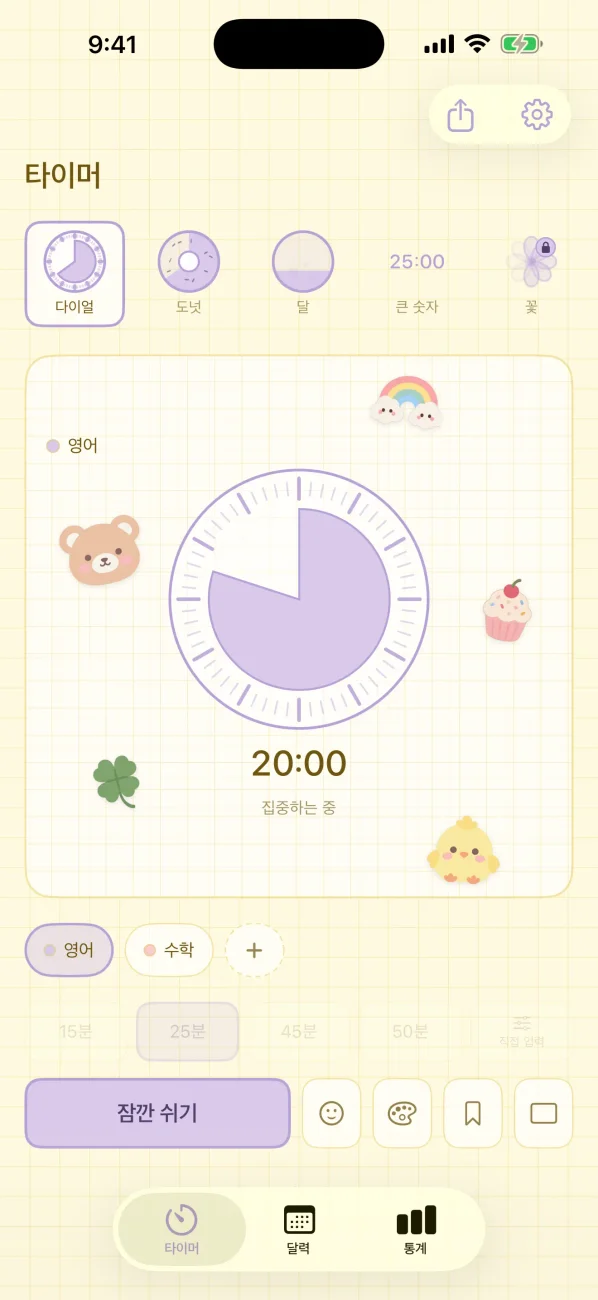
Pochi is a focus timer you decorate with stickers.
When the timer on your screen is one you made cute yourself, it's a little easier to stay with your work.
■ Pick your timer
Dial, Donut, Moon, Flower, Berry Milk, Heart, Stars, Hourglass, Candle, Cat, Flip, and Big Numbers.
Each of the 12 timers shows time passing in its own way.
Choose 15, 25, 45, or 50 minutes, or set any time you like.
Flip and Big Numbers fill the whole screen — perfect for study-with-me videos.
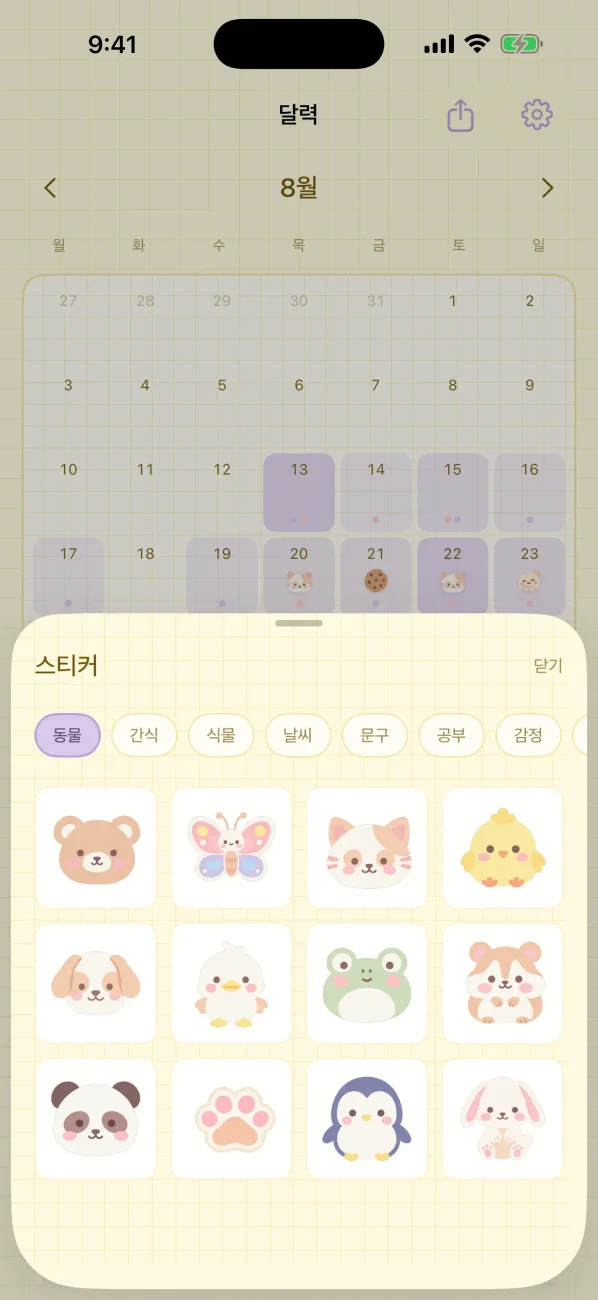
■ Decorate it with stickers
Place stickers on your timer board, then move, resize, and rotate them however you like.
94 stickers: animals, snacks, plants, weather, stationery, study, and feelings, plus hand-drawn crayon sets for exams and celebrations.
You can also change the background, main color, paper (Plain, Grid, Dot, Check, Cork, Lined), and border (Clean, Crayon, Colored Pencil).
■ Save your looks
Everyday, exam week, birthday week… Save a decorated timer as a look and bring it back anytime.
■ Share it as a card
Put today's decorated timer, your focus time, and time per tag on a single card.
Pick 1:1, 3:4, or 9:16, then share it right away or save it to Photos. You can make a card of this month's calendar, too.
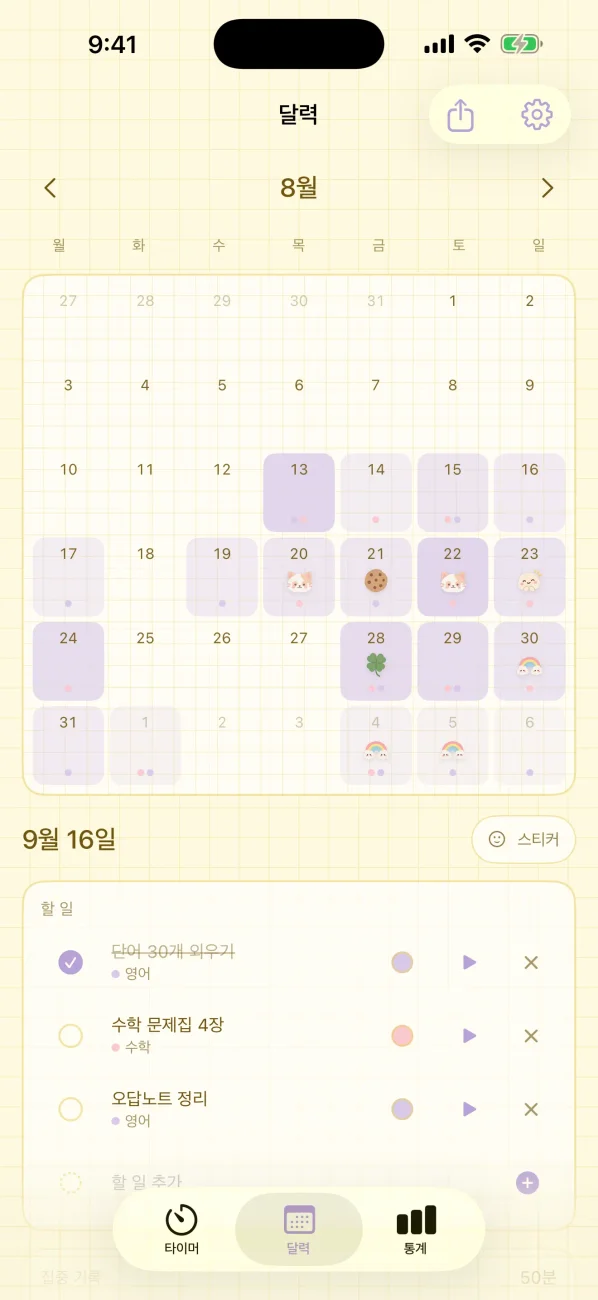
■ Your days fill the calendar
Every session you finish lands on that day's calendar. Put stickers on the days, too, and decorate your month.
Add to-dos for each day and tap ▶ to start a timer for that tag right away.
Leave a one-line note after a session, or add a record you forgot to time.
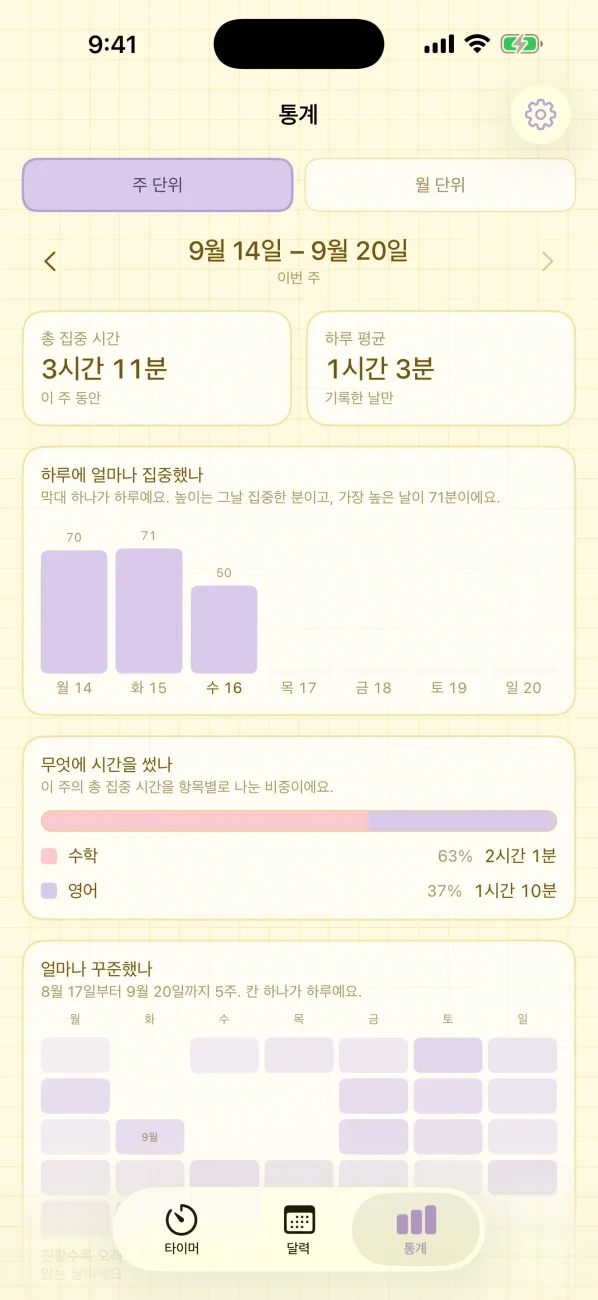
■ See your progress at a glance
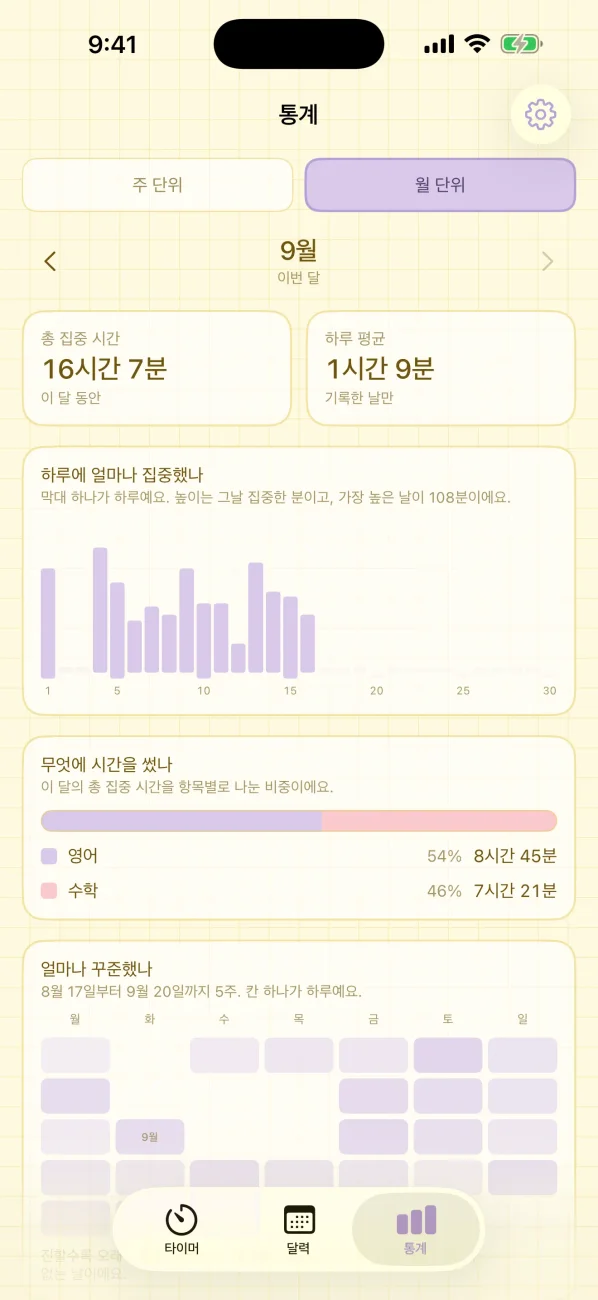
How much you focused each day, where your time went, and how consistent you've been — shown as bars, a breakdown by tag, and a 5-week heatmap.
■ Make it yours
Add your nickname and your timer's title becomes "Joy's timer".
Studying past midnight? Move the start of your day later. You can also keep the screen on while the timer runs.
Use Pochi in English or Korean — switch anytime in Settings.
■ Your records stay on your phone
No sign-up, no login. Everything is stored only on your device and never sent anywhere.
Export your data from Settings before you switch phones.
■ Free and Pochi Plus
Focusing and keeping records are never limited in the free version.
· Free: 4 timers (Dial, Donut, Moon, Big Numbers), 41 stickers, 4 color combinations, 2 papers, 2 board shapes, 2 saved looks, weekly stats
· Pochi Plus: all 12 timers, 94 stickers, 36 color themes, 6 papers, 3 board shapes, crayon and colored-pencil borders, 12 saved looks, monthly stats and heatmap
■ About subscriptions
Pochi Plus Monthly — renews automatically every month
Pochi Plus Yearly — renews automatically every year (7-day free trial)
Pochi Plus Lifetime — one-time purchase, no renewal
Payment is charged to your Apple Account when you confirm your purchase. Subscriptions renew automatically at the same price unless you cancel at least 24 hours before the end of the current period. You can manage or cancel anytime in Settings > Apple Account > Subscriptions. If you cancel during the free trial, you won't be charged.
Terms of Use (EULA): https://www.apple.com/legal/internet-services/itunes/dev/stdeula/
Pochi Terms: https://pochi-three.vercel.app/terms
Privacy Policy: https://pochi-three.vercel.app/privacy
What’s new
Version 1.5 · Sep 30, 2026
• See the time left on your Lock Screen and in the Dynamic Island.
• A home screen widget shows today's focus time and this week's record.
• The distraction-free full screen now works with every timer.
• Pick the shape of your timer board: Rounded, Lace, or Wave. Rounded and Lace are free.
• Stickers now stay with each timer. Switch timers and you see that board's decoration.
• Write what you'll focus on right on the timer screen — no limit on how many.
• Share cards now carry the date, the day's focus time, your to-dos, and your streak.
• A new pastel look across the whole app.
App privacy
What Soyoung Park declares on the App Store about how this app handles data.
-
Data not collected
The developer does not collect any data from this app.
Privacy practices may vary, for example with the features you use or your age.
Information
- Seller
- Soyoung Park
- Category
- Productivity
- Version
- 1.5
- Updated
- Sep 30, 2026
- Released
- Sep 10, 2026
- Size
- 9.4 MB
- Requires
- iOS 17.0 or later
- Age rating
- 4+
- In-app purchases
- Yes
- Languages
- Korean, English
- Copyright
- © 2026 브리즈홀릭
You might also like
-
 Go With The Flow Task ManagerTo-do lists without the guilt
-
 PAGO: A Focus Timer (Pomodoro)A Pomodoro timer for Focusing
-
 Mochiverse: Focus TimerPomodoro Study Pet & Streaks
-
 Stellar Flow: Focus TimerProductivity & study tracker
-
 studien(스터디언) - 뽀모도로, 집중, 공부Productivity
-
 ttokidoki - Focus with FriendsPomodoro Timer, Gaze Tracking
-
 Focus Tower: Study TimerPomodoro & Screen Time Blocker
-
 Pomart: Focus Timer & FriendPomodoro, ADHD & Study Buddy
-
 NightMeow - Cat Study TimerFocus and collect cozy cats
-
 Nomodoro: Cute Focus TimerPomodoro Study Pet & Buddies