
Pocket Informant
Your Life Organized
Designed for iPhone, iPad, iPod touch
Free · In-app purchases
- Age rating4+
- CategoryProductivity
- DeveloperFanatic Software, Inc.
- LanguagesEnglish+ 44 more
- Size99.3 MB
Links to the official App Store page
Download.org hosts no file of Pocket Informant. The button opens its official App Store page, published by Fanatic Software, Inc. Listing last checked on Nov 24, 2026.
Screenshots

About
Informant is a trusted digital planner app with Calendar, Tasks, and Projects.
More than just a calendar app, Informant also organizes your tasks into projects, and has many options for your agenda organized. Informant is a planner in your pocket.
Free calendar app version or paid version unlocks more sync options and tasks, projects, and contacts.
It works with native Apple data including iCloud, Exchange, Outlook.com, Microsoft 365, Google Calendar, Yahoo, AOL and more.
Easy Immediate Setup. No account required. Use your current calendar accounts (free) or setup a Informant Sync account (paid feature).
NEWEST FEATURES:
- Lock screen widgets
- Reordering tasks in Focus View
- Expanded icon list
- Search all
MOST LOVED FEATURES:
-Customizable calendar layers & views: Use both local and iOS data calendars at the same time with direct sync options to various services.
-One purchase covers iPhone and iPad
-Show tasks and Calendar together on one view
-1 Day Daily Planner view
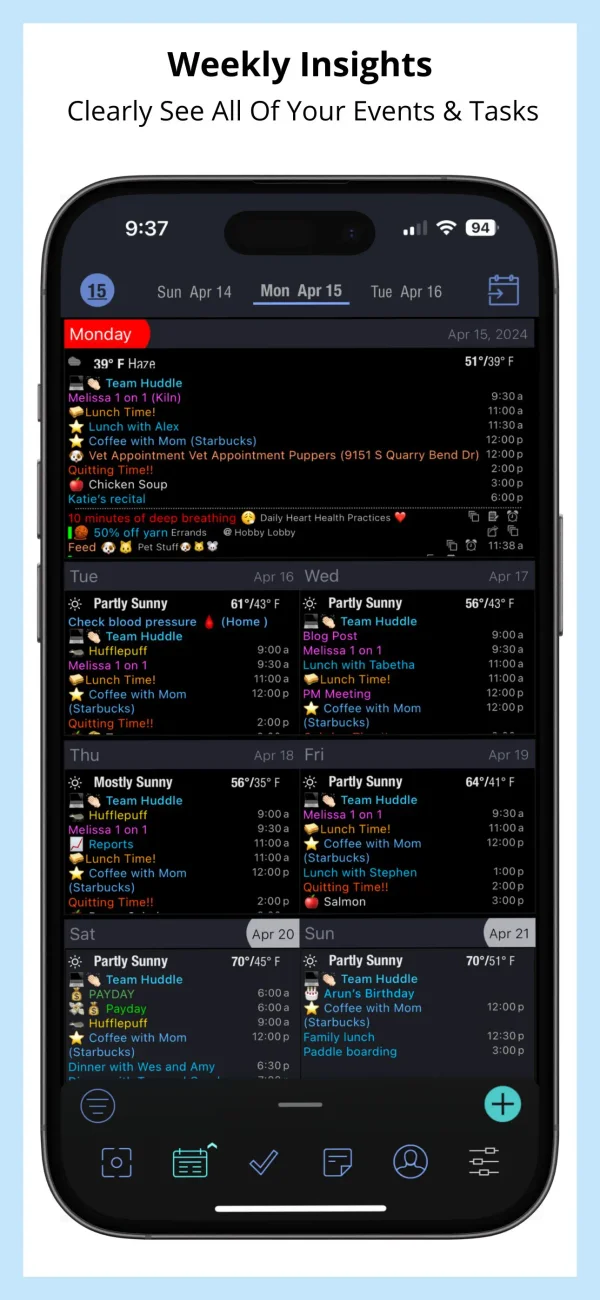
-7 Day Stacked Week calendar view
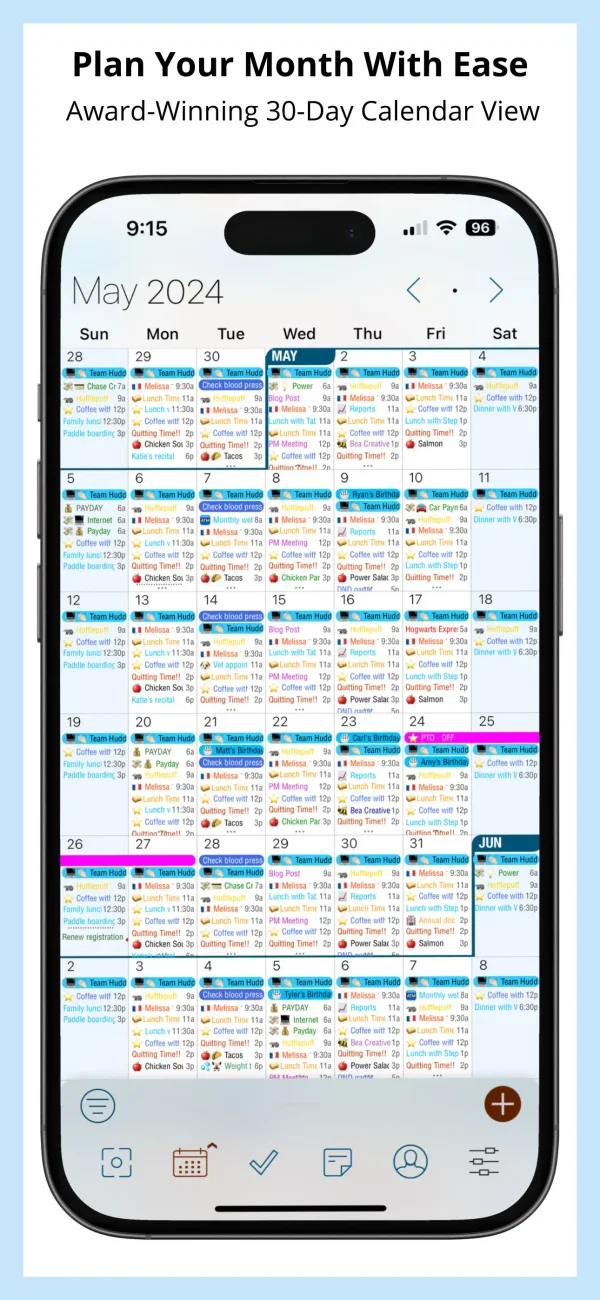
-30 Day monthly calendar view with tiny-text and emojis
-*Projects with Tasks, subtasks, and checklists
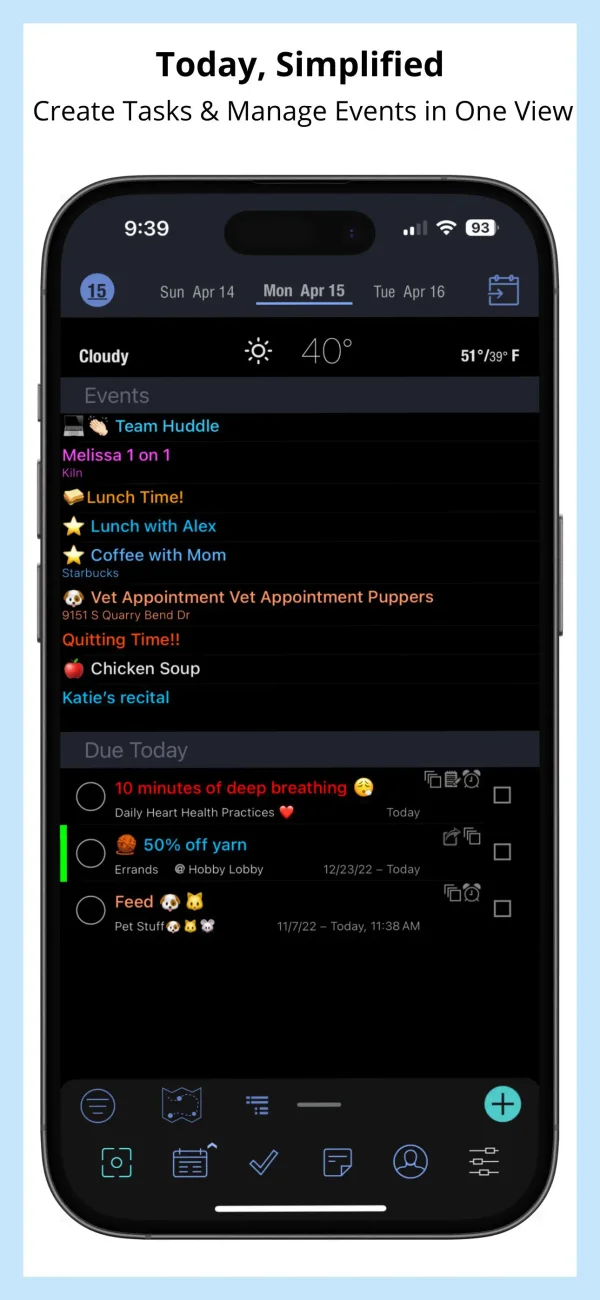
-Focus View: combines weather, and current day tasks and events
-*Sync: Informant Sync, Google sync, Native (iOS) data and more.
-*Triggers: create templates for frequently used appointments & tasks that you can trigger while typing event/task name
-*Saved Filters feature allows you to combine your calendars together into multiple display views while keeping the data separate.
-Powerful Customization of views, colors, tags, emoji, and sync options.
-Offline access. Access all your data, all the time. Internet connection only required for syncing.
-Trusted developer. Developing calendar & agenda apps for 21 years.
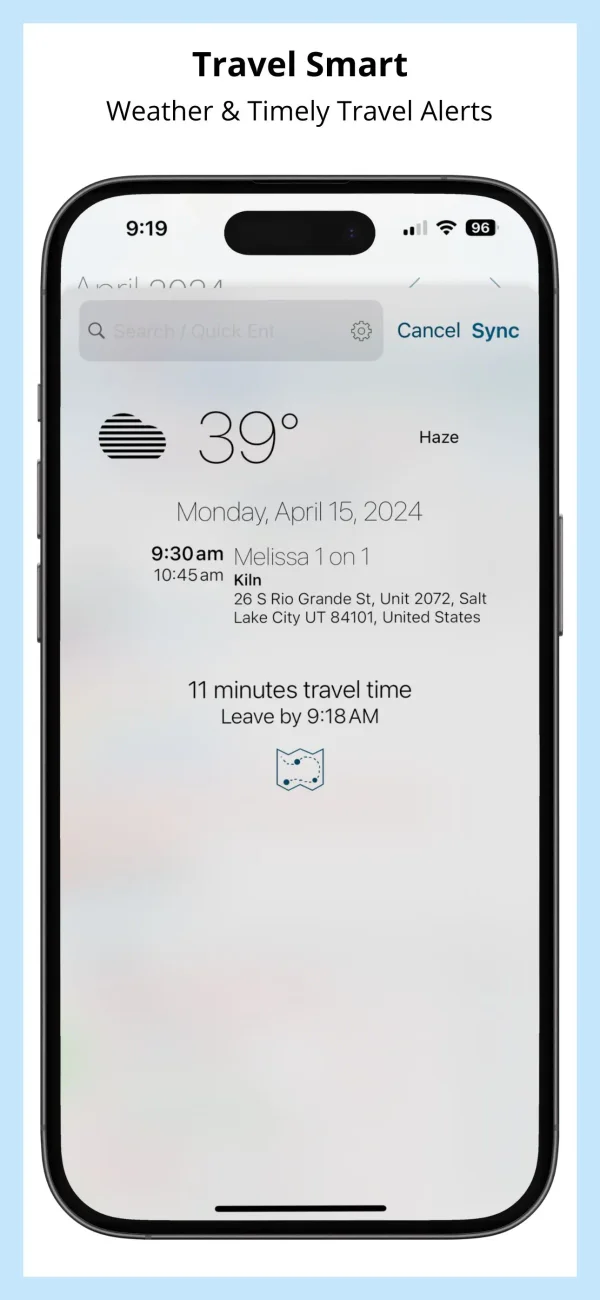
-TravelAssist: helps with scheduling appointments that will take place in other time zones.
-ForceTouch on App (when device supported) Icon for: Create new Task/Event/Note
- 3 Task Modes - Simple, GTD, or Franklin Covey. Manage your tasks in your own way!
-*Email integration. View emails & easy turn emails into tasks.
*CONNECT BUNDLE
(*Requires Subscription)
•Sync Options Include: Google Calendar & Tasks, Toodledo, and Informant Sync
• Weather and Email integration
Sync Options
Note: Informant can access Native Apple data calendars/reminders so you can set up iCloud, Exchange, 365, Outlook.com, AOL, Yahoo, and more..
2 WAYS TO USE
#1) FREE
• Essential Calendaring with Apple Calendar support
• No Tasks/Projects, Contacts
• No Connect Bundle
#2) Subscribe
• Full features Access including: Full Calendaring, Tasks, Contacts with access to Apple Events and Reminders
• Free Updates
• Connect Bundle (email, sync & weather)
• Choose:
-Monthly: (30 days)
-Reverts to Free version after subscription ends
-Quarterly: (90 days)
-Reverts to Free version after subscription ends
-Year: (365 days)
-Get a 7 Day trial of full version by selecting this option.
Subscription automatically renews and your account will be charged unless auto-renew is turned off at least 24-hours before the end of the current period. Subscriptions are billed through iTunes every 30/90/365 days (as selected by you) until cancelled. Manage subscriptions including cancel or auto-renew on/off in iTunes Account Settings after purchase. No cancellation of the current subscription is allowed during active subscription period.
SO MUCH MORE!
Visit https://www.pocketinformant.com/ for more information!
Our privacy Policy: https://www.pocketinformant.com/company-press/privacy/
Terms and Conditions: https://www.pocketinformant.com/tou/
Franklin Covey, GTD and Getting Things Done are Trademarks of their respective owners.
What’s new
Version 6.09 · Nov 13, 2026
This update includes bug fixes and improvements to make Pocket Informant work better and more smoothly.
Bug Fixes & Improvements
- Fixed a crash when opening Agenda view while a filter or hidden calendar hides today's events.
- Resolved the blank screen problem when connecting an iPad to a TV or external monitor.
- Fixed Informant Sync stopping after you change your account password.
- Completed Apple Reminders no longer appear as active or overdue tasks after importing.
- Calendar files (.ICS) can be opened in Informant again.
- Search no longer shows calendar items left over from a previous search.
- Travel Assist now highlights the correct dates on the calendar.
- Informant widgets now display correctly when Home Screen colors are customized.
- Tasks and events created from templates now keep their repeat settings, subtasks, due times, attachments, locations, and invitees.
Thank you for using Pocket Informant! We are always working to make your experience better.
App privacy
What Fanatic Software, Inc. declares on the App Store about how this app handles data.
-
Data linked to you
May be collected and linked to your identity.
- Location
- User content
- Identifiers
- Usage data
-
Data not linked to you
May be collected but is not linked to your identity.
- Diagnostics
Privacy practices may vary, for example with the features you use or your age.
Information
- Seller
- Fanatic Software, Inc.
- Category
- Productivity
- Version
- 6.09
- Updated
- Nov 13, 2026
- Released
- Nov 30, 2016
- Size
- 99.3 MB
- Requires
- iOS 15.0 or later
- Age rating
- 4+
- Price
- Free
- In-app purchases
- Yes
- Languages
- English, Arabic, Bengali, Bulgarian, Catalan, Croatian, Czech, Danish, Dutch, Finnish, French, German + 33 more
- Copyright
- © 2016-2026 Complete XRM
You might also like
-
 24me: Calendar・Planner & To DoReminders, Schedule, Organizer
-
 PocketLife CalendarCalendar Organizer & Reminders
-
 Week Calendar - Smart PlannerSync Agenda Tasks & Reminders
-
 Calendar Op.2: Planner & DiaryAesthetic & Minimalist Design
-
 One CalendarAll calendars in ONE place!
-
 Vimcal: AI Calendar & ScheduleCalendar for work meetings
-
 Tiny Calendar: Planner & TasksAgenda, Organizer & Reminders
-
 SuperPlanner: Daily PlannerTime Blocking and Task Manager
-
 Vantage CalendarCalendar & To-Do List
-
 GoodTask: To Do List & PlannerReminders, Calendar & Projects