
Pocket PnL
Track and visualize your money
Designed for iPhone
Free · In-app purchases
- Age rating4+
- CategoryFinance
- DeveloperAaron Arteaga
- LanguagesEnglish+ 6 more
- Size14.5 MB
Links to the official App Store page
Download.org hosts no file of Pocket PnL. The button opens its official App Store page, published by Aaron Arteaga. Listing last checked on Nov 23, 2026.
Screenshots

About
Pocket PnL is a fast, private way to track what you earn, what you spend and what you're worth.
No sign-up and no ads. Open the app and start logging. Your data stays on your iPhone and in your own iCloud.
ADD IN SECONDS
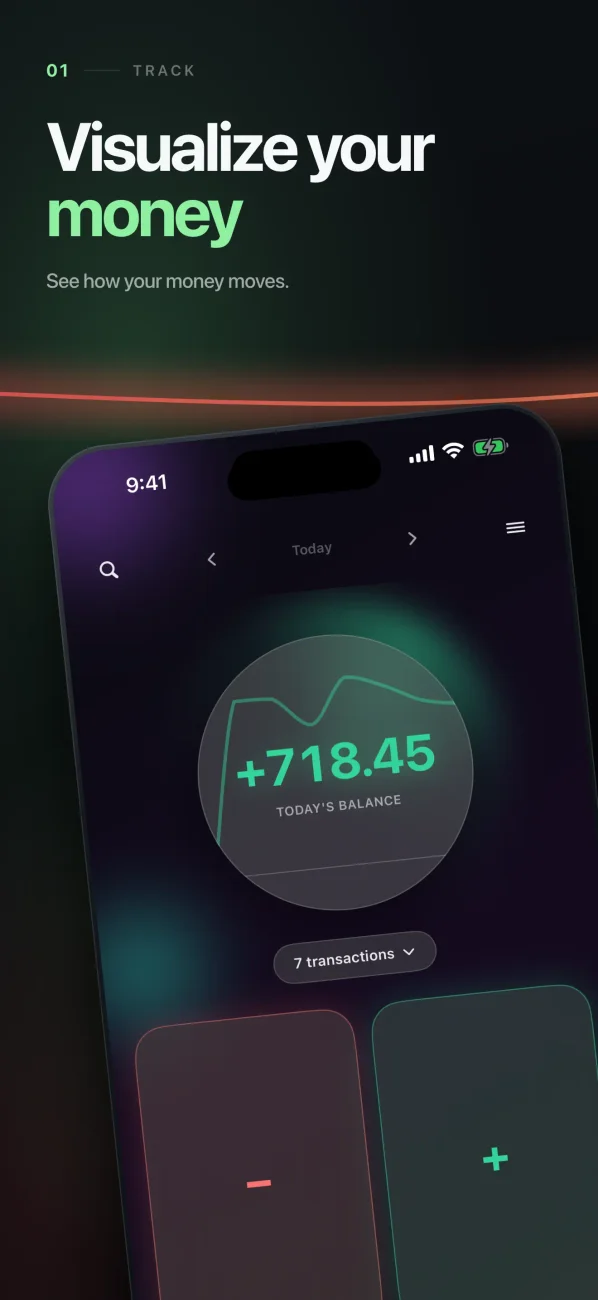
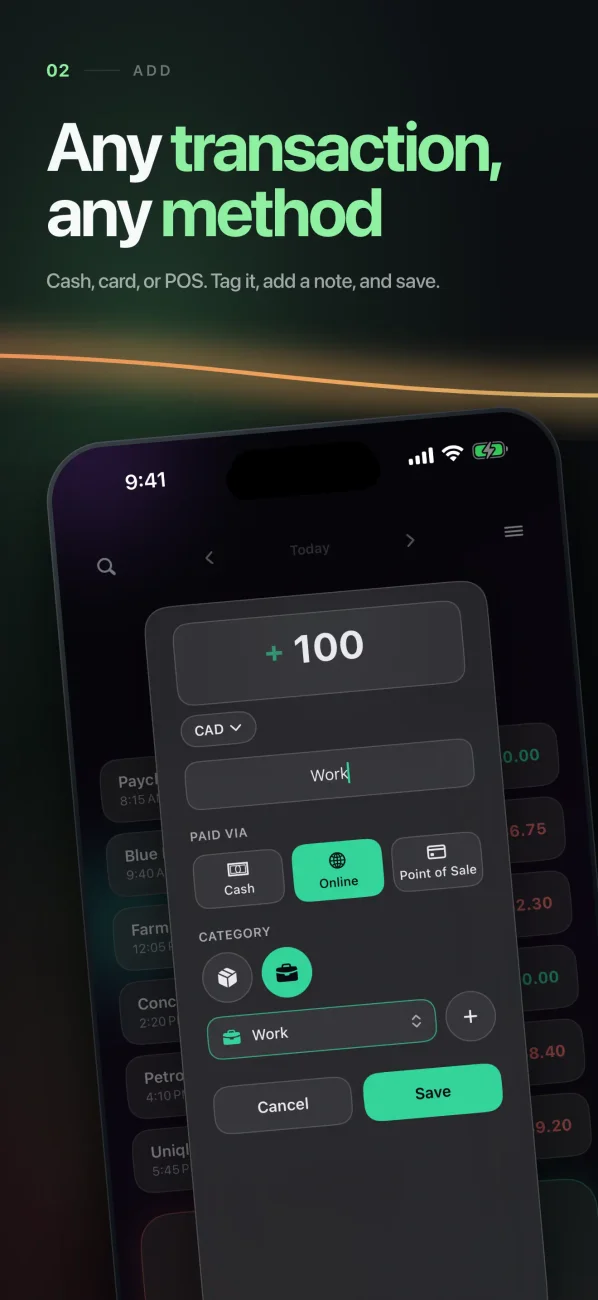
Tap + or −, type an amount, done. Add a note, a category, a card or how you paid if you want the detail, and skip it if you don't.
QUICK ADD, IN YOUR OWN WORDS
Type or say "spent 24 on groceries yesterday" and Pocket PnL turns it into a draft for you to check before it saves.
YOUR DAY AT A GLANCE
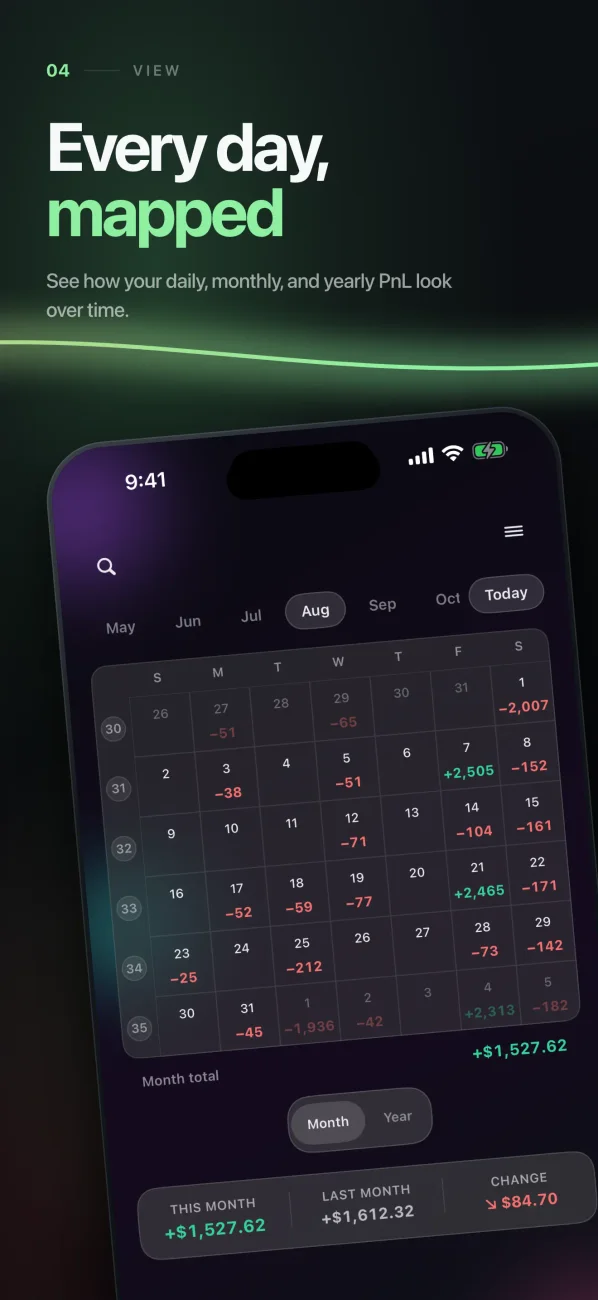
Today's balance sits front and centre. Swipe between days, or tap the calendar for any day, week, month or year.
STATS THAT ANSWER QUESTIONS
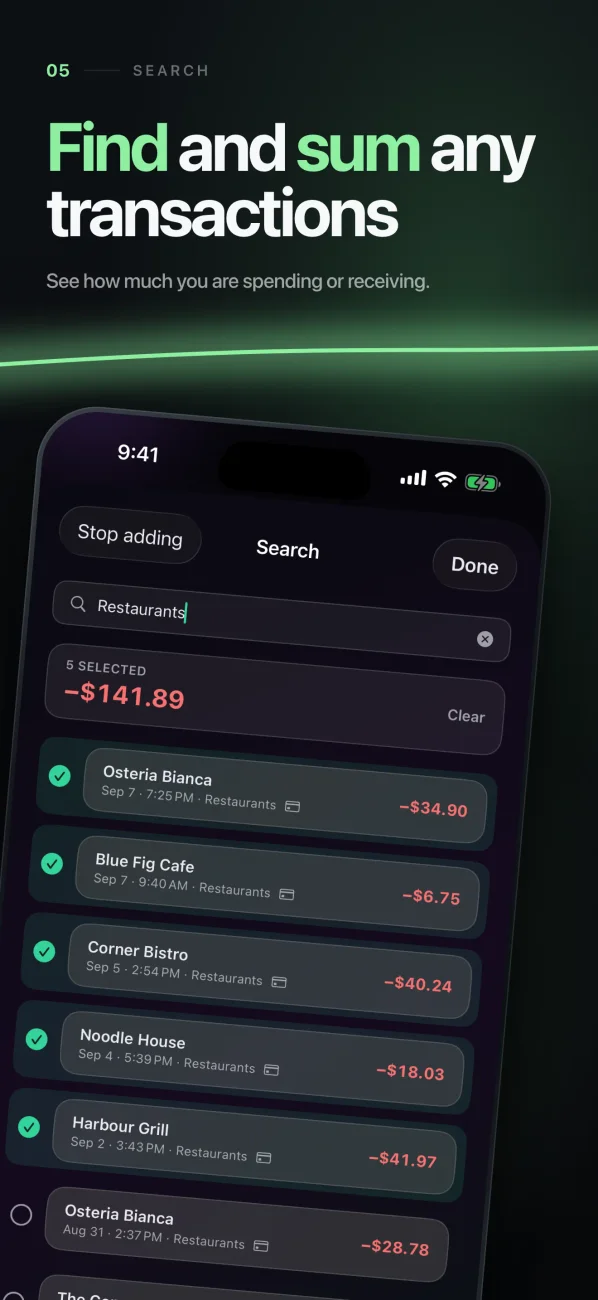
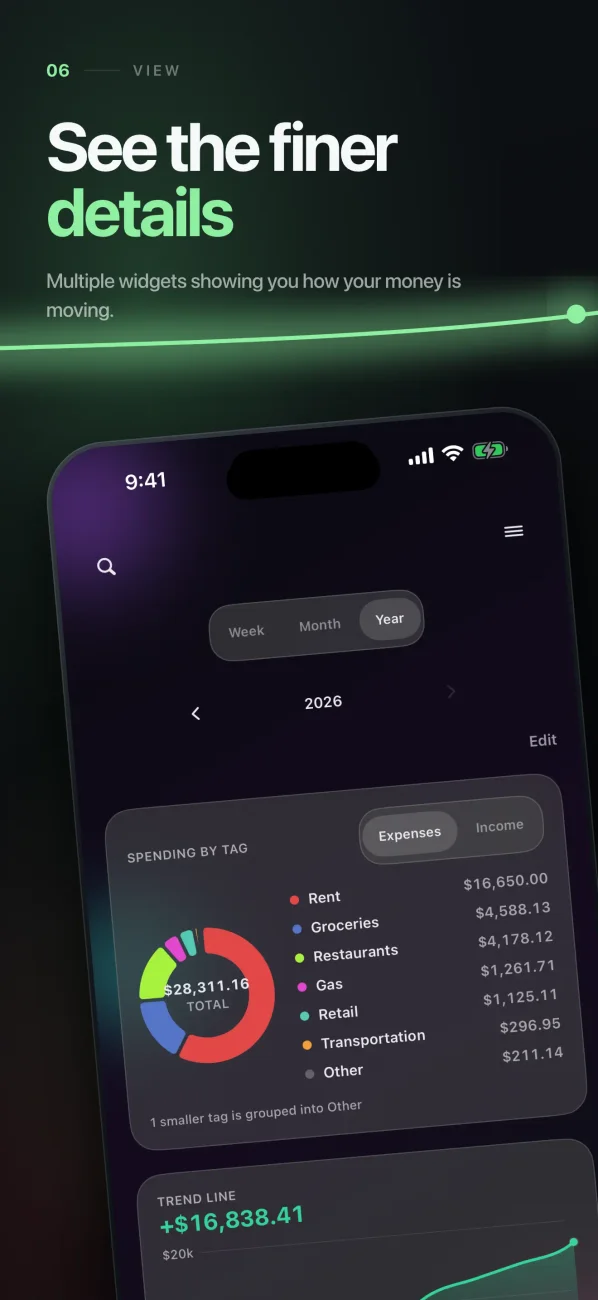
Spending by category, income against spending, trends over time and what went on which card. Tap any figure to see the entries behind it.
SPENDING LIMITS
Set a monthly limit on a category and see how much is left. Today tells you when one is close or over.
MONTHLY SUMMARY
At the start of each month, a recap of the last one: totals, where the money went, what changed and your biggest day.
NET WORTH
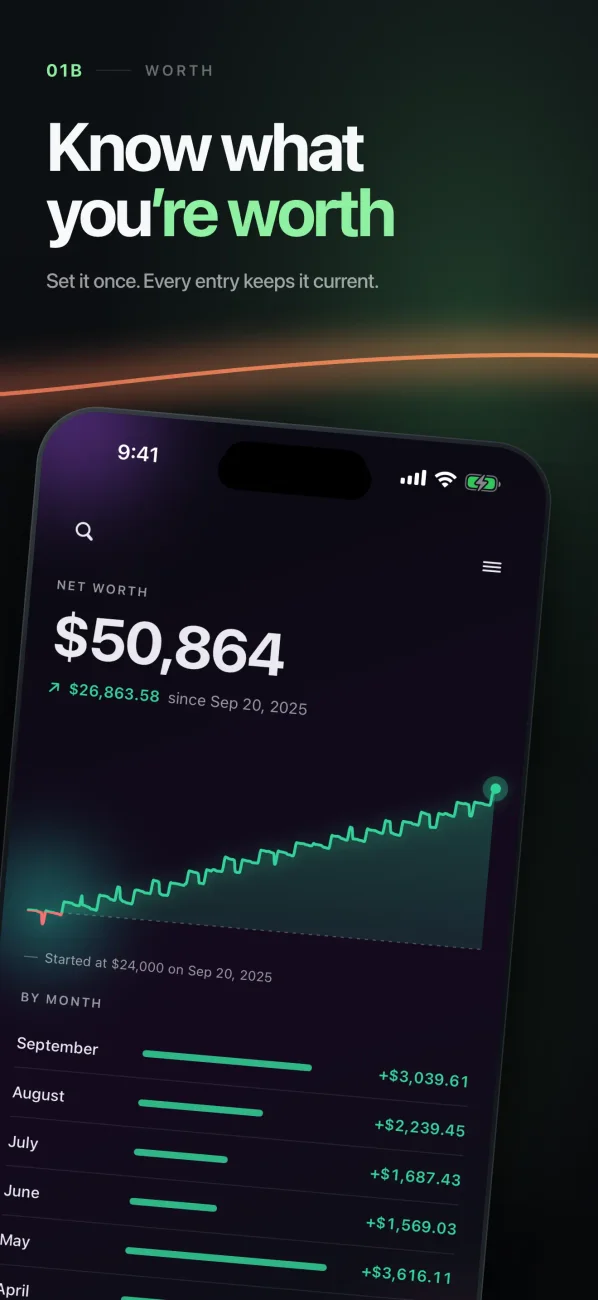
Tell Pocket PnL what you had on any date, and every entry keeps the number current. Connect investment accounts to include them.
MULTIPLE CURRENCIES
Log an entry in another currency and it's converted at that day's rate, keeping the original amount.
RECURRING ENTRIES AND REMINDERS
Rent, salary or a subscription: set it up once and Pocket PnL adds it on the day, then tells you it did.
WIDGETS, SIRI AND SHORTCUTS
Home Screen and Lock Screen widgets, a Control Center button for Quick Add, and Siri to log an entry or ask what you spent.
IMPORT AND EXPORT
Import a CSV from a spreadsheet or your bank. Export everything, or one month, as a CSV you can open anywhere.
POCKET PNL PRO
Receipt scanning that fills in the total, store and date. Unlimited spending limits, full monthly summaries, CSV import, investment accounts (Interactive Brokers, Alpaca, Tradier, Coinbase, Kraken), Apple Pay auto-logging and sharing entries as images. Your first five receipts and your first spending limit are free. Pro is a one-time purchase or a yearly plan.
PRIVATE BY DESIGN
There is no account to create and no server of ours holding your money data. Everything is stored on your iPhone and synced through your own private iCloud, which only you can read. Investment account keys stay in this iPhone's Keychain. We never see your data, and we never sell or share it. An optional Face ID lock keeps the app closed to anyone else.
Works offline. Every entry saves to your iPhone straight away and syncs when you're back online.
Requires iOS 17 or later. iCloud is used for sync when it's on.
The yearly plan renews automatically unless you cancel it at least 24 hours before the end of the year. Manage or cancel it in your Apple Account settings.
Terms of Use: https://www.apple.com/legal/internet-services/itunes/dev/stdeula/
Privacy Policy: https://pocketpnlapp.com/privacy/
What’s new
Version 1.6 · Nov 21, 2026
Spending limits. Set a monthly limit on any category and see how much is left on Stats and Today. Your first limit is free.
Monthly summary. A recap of each month: where the money went, what changed since last month and your biggest day. Pro users can share it as an image.
Import a CSV. Bring in history from a spreadsheet, your bank's export, or Pocket PnL on another phone.
Investment accounts. Connect Interactive Brokers, Alpaca, Tradier, Coinbase or Kraken and see them in your net worth (Pro).
Apple Pay auto-log. Set up a Wallet automation in Shortcuts and every tap is logged, in the right currency (Pro).
Also new:
- Tap a figure in Stats to see the entries behind it.
- Make an entry repeat from the add screen.
- A Lock Screen widget, a Control Center button for Quick Add, and Siri can tell you what you spent or undo your last entry.
- An optional Face ID lock.
- Delete and "Log again today" on every entry.
Fixes:
- No more alerts after every save when you're offline or not using iCloud, and a quick second edit is never lost.
- Delete All Data works without iCloud and removes everything from this iPhone.
- Many fixes for currencies, recurring entries, VoiceOver and large text.
App privacy
What Aaron Arteaga declares on the App Store about how this app handles data.
-
Data not collected
The developer does not collect any data from this app.
Privacy practices may vary, for example with the features you use or your age.
Information
- Seller
- Aaron Arteaga
- Category
- Finance
- Version
- 1.6
- Updated
- Nov 21, 2026
- Released
- Aug 12, 2026
- Size
- 14.5 MB
- Requires
- iOS 17.0 or later
- Age rating
- 4+
- Price
- Free
- In-app purchases
- Yes
- Languages
- English, French, German, Italian, Japanese, Portuguese, Spanish
- Copyright
- © 2026 AAAA
You might also like
-
 Kyra: Trading Journal & PnLP&L Calendar, Patterns & Notes
-
 NexoTaskerTrade journal + routines
-
 Ascend: Net Worth TrackerBrokerage, home & crypto
-
 PnL Trading Journal: VaultTrade Calendar, Scan & Stats
-
 HyperLens · Perp PnL TrackerDeFi Perp Positions & PnL
-
 EZ JournalTrading Journal
-
 PnL: Crypto Portfolio TrackerExchanges, wallets & AI helper
-
 TradeLedgerTrade Journal & Planning
-
 Budget Flow - Money TrackerPlant habits. Grow your money.
-
 Forex: Economic CalendarReal-time Economic Data