
Pocket Tactic Board
Tactics, animated and shared
Designed for iPhone, iPad, iPod touch
Free
- Age rating4+
- CategorySports
- DeveloperMei Tung Wan
- LanguagesEnglish
- Size32.2 MB
Links to the official App Store page
Download.org hosts no file of Pocket Tactic Board. The button opens its official App Store page, published by Mei Tung Wan. Listing last checked on Nov 23, 2026.
Screenshots


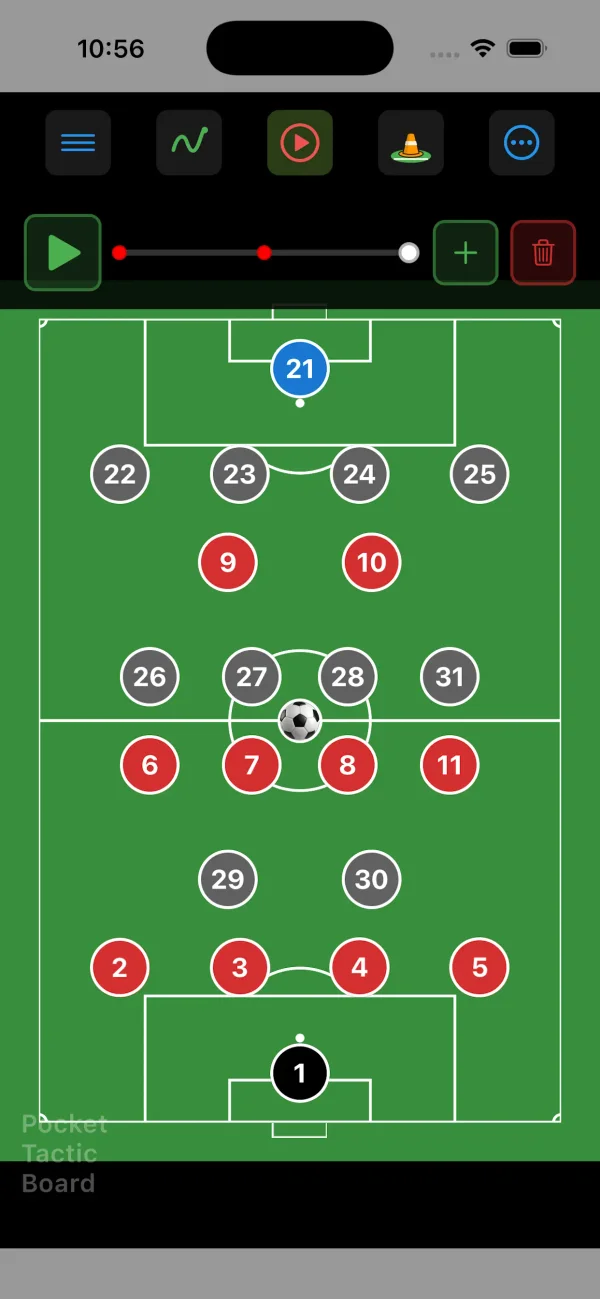

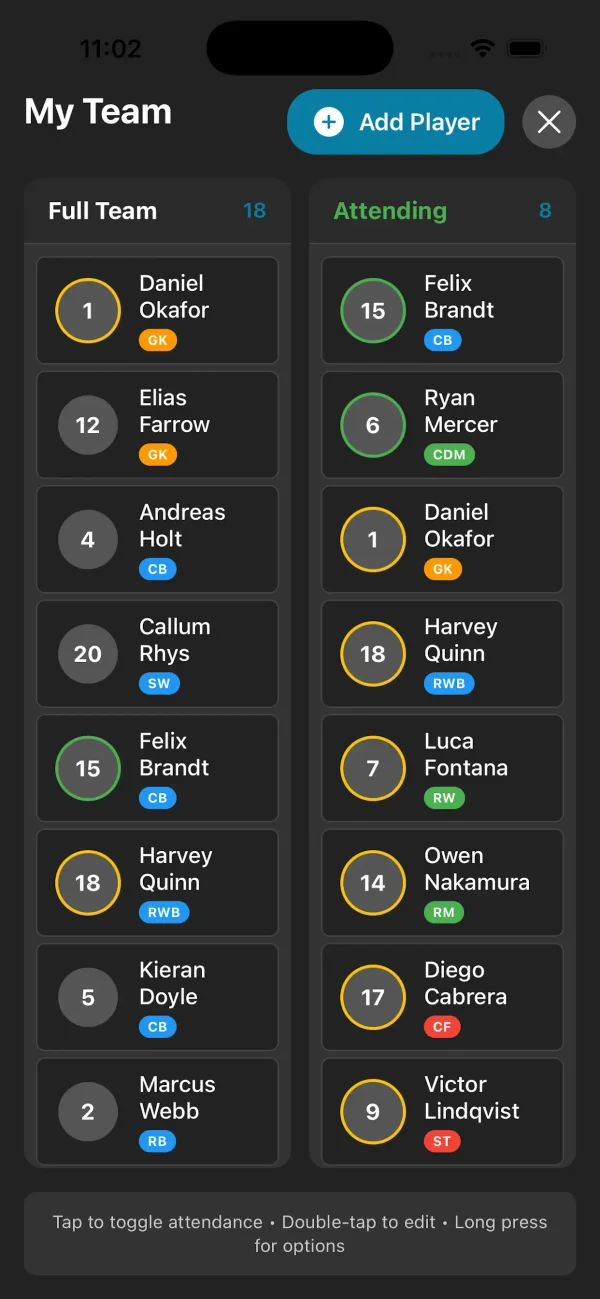
About
Pocket Tactic Board turns your phone into a coach's tactics board. Set a formation, move players with
your finger, animate the play, and send your team a narrated video of it.
THE BOARD
• Full-size, 9-a-side and 7-a-side pitches, plus an indoor futsal court
• A formation for each team, or drag players wherever you want them
• Your own team and goalkeeper colours
• Optional offside and defensive lines
• Pinch to zoom, drag to pan
ANIMATE THE PLAY
• Build it as a sequence of keyframes and the board moves smoothly between them
• Give each step a subtitle, placed at the top, middle or bottom
• Have the subtitle read aloud, and edit the spoken line separately from the words on screen
• Play it back on the full board
EXPORT A NARRATED VIDEO
• Save the animation as an MP4 with the narration recorded into the audio
• Words light up in time with the voice
• See the length, file size and time remaining while it is being made
• Save to Photos, or share straight from the app
DRILL MODE
• Cones, flat markers and slalom poles in five colours
• Portable goals that turn to any of eight directions
• Extra balls, and players added one at a time
• Draw arrows, boxes and circles over the top of it all
DRILL CODES
• Scan a code and a complete exercise lands on your board, ready to animate
• See the title, the pitch, the number of phases and the video length before you load it
• Your current board is never replaced without asking first
• A code is just an image on a screen, so anyone can send you one
YOUR SQUAD
• Keep a roster of names, numbers and positions
• Scan a team code and the whole squad arrives at once, instead of typing it in
• Every player is listed before anything is added, with clashing shirt numbers flagged
• Mark who is at training and fill the board from the list
PRACTICAL
• Works offline. No account and no sign-in
• Boards are saved on your device and found again by their picture
• English and Traditional Chinese
What’s new
Version 1.4.0 · Nov 20, 2026
Scan your squad in, the way you scan a drill.
TEAM CODES
• Hand your squad list to your AI assistant and scan the code it shows you
• Every player is listed before anything is added, with clashing shirt numbers flagged
• Replace the roster or add to it, with the squad still on screen while you choose
• This replaces pasting a list as text, which quietly dropped any line it could not read
FIND A BOARD BY LOOKING AT IT
• Saved boards are now a grid of pictures, each taken when that board was saved
• An animation is shown by its opening frame
• Boards saved before this release show a plain pitch until you save them again
EXPORTING A VIDEO
• Fixed: the export failed for any drill with a space in its title
• The screen stays awake while a video is being made, so a long export finishes
• The progress counts down the time left instead of showing a percentage
PLAYER PHOTOS HAVE BEEN REMOVED
• A player is shown by shirt number everywhere on the board, so the photo was never used
• Any photo you had set is dropped from the roster rather than kept unused
• The app no longer asks for camera or photo access to set one
ALSO
• A drill can carry several balls, or none at all
App privacy
What Mei Tung Wan declares on the App Store about how this app handles data.
-
Data not collected
The developer does not collect any data from this app.
Privacy practices may vary, for example with the features you use or your age.
Information
- Seller
- Mei Tung Wan
- Category
- Sports
- Version
- 1.4.0
- Updated
- Nov 20, 2026
- Released
- Oct 10, 2025
- Size
- 32.2 MB
- Requires
- iOS 15.1 or later
- Age rating
- 4+
- Price
- Free
- Languages
- English
- Copyright
- © 2026 Don Wan
You might also like
-
 TouchLine: Tactics BoardSports
-
 Soccer Coach Lineup : TacBoardSoccer Coach Tactic Board
-
 Soccer Tactics Board: CoachFormation & lineup planner
-
 Tactics Board 3D: Soccer CoachFootball Lineups & Set Pieces
-
 Soccer Coach Tactic Board: VABuild Lineups and Drills
-
 Tactics Board - SoccerDraw tactics & share plays
-
 Football Tactics Board& Futsal
-
 Tacbo - Soccer Tactics BoardFor Coaches: Tactics, Lineups
-
 Tactical Board - Coach BoardDrills & tactics creator
-
 Elite Soccer Tactic BoardLineup Formation Builder