
PocketAI: Remote Coding Agent
Your computer, from your phone
Designed for iPhone
Free · In-app purchases
- Age rating4+
- CategoryUtilities
- Developer博 袁
- LanguagesEnglish+ 6 more
- Size2.7 MB
Links to the official App Store page
Download.org hosts no file of PocketAI: Remote Coding Agent. The button opens its official App Store page, published by 博 袁. Listing last checked on Nov 20, 2026.
Screenshots
About
PocketAI puts the coding agent running on your Mac right in your pocket — so you can keep building, fixing, and shipping from anywhere, even on cellular.
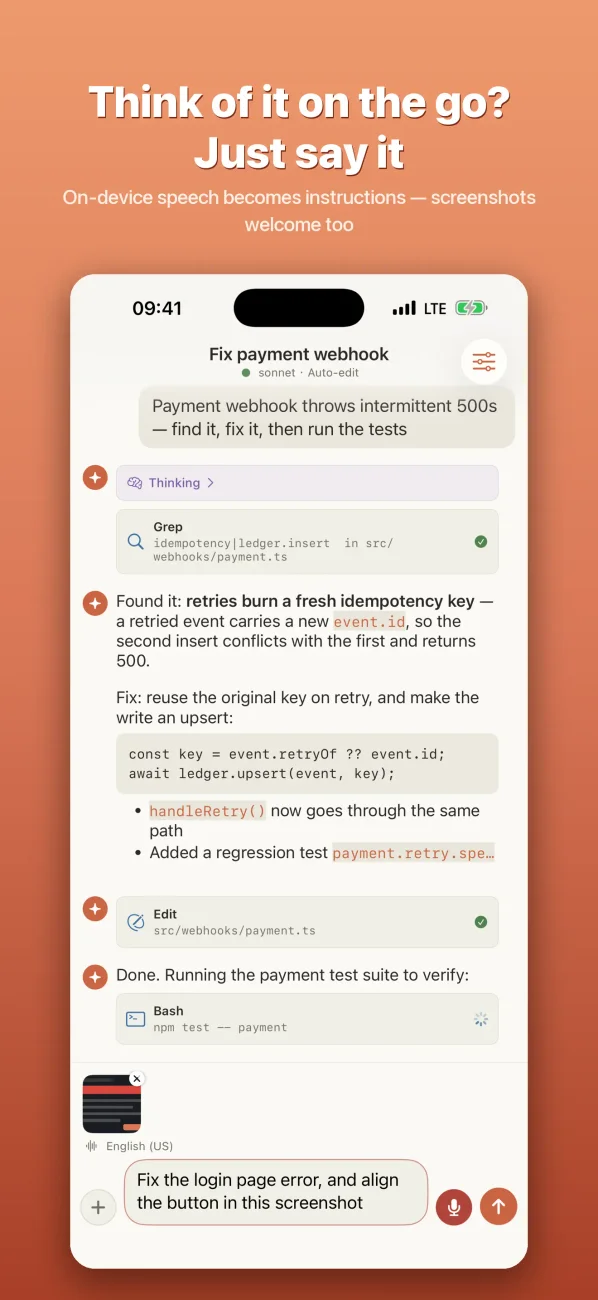
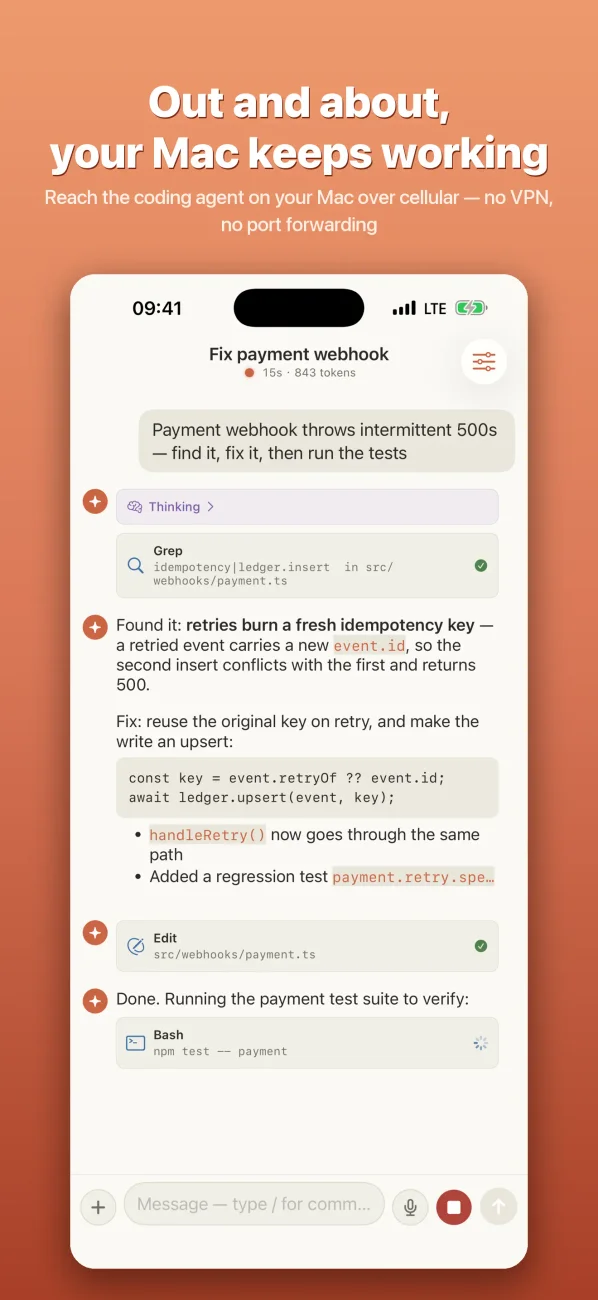
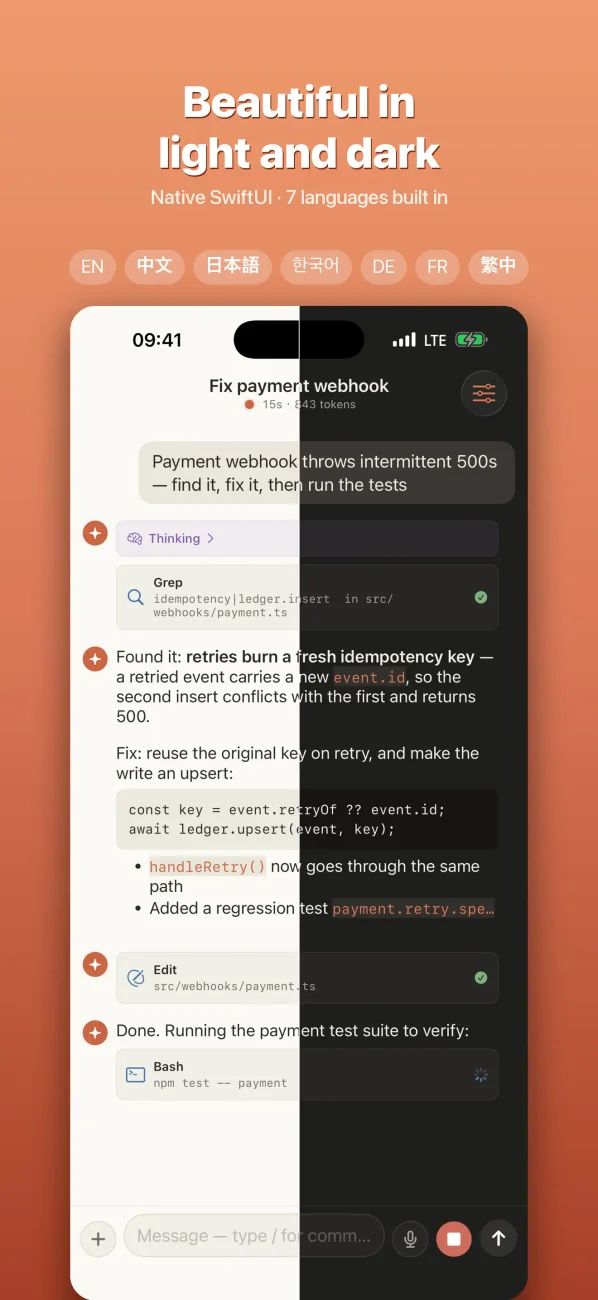
It is not a screen mirror. PocketAI talks to a small companion service on your Mac and renders a real, native conversation on your phone: message bubbles, thinking blocks, tool calls, Markdown, and code — the same shape you know from the desktop.
FROM ANYWHERE, NOT JUST YOUR WI-FI
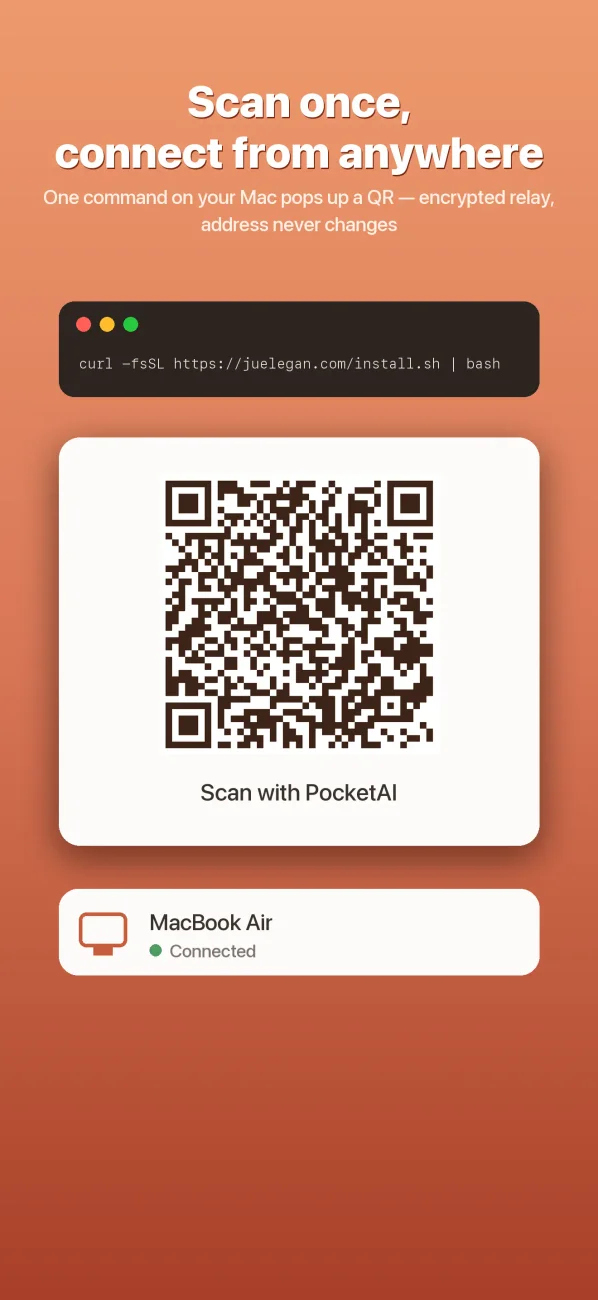
• Your Mac opens a secure, encrypted tunnel outward, so your phone reaches it over cellular or any Wi-Fi.
• No VPN, no port forwarding, no router setup. TLS-encrypted in transit.
• The companion runs on macOS, Windows (WSL), and Linux.
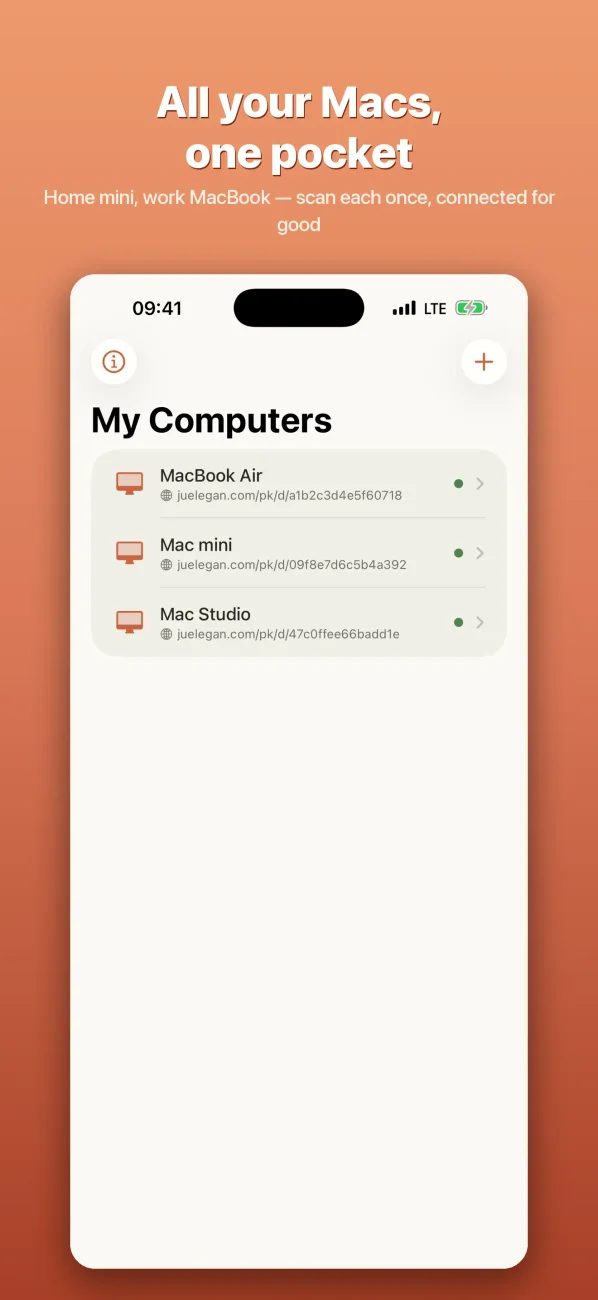
• Connect to more than one Mac and switch between them.
YOU STAY IN CONTROL
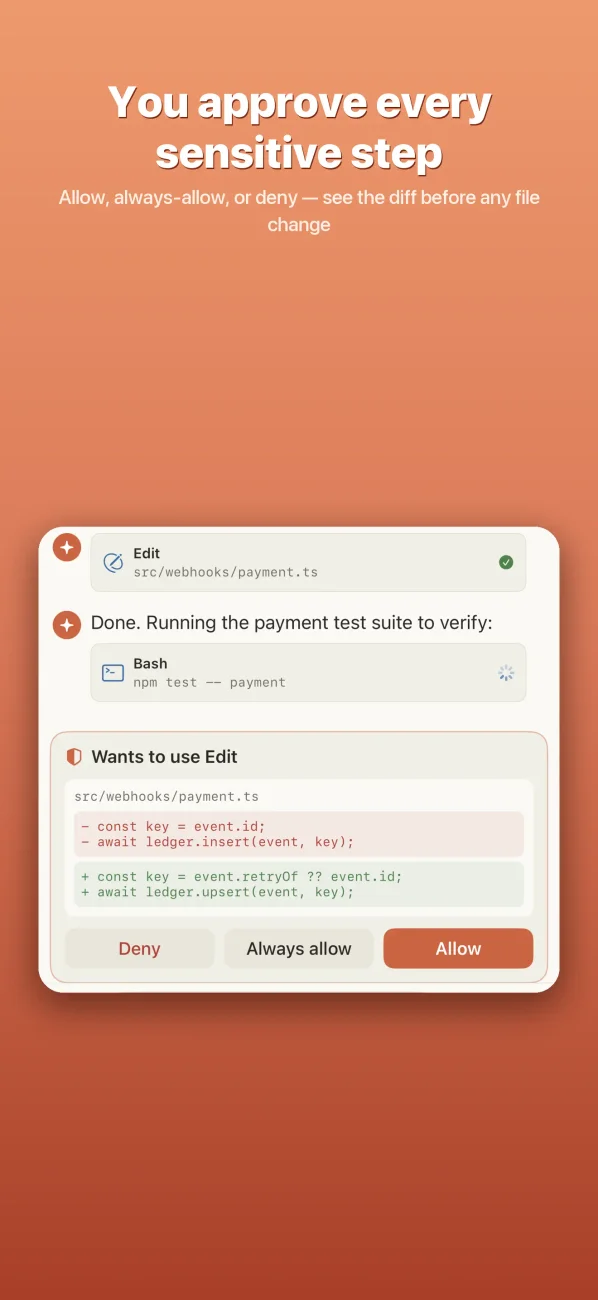
• Every sensitive action — running a command, editing a file — asks you first, right on your phone.
• Choose Allow, Always allow, or Deny for each request.
• See file edits as a red/green diff before you approve them.
• Interrupt a run at any time.
BUILT FOR REAL WORK
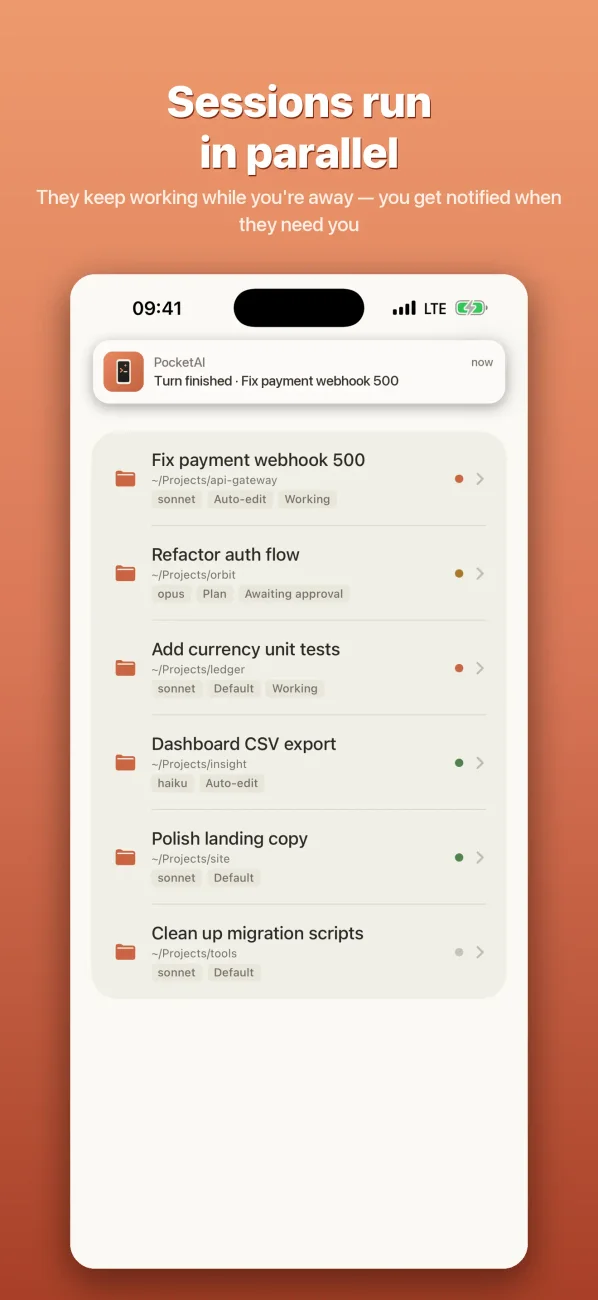
• Many sessions at once — each keeps running on your Mac while you're away; come back and it replays the full conversation.
• Pick the model, working folder, permission mode, and effort level per session.
• Voice input, send photos for the agent to look at, and slash-command suggestions.
• Todo lists, plan approvals, and tool cards — tuned to match the desktop.
PRIVATE BY DESIGN
• No account. No sign-up. No analytics. No data collection.
• Your connection details live only in the iOS Keychain.
• Conversations go straight to your own computer through an encrypted relay that only forwards traffic — nothing is stored or analyzed, and there are no accounts.
TRY IT WITH NO SETUP
• A built-in offline demo shows exactly how a conversation and a permission prompt work — no computer required.
WHAT YOU NEED
PocketAI is a client for a coding agent that runs on your own Mac. To use it for real, you run the free open companion service on your Mac (one command) and have a compatible command-line coding agent installed — it works with Claude Code and similar CLI agents. Any usage costs are billed by your agent/model provider, not by PocketAI.
Free to try. Unlock Pro with a small monthly plan or a single one-time purchase — never a forced subscription. No account, no data collection. Made for developers who want their desktop agent within reach, wherever they are.
Questions or feedback? We read every message.
Privacy Policy: https://oldcircle.github.io/pocketai-site/privacy-policy.html
Terms of Use (EULA): https://www.apple.com/legal/internet-services/itunes/dev/stdeula/
App privacy
What 博 袁 declares on the App Store about how this app handles data.
-
Data not collected
The developer does not collect any data from this app.
Privacy practices may vary, for example with the features you use or your age.
Information
- Seller
- 博 袁
- Category
- Utilities
- Version
- 1.0
- Updated
- Jul 13, 2026
- Released
- Jul 13, 2026
- Size
- 2.7 MB
- Requires
- iOS 17.0 or later
- Age rating
- 4+
- Price
- Free
- In-app purchases
- Yes
- Languages
- English, French, German, Japanese, Korean, Simplified Chinese, Traditional Chinese
- Copyright
- © 2026 Oldcircle
You might also like
-
 DXF Viewer: CAD File ReaderOpen & View DXF Drawings
-
 SpeakloneClone Voices, 100% On-Device
-
 floccusSync bookmarks privately
-
 CTR-MAZiMAZi
-
 Xesim: eSIM for Every PhoneXesim: eSIM for Every Phone
-
 UCODE: SMS Verification CodeVirtual Number & Second Phone
-
 Private LLM - Local AI ChatLocal Offline Private AI Chat
-
 Watchla for TeslaWatch app for Tesla
-
 Second Sim - Receive SMSVirtual Phone Number
-
 Violin Tuner - SimpleUtilities