
- Age rating4+
- CategoryFinance
- DeveloperDaniel Cannon
- LanguagesEnglish
- Size7.3 MB
Links to the official App Store page
Download.org hosts no file of PocketBacktest. The button opens its official App Store page, published by Daniel Cannon. Listing last checked on Nov 23, 2026.
Screenshots
About
How would that portfolio actually have done?
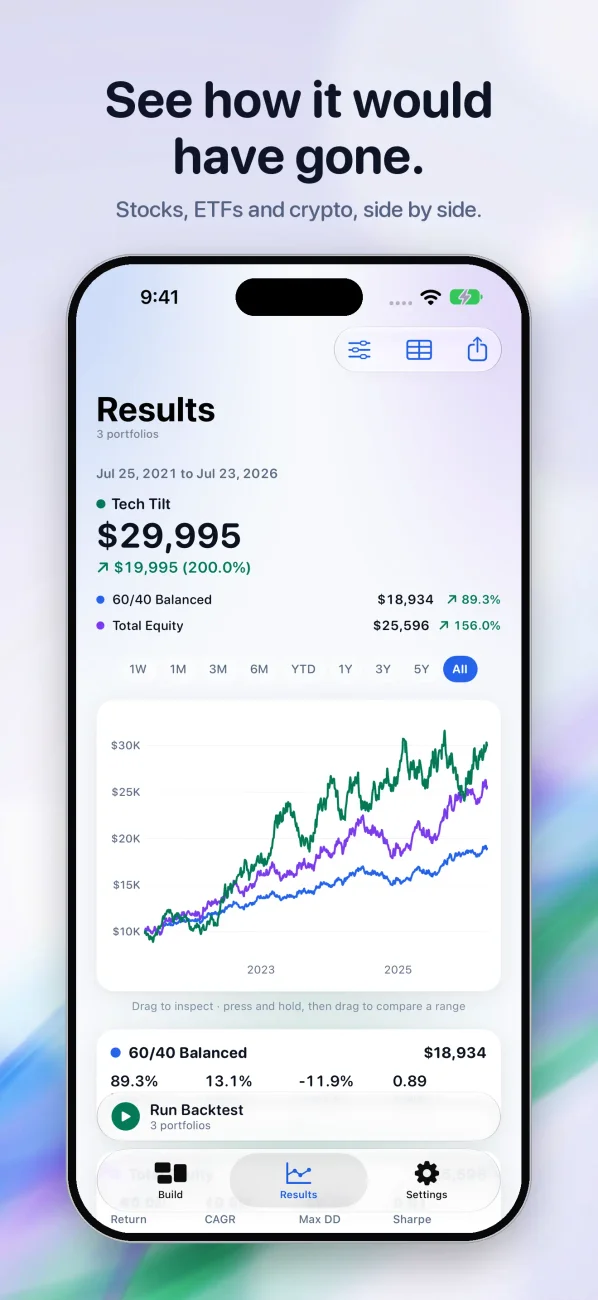
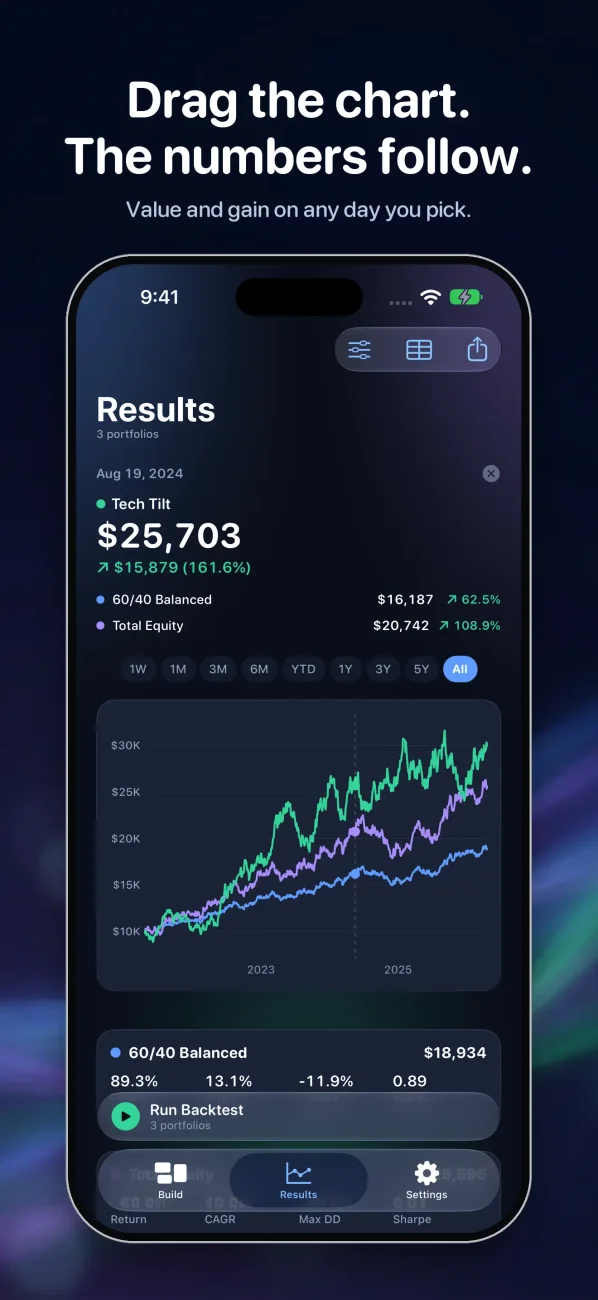
Type the tickers, set the weights, pick a period, tap Run Backtest. You get a
clean growth chart and the numbers that matter. In about ten seconds, with no
account and no spreadsheet.
BUILD IT YOUR WAY
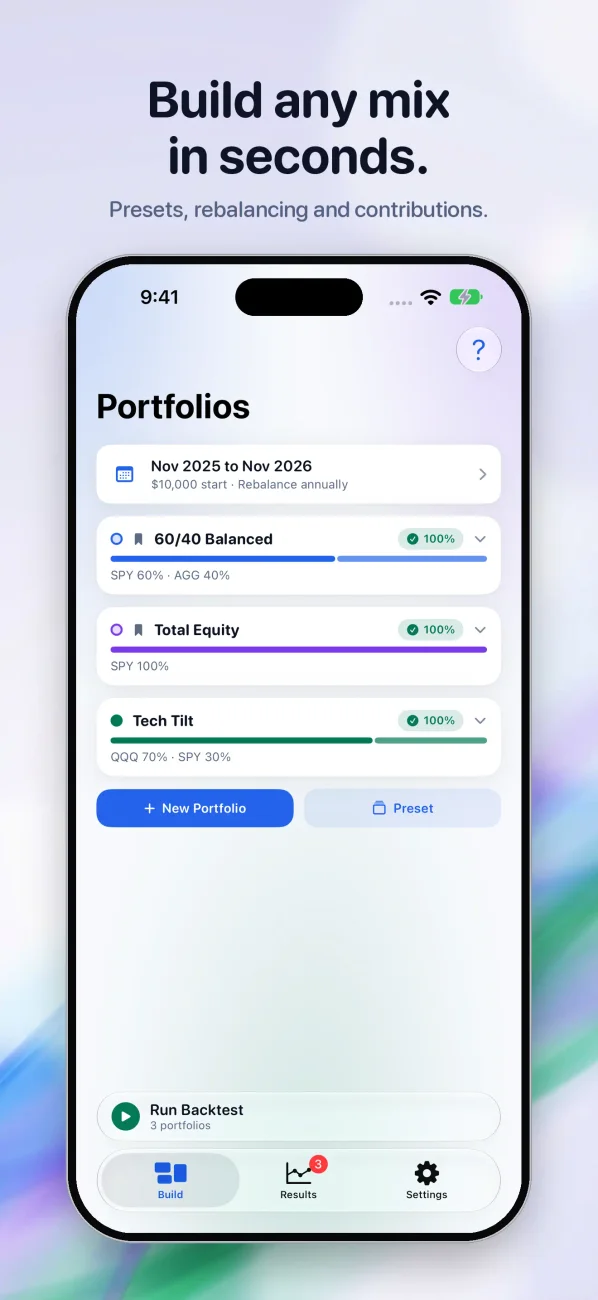
• Save multiple portfolios of stocks, ETFs, and crypto
• Start from a preset - 60/40 Balanced, All Weather, Three-Fund, Total Nasdaq,
Crypto Blend and more
• Split weights evenly with one tap, or type them to the decimal
• Duplicate a portfolio to try a variation without losing the original
• Swipe to delete; each portfolio keeps the colour it uses on the chart
TEST IT PROPERLY
• Periods from 1 week to 5 years, YTD, or the full available history
• Rebalancing: Buy & Hold, Monthly, Quarterly, or Annually
• Add recurring contributions - daily, weekly, monthly, quarterly or yearly
• Set your own risk-free rate for the risk figures
THE NUMBERS
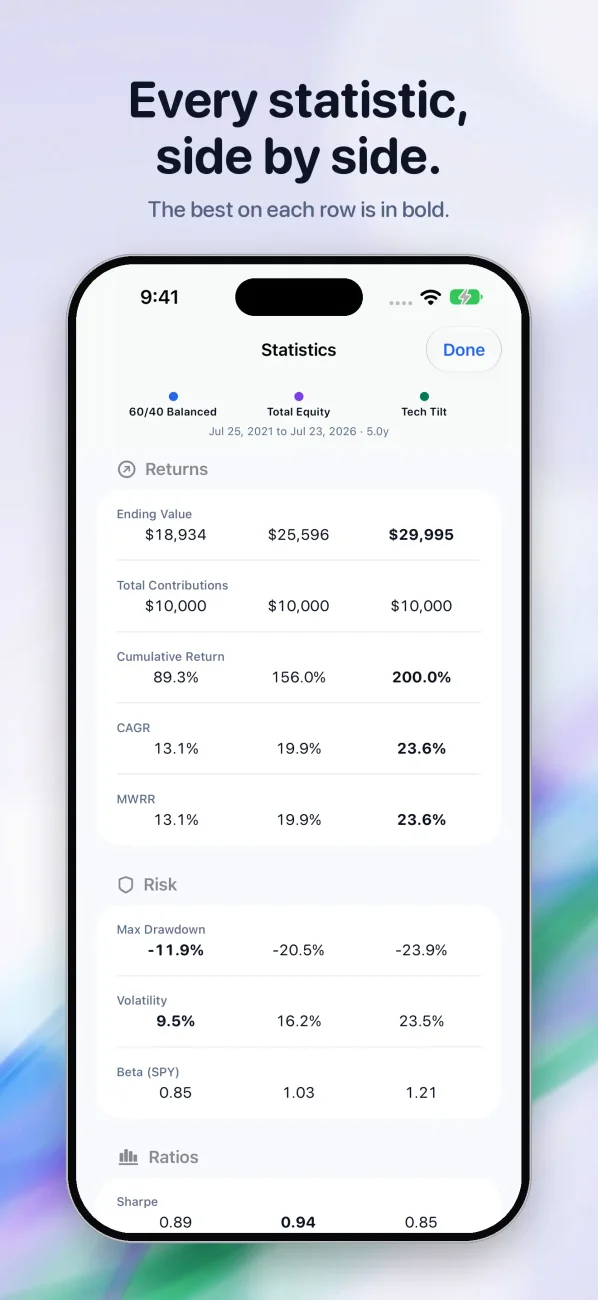
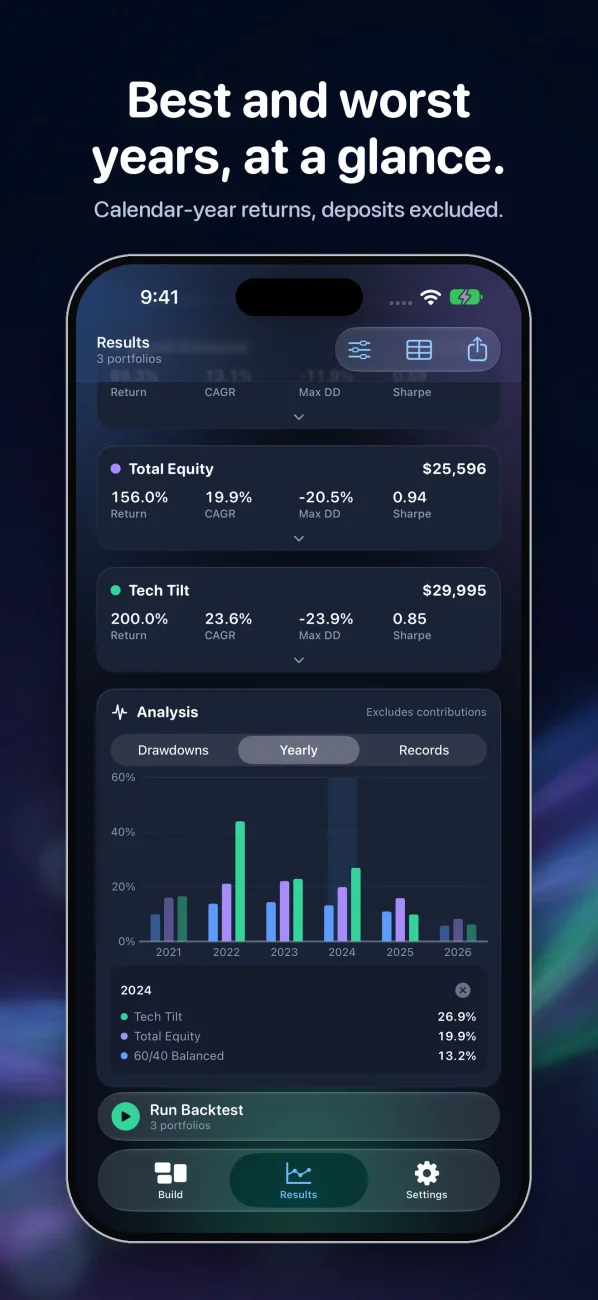
• Total return, CAGR, and ending balance
• Money-weighted return (MWRR) once you are adding contributions
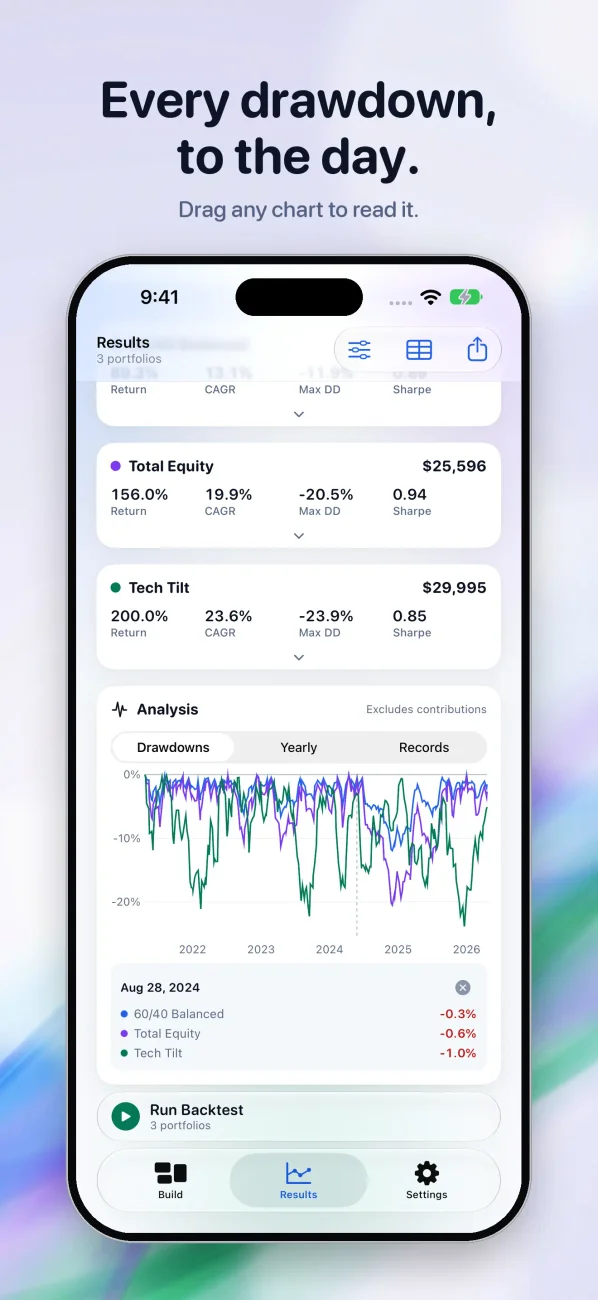
• Maximum drawdown - the worst peak-to-trough fall along the way
• Volatility, Sharpe, Sortino, Calmar, and beta
• Contributions are excluded from the return maths, so money you paid in is
never counted as growth
READ THE CHART
• Compare every portfolio on one chart, side by side
• Drag to inspect any single day; press and hold, then drag, to measure a range
• Turn the phone sideways for a full-screen chart
• Optional log scale, or start everything at 100 to compare shape rather than
dollars
• Export a run as CSV and a chart image, zipped and ready to share
MADE TO LIVE ON YOUR PHONE
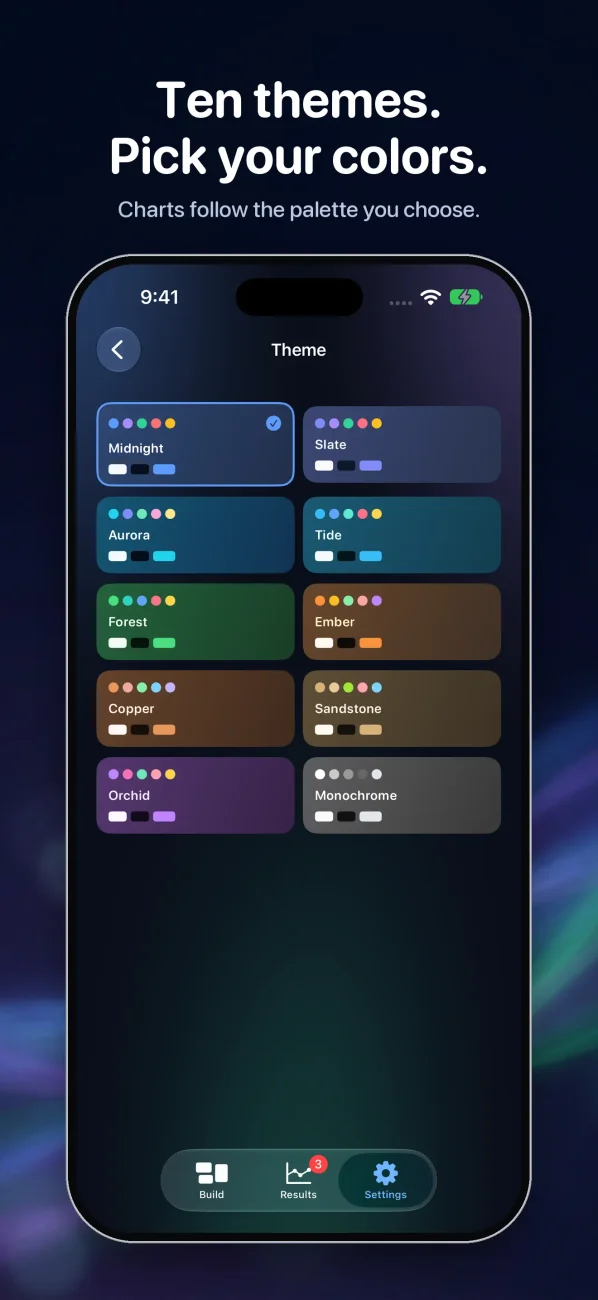
• Ten themes, each with a genuine light and dark version that follows your
System setting
• Portfolio Pulse widget keeps your last run on the home screen
• Ask Siri: "Run a backtest in PocketBacktest"
• Full Dynamic Type, VoiceOver labels, and Reduce Motion support
• Prices are cached, so recent runs still work with a weak connection
Disclaimer: The information provided in this app is for informational and
entertainment purposes only and should not be considered financial advice. Past
performance does not predict future results. Always do your own research or
consult a qualified financial professional before making investment decisions.
What’s new
Version 2.3 · Nov 22, 2026
A fresh look, built for iOS 26 and later.
- Results lead with a headline number that follows your finger as you drag the chart, or shows the change across a range you select.
- Run Backtest sits above the tab bar on Build and Results, so you can tweak and re-run without switching tabs.
- Calmer cards, a cleaner Statistics table with the best value in bold, and simpler Parameters and Settings screens.
- Each portfolio shows its mix at a glance. Long-press or swipe a row for Duplicate, Split Evenly and Delete.
- Fixes: drawdowns always show as a loss, and amounts keep their commas.
App privacy
What Daniel Cannon declares on the App Store about how this app handles data.
-
Data used to track you
May be used to track you across apps and websites owned by other companies.
- Identifiers
- Usage data
-
Data linked to you
May be collected and linked to your identity.
- Location
- Identifiers
- Usage data
-
Data not linked to you
May be collected but is not linked to your identity.
- Diagnostics
Privacy practices may vary, for example with the features you use or your age.
Information
- Seller
- Daniel Cannon
- Category
- Finance
- Version
- 2.3
- Updated
- Nov 22, 2026
- Released
- Oct 14, 2025
- Size
- 7.3 MB
- Requires
- iOS 18.0 or later
- Age rating
- 4+
- Price
- Free
- Languages
- English
- Copyright
- © Cannon Defense Engineering and Technology
You might also like
-
 TradingGymPaper Trade & Drill Your Edge
-
 If Stock: Backtest PortfolioTrack NASDAQ & Analyze Returns
-
 Stock DCA Plan - BacktestLabBacktest & Investing Simulator
-
 Backtest NowData-driven portfolio backtest
-
 ThesisEdgeAI backtest na S&P 500
-
 Realist Paper TradingFinance
-
 Sapling: Test Your InvestmentsTest ETFs, BTC & Stocks
-
 HillWatch: Track All MarketsStocks & Congress Tracker
-
 Blueprint PortfolioBeginner investing made simple
-
 RangeSight StudiosKnow Your Risk Before Trading